

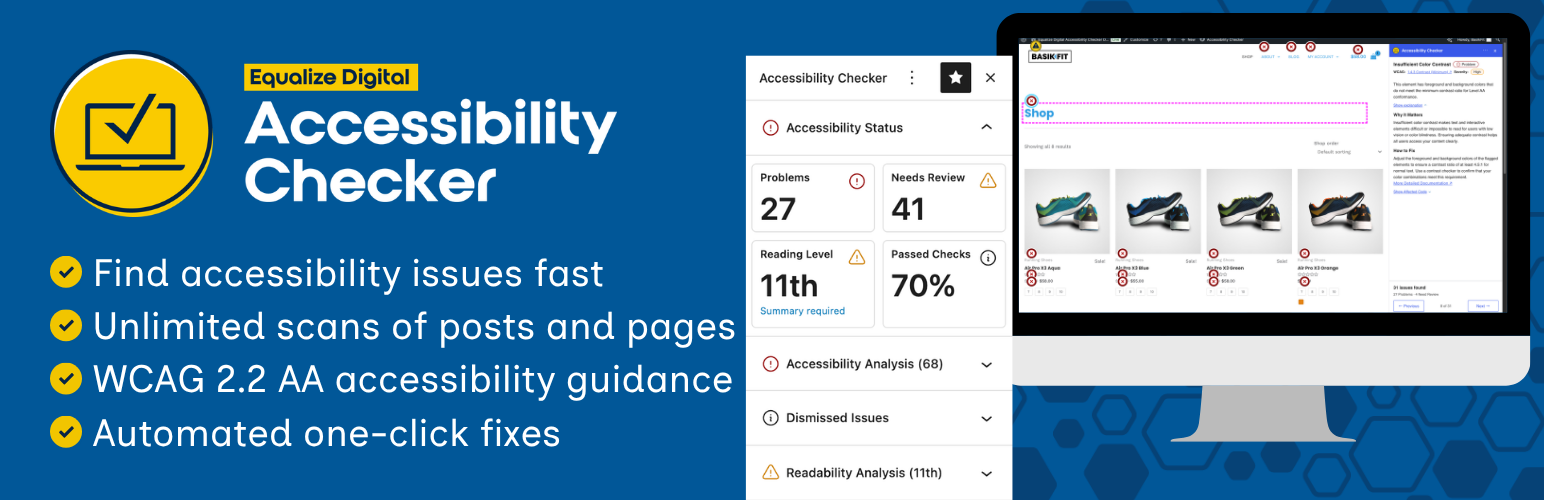

Equalize Digital Accessibility Checker – Audit Your Website for WCAG, ADA, and Section 508 Accessibility Errors
Plugin Website | Documentation | Compare Free to Pro | Get Pro | WP Accessibility Meetup | WP Accessibility Facebook Group
Make Your Website Accessible with Accessibility Checker
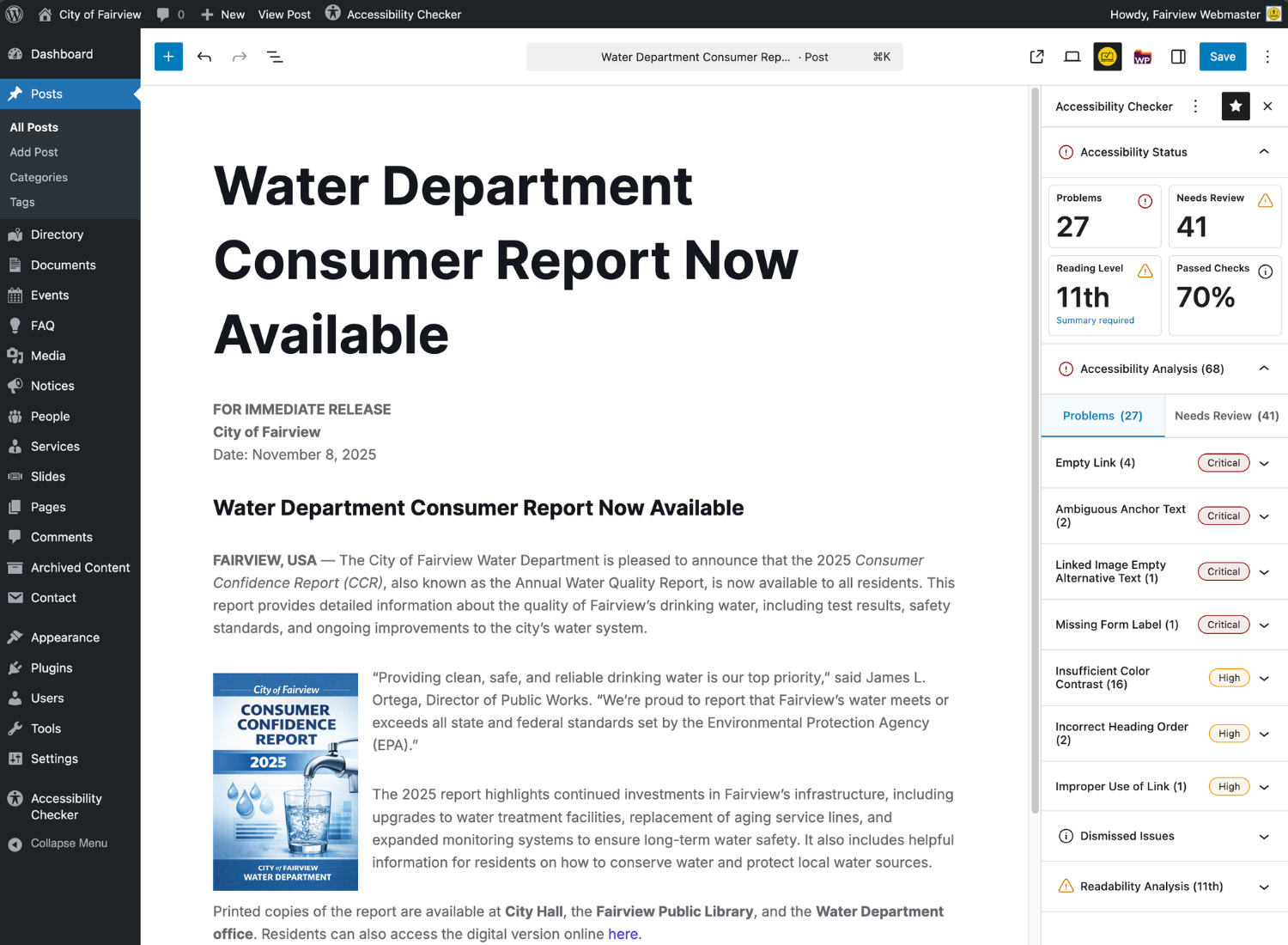
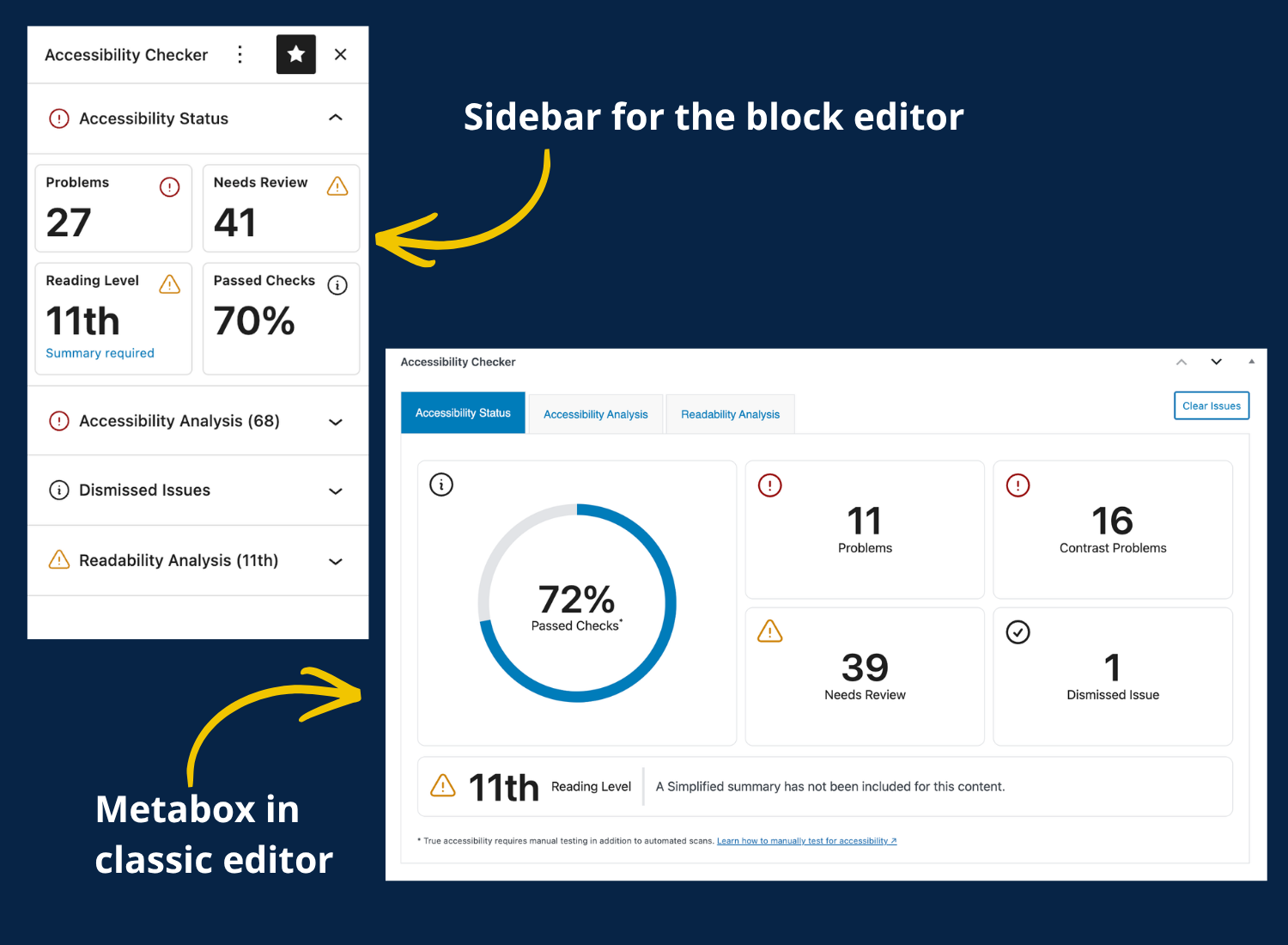
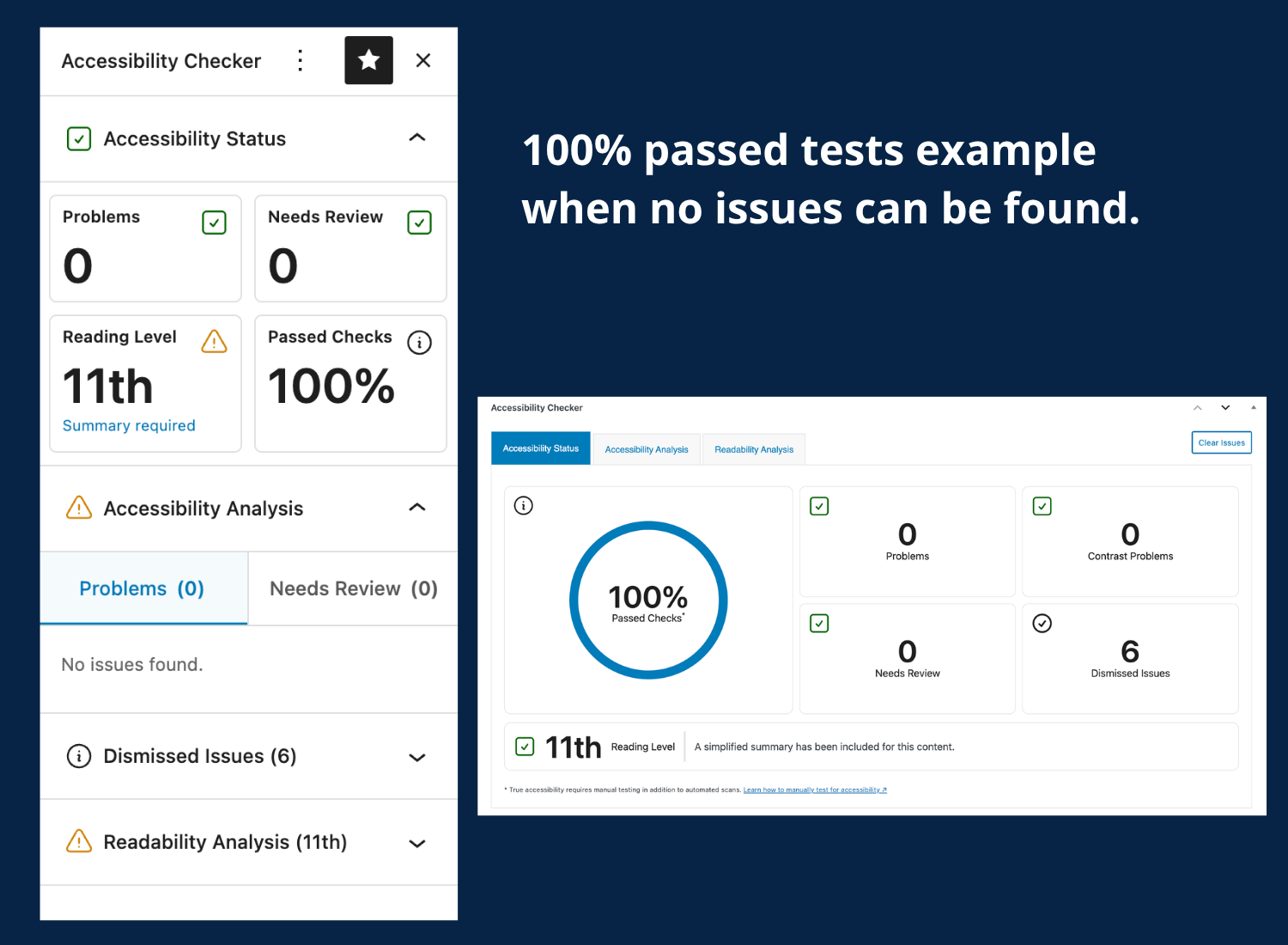
Equalize Digital Accessibility Checker helps you find and fix accessibility problems as you create content — no need to leave the WordPress editor. The plugin scans your posts and pages each time you save or publish, then shows errors and warnings directly in the edit screen so you can fix issues in real time.
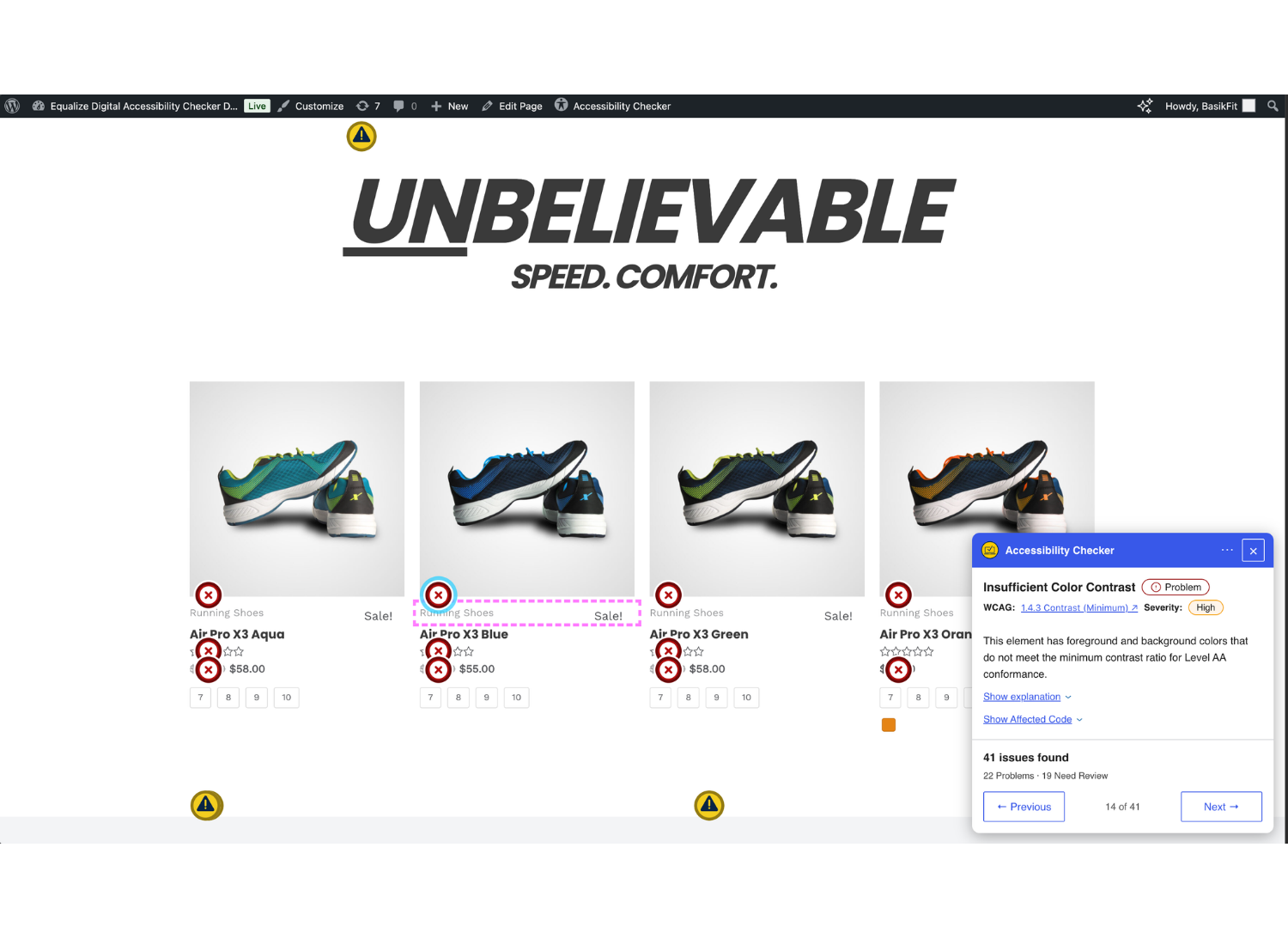
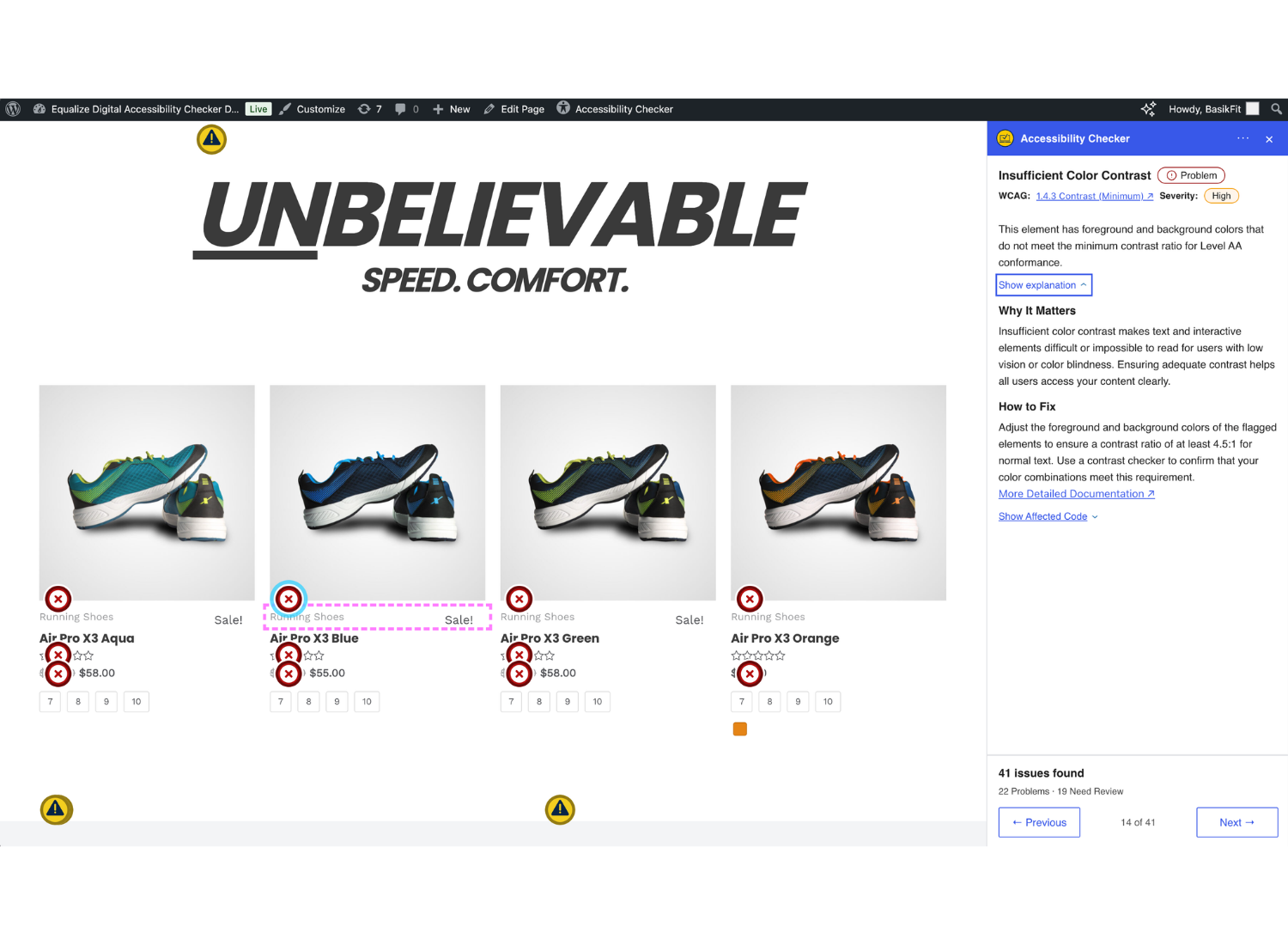
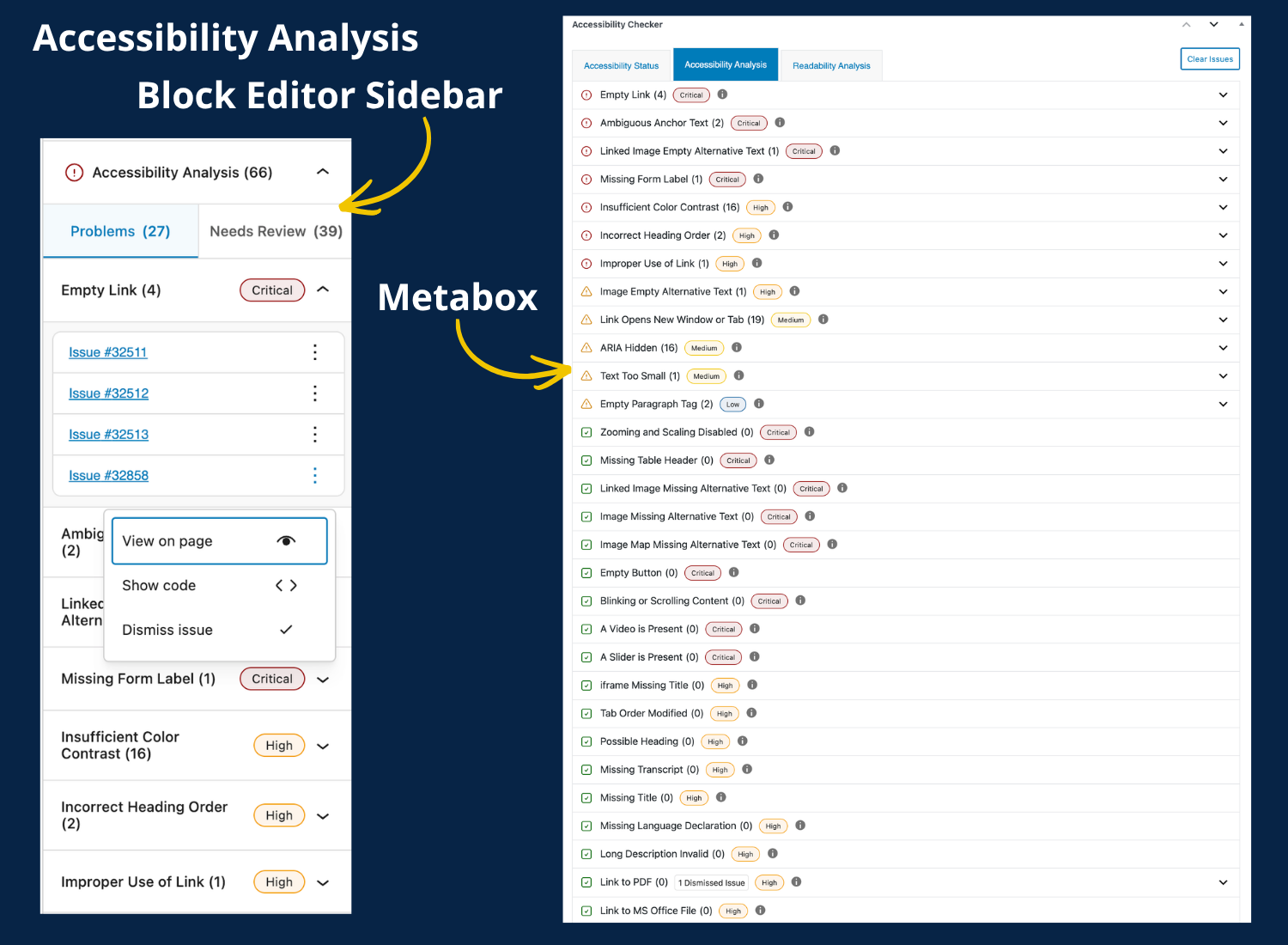
Accessibility Checker runs over 40 automated checks based on Web Content Accessibility Guidelines (WCAG) 2.2 and highlights exactly which elements fail WCAG. If you aren’t sure what a code snippet means, flip to the front-end view to see the element highlighted on your website.
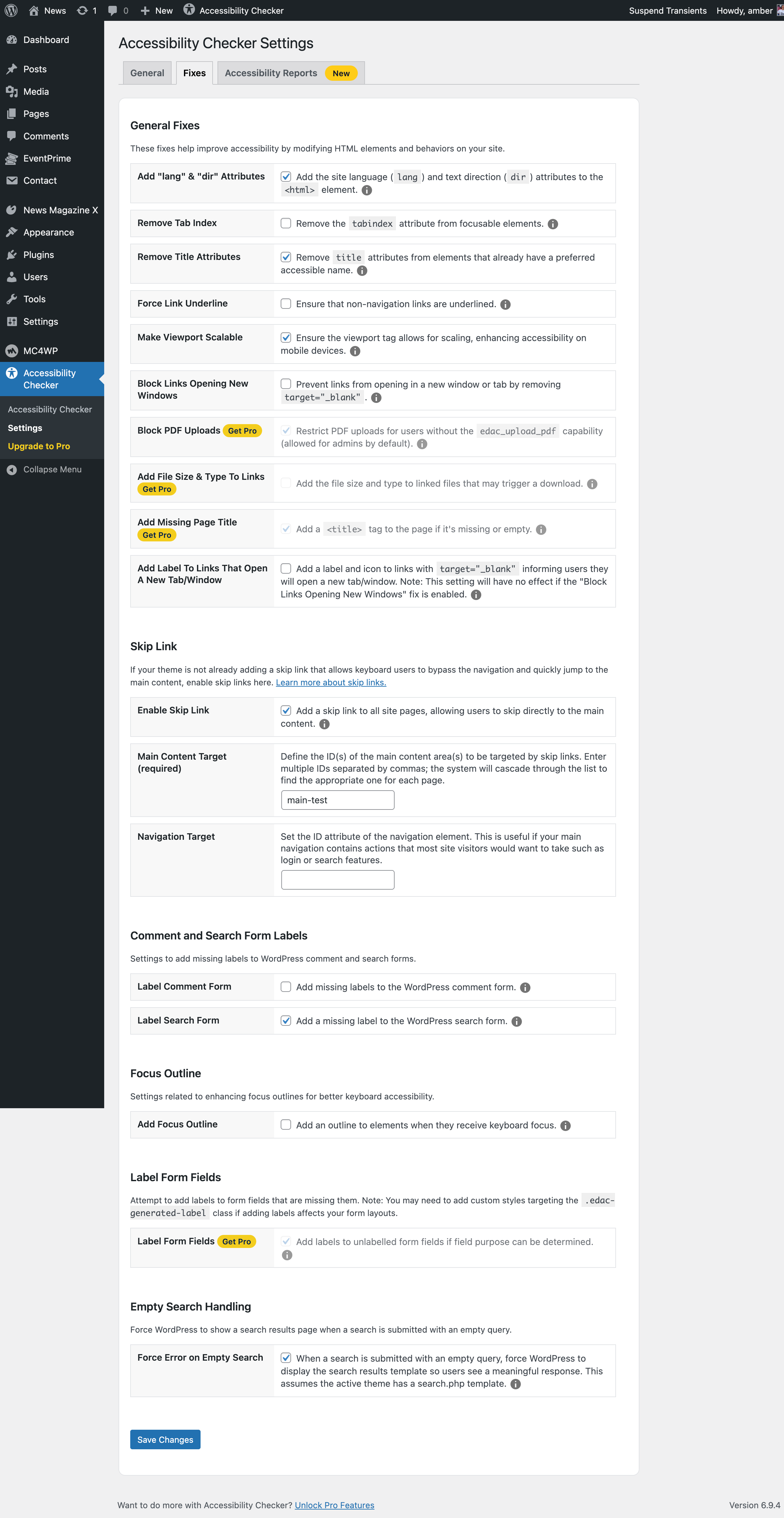
Accessibility Checker also includes 10 automated fixes to resolve common accessibility barriers for you. Helpful documentation is available for every issue, and accessibility consulting is available if you need expert help.
Automated Accessibility Fixes
Have accessibility issues on your website that you can’t fix? Accessibility Checker can fix common issues in themes and plugins. One-click fixes include:
- Add skip links
- Add focus outlines
- Block links opening new windows
- Force links to be underlined
- Label comment fields
- Label search fields
- Add
lang&dirattributes - Make the viewport scalable
- Remove positive tab index to fix incorrect focus order
- Remove title attributes from elements with preferred accessible names
- Add warnings to links that open in new tabs
- Add file size & type to links [Pro]
- Add missing page titles [Pro]
- Block PDF uploads [Pro]
- Label form fields [Pro]
Ensure Ongoing ADA, Section 508, AODA, European Accessibility Act & WCAG Compliance
Laws around the world require websites to be accessible. Equalize Digital Accessibility Checker is the best automated tool to run to support your accessibility strategy.
- Find problems fast.
- Learn accessibility as you go.
- Easy automated fixes.
- Personalized support and custom plans for more complex remediation needs. [Pro]
Start making your website comply with accessibility laws and requirements today. Making your website accessible reduces legal risk, improves SEO, and can increase conversions.
A Vital Part of Your WordPress Accessibility Strategy
Accessibility Checker is the best automated tool to run along with your manual accessibility tests. It’s perfect for small business websites, large enterprise organizations, and everything in between. Whether you’re running a small brochure website, an eCommerce store with thousands of products, or a multi-site network for a university, Accessibility Checker is the right tool for your website.
- No limits on pages scanned. Have hundreds of blog posts or pages on your website? No problem!
- Coded and tested by accessibility experts. Equalize Digital team members are certified accessibility professionals by the International Association of Accessibility Professionals and experts at building accessible WordPress websites.
- WCAG 2.2 A, AA, & AAA guidance. Flags errors and warnings for accessibility problems according to WCAG 2.2.
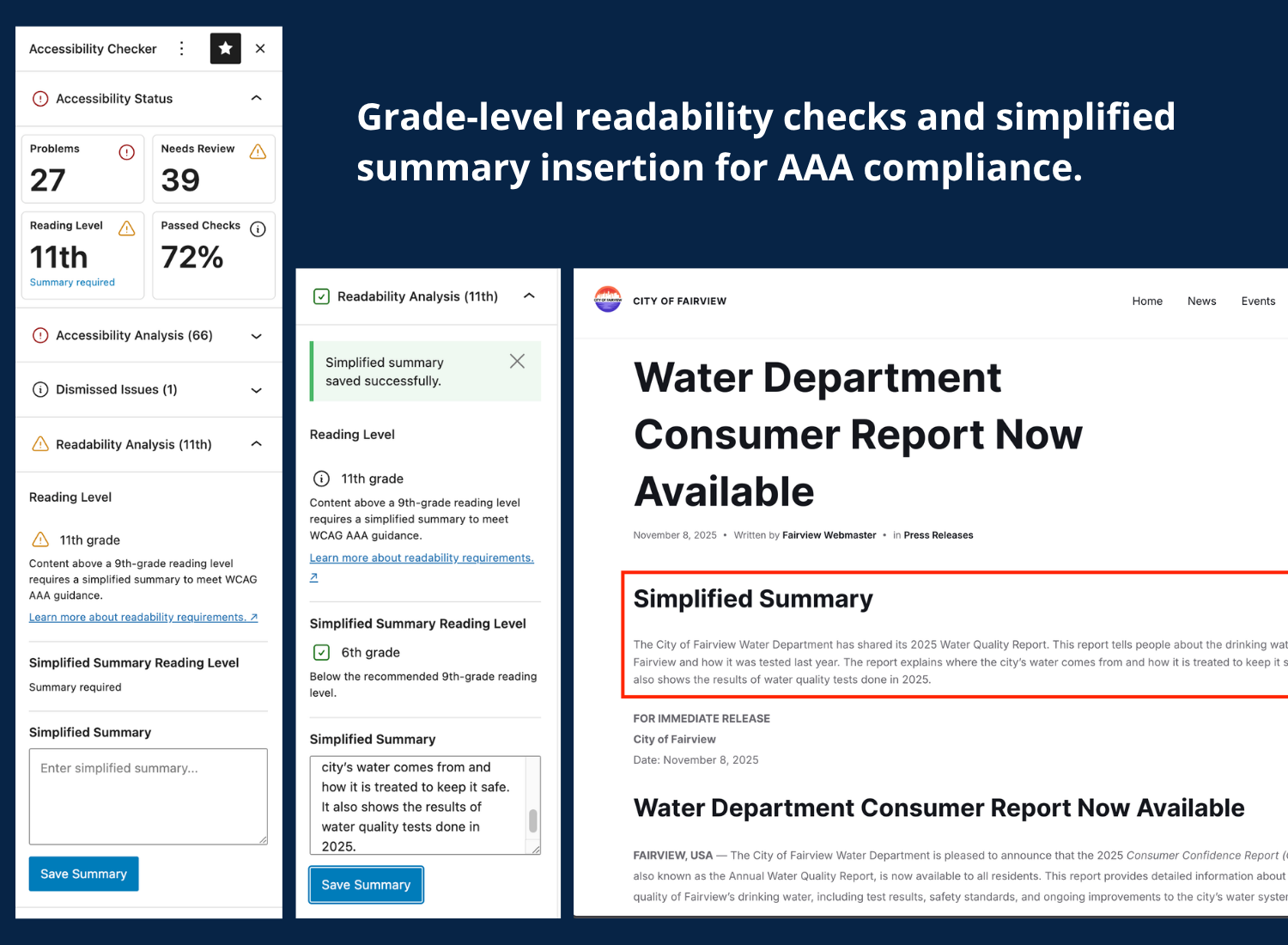
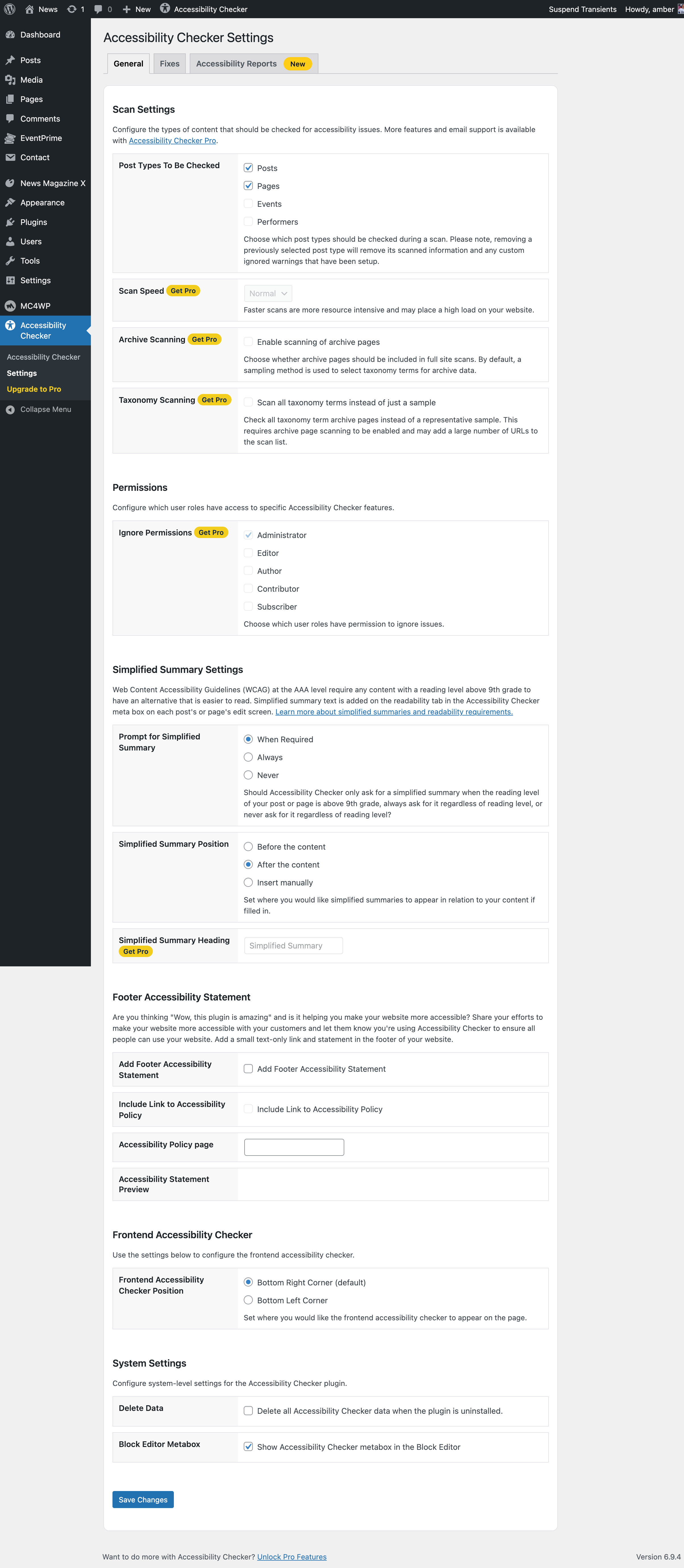
- Readability analysis & auto insertion of simplified summary. Includes a Flesch Kincaid grade level analysis and a place to enter a simplified summary to meet WCAG Success Criterion 3.1.5 Reading Level.
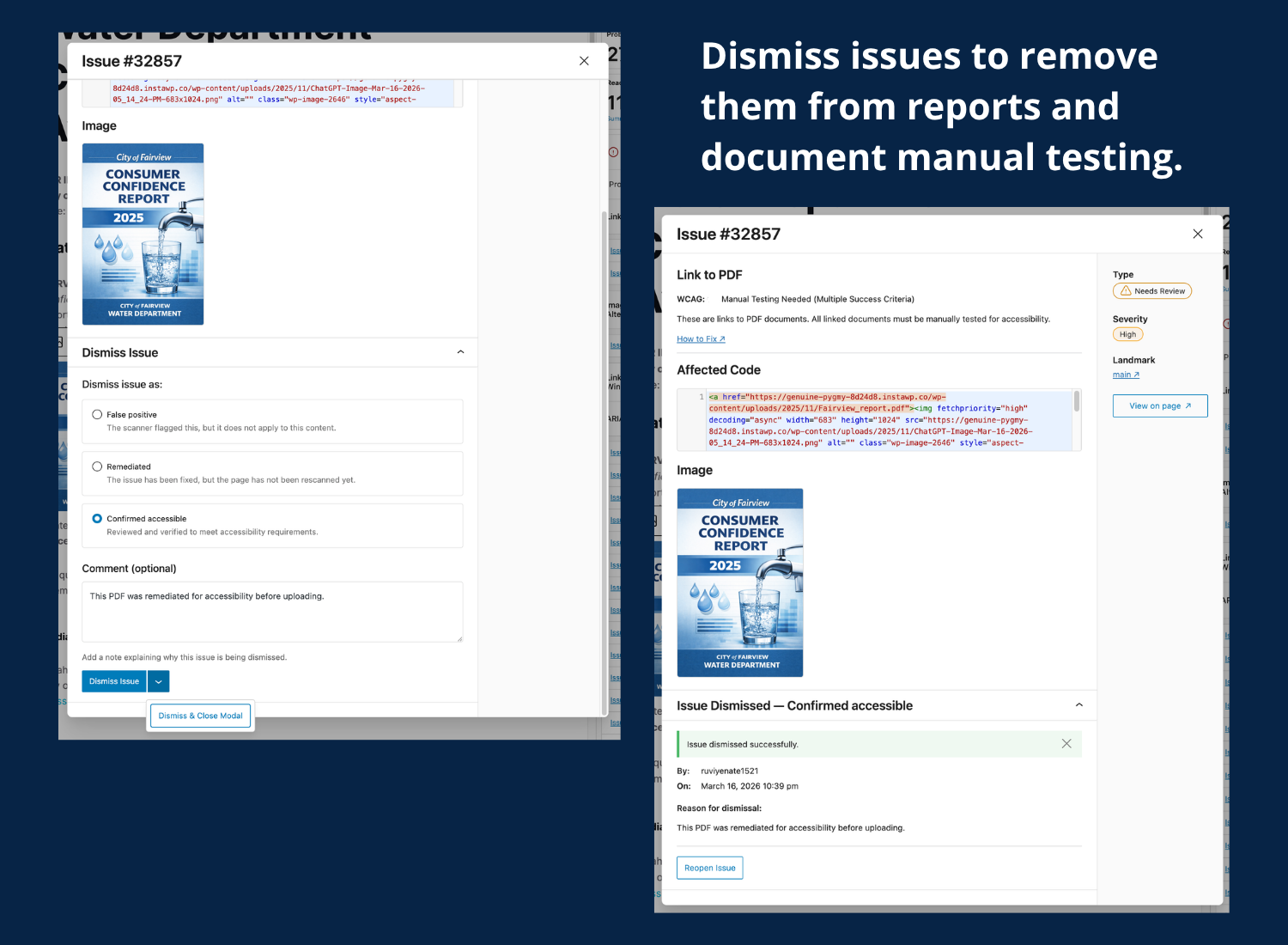
- Ignore feature. Easily close errors or warnings that have been assessed manually and determined to be not relevant. Optionally, document a reason/notes with each ignore. Logs the username and date/time when errors/warnings are ignored.
- Accessibility statement. Draft accessibility statement that you can modify for your organization and publish on your website to share your accessibility efforts with the public.
- Footer accessibility statement. One-click to insert an accessibility statement in your footer.
- Detailed documentation. Thorough help articles and instructions for fixing problems – the perfect resource for learning more about accessibility.
- [Pro] Bulk scanning. Scan all posts and pages in bulk rather than one-by-one for an overview of your entire site’s accessibility.
- [Pro] Scan additional post types. Add the Accessibility Checker in-post accessibility audit to any post type present on your website.
- [Pro] Admin columns. Quickly seeing the accessibility status of posts and pages at a glance by adding accessibility status columns.
- [Pro] Centralized Open Issues list. See all existing issues in one place for fast-track accessibility remediation.
- [Pro] Ignore Log. See all items that have been ignored on the website, by whom, and when, in one central place. Reopen errors or warnings that have been incorrectly ignored.
- [Pro] User restrictions on Ignore. Limit which user roles can ignore errors and warnings – allows for greater admin control and management of accessibility review.
Additional paid add-ons include;
- Audit History add-on: track and report on changes over time.
- CSV Export add-on: export issues to CSV for management in a spreadsheet or project management tool.
- Multisite add-on: see accessibility status and manage settings for all sites in your network.
How It Works
To get started with Accessibility Checker or learn more about how it works, please reference our Getting Started Quick Guide or watch this quick video demonstration of the software. Please note that the video demonstration does show some features that are only available in the paid version.
Our Support Team is Here to Help You
The Equalize Digital team aims to provide regular support for Accessibility Checker on the WordPress.org forums. If you have a question about the plugin or its use, please post in the support forum, and we will do our best to help you quickly. Our support hours are Monday-Friday, 9:00 AM to 5:00 PM U.S. Central. Please understand that we do prioritize support for purchasers of Accessibility Checker Pro.
If you need one-on-one email support, please consider purchasing Accessibility Checker Pro. Accessibility Checker Pro customers receive unlimited personal support on plugin usage and features.
Join our WordPress Accessibility Facebook group for community support and to connect with other developers, designers, and content creators who are working to make their websites more accessible. This is a great place to get free WP accessibility remediation assistance from others in the community.
For paid Accessibility Checker customers on a small business plan or above, we provide two accessibility office hours calls each month to address your remediation queries. This is an invaluable resource for those who need direct assistance and expert insights when making their sites more accessible.
Multi-platform Accessibility
Accessibility Checker supports a variety of WordPress editors and can scan and identify issues no matter how you’re building your site. Accessibility Checker has been tested and confirmed compatible with:
- Gutenberg Block Editor
- The Classic Editor
- Advanced Custom Fields
- Beaver Builder
- Divi
- Elementor
- Oxygen
- [Pro] WooCommerce
Learn Accessibility
Want to learn more about accessibility and stay on-top of accessibility best practices? Attend an official WordPress Accessibility Meetup!
These free virtual meetups are held twice per month via Zoom and are live captioned. Learn more about WP Accessibility Meetup
About Us
Equalize Digital is a mission-driven organization striving to create a world where all people have equal access to products and tools on web, regardless of ability. Our team has been building custom WordPress websites, themes, and plugins since 2010, including government, higher ed, and enterprise websites.
Details
Related plugins
Plugins that also contain the tag accessibility
Ally – Web Accessibility & Usability
Auto Image Attributes From Filename With Bulk Updater (Add Alt Text, Image Title For Image SEO)

Accessibility by UserWay

WP Dark Mode – Improve Accessibility with AI Powered Dark Theme

AccessibleWP – Accessibility Toolbar
Alt Text AI – Automatically generate image alt text for SEO and accessibility


About
Plugin for that tries to help you find the WordPress plugin you are looking for.
| Please enjoy an image of Crush (this awesome turtle) and have a lovely day! |  |
We do not own any plugin listed on this site and do not work for or work with WordPress.com or it's associated companies. We simply provide a searchable list of the available WordPress plugins.