



Ad Click Tracking for Gravity Forms
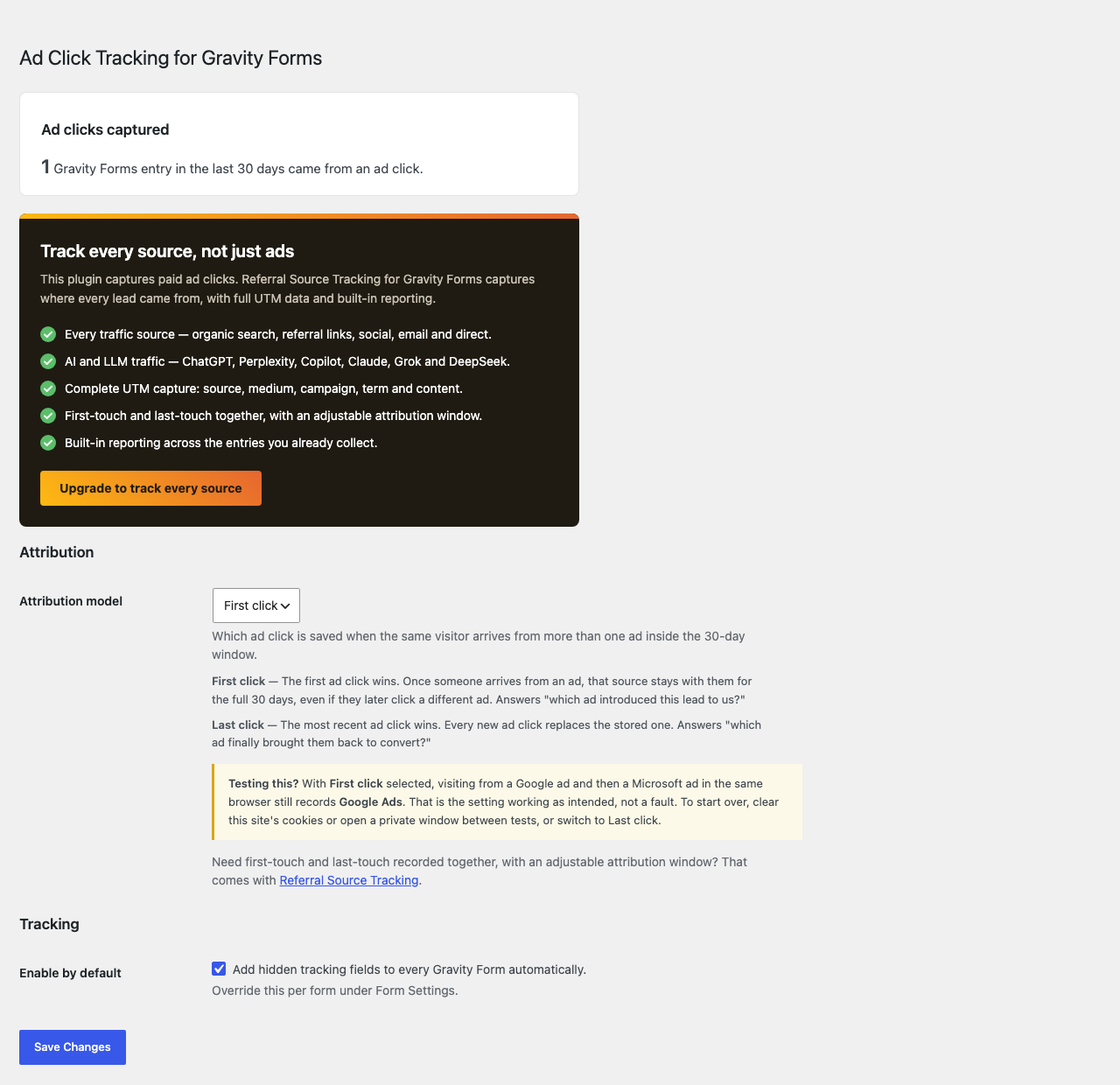
Ad Click Tracking for Gravity Forms records which ad click brought each lead to your site, so you can connect Gravity Forms entries back to your paid campaigns. When a visitor arrives from a paid ad, the plugin captures the click identifier and stores it for 30 days in a first-party cookie. The next time that visitor submits one of your forms, the captured values are saved with the entry.
It detects the major ad networks automatically:
- Google Ads —
gclid,gbraid,wbraid, plus thegad_sourceandgad_campaignidmarkers Google adds to every ad click (and Google Ads landing-page referrers) - Microsoft Advertising —
msclkid - Meta (Facebook/Instagram) Ads —
fbclid, once the visit is also marked as paid
Campaigns tagged by hand are recognised too: a paid utm_medium such as cpc, ppc or paid, alongside a utm_source naming Google, Bing/Microsoft or Facebook/Instagram. That matters because gclid and msclkid only exist when auto-tagging is switched on.
A visit that cannot be shown to come from a paid ad is recorded as Unknown rather than credited to a network. Facebook adds fbclid to organic links as well as ads, so it never counts as paid on its own.
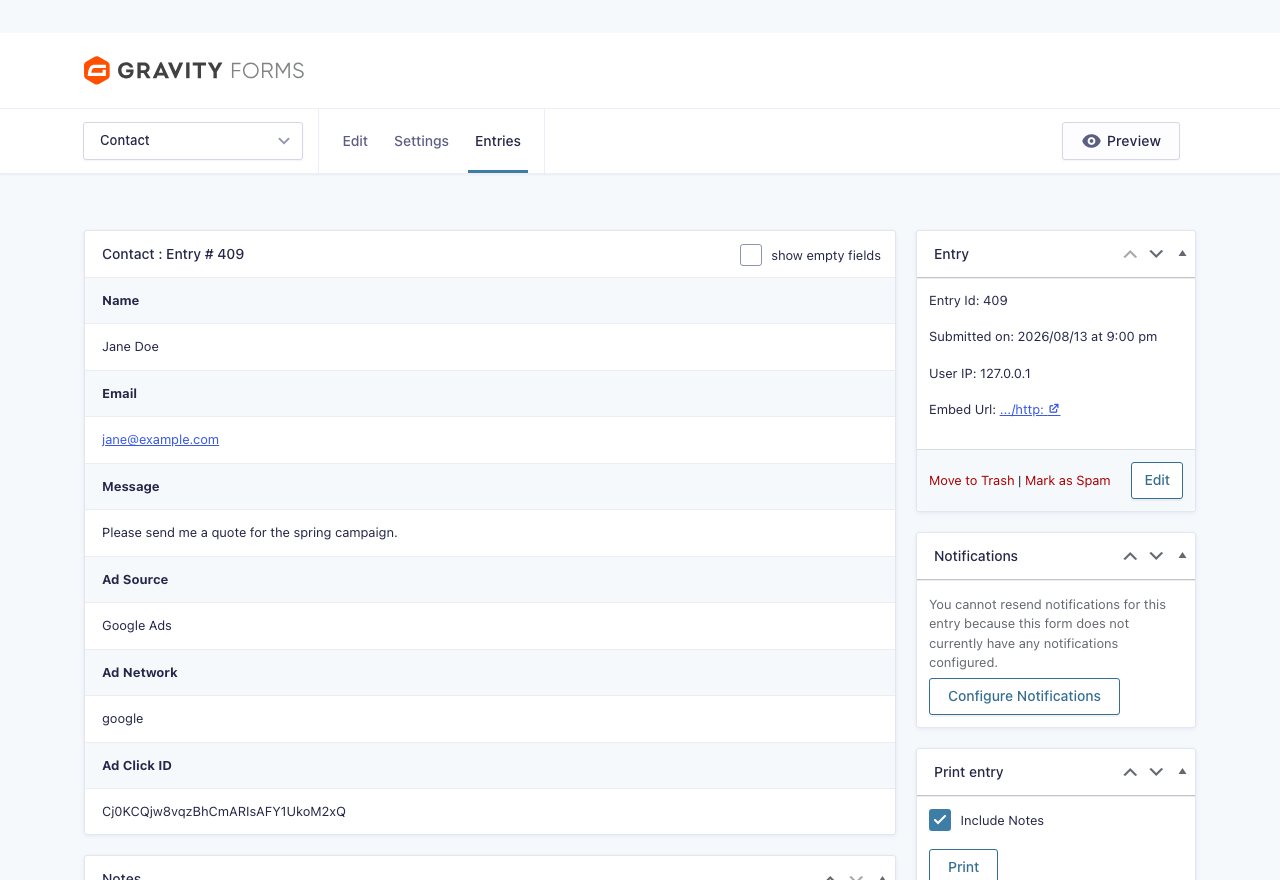
Three values are stored on every entry:
- Ad Source — a friendly label such as
Google Ads,Microsoft Ads,Meta Ads, orUnknown. - Ad Network — a machine-friendly slug (
google,microsoft,meta). - Ad Click ID — the captured click identifier.
Built for Gravity Forms
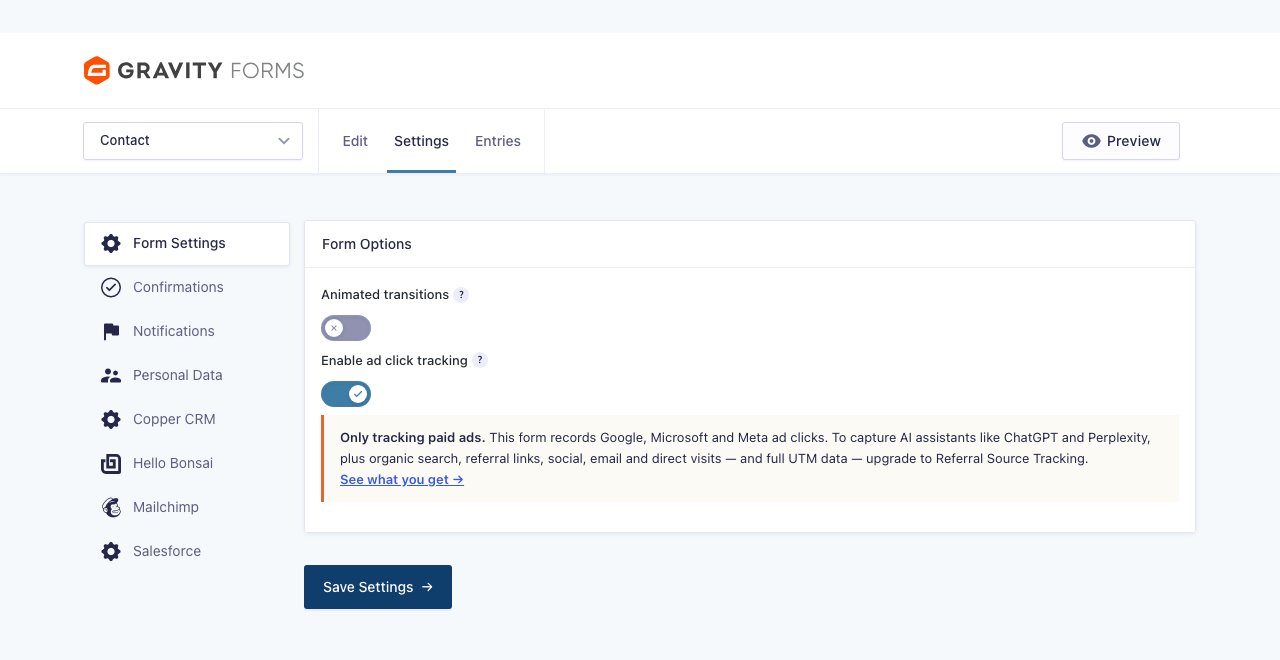
Hidden tracking fields are added to your forms automatically and saved with every entry — no form editing required. Turn tracking on for all forms at once under Settings Ad Click Tracking, or per form under Form Settings. The captured values appear on each entry like any other field, so they flow into entry exports and notifications automatically.
Lightweight by design
- No external requests — everything happens in a small front-end script and first-party cookies.
- No custom database tables.
- Choose first-click or last-click attribution, so multi-page visits resolve correctly.
Upgrade to full attribution
Ad Click Tracking captures paid ad clicks. When you need to know where every lead came from, upgrade to Referral Source Tracking for Gravity Forms:
- Every traffic source — organic search, referral links, social, email and direct, not just paid ads.
- AI and LLM traffic — ChatGPT, Perplexity, Copilot, Claude, Grok and DeepSeek, with Gemini attributed under Google.
- Complete UTM capture: source, medium, campaign, term and content.
- First-touch and last-touch together, with an adjustable attribution window.
- Built-in reporting across the entries you already collect.
See Referral Source Tracking for Gravity Forms
Third-party libraries
This plugin bundles js-cookie v3.0.5 (MIT licence) to read and write the first-party cookie. The unminified, human-readable source for the bundled build is available at https://github.com/js-cookie/js-cookie/blob/v3.0.5/dist/js.cookie.js
Details
Related plugins
Plugins that also contain the tag click-tracking
Track The Click

Linkt
ShortLinks Pro – Affiliate Links, Link Shortening, Click Tracking & Marketing

Smart Click Tracker
Simple URLs Legacy

Click Counter by Simple Tools

About
Plugin for that tries to help you find the WordPress plugin you are looking for.
| Please enjoy an image of Crush (this awesome turtle) and have a lovely day! |  |
We do not own any plugin listed on this site and do not work for or work with WordPress.com or it's associated companies. We simply provide a searchable list of the available WordPress plugins.