

This plugin is outdated and might not be supported anymore
Back

Frontend Customizer for WooCommerce
Details
View on WordPress
Back
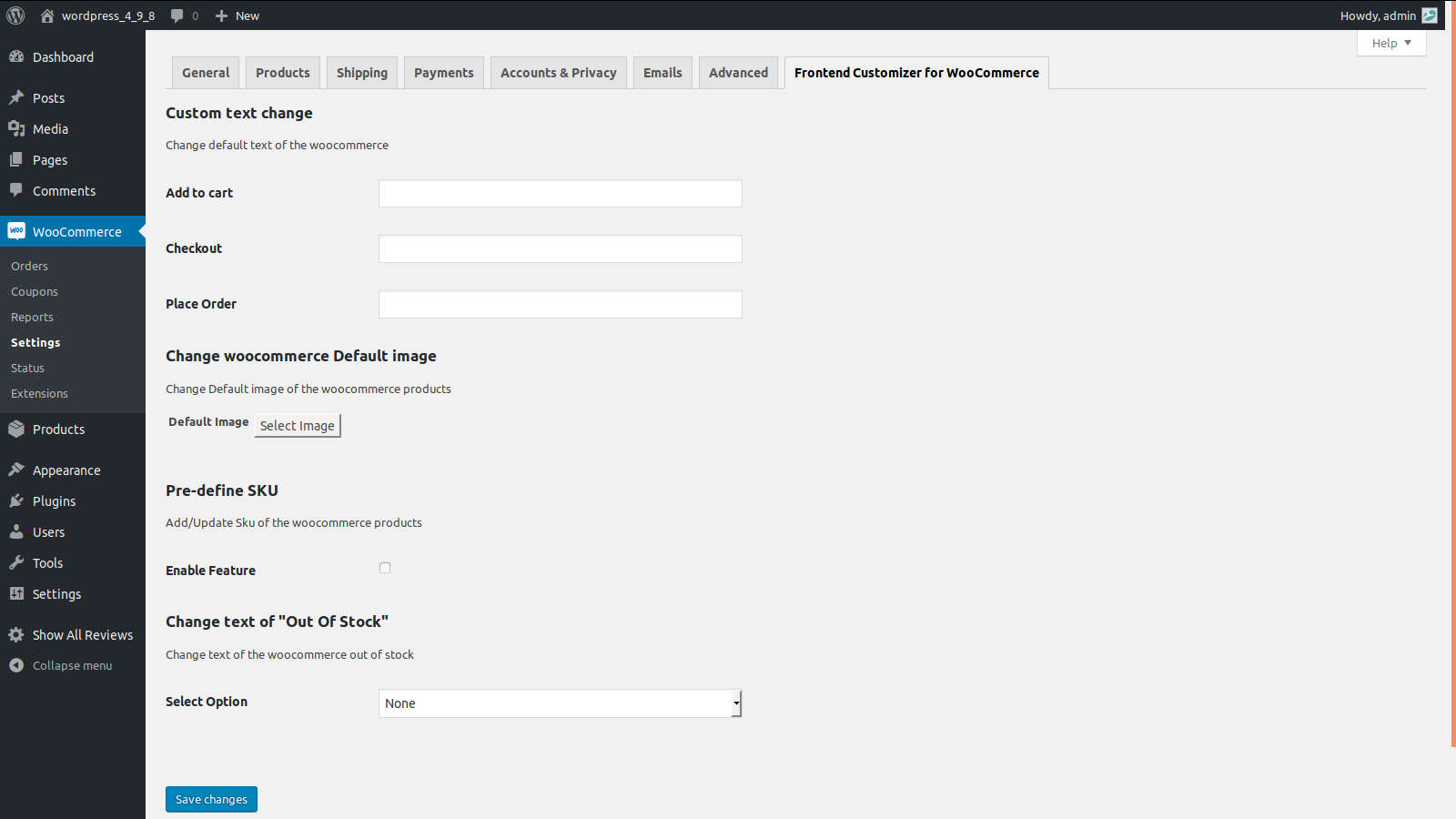
- Using Frontend Customizer for WooCommerce Plugin, admin can manage settings to change default texts, Default Product Image, pre-define SKU and text for Out of Stock.
- On installing this plugin, tab named Frontend Customizer for WooCommerce will appear under settings section.
- Navigating to Frontend Customizer for WooCommerce Tab, admin can change the default text for Add to Cart, Checkout as well as place order.
- Admin can change default image for products that are added without image.
- Admin can pre define SKU code for all WooCommerce products. This feature can be enabled/disabled based on admin needs.
- Admin can also change label name for Out of Stock, globally as well as for each product manually.
- In order to change label name for Out of Stock manually for each product, it has to be managed under inventory tab found in Product edit page.
Details
Plugin code:
advance-frontend-customizer
Plugin version:
2.0.1
Author:
Outdated:
Yes
WP version:
3.6.1 or higher
PHP version:
or higher
Test up to WP version:
5.4.16
Total installations:
10
Last updated:
2020-04-02
Rating:
Times rated:
0
frontend-customizer-for-woocommerce

About
Plugin for that tries to help you find the WordPress plugin you are looking for.
| Please enjoy an image of Crush (this awesome turtle) and have a lovely day! |  |
We do not own any plugin listed on this site and do not work for or work with WordPress.com or it's associated companies. We simply provide a searchable list of the available WordPress plugins.