


Advanced Google Maps Shortcode
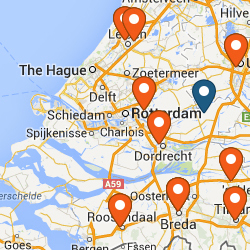
Advanced Google Maps shortcode. Support for:
– map styling,
– multiple markers,
– markers clustering,
– custom icon,
– and more.
For custom map style:
1. Go to Google Styled Map Wizard -> http://googlemaps.github.io/js-samples/styledmaps/wizard/index.html
2. Prepare your map style
3. Copy JSON code (from Google Maps API v3 Styled Maps JSON) -> right panel at the bottom “Show JSON”
4. Paste to “Styles” text area in shortcode generator (AGMS button in visual editor)
If you need multiple markers just put one at a line in “Markers” text area in shortcode generator (AGMS button in visual editor) using following format:
Title,Description,Latitude,Longtitude
If you found our plugin useful please consider to rate it. Thanks.
Details
Related plugins
Plugins that also contain the tag google-maps
WP Go Maps (formerly WP Google Maps)

iframe

WP Store Locator
API KEY for Google Maps

Maps Widget for Google Maps

MapPress Maps for WordPress


About
Plugin for that tries to help you find the WordPress plugin you are looking for.
| Please enjoy an image of Crush (this awesome turtle) and have a lovely day! |  |
We do not own any plugin listed on this site and do not work for or work with WordPress.com or it's associated companies. We simply provide a searchable list of the available WordPress plugins.