



News Ticker for Elementor
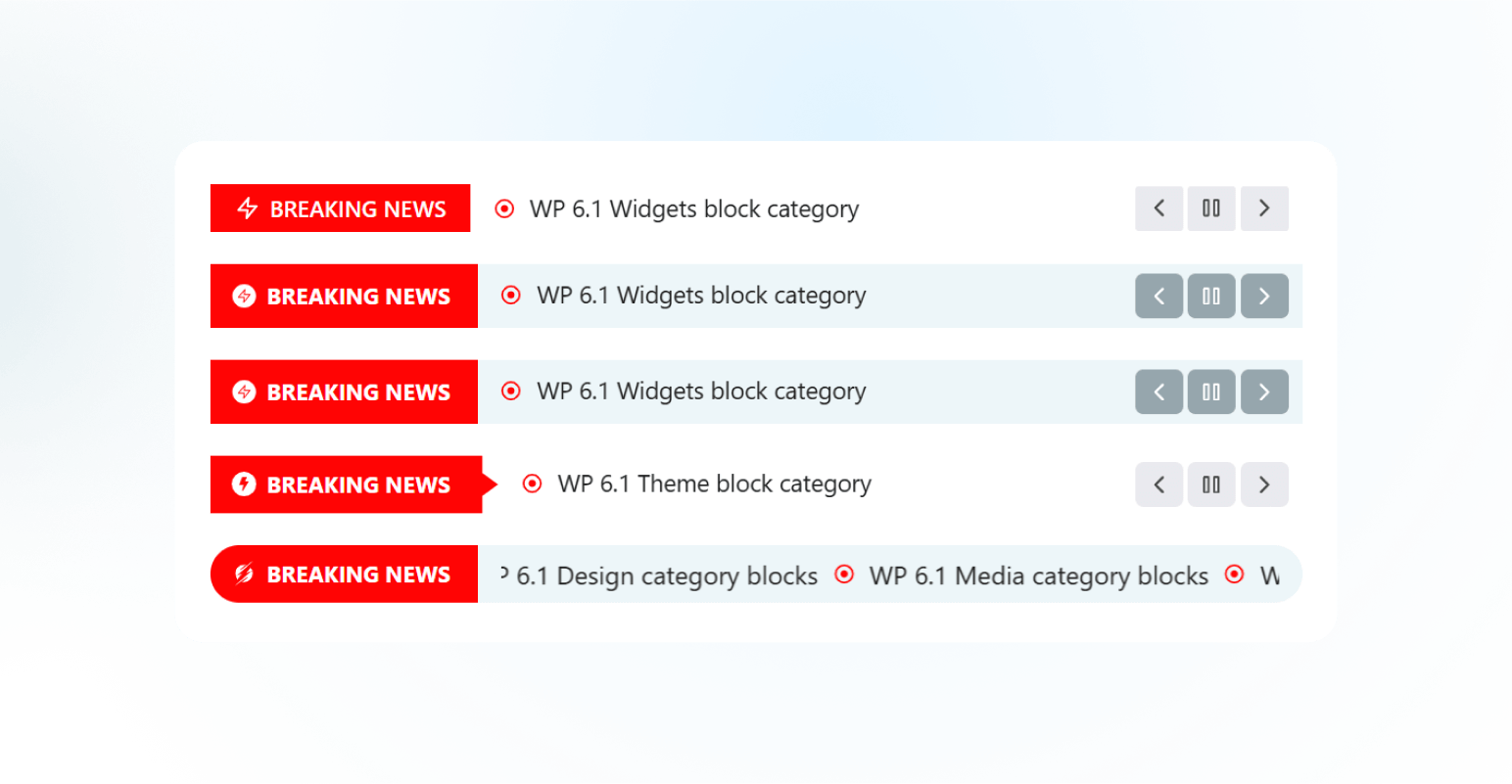
Advanced News Ticker is a powerful and highly customizable plugin designed to enhance your website’s news presentation capabilities. With 8 uniquely crafted layouts, this plugin seamlessly integrates with Elementor, providing a dynamic and visually appealing way to display breaking news, headlines, announcements, and trending updates.
Whether you’re running a news portal, blog, magazine, or any content-driven website, this plugin offers the flexibility and tools needed to keep your audience informed and engaged.
👉 Key Features
- 8 Different Layouts: Choose from eight professionally designed layouts to match your website’s aesthetic and functional needs.
- General Settings: Easily configure basic settings like ticker speed, direction, and display options.
- Query Builder: Advanced query options to fetch posts based on categories, tags, custom post types, and more.
- Ticker Style: Customize the ticker appearance with options for fonts, colors, backgrounds, spacing, and more.
- Breaking Title Settings: Highlight breaking news with distinct title styles, colors, and animations.
- Post Title Settings: Control post title typography, hover effects, and truncation for concise displays.
- Controls Settings: Enable/disable navigation controls like arrows, pause on hover, autoplay, and looping features.
👉 Installation:
Using The WordPress Dashboard
- Navigate to the ‘Add New’ in the plugins dashboard
- Search for ‘Advanced News Ticker’
- Click ‘Install Now’
- Activate the plugin on the Plugin dashboard
👉 Uploading in WordPress Dashboard
- Firs, download the zip file from – https://wordpress.org/plugins/advanced-news-ticker/
- Navigate to the ‘Add New’ in the plugins dashboard
- Navigate to the ‘Upload’ area
- Select
user-grid.zipfrom your computer - Click ‘Install Now’
- Activate the plugin in the Plugin dashboard
👉 Using FTP:
- Download
advanced-news-ticker.zip - Extract the
user-griddirectory to your computer - Upload the
user-griddirectory to the/wp-content/plugins/directory - Activate the plugin in the Plugin dashboard
Source Code
The original, unminified source code for JavaScript and CSS is available in the /src/ folder.
External Libraries
- Swiper js: Comes from the Elementor
Credits
Special thanks to the Elementor team for their amazing page builder.
Details

Related plugins
Plugins that also contain the tag breaking-news
T4B News Ticker – Responsive News Scroller, Slider, and Animations

Live News – Responsive News Ticker

TopNewsWp – Display Tikcer News, RSS Feed Widget and Many More

Breaking News WP
JM Breaking News

Instant Breaking News


About
Plugin for that tries to help you find the WordPress plugin you are looking for.
| Please enjoy an image of Crush (this awesome turtle) and have a lovely day! |  |
We do not own any plugin listed on this site and do not work for or work with WordPress.com or it's associated companies. We simply provide a searchable list of the available WordPress plugins.