



Aha.is for WooCommerce
Aha.is for WooCommerce connects your WooCommerce store to Aha, an online marketplace in Iceland. You keep managing your products and orders in WooCommerce. Aha lists your products and sends the orders to your store. Stores and restaurants can connect.
This plugin needs an Aha account. You send your store details to Aha with the plugin, and Aha reviews them before your store goes live.
What you can do with this plugin
- Connect with Aha. Use a guided setup in the WooCommerce admin. Enter your store details, send the request, and see the review status on the same page.
- Sync your products. Aha reads your product catalog (products, variations, SKUs, prices and stock). When a product or its stock changes, the plugin tells Aha which products changed.
- Receive Aha orders in WooCommerce. Orders placed on Aha are created in your store as WooCommerce orders. A retried request does not create a second order.
- Keep order status in step. Aha updates the status of an Aha order in your store. Refunds and cancellations from Aha are applied to the WooCommerce order. The plugin can put the stock of cancelled items back.
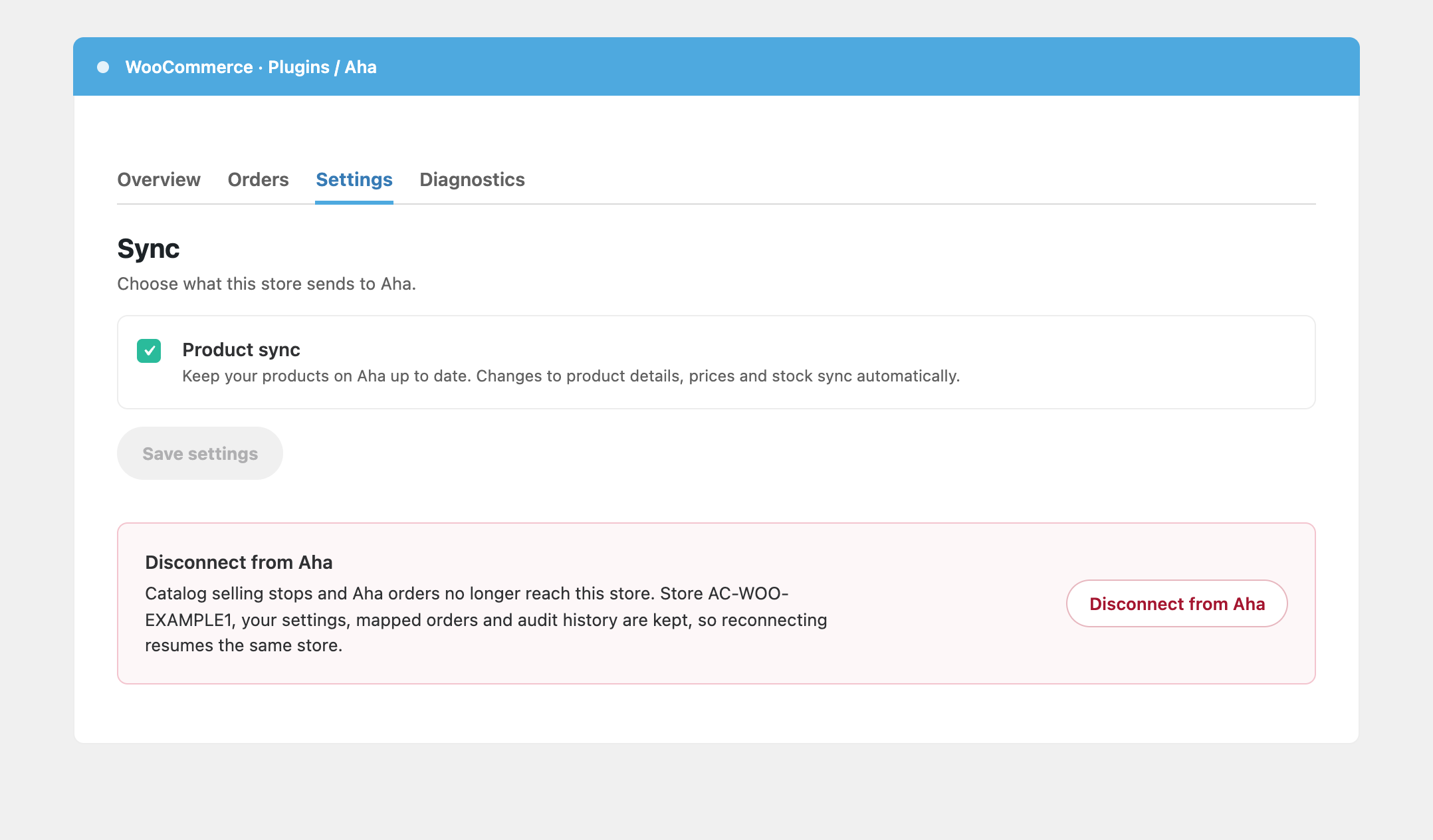
- Check your connection. The Diagnostics tab shows the connection, the background job queue and failed orders. It also has a JSON export for support.
How it works
- Install and activate WooCommerce and this plugin.
- Go to WooCommerce Aha and select Connect with Aha.
- Sign in to Aha, or create an Aha account. Then enter your store type, name, address and phone number.
- Aha reviews your request. The plugin shows the review status.
- After Aha approves the request, Aha reads your product catalog and sends orders to your store.
Who this plugin is for
This plugin is for owners of a WooCommerce store or a restaurant in Iceland who want to sell on Aha and keep working in WooCommerce. You need access to the WordPress admin of the store.
Important notes
- You need an Aha account. Aha reviews every request before your store goes live.
- Your site must use HTTPS. The plugin does not start a connection from a site without an HTTPS address.
- WooCommerce 8.0 or later must be active. Without WooCommerce, the plugin shows a notice and does nothing.
- After Aha approves your request, the plugin creates a WooCommerce REST API key for Aha. The key has read permission on the whole WooCommerce REST API, so it can also read orders, customers and coupons. Aha uses it to read your product catalog. You can revoke the key under WooCommerce Settings Advanced REST API, or you can disconnect.
Security and privacy
- Aha signs each request to your store. The plugin rejects a request with a bad signature, an old timestamp or a repeated event ID.
- The plugin signs the requests that it sends to Aha.
- Aha masks customer data in the orders it sends. Aha keeps only the first 3 characters of the first name. The email address and the phone number are Aha service values and are not the real customer values. See the External services section for details.
- Only a user with the WooCommerce management capability can connect or disconnect the store.
- When you disconnect, the plugin stops its calls to Aha and deletes the API keys it created. When you uninstall the plugin, it also deletes its settings.
- The plugin sends data only to Aha. The External services section lists what it sends and when.
External services
This plugin connects to the Aha service, operated by Aha, at https://www.aha.is. The plugin does not work without it. The plugin starts to contact Aha when a merchant selects Connect with Aha.
1. Connect with Aha: setup and credentials.
When: the merchant starts a connection, sends or edits store details, and later while the connection is active (status checks, credential refresh, disconnect). While Aha reviews the request, the plugin checks the status every 60 seconds.
Data sent: the site URL and callback addresses, a public signing key and a public encryption key made for this installation, a random installation ID, the plugin, WordPress and WooCommerce versions, and the store details the merchant types: store name, street address, postcode, city, phone number and an optional description. After approval, the plugin sends signed requests that carry short-lived tokens and random command IDs.
2. Catalog access.
When: after Aha approves the connection.
Data sent: the plugin creates a WooCommerce REST API key and sends its consumer key and consumer secret to Aha, signed. The key has read permission on the whole WooCommerce REST API. That includes orders, customers and coupons, not only products. Aha uses the key to read your product catalog (products, variations, SKUs, prices, stock). The plugin deletes its keys when the merchant disconnects or uninstalls the plugin.
3. Product and stock changes.
When: a product or a variation is created, updated, trashed, restored, deleted, or its stock changes, and when the merchant asks for a full sync. The plugin groups changes in a 60 second window.
Data sent: the IDs of the changed products only (at most 20 for each request), plus the signed request fields. When more than 20 products change in one window, the plugin sends one full-sync request with no product IDs. When the merchant turns automatic sync on again after changes were skipped, the plugin also sends one full-sync request. Aha then reads the product data through the key in item 2.
4. Order requests from Aha to your store.
When: a customer buys on Aha, or an Aha order changes. Aha calls the REST API of your site (/wp-json/aha-is-for-woocommerce/v1/) to create the order (/orders), update its status (/orders/status) and apply a refund or cancel (/orders/refund-cancel). Each request has an HMAC signature, and the plugin rejects a request with a bad signature, an old timestamp or a repeated event ID.
Data received by the plugin: the Aha order ID and number, the line items (SKU, quantity, prices), the shipping line, the payment method, the paid flag, the currency, the target status, the refunded amount and a credit memo ID. The plugin also receives the billing and shipping address fields: first name and last name (masked by Aha, which keeps only the first 3 characters of the first name), street address, city, postcode and country. The billing address also carries an email and a phone number. The contract says these are Aha service contact values, or the per-store email override, and never the real customer email or phone. The plugin receives the customer note, which Aha builds from the company ID, the Aha order ID, the schedule date and the customer notes. The plugin also stores any extra order meta data that the request carries.
Data returned to Aha: the WooCommerce order ID and number and a result or an error code.
5. Connect endpoints on your site.
When: during Connect.
GET /wp-json/aha-is-for-woocommerce-connect/v1/proof/: Aha calls this address to check that the store owns the site. It returns a signed proof only while a connection attempt waits for it and the long random <attempt> value matches. The proof holds the attempt and bootstrap IDs, the site address, the callback and proof addresses, and the thumbprints of the public keys. Otherwise it returns not_found (HTTP 404).
admin-post.php?action=aha_is_woocommerce_connect_callback: Aha sends the merchant’s browser back to this address after the merchant consents on Aha. The plugin checks the state value and then shows the review status. The address needs a logged-in user with the WooCommerce management capability.
6. Heartbeat and health.
When: Aha calls GET /wp-json/aha-is-for-woocommerce/v1/health on your site.
Data returned: the site URL, the installation ID, the PHP, WordPress, WooCommerce and plugin versions, the number of pending and failed background jobs and the age of the oldest pending job, the WordPress environment type, and flags for safe mode, disabled WP-Cron and HPOS.
Terms of service: https://www.aha.is/terms
Privacy policy: https://www.aha.is/personuvernd
Details



Related plugins
Plugins that also contain the tag iceland
Dropp for WooCommerce

Pikkoló for Woo


About
Plugin for that tries to help you find the WordPress plugin you are looking for.
| Please enjoy an image of Crush (this awesome turtle) and have a lovely day! |  |
We do not own any plugin listed on this site and do not work for or work with WordPress.com or it's associated companies. We simply provide a searchable list of the available WordPress plugins.