


Akram Website Builder – Drag & Drop Page Builder
Akram lets you design any page, header, footer, popup or online store by dragging and dropping. No coding needed.
The difference is speed. Most page builders run heavy code every time someone visits your page. Akram does the work once, when you click Save. Your visitors get a finished, lightweight page that opens fast on any phone.
On our test landing page (hero, features, testimonials, pricing, FAQ and a form) a visitor downloads about 5 KB of JavaScript, and the page causes 0 ms of main-thread blocking on a mobile phone profile. The scripts a page loads depend on the widgets it uses.
Faster pages mean happier visitors and better Core Web Vitals.
⚡ Why Akram is fast
- Pages are built when you save, not when people visit. Visitors get ready-made HTML and one cached CSS file.
- Only the code you use is loaded. Each interactive widget has its own tiny script (the biggest is under 4 KB). A page without a slider loads no slider code.
- No jQuery and no icon fonts. Icons are light SVGs.
- Instant page changes. Links are preloaded when a visitor hovers them, and pages fade smoothly from one to the next.
- Fonts on your own server. The default fonts are included in the plugin, and any Google Font you pick is downloaded once and served from your site. Visitors never contact Google unless you choose to load fonts from Google’s servers.
- Lazy videos and maps. Videos and maps load only when they are needed.
🎨 A visual editor that is easy to use
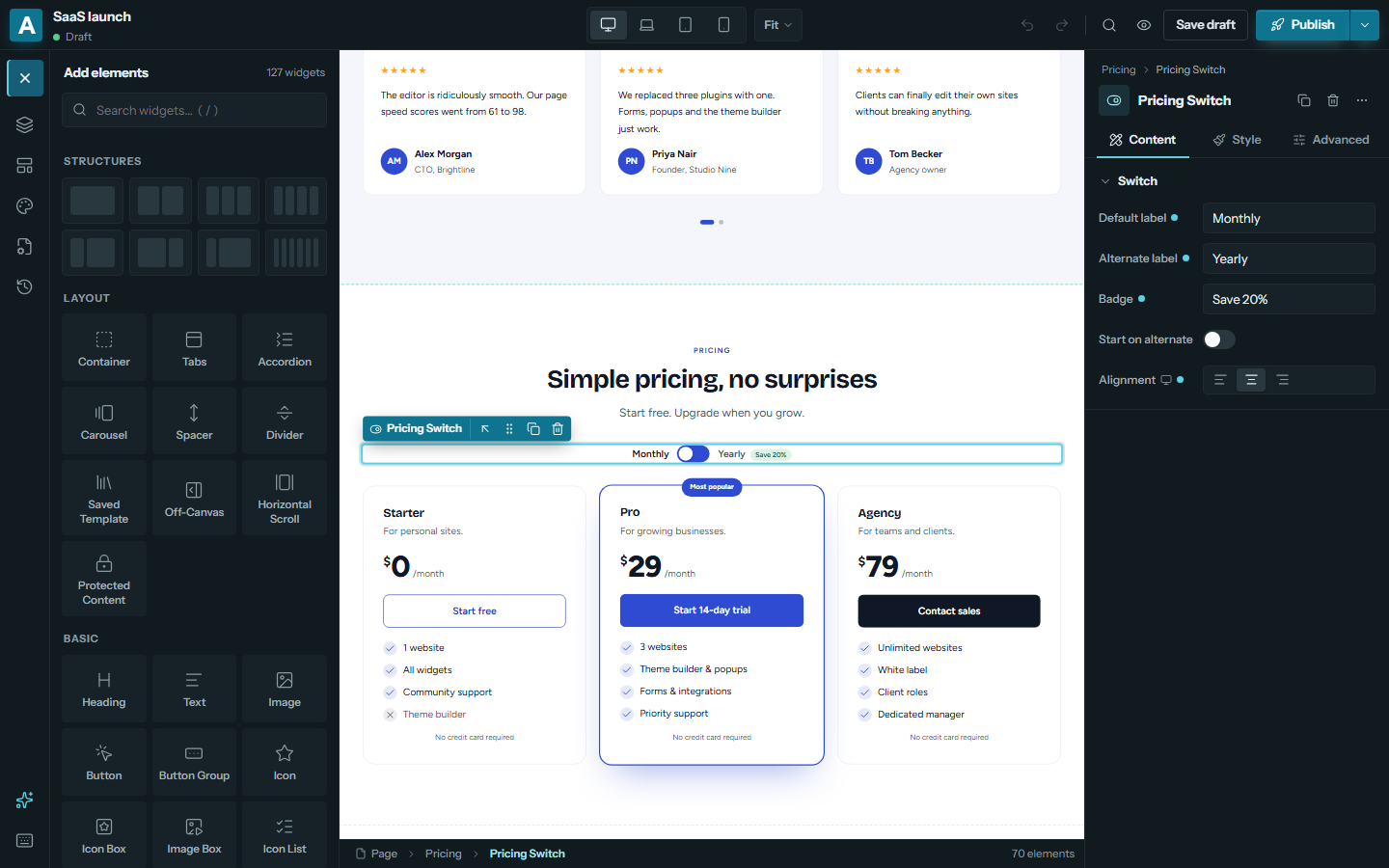
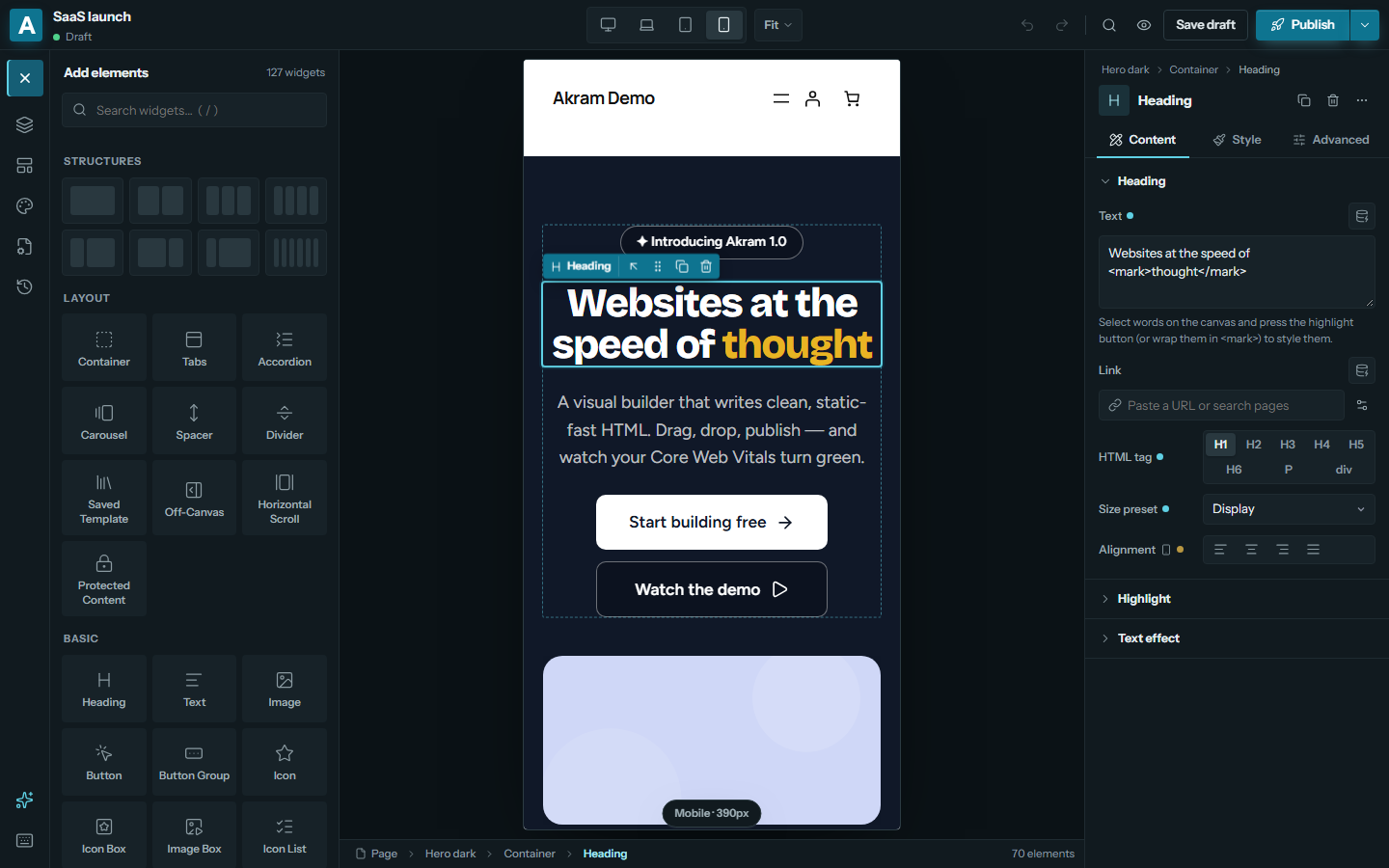
- Drag & drop anywhere on the page or in the Layers panel, and edit text right on the page.
- Your real site: the editor shows your real theme, so what you see is what you get.
- Every device and state: separate settings for desktop, laptop, tablet and mobile, and for hover, focus, active and sticky states.
- Never lose work: undo and redo, revisions, drafts, autosave and crash recovery.
- Real-time teamwork: several people can edit the same page at once, each with their own undo.
- Keyboard friendly: command palette (Ctrl+K), shortcuts, right-click menu, and copy and paste of elements and styles between pages. Dark and light editor.
🧩 127 widgets
Layout: flexbox and grid containers, tabs, accordion, carousel, off-canvas panel, horizontal scroll section, protected content, 13 shape dividers, background videos, slideshows and effects.
Basic: heading, text, image with masks and lightbox, button, icon box, icon list, video, audio, map, counter, progress bar, testimonial, star rating, code block, world clock, weather, QR code and more.
Creative: animated headline, flip box, image hotspots, before/after slider, hover card, marquee, Lottie animations, curved text, timeline, process steps, team member, logo grid and custom cursor.
Marketing: call to action, pricing table, countdown timer, FAQ with Google schema, data table, charts, share buttons, cookie consent, age verification, PayPal and Stripe buttons, events with “add to calendar”.
Media: gallery (grid, masonry, justified, filters, lightbox, videos), image carousel, image zoom, PDF viewer, video playlist, 360° product spin.
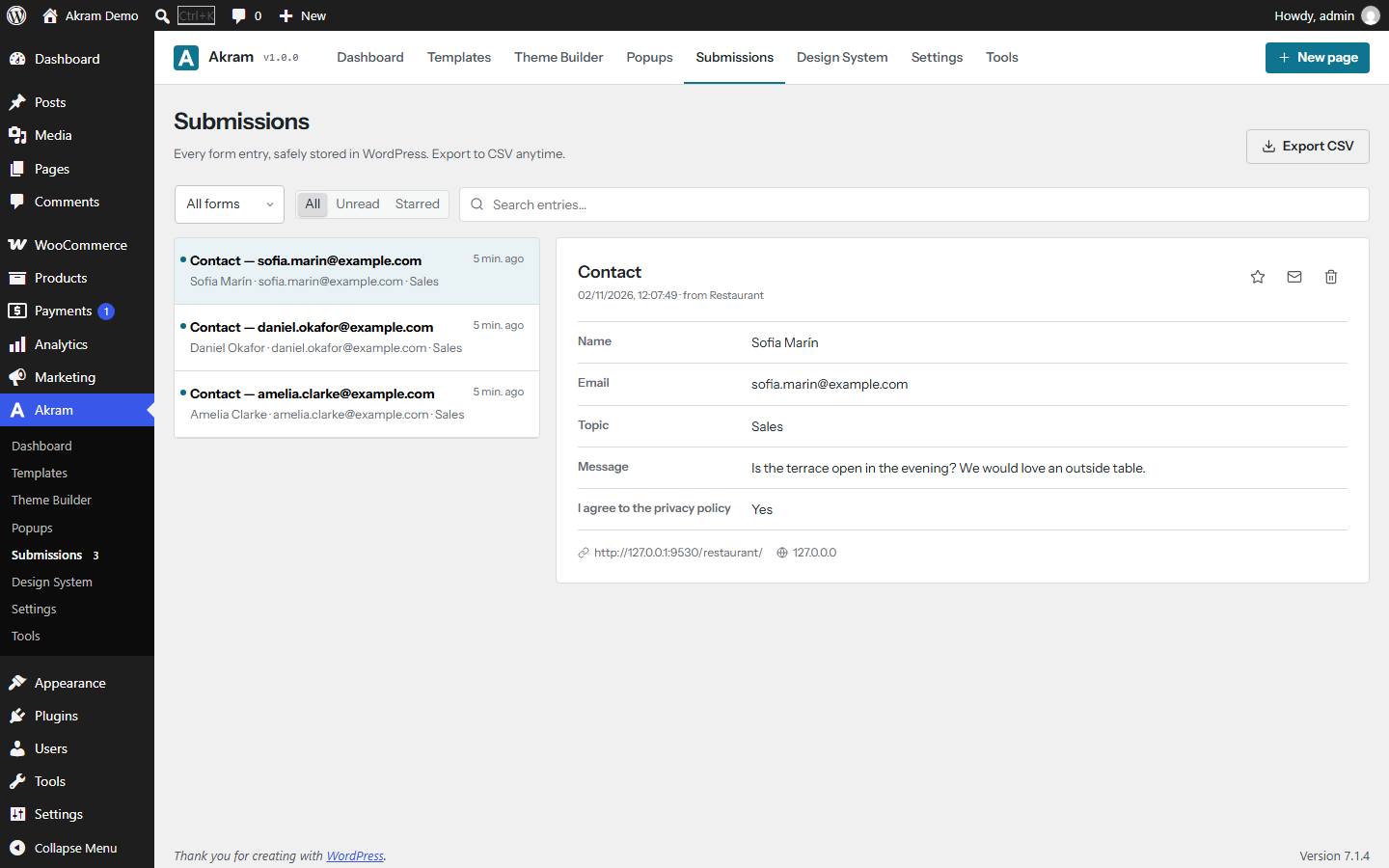
Forms: multi-step forms with conditional logic, calculations, file uploads, signatures and 25 field types. Email notifications, webhooks, Mailchimp, reCAPTCHA v3, Cloudflare Turnstile, spam protection and a submissions inbox with CSV export.
Site and blog: menus with mega menus, site logo, breadcrumbs, live search, table of contents, dark mode switch, login form, posts grid and custom loop templates (filters, AJAX pagination, infinite scroll), every post and archive field, social feed (RSS, YouTube, Instagram) and Google reviews.
WooCommerce: product grid with wishlist, quick view and compare, AJAX product filters, every single product field, mini cart, cart, checkout and my account.
🏗️ Theme builder
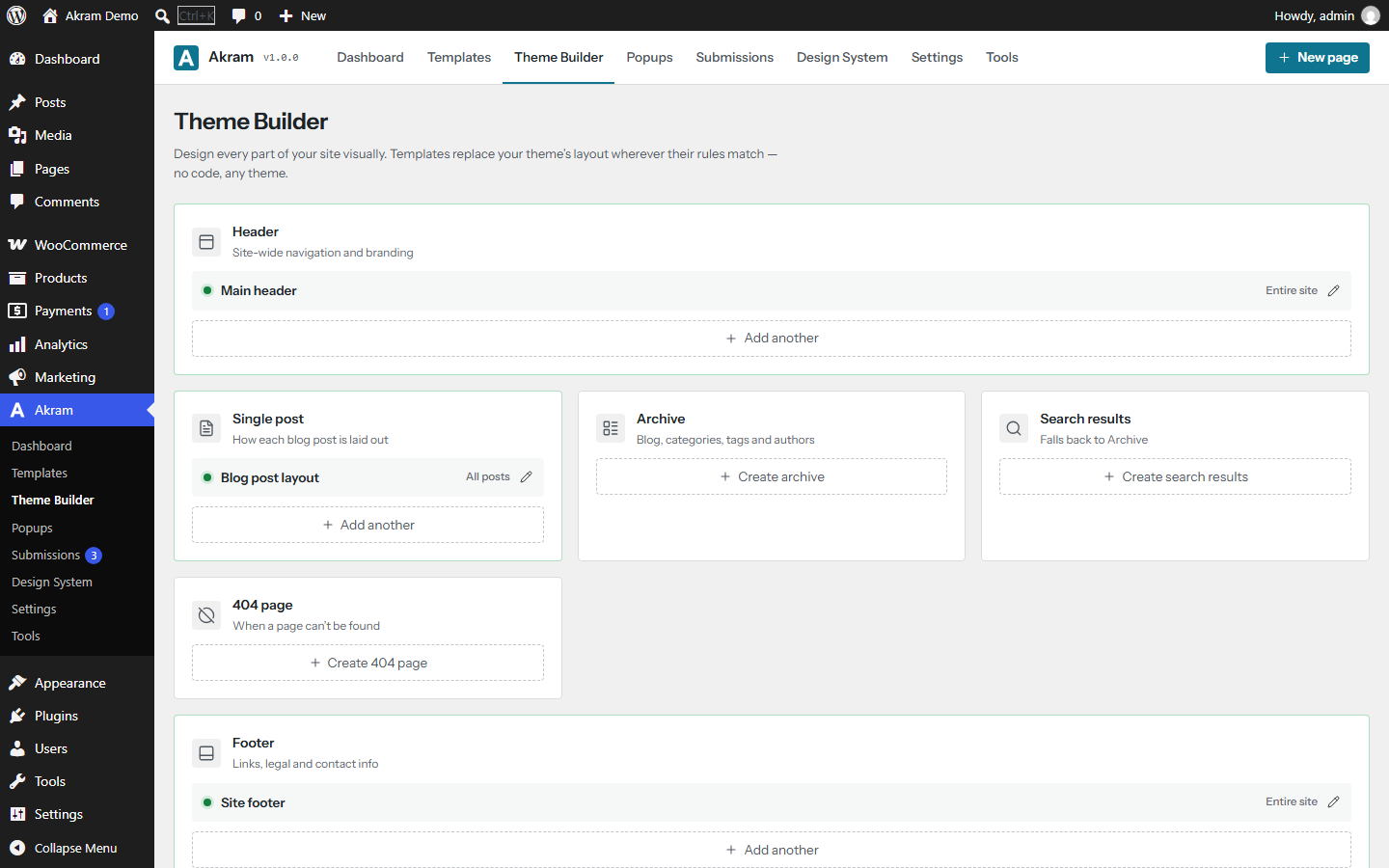
Design your own header, footer, single post, archive, search results and 404 page with drag & drop. Choose where each one shows with simple include and exclude rules. Works with classic and block themes. Sticky headers can shrink, change color or hide when scrolling.
💬 Popup builder
Create modals, slide-ins, top and bottom bars and side panels. Open them on page load, on scroll, on exit intent, on click, when an element comes into view, or after a visitor is inactive. Control how often each visitor sees them.
🎯 Show the right content to the right people
Show or hide any element by login status or user role, date and time, URL parameter, referrer, cookie, custom or ACF field, device, browser, language, number of visits, A/B test version, page type, post author, and WooCommerce cart or past purchases.
🔗 Dynamic content
Fill text, links and images with live data: post, author, site, archive, user, custom field, ACF and WooCommerce data. Great for templates and listings.
✨ Motion effects
20 entrance animations, hover and looping effects, scroll effects (parallax, fade, scale, rotate, blur), mouse tilt and mouse tracking, and sticky elements. Visitors who prefer less motion get a calm version automatically.
🎨 Design system
Set your colors, fonts and text sizes once and use them everywhere. Change a color in one place and every page updates. Add reusable style classes.
📦 Ready-made templates
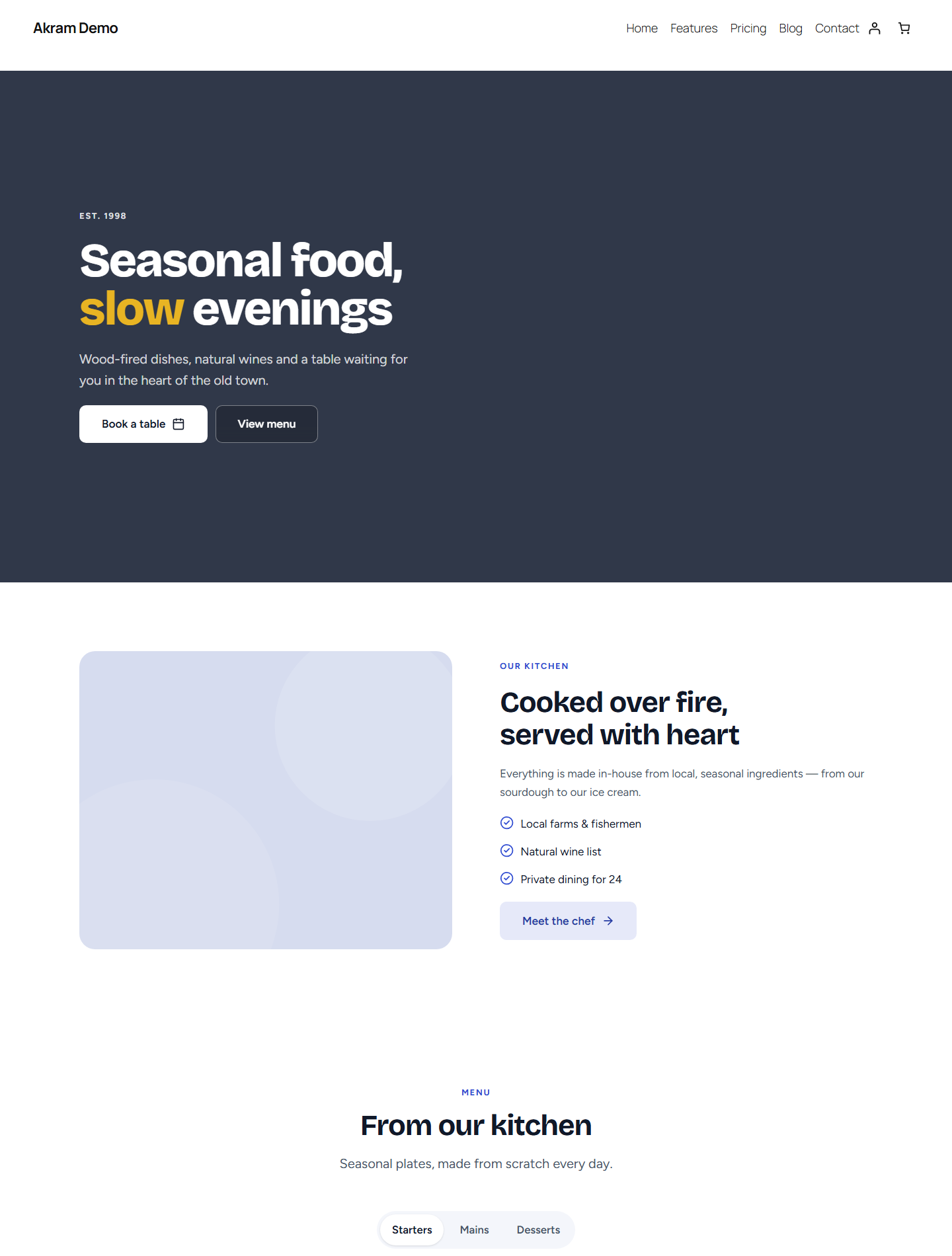
12 complete website kits (SaaS, agency, app, restaurant, portfolio, coach, AI startup, conference, online course, product launch, nonprofit, developer) and 34 designed sections. Every template is fully editable and follows your design system.
🔄 Import pages from Elementor
Convert your existing Elementor pages into Akram pages one by one or all at once. Your original Elementor data is not changed. Converted pages stop loading Elementor’s files, so they get faster straight away.
🤖 Optional AI writing assistant
Write, rewrite and create whole sections with AI. The assistant uses the WordPress AI Client (WordPress 7.0 or later): you connect an AI provider to WordPress once, and Akram uses it. Akram stores no AI keys and calls no AI service itself. Without a connected provider the assistant is not available.
🛠️ For agencies and developers
- White label: use your own name and logo everywhere in the builder.
- Role manager: let clients edit text and images without touching the design.
- Element manager: turn off widgets you don’t need.
- Site kits: export your design system, templates and pages, and import them on another site.
- WP-CLI commands, multisite support, maintenance and coming-soon mode, safe SVG uploads, custom CSS classes and attributes on every element.
- “Test connection” buttons for every integration, so you know your keys work.
♿ Accessible and translated
- The editor, dashboard and all templates are tested for WCAG 2.2 AA. You can build pages with only a keyboard or a screen reader.
- Every word can be translated on translate.wordpress.org, and right-to-left (RTL) languages are fully supported.
🔒 Safe and private
- No tracking, no ads, no data sent to us.
- Forms have spam protection, rate limits and server-side checks. IP addresses are anonymised.
- All saved content is cleaned for safety, for every user.
🧱 No lock-in
A plain copy of every page is saved in the normal WordPress content. If you ever turn the plugin off, your text, images and layout stay readable.
External services
Akram works without any external service. The services below are only contacted when you turn on or use the feature that needs them. Nothing is sent to the plugin’s authors, and there is no tracking or telemetry.
Google Fonts (fonts.googleapis.com, fonts.gstatic.com)
The default fonts (Bricolage Grotesque and Figtree) are included in the plugin and need no external service. When you pick a different Google font, your server downloads that font’s files from Google once (no visitor data is sent) and serves them from your own site, so visitors never contact Google. Only if you turn on “Load fonts from Google’s servers” (Settings Performance, off by default) do visitors’ browsers load fonts from Google, which then receives their IP address and browser details. In the editor and the Design System screen, font previews load from Google for logged-in builders. Turn off “Load Google Fonts” to stop all Google Fonts requests.
Terms: https://policies.google.com/terms — Privacy: https://policies.google.com/privacy
Google reCAPTCHA v3 (www.google.com/recaptcha)
Used only when you select reCAPTCHA in Settings Integrations and turn on CAPTCHA in a form. The visitor’s browser loads Google’s script on pages with that form; when the form is submitted, your server sends the CAPTCHA token and the visitor’s IP address to Google to verify it.
Terms: https://policies.google.com/terms — Privacy: https://policies.google.com/privacy
Cloudflare Turnstile (challenges.cloudflare.com)
Used only when you select Turnstile in Settings Integrations and turn on CAPTCHA in a form. The visitor’s browser loads Cloudflare’s script on pages with that form; on submission your server sends the token and the visitor’s IP address to Cloudflare to verify it.
Terms: https://www.cloudflare.com/website-terms/ — Privacy: https://www.cloudflare.com/turnstile-privacy-policy/
Mailchimp (*.api.mailchimp.com)
Used only when you add a Mailchimp API key and turn on “Add to Mailchimp list” in a form. On submission your server sends the visitor’s email address and name to your Mailchimp audience. “Test connection” lists your audiences.
Terms: https://mailchimp.com/legal/terms/ — Privacy: https://www.intuit.com/privacy/statement/
AI assistant (WordPress AI Client)
Akram does not connect to any AI service itself. When a builder uses the AI assistant, the request text and the selected text or page title are passed to the WordPress AI Client (WordPress 7.0 or later), which sends them to the AI provider the site owner connected to WordPress, under that provider’s terms. Visitors’ data is never sent.
Instagram API (Meta) (graph.instagram.com)
Used only when you add an Instagram access token and a Social Feed widget shows Instagram. Your server fetches your recent posts (cached for 3 hours) and refreshes the token weekly. Visitors’ browsers load the post images from Instagram’s CDN.
Terms: https://help.instagram.com/581066165581870 — Privacy: https://privacycenter.instagram.com/policy
YouTube and RSS/Atom feeds
Used only when a Social Feed widget shows a YouTube channel or a feed URL you enter. Your server fetches the feed (cached for 3 hours); visitors’ browsers load the thumbnails from the feed’s host. YouTube: Terms https://www.youtube.com/t/terms — Privacy https://policies.google.com/privacy
Google Places API (places.googleapis.com)
Used only when you add a Google Places API key and use the Google Reviews widget. Your server sends the Place ID and your key to Google and caches the reviews for 12 hours. Reviewer photos load from Google.
Terms: https://cloud.google.com/maps-platform/terms — Privacy: https://policies.google.com/privacy
Open-Meteo (api.open-meteo.com)
Used only on pages with a Weather widget. The visitor’s browser requests the forecast for the coordinates you set; Open-Meteo receives the visitor’s IP address. No key or account is needed.
Terms: https://open-meteo.com/en/terms
Video and map embeds (YouTube, Vimeo, Dailymotion, Google Maps, OpenStreetMap)
Videos show a preview and load the provider’s player only after the visitor clicks (or, when set to autoplay, once the video is visible). Maps load the provider’s map when they scroll into view; turn on “Load after click (privacy)” to load them only after a click, and the Cookie Consent widget can hold them back until visitors accept. The provider then receives the visitor’s IP address and browser details.
YouTube: https://www.youtube.com/t/terms — Vimeo: https://vimeo.com/terms, https://vimeo.com/privacy — Dailymotion: https://legal.dailymotion.com/en/terms-of-use/, https://legal.dailymotion.com/en/privacy-policy/ — Google Maps: https://maps.google.com/help/terms_maps/ — OpenStreetMap: https://wiki.osmfoundation.org/wiki/Terms_of_Use, https://osmfoundation.org/wiki/Privacy_Policy
Spotify and SoundCloud (open.spotify.com, w.soundcloud.com)
Used only when an Audio widget is given a Spotify or SoundCloud link. The visitor’s browser loads the provider’s embedded player on that page, and the provider receives the visitor’s IP address and browser details.
Spotify: Terms https://www.spotify.com/legal/end-user-agreement/ — Privacy https://www.spotify.com/legal/privacy-policy/ — SoundCloud: Terms https://soundcloud.com/terms-of-use — Privacy https://soundcloud.com/pages/privacy
Your own URLs
A form webhook sends each submission (field values and page URL) to the URL you enter. A Lottie widget loads the animation file from the URL you enter. Payment buttons link visitors to the PayPal or Stripe checkout you configure (PayPal: https://www.paypal.com/legalhub/home — Stripe: https://stripe.com/legal).
Source code and build
Akram is open source. The complete, human-readable source of every compiled file is included in this plugin, together with the build scripts, so you can study, change and rebuild it.
Every compiled file is included twice: a readable build and a minified copy next to it with the same name plus .min (for example assets/build/m/countdown.js and assets/build/m/countdown.min.js). Sites load the minified copies. Set SCRIPT_DEBUG to true in wp-config.php to load the readable builds instead.
Compiled files and their source:
assets/build/editor.jsandassets/build/editor.css(and their.mincopies): the visual editor, built fromsrc/editor/(entry pointsrc/editor/main.jsx),src/engine/andsrc/library/.assets/build/admin.jsandassets/build/admin.css(and their.mincopies): the dashboard, built fromsrc/admin/(entry pointsrc/admin/main.jsx),src/engine/andsrc/library/.assets/build/m/*.js(and their.mincopies): one small front-end script per interactive widget, built from the file of the same name insrc/frontend/(for examplesrc/frontend/countdown.jsbecomesassets/build/m/countdown.js). Each one also contains the shared helpers fromsrc/frontend/_core.js(andsrc/frontend/_calc.jsfor forms); comments in the readable build show which source file each part comes from.assets/build/global-default.css(and its.mincopy),assets/build/css-schema.jsonandassets/build/strings.json: generated from the render engine insrc/engine/(default design system styles, the style data used by the server-side stylesheet builderincludes/Css.php, and the translatable strings).assets/icons/lucide.jsonandassets/icons/brands.json: icon data generated from the lucide-static and simple-icons packages bybin/build-icons.mjs. The icon subsets insrc/engine/core-icons.jsandsrc/editor/ui-icons.jsare generated the same way, bybin/build-icons.mjsandbin/build.mjs.assets/vendor/lottie_light.jsandassets/vendor/lottie_light.min.js: the Lottie player, copied unmodified from the lottie-web package bybin/build.mjs(see Third-party libraries).
The files in assets/css/ and assets/js/ are not compiled. They are loaded exactly as they are written.
How to build:
- Install Node.js 20 or later.
- In the plugin folder, run
npm cito install the build tools listed inpackage.json(esbuild, Preact and the libraries below). - Run
npm run build. It runsbin/build.mjs, which compilessrc/intoassets/build/. Usenpm run watchwhile you work.
Third-party libraries
All bundled code is GPL-compatible. Full license texts are in THIRD-PARTY-LICENSES.txt.
- Preact 10 (MIT), compiled into the editor and dashboard: https://github.com/preactjs/preact
- qrcode-generator (MIT), compiled into the render engine (QR Code widget): https://github.com/kazuhikoarase/qrcode-generator
- lottie-web 5.12.2, light build (MIT), included unmodified as
assets/vendor/lottie_light.js(readable) andassets/vendor/lottie_light.min.js(Lottie widget). Source: https://github.com/airbnb/lottie-web - Lucide icons (ISC): https://github.com/lucide-icons/lucide
- Simple Icons (CC0 1.0; brand names and logos are trademarks of their owners): https://github.com/simple-icons/simple-icons
- Fonts: Instrument Sans, Bricolage Grotesque and Figtree (SIL Open Font License 1.1).
Details





Related plugins
Plugins that also contain the tag drag-and-drop
Elementor Website Builder – More Than Just a Page Builder

Page Builder by SiteOrigin

Page Builder: Pagelayer – Drag and Drop website builder

Colibri Page Builder

Post and Page Builder by BoldGrid – Visual Drag and Drop Editor

Drag and Drop Multiple File Upload for Contact Form 7


About
Plugin for that tries to help you find the WordPress plugin you are looking for.
| Please enjoy an image of Crush (this awesome turtle) and have a lovely day! |  |
We do not own any plugin listed on this site and do not work for or work with WordPress.com or it's associated companies. We simply provide a searchable list of the available WordPress plugins.