


Albumize
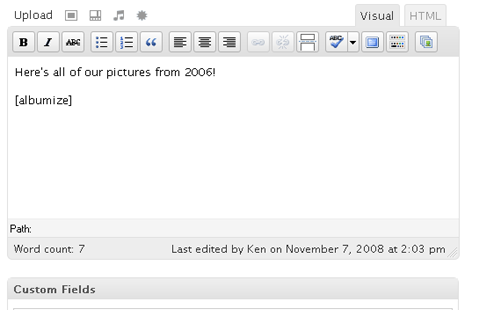
I wanted to take the convenience and ease of use of the built-in WordPress [gallery] shortcode and add a little more functionality to it. By organizing your galleries as multiple child pages of one parent page, you can use this plugin to see a preview thumbnail and description of each gallery.
Styling
Version 1.2 added increasing styling options by wrapping each element in a <div. There are two display options included with the plugin and limitless possibilities exist for any type of custom styling you would like to do. Horizontal styling is the default using only the [albumize] shortcode. However, to use the included vertical styling (thanks Roman!) simply use [albumize style='vert'].
To add your own custom styling, use [albumize style='yourstylename'] (where ‘yourstylename’ is any name you’d like to classify it as) and add the styling to your themes stylesheet. The Albumize elements are classified as the following:
albumize_gallery_yourstylenamealbumize_thumb_yourstylenamealbumize_title_yourstylenamealbumize_desc_yourstylenamealbumize_count_yourstylename
Whatever you use for the style attribute will be used as the last part of the element classification when the album is displayed. Just add your own styling for these elements and you are all set to go. Add as many different styles as you want and call any of them using the style attribute.
Details


Related plugins
Plugins that also contain the tag album
Mixed Media Gallery Blocks

rtMedia for WordPress, BuddyPress and bbPress

Audio Album

Easy Photo Album

InPost Gallery

RPS Image Gallery


About
Plugin for that tries to help you find the WordPress plugin you are looking for.
| Please enjoy an image of Crush (this awesome turtle) and have a lovely day! |  |
We do not own any plugin listed on this site and do not work for or work with WordPress.com or it's associated companies. We simply provide a searchable list of the available WordPress plugins.