



Ananyoo Accessible Carousel
Ananyoo Accessible Carousel provides two accessibility-first blocks, both built to WCAG 2.2 AA, plus ready-made patterns you can insert and edit.
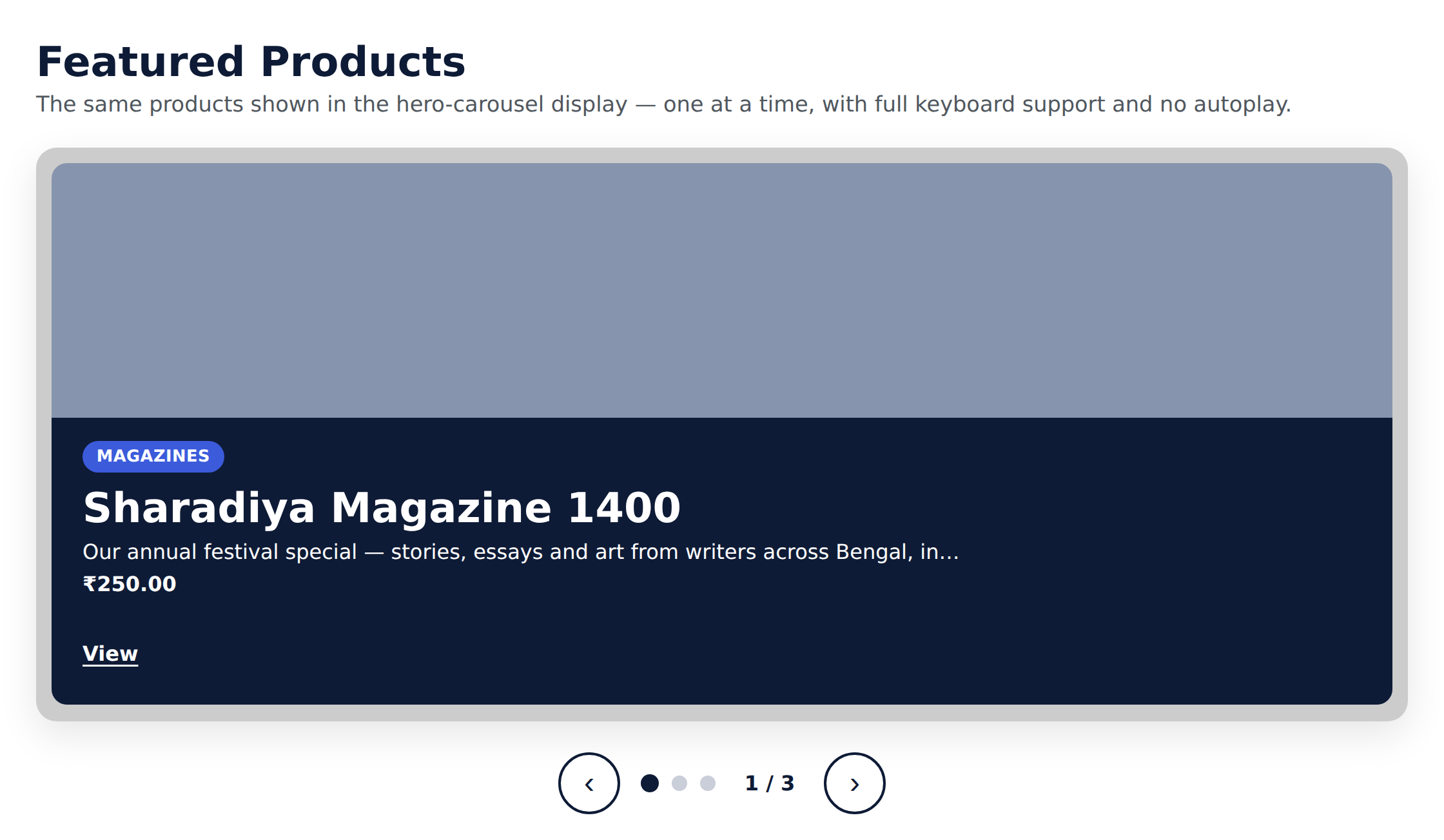
Hero carousel (built to the W3C/WAI Carousels tutorial): each slide has a background image and a solid “contrast box” holding a heading, a paragraph, and an optional button, placed left, right, or bottom. The solid box guarantees readable text contrast over any image. No autoplay by default; when enabled, a configurable pause/stop control is always shown.
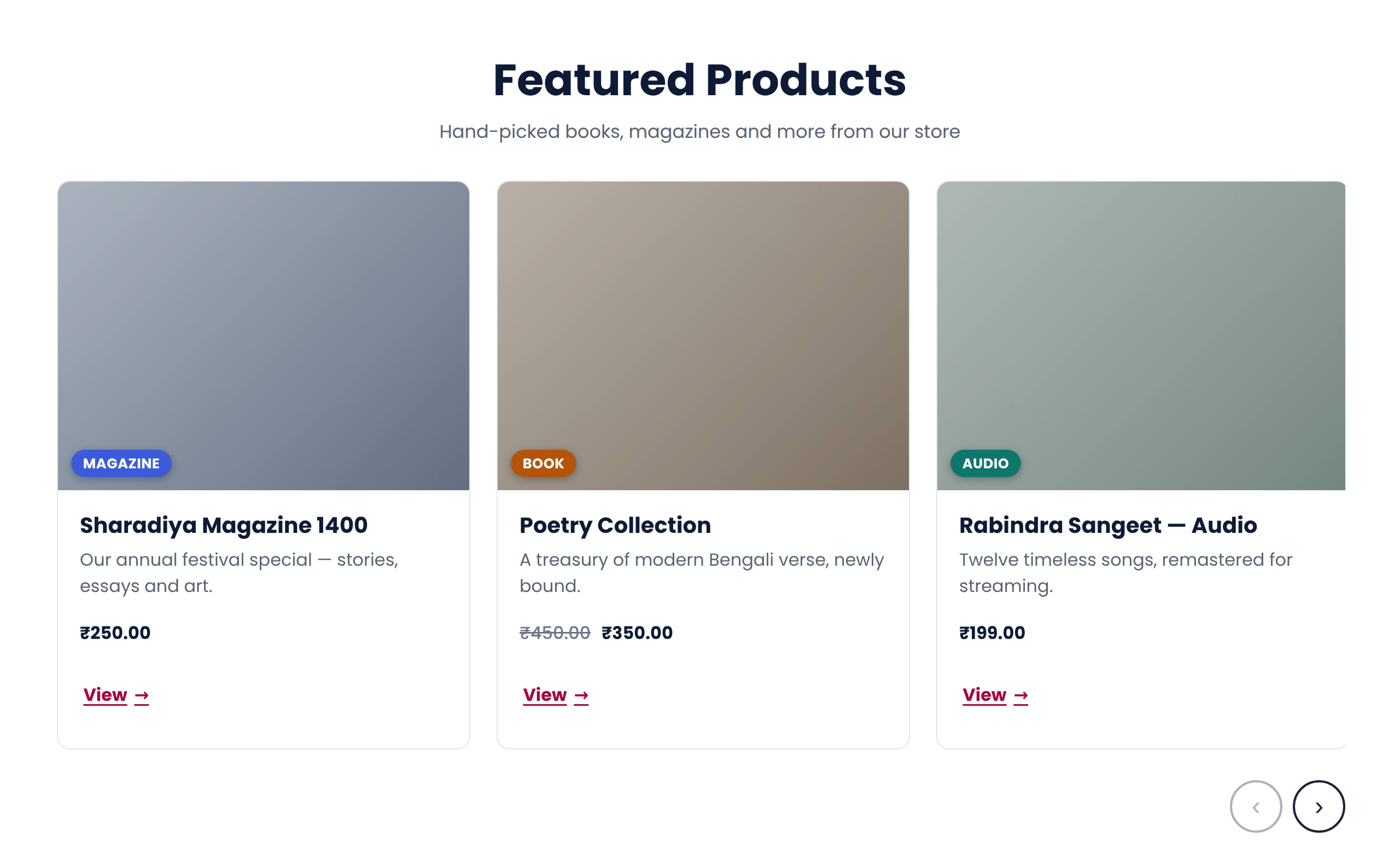
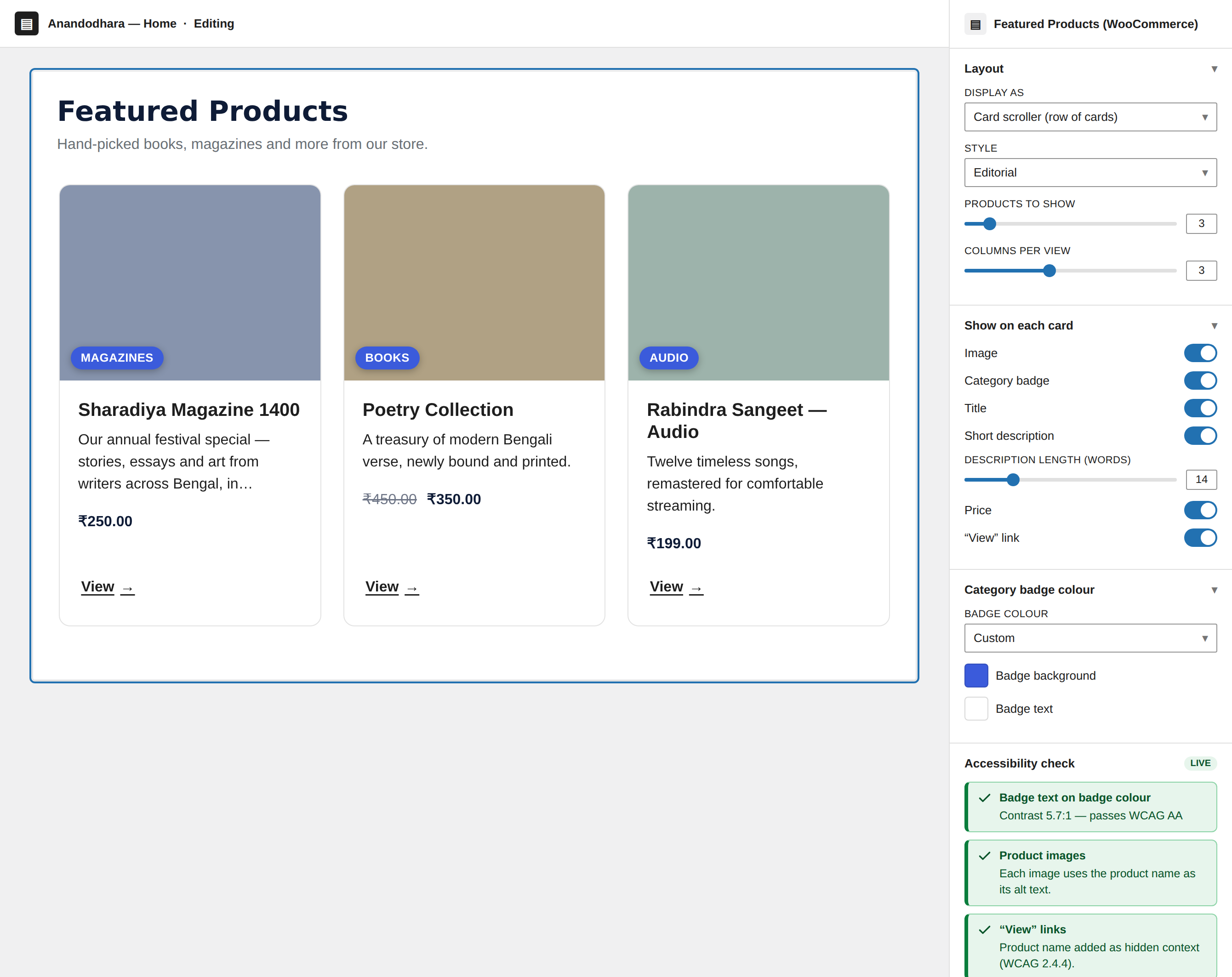
Card scroller: a native CSS scroll-snap row of cards. Because it uses real browser scrolling, it works with the keyboard, touch, the scrollbar, and screen readers with no JavaScript — and nothing is hidden from assistive technology, avoiding the focusable-but-hidden trap common to multi-slide carousels. “Cards per view” is pure CSS (it steps down to 2 then 1 on smaller screens), and there is no autoplay.
Patterns: insert ready-made layouts (hero overlay, hero card, autoplay showcase, minimal, features row, services row) from the Ananyoo Carousel category, then edit freely. To save your own configured layout as a template, use WordPress’s built-in “Create pattern” on the block toolbar.
Carousel accessibility features
- Carousel is a labelled region containing a semantic list of slides; with JavaScript off it degrades to a readable list.
- Controls are real buttons, fully keyboard operable, with no keyboard trap.
- Keyboard focus is never moved by next/previous or by auto-advance.
- A visually hidden polite live region announces “Item x of y” on user-initiated changes; auto-rotation stays silent so it does not interrupt screen reader users.
- No autoplay by default; when enabled, a stop/start control is always provided (WCAG 2.2.2) and rotation pauses on hover and focus.
- Transition animations (fade or slide) are disabled automatically under prefers-reduced-motion.
- Background images are decorative by default, with a real alt-text option when the image is meaningful.
- Solid contrast box, 44px control targets, and a high-visibility focus indicator.
Card scroller accessibility features
- Native CSS scroll-snap: keyboard, touch, scrollbar, and screen readers all work with no JavaScript.
- The scroll region is itself keyboard-focusable and labelled, so it can be scrolled with the arrow keys.
- Cards are a real list; nothing is set to aria-hidden, so there is no focusable-but-hidden content.
- Each card link carries hidden context (e.g. “Learn more – Design”) so repeated links have distinct names (WCAG 2.4.4).
- No autoplay. Optional previous/next buttons are added only when the cards overflow, so there are never dead controls.
- “Cards per view” is responsive by CSS (desktop value, capped at 2 on tablet and 1 on mobile).
Privacy
This plugin collects no data, contacts no external services, and adds no front-end links.
Details


Related plugins
Plugins that also contain the tag accessibility
Ally – Web Accessibility & Usability
Auto Image Attributes From Filename With Bulk Updater (Add Alt Text, Image Title For Image SEO)

Accessibility by UserWay

WP Dark Mode – Improve Accessibility with AI Powered Dark Theme

AccessibleWP – Accessibility Toolbar
Alt Text AI – Automatically generate image alt text for SEO and accessibility


About
Plugin for that tries to help you find the WordPress plugin you are looking for.
| Please enjoy an image of Crush (this awesome turtle) and have a lovely day! |  |
We do not own any plugin listed on this site and do not work for or work with WordPress.com or it's associated companies. We simply provide a searchable list of the available WordPress plugins.