



anny bookings
Your visitors are already on your website. anny bookings lets them book right there — a desk, a court, a meeting room, a guided tour, a lab instrument — instead of being sent off to a separate portal and losing half of them on the way.
Connect your anny account once, then build booking pages the way you build every other page: add a block, pick what it should show, publish. No code. No API keys to copy around. No embed snippets to paste into an HTML widget and hope for the best.
Built for the things people actually book
- Coworking and flex offices — desks, meeting rooms, phone booths and memberships, bookable by members and walk-ins alike.
- Sports, wellness and leisure — courts, lanes, studios, classes and treatments, with the schedule always current.
- Tours, activities and venues — time-slotted experiences and ticketed spaces, sold straight from the page that sells them.
- Workplace and campus resources — rooms, equipment, labs and shared assets for teams, universities and public bodies.
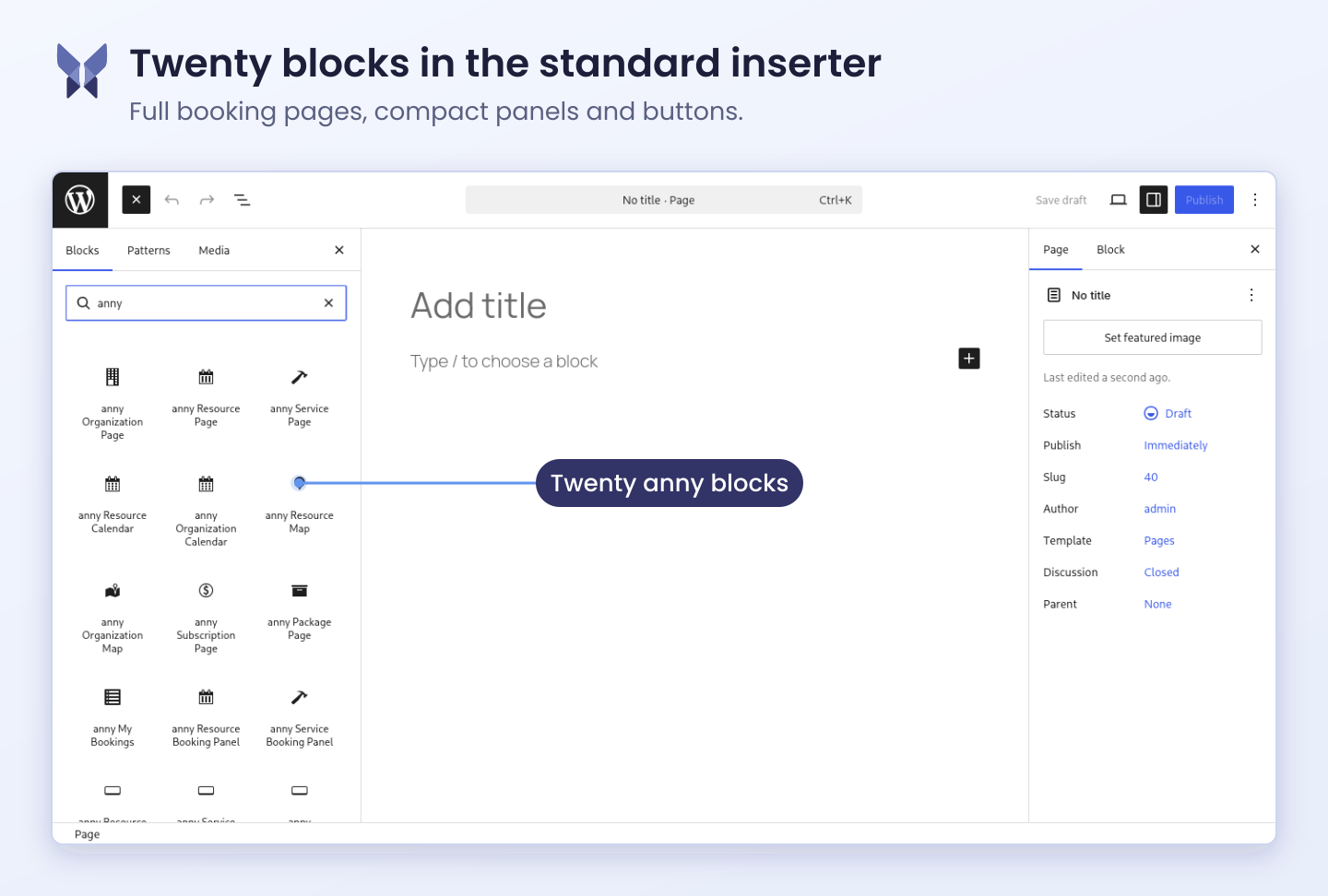
One block for every job
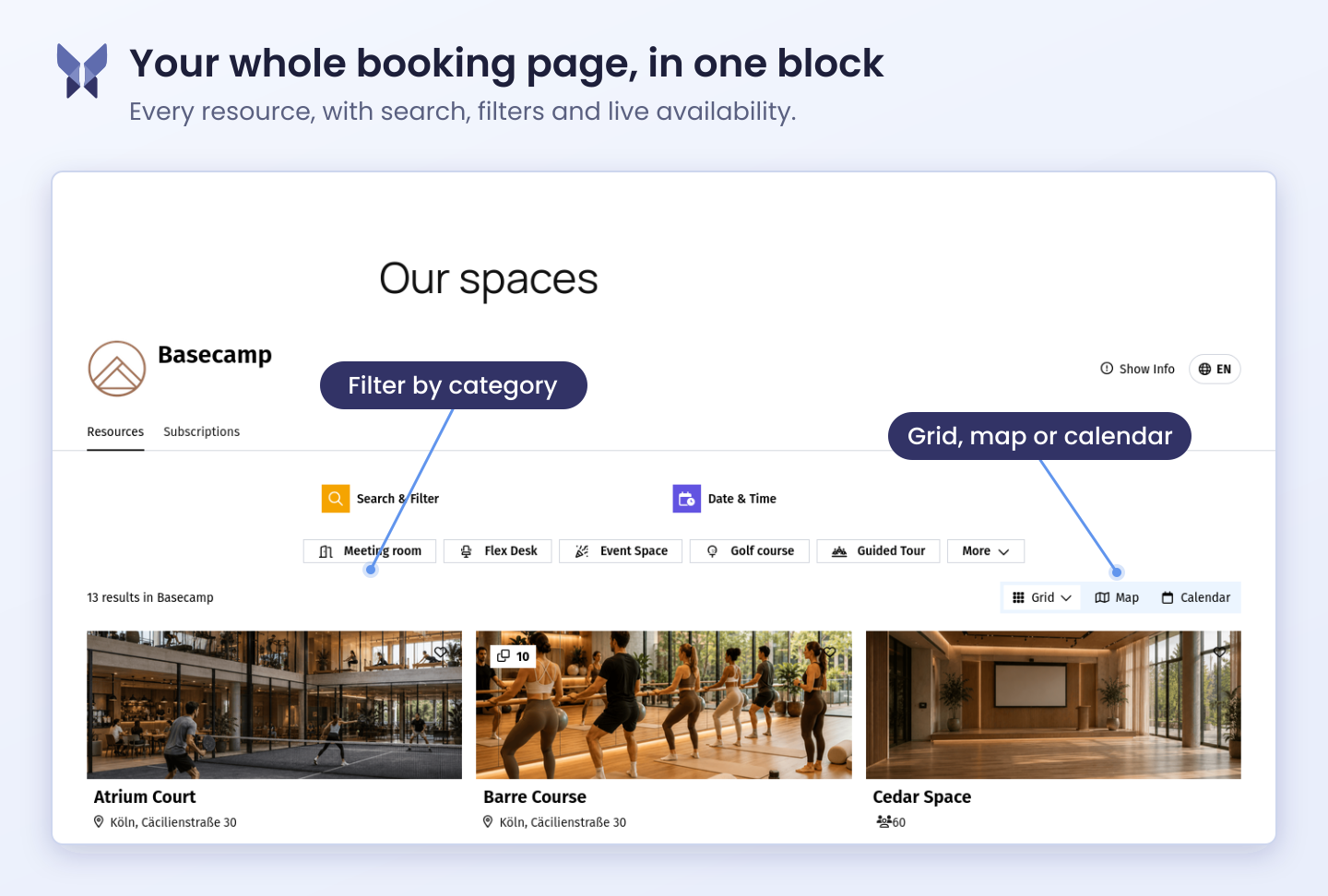
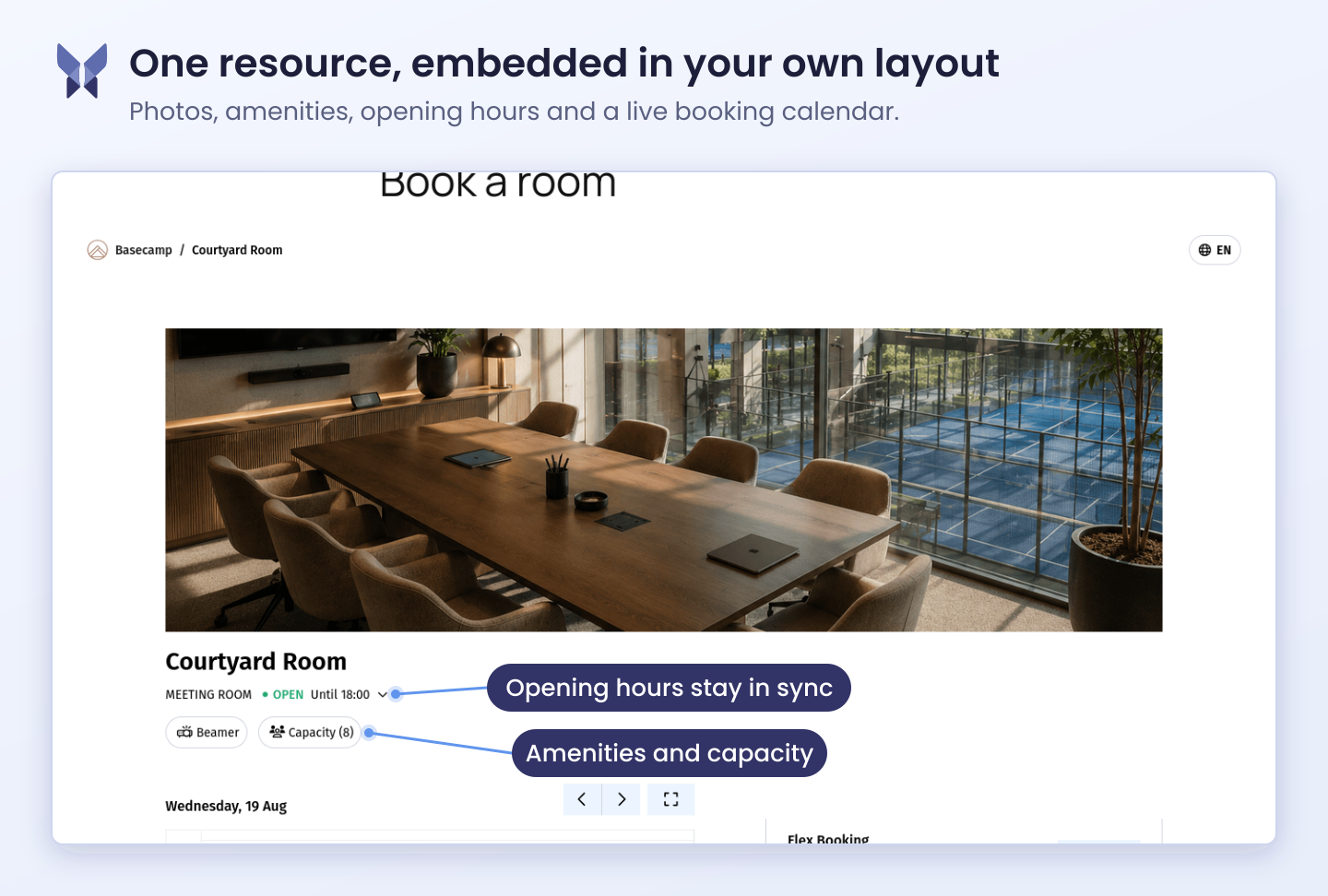
- Booking pages — the full anny experience for an organization, resource, service, subscription plan or package, embedded in your layout.
- Calendars and maps — show availability at a glance, or let visitors pick a resource from an interactive map.
- Compact panels — slim resource and service booking panels that sit next to your own content instead of taking over the page.
- Buttons — open booking in a dialog from anywhere, using the built-in button or any WordPress block you design yourself as the trigger.
- Account extras — a “My bookings” area, a login button and a cart button, so returning customers manage their own bookings.
From install to first booking in minutes
- Install and activate the plugin.
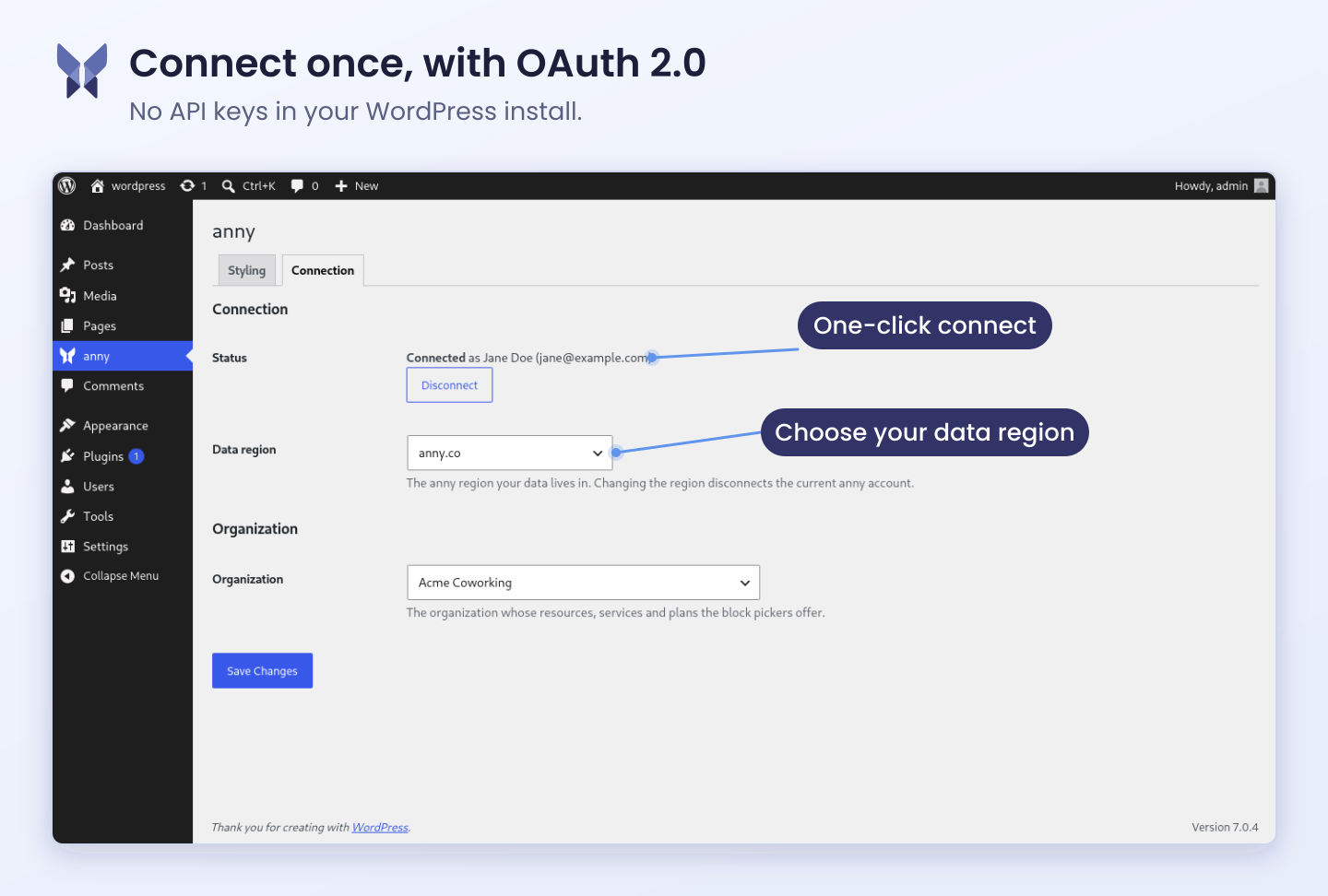
- Click Connect with anny and approve access — that is the whole authentication step.
- Pick your organization.
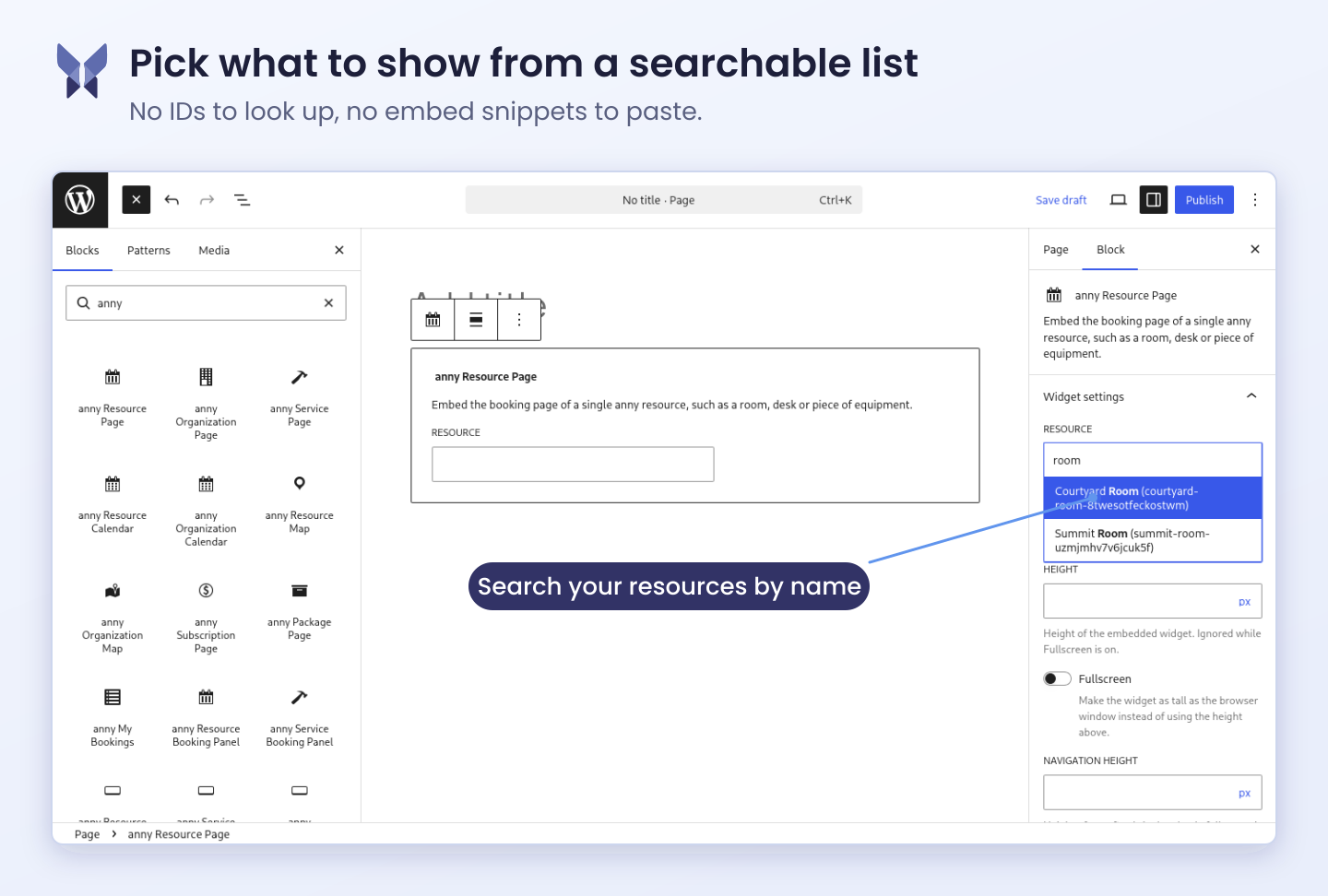
- Add an anny block to a page and choose the resource or service from a searchable dropdown.
- Publish.
There is nothing to configure in between, and nothing to maintain afterwards: your resources, prices, opening hours and availability stay in anny, and every block on your site follows automatically.
Looks like your website, not like a widget
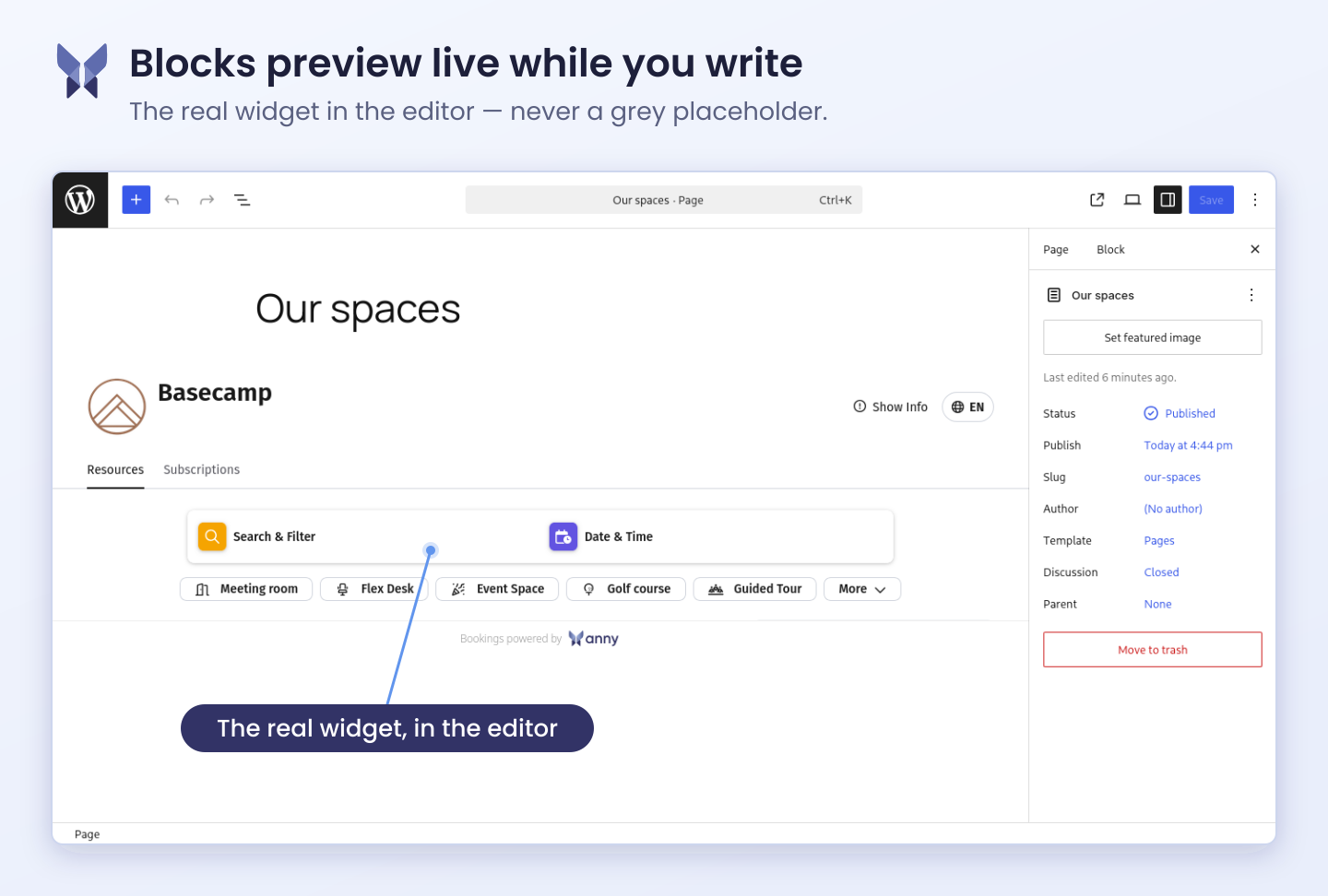
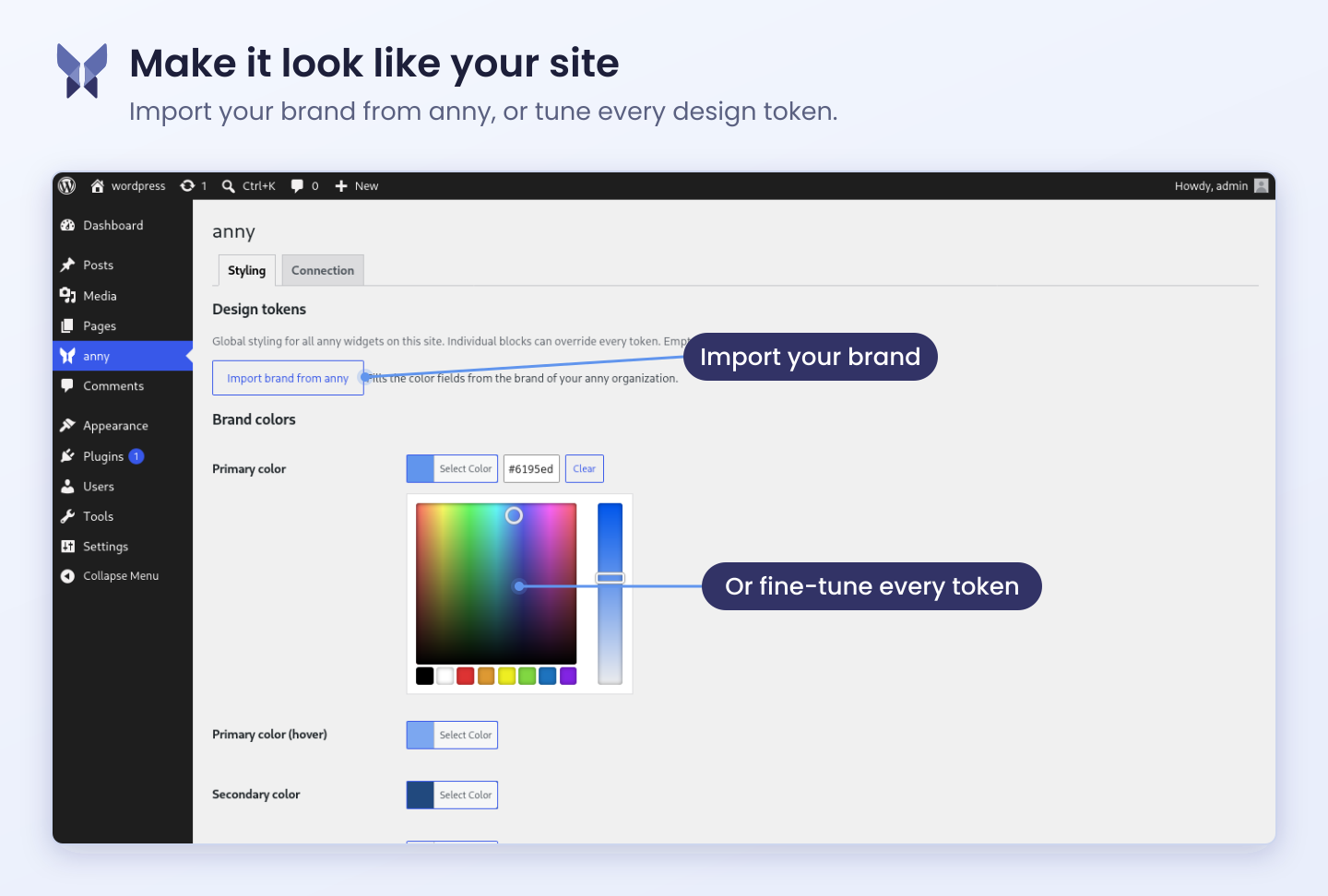
Import your brand colours from anny with one click, or fine-tune every design token — primary colour, backgrounds, text, borders, radii and shadows — with a colour picker. Set them once for the whole site and override them per block where a page needs something different. Each block previews live in the editor, so you see the real widget while you write the page, not a grey placeholder.
What you need
anny bookings works with an anny account, and anny has a free plan — so you can set your booking page up end to end before you ever talk to sales. Sign up and manage your resources at anny.co.
Your data stays in the anny region you choose, global (anny.co) or European (anny.eu). The connection uses OAuth 2.0 with PKCE, so there are no API keys in your WordPress install; the access token is stored encrypted and you can revoke it at any time with one click.
External services
This plugin is a front end for anny, the booking platform operated by anny GmbH (Bonn, Germany). It cannot work without it: your resources, availability, prices and bookings live in anny, and the plugin embeds them in your site. Which hosts are contacted depends on the data region you pick on the settings screen — anny.co (global) or anny.eu (European).
Terms of service: https://anny.co/terms
Privacy policy: https://anny.co/privacy
1. The anny widget script (cdn.anny.co / cdn.anny.eu)
The booking widgets are web components loaded from anny’s CDN. Your visitor’s browser requests annyComponents.umd.latest.min.js from cdn.anny.co or cdn.anny.eu, depending on the selected data region, on any page that contains an anny block, and in the block editor while you edit one. As with any asset request, the visitor’s IP address and browser user agent reach the CDN. No other data is sent by the plugin.
2. The anny booking API (b.anny.co / b.anny.eu)
Once loaded, the widget talks to the anny API from the visitor’s browser to show live availability and to take bookings. Anything a visitor enters in a booking form — for example name, e-mail address, and the booking details themselves — is sent to anny, not stored in your WordPress site.
Your site also calls this API from the server while an administrator works in wp-admin: to list your organizations, resources, services, plans and categories for the block pickers, and to read your organization’s brand colours for the “Import brand” button. Those requests carry the access token from the connection below and the ID of the selected organization. They send no visitor data, and they only happen while an editor is using the plugin’s screens.
3. anny authentication (auth.anny.co / auth.anny.eu)
Clicking “Connect with anny” sends the administrator to anny’s consent screen using OAuth 2.0 with PKCE. The request carries the plugin’s public client ID, the requested scopes, and the callback URL of your site. After approval, your site exchanges the returned code for an access token and a refresh token, which are stored encrypted in your WordPress database and can be revoked from the settings screen at any time. No WordPress user data is transmitted during this exchange.
Development
The plugin is developed in the open at github.com/anny-co/anny-wordpress-plugin — issues and pull requests are welcome there.
The readable sources of the compiled files in build/ live in src/ in that repository, together with the build tooling. Cloning it and running the two commands below reproduces the shipped bundles exactly — they are built with the official WordPress tooling, @wordpress/scripts, with no custom webpack configuration:
npm ci && npm run build
src/index.jsandsrc/components/*build tobuild/index.js— the block registration and the editor UI.src/admin/brand-import.jsbuilds tobuild/brand-import.js— the settings screen helper.npm run plugin-zipproduces the distributed package.
No third-party libraries are bundled: React and the WordPress packages are provided by WordPress itself and are declared as dependencies in the generated build/*.asset.php files.
Details
Related plugins
Plugins that also contain the tag appointments
LatePoint – Calendar Booking Plugin for Appointments and Events

Booking for Appointments and Events Calendar – Amelia

Online Scheduling and Appointment Booking System – Bookly

Appointment Booking Calendar — Simply Schedule Appointments Booking Plugin

Fluent Booking – The Ultimate Appointments Scheduling, Events Booking, Events Calendar Solution

SimplyBook.me – Booking and reservations calendar


About
Plugin for that tries to help you find the WordPress plugin you are looking for.
| Please enjoy an image of Crush (this awesome turtle) and have a lovely day! |  |
We do not own any plugin listed on this site and do not work for or work with WordPress.com or it's associated companies. We simply provide a searchable list of the available WordPress plugins.