



Article from YouTube
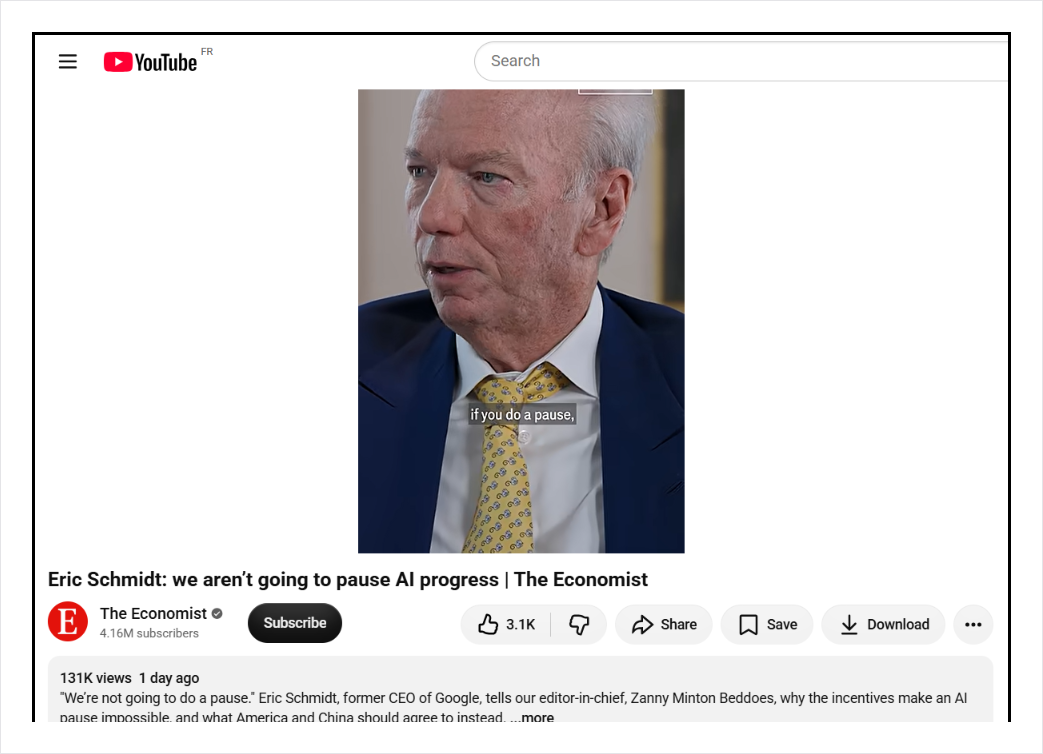
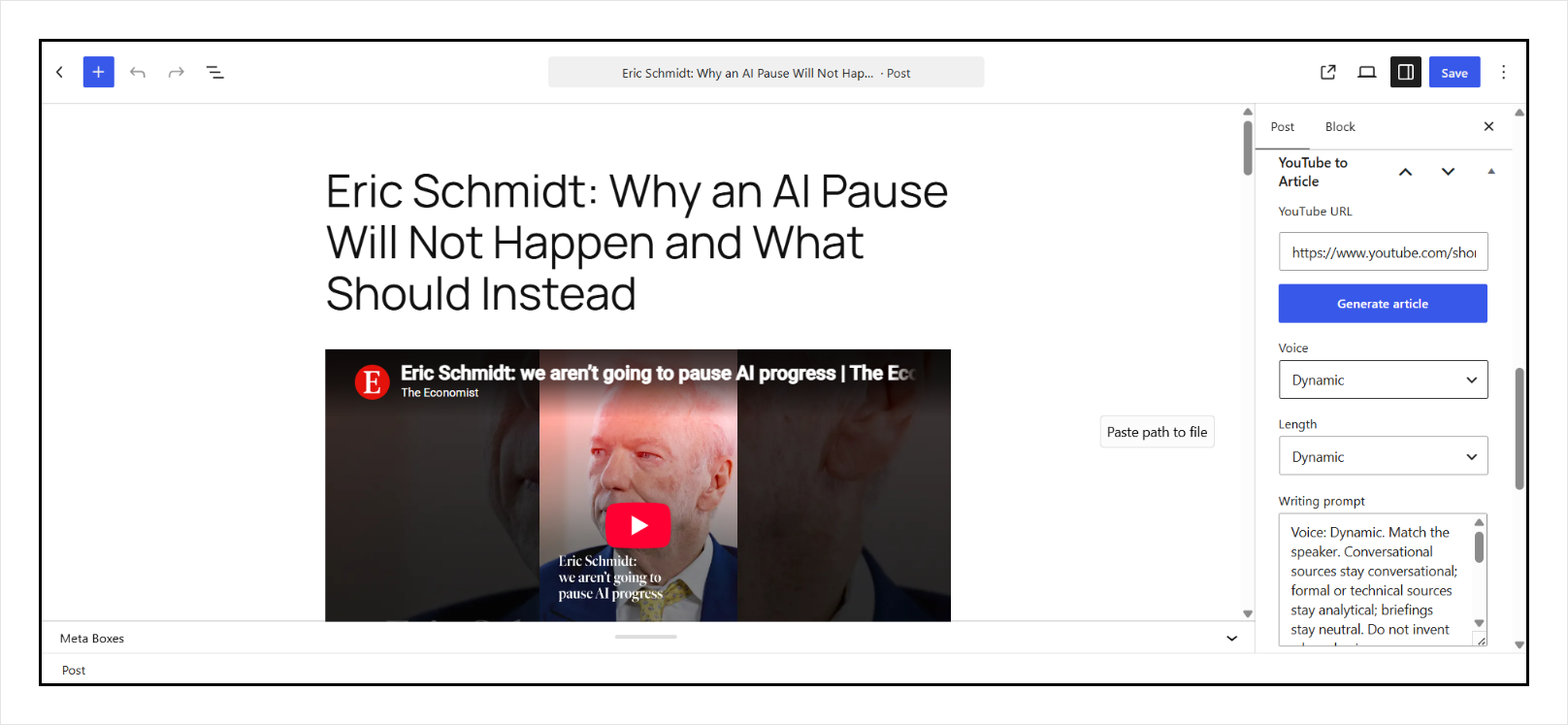
Article from YouTube turns a YouTube video into a WordPress draft. Open a post or page, paste the URL in the sidebar, and click Generate article. The plugin asks StartupHub.AI to transcribe the video and write HTML into the editor.
You review the draft. You publish it.
Content teams use it to repurpose a video library without writing from scratch. Bloggers use it so a recorded video is not a blank page. Agencies use it when a client sends a YouTube link and wants an article with internal links.
What it does
- One-click generation. Paste a YouTube URL in the editor box. Draft HTML lands in the post. Existing title and body are replaced.
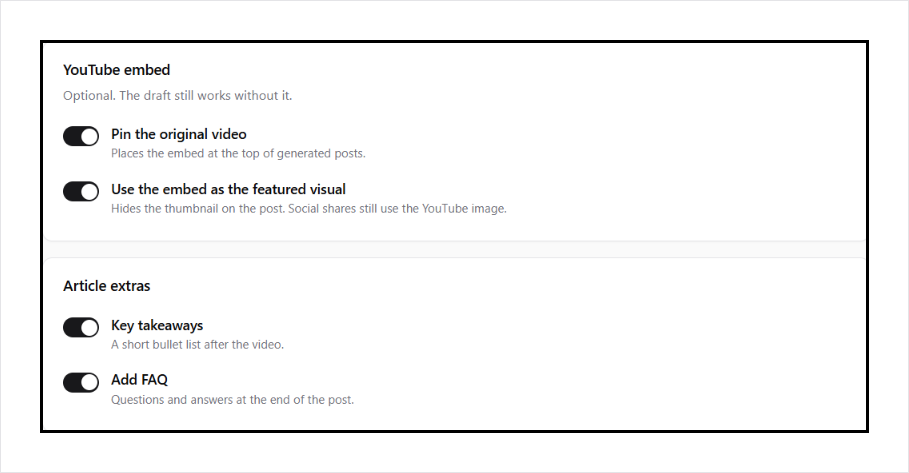
- SEO fields. Generate fills focus keyphrase, SEO title, and meta description, and writes those into Yoast or Rank Math when those plugins are active. You can pin the original video at the top of the draft.
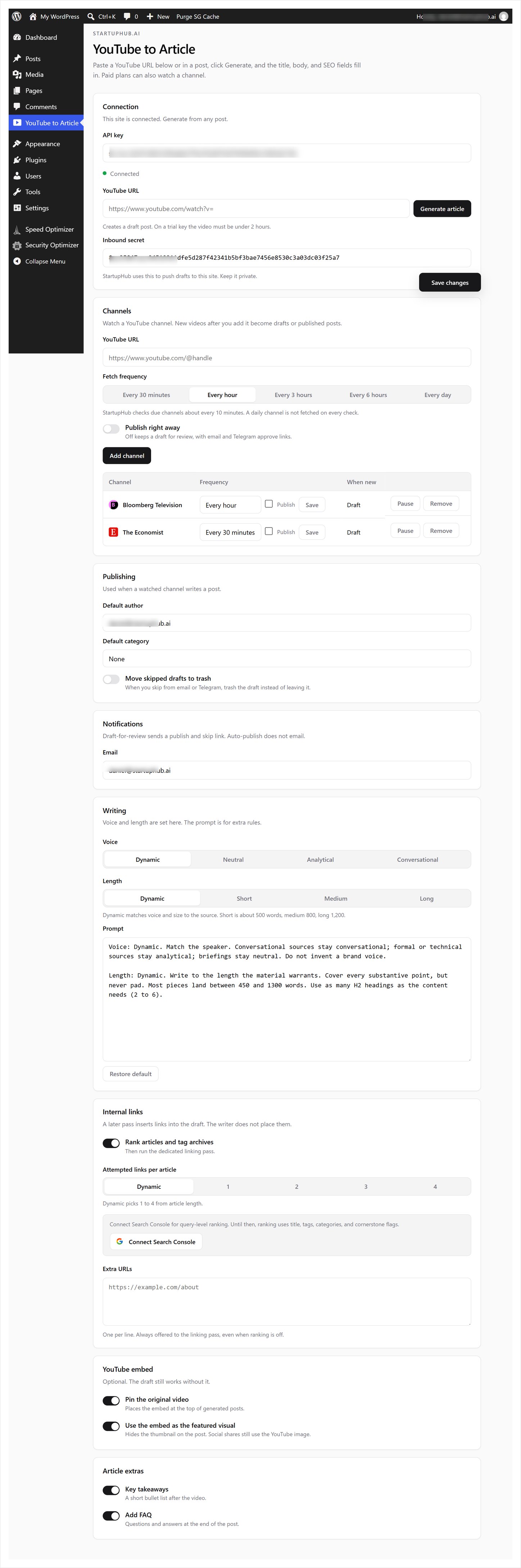
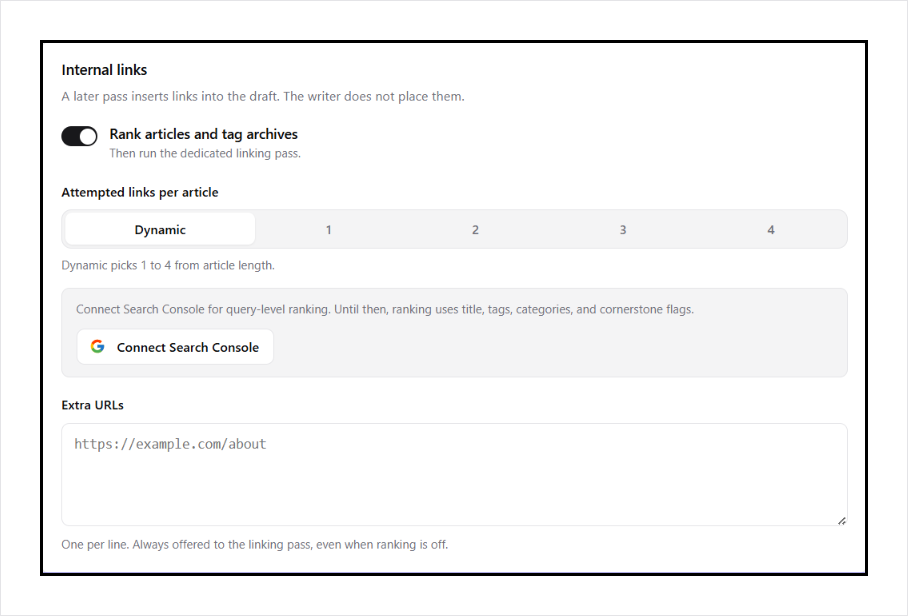
- Internal links. A later pass ranks published posts and tag archives by title, tags, categories, and cornerstone flags. Connect Search Console for query-level ranking (clicks, impressions, position, query overlap). Site Kit or Rank Math can supply that data if they are already connected. The pass attempts 1 to 4 links.
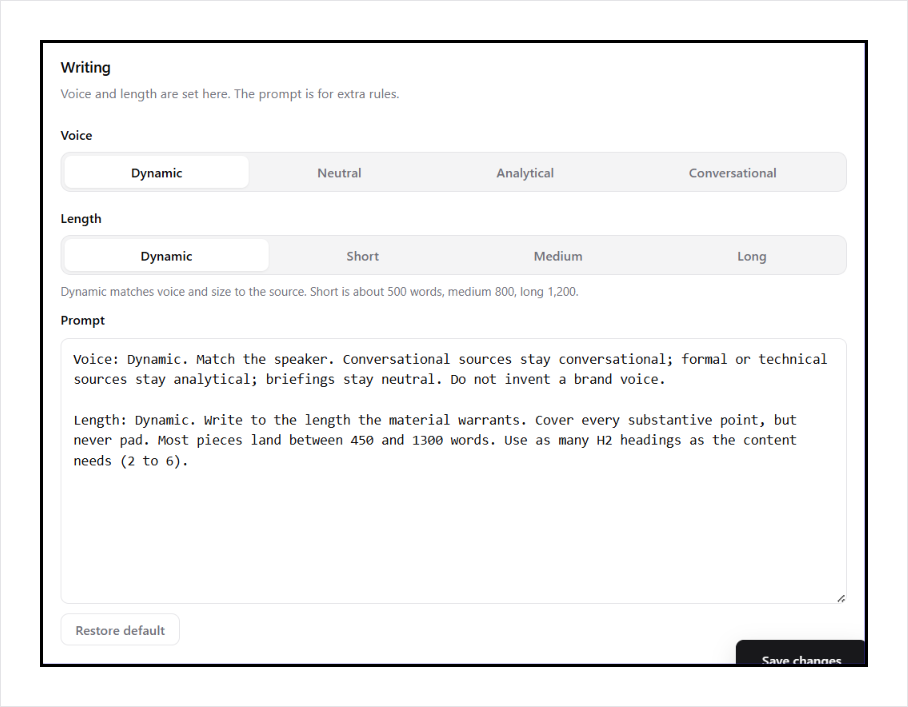
- Your prompt. Tone and length live in Settings. There is no hidden writing rule.
- Review first. Editor generations never auto-publish.
Channel watch (Pro Mini and up)
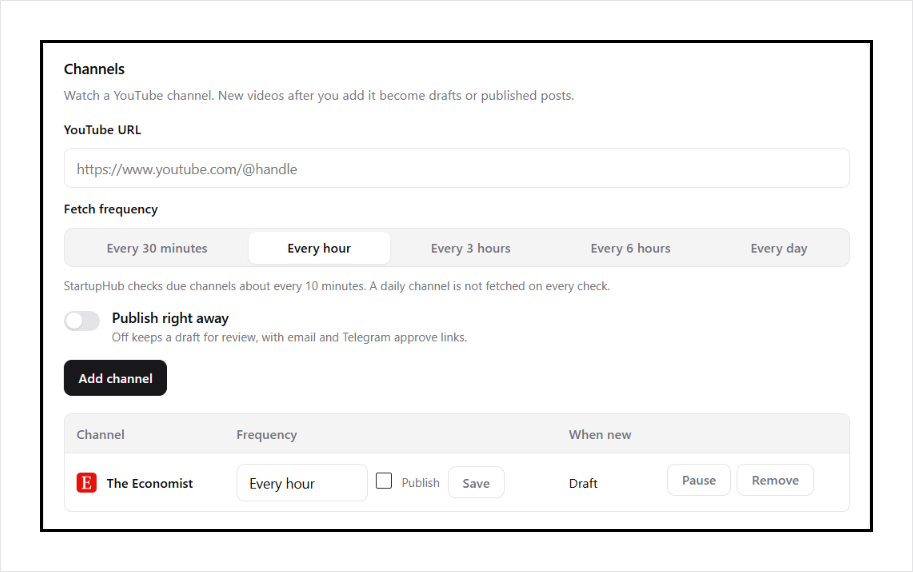
Add a public YouTube channel URL, pick how often to check it (every 30 minutes, hourly, every 3 hours, every 6 hours, or daily), and choose draft or publish. StartupHub.AI watches the channel RSS feed and writes an article when a new video appears.
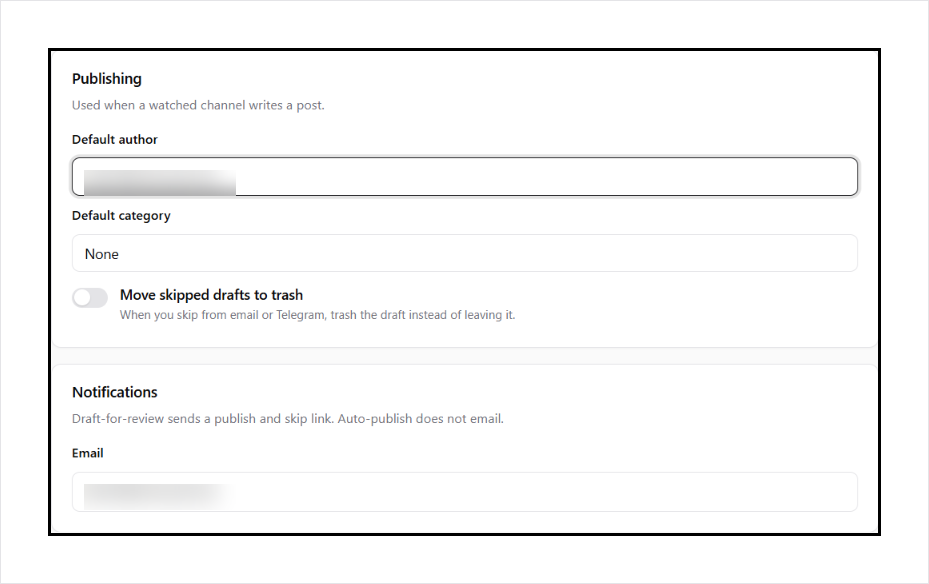
Drafts can be approved from email or Telegram. Set a default author and category. Caps live on StartupHub.AI, not as a timer inside this plugin.
The free plan includes a small number of editor generations. Channel watch needs a Pro Mini (or higher) key.
What you need
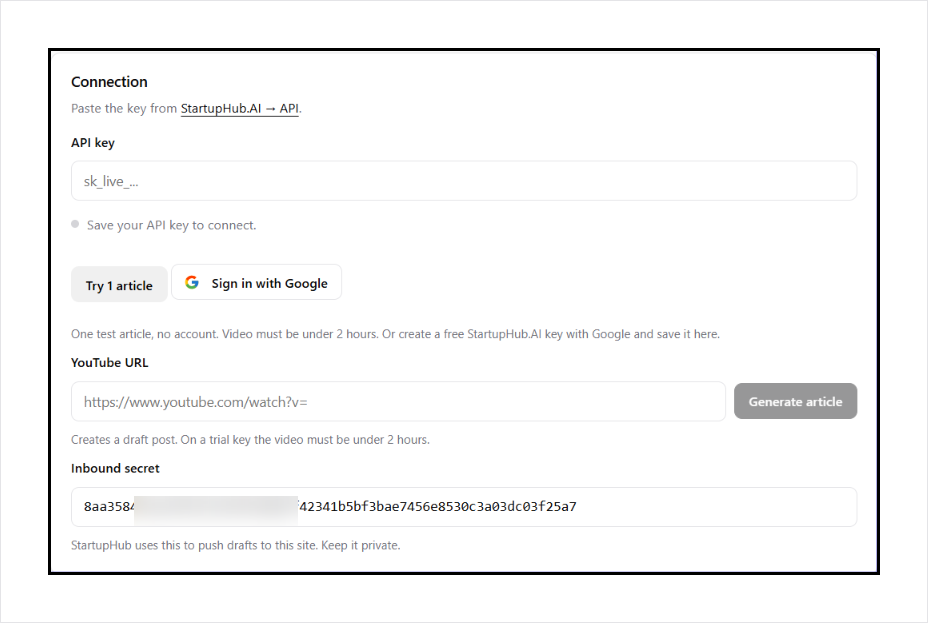
A StartupHub.AI API key from startuphub.ai/youtube-to-article.
YouTube is a trademark of Google LLC. This plugin is not affiliated with or endorsed by YouTube.
External services
StartupHub.AI (required to generate and to watch channels). This plugin sends requests from your WordPress server to:
https://www.startuphub.ai/api/v1/youtube-to-article/generate
https://www.startuphub.ai/api/v1/youtube-to-article/internal-links
https://www.startuphub.ai/api/v1/wp-writer/sites
https://www.startuphub.ai/api/v1/wp-writer/sources
https://www.startuphub.ai/api/v1/wp-writer/jobs
https://www.startuphub.ai/api/v1/wp-writer/jobs/ready
https://www.startuphub.ai/api/v1/wp-writer/telegram/start
https://www.startuphub.ai/api/v1/youtube-to-article/gsc
https://www.startuphub.ai/api/v1/youtube-to-article/gsc/start
https://www.startuphub.ai/api/v1/youtube-to-article/gsc/rows
The generate request includes your API key (as a Bearer token), the YouTube URL you pasted, your writing prompt, and whether to pin the video. A first call asks for a transcript. A second call sends that transcript plus the video title and channel name so the service can write the article. A third call sends the draft HTML plus ranked candidate URLs from this site (published articles, tag archives, and any extra URLs you listed) so the service can insert internal links. That third call does not write a new article. If it fails, the draft stays unlinked. Nothing is sent until you click Generate.
When you save settings or add a channel, the plugin sends your site URL, inbound secret, notify email, default author and category, and the YouTube URL you entered so the service can register the site and watch that channel. It also asks for recent job status and any drafts that did not arrive, then creates those posts locally. Telegram start only runs if you click Link Telegram.
Connect Search Console only runs if you click that button. The plugin sends your site URL and a return URL under wp-admin, then Google asks you to approve read-only Search Console access. StartupHub.AI stores the token for that API key and later fetches query and page rows to rank internal links. Disconnect removes that token.
StartupHub.AI may push a finished article to this site at:
/wp-json/afyt/v1/inbound
That request is signed with the inbound secret stored in settings.
If Search Console is not connected here, and Site Kit by Google or Rank Math already stored Search Console data on this site, those local analytics can still be used to rank internal links.
- Service: https://www.startuphub.ai
- Terms: https://www.startuphub.ai/terms
- Privacy: https://www.startuphub.ai/privacy
Details
Related plugins
Plugins that also contain the tag article
WP-InstantArticles

Snowball

Article

Automatic Schema

Postify: Post layouts

Hypotext


About
Plugin for that tries to help you find the WordPress plugin you are looking for.
| Please enjoy an image of Crush (this awesome turtle) and have a lovely day! |  |
We do not own any plugin listed on this site and do not work for or work with WordPress.com or it's associated companies. We simply provide a searchable list of the available WordPress plugins.