

AskAgento
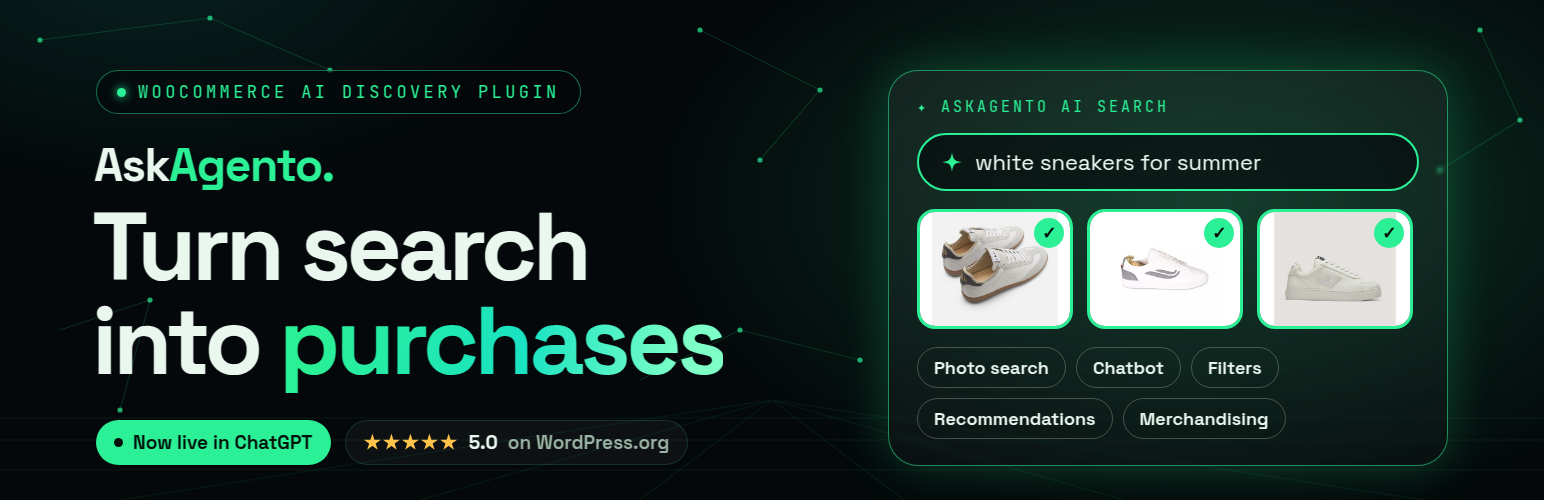
AskAgento connects your WooCommerce store to a unified shopping data layer. Your catalogue is synced once; search, filters, labelling, recommendations, chat, and agent tools all use the same understanding of what you sell.
AskAgento uses cloud services operated by VisualSearch GmbH. Every plugin feature is available to every user with no licence key, no trial and no locked functionality. A free account is required for the cloud-powered features and is available without a credit card.
Why AskAgento
- Unified layer — Text and image data live in one space, so natural-language search, visual similarity, and chat retrieval stay aligned.
- AI-powered search — Natural-language and image queries return relevant products even when exact keywords don’t match, so shoppers find what they mean.
- Grounded AI chat — Storefront chatbot answers from retrieved products, not a generic model guessing your inventory.
- Recommendations — Upsell and cross-sell suggestions tied to your synced catalogue.
- Agents — Expose your shop to external tools via MCP for automations and copilots.
- Fast faceted filtering — Auto-generated product filters with pre-computed cache tables for responsive storefront filtering at scale.
- Less manual catalogue work — Auto Label proposes attributes, categories, and tags from catalogue intelligence, with workflows to push results into WooCommerce.
- Optional BYOK — Bring your own LLM provider key to extend token-based features alongside your included service allowance.
Features
- AI text search on the storefront
- AI image search on the storefront
- AI Chatbot — natural-language shopping assistant
- AI Recommend — upsell and cross-sell blocks
- Auto Product Filters — generated from your catalogue
- Auto Label — analyse, generate, and upload attributes/tags/categories
- Service usage and remaining allowance visible in wp-admin
- Scheduled daily catalogue sync
Service plans
This plugin is not trialware and contains no locked features. Every screen, setting and
feature ships enabled for everyone. There is no licence key, no trial period, and no code
path that disables functionality based on a subscription.
The AI features are performed by the AskAgento cloud service (see External services
below). Like any hosted service, it has capacity limits. Those limits live entirely on the
server and determine how much catalogue the service processes for your shop, not which
plugin features you may use:
- Free — up to 100 products indexed, with a monthly AI usage allowance. No credit card.
- Basic — up to 2,000 products indexed, higher monthly allowances.
- Pro — up to 5,000 products indexed, the highest monthly allowances.
- Custom — agreed with sales for larger catalogues.
Every plan, including Free, runs the complete feature set: AI text search, AI image search,
chatbot, upsell and cross-sell recommendations, auto product filters, auto labels, and MCP
agents. If your catalogue grows past what your current plan indexes, the plugin keeps
working and shows an informational notice; see pricing.
Free is free forever — no credit card, no trial, no expiry date, and not one feature
locked or limited. Install the plugin and accept the consent notice on the Plugins screen
to connect your site; you are on the Free plan from that moment, with nothing to buy,
activate or upgrade.
Paid plans are optional and bought on askagento.com. They raise only how much catalogue the
service indexes and how much AI usage is included each month. If you already paid there,
link the subscription to this site under AskAgento Settings Status using the email
address you paid with.
API Documentation: askagento.com/api/
Tutorial videos: askagento.com/tutorial.html
Demo shop: demowp.askagento.com
Terms of use: askagento.com/terms.html
Privacy policy: askagento.com/privacy.html
Legal notice: askagento.com/imprint.html
External services
This plugin connects to AskAgento cloud services operated by VisualSearch GmbH to register your site, sync your WooCommerce catalogue, and run AI-powered search, filters, labelling, recommendations, chatbot, and MCP features.
Service: AskAgento API
Website: https://askagento.com
API endpoint: https://api.askagento.com
API documentation: https://askagento.com/api/
Tutorial videos: https://askagento.com/tutorial.html
Terms of use: https://askagento.com/terms.html
Privacy policy: https://askagento.com/privacy.html
Legal notice: https://askagento.com/imprint.html
What is sent and when
- Installation / status — Site URL, resolved shop host IPv4 (DNS lookup of your site URL hostname), WooCommerce version, plugin version, and registration identifiers.
- Catalogue sync — Product data required to build the search and filter index, such as product titles, descriptions, SKUs, attributes, categories, tags, images, stock status, and price fields as configured.
- AI search, chat, label, filter, recommend, MCP — Query text, optional images, product context, and site credentials needed to process requests on your synced catalogue.
- Usage — Your plan, service allowance, and remaining usage for this site.
Consent and account requirement
Features that call external services need a completed installation and an AskAgento account. A free account is available without a credit card and includes every feature. Catalogue sync starts only after the site administrator completes onboarding/consent in the WordPress admin.
Storefront chatbot credentials
On pages where the chatbot is shown, the plugin loads a small JavaScript configuration object (window.askagentoAiChatbotFront) that includes your site ID and AskAgento Discovery API key so the browser can call the /chatbot endpoint directly. Anyone who can view the shop page could inspect these values in the browser. Treat the Discovery key as a site-scoped credential, not a secret admin password. Rotate it from AskAgento Settings if needed.
Optional BYOK (bring your own LLM key) — third party AI providers
BYOK is optional and off by default. If you choose to add your own API key under AskAgento Settings LLM Setup, the plugin contacts that provider directly from your WordPress server to verify the key works.
What is sent: only the API key you entered, as an authorization header or query parameter on a request to the provider’s read-only models endpoint. No product data, catalogue data, customer data, or site data is sent to these providers by the plugin.
When it is sent: only when a site administrator clicks “Test” for a provider key in wp-admin. There are no scheduled, automatic, or storefront requests to these providers, and no request is made if you never enter a key.
Provider keys are stored in your WordPress database, are shown only in masked form in wp-admin, are never transmitted to AskAgento servers, and are removed when you clear them or uninstall the plugin.
Each provider is an independent third party service; its own terms and privacy policy apply to the requests described above and to any use you make of that provider’s API with your key.
- OpenAI — used to validate an OpenAI API key via https://api.openai.com/v1/models
Terms: https://openai.com/policies/services-agreement/ — Privacy policy: https://openai.com/policies/privacy-policy/ (all policies: https://openai.com/policies/) - Anthropic — used to validate an Anthropic API key via https://api.anthropic.com/v1/models
Terms: https://www.anthropic.com/legal/commercial-terms — Privacy policy: https://www.anthropic.com/legal/privacy - Google (Gemini API) — used to validate a Google Gemini API key via https://generativelanguage.googleapis.com/v1/models
Terms: https://developers.google.com/terms — Privacy policy: https://policies.google.com/privacy - OpenRouter — used to validate an OpenRouter API key via https://openrouter.ai/api/v1/models
Terms: https://openrouter.ai/terms — Privacy policy: https://openrouter.ai/privacy
Details


Related plugins
Plugins that also contain the tag ai
SEOPress – On-site SEO & Analytics

AI Engine – The Chatbot, AI Framework & MCP for WordPress

GetGenie – AI Content Writer with Keyword Research & SEO Tracking Tools

SEO Plugin by Squirrly SEO

Website LLMs.txt

Smartsupp – live chat, AI shopping assistant and chatbots


About
Plugin for that tries to help you find the WordPress plugin you are looking for.
| Please enjoy an image of Crush (this awesome turtle) and have a lovely day! |  |
We do not own any plugin listed on this site and do not work for or work with WordPress.com or it's associated companies. We simply provide a searchable list of the available WordPress plugins.