

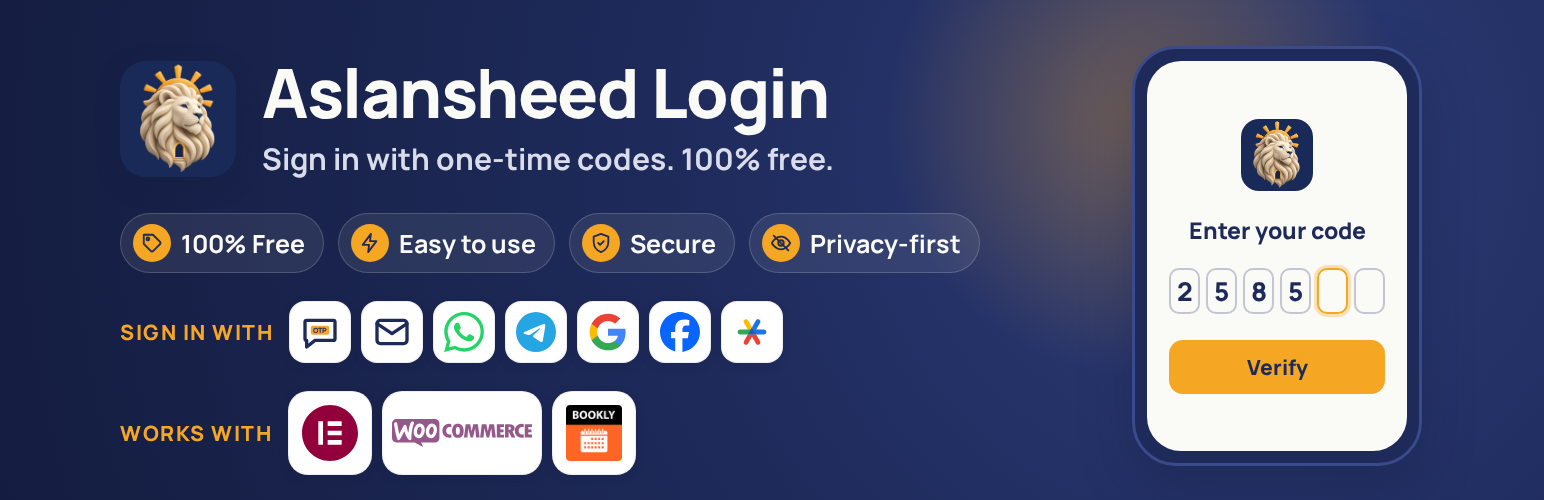

Aslansheed Login
Aslansheed Login lets visitors sign in or register with a phone number or email and a one-time code. Everything is free: there are no locked features and no license checks.
Sign-in and registration
- One smart form: the visitor types a phone number, email or username. The form offers a code or a password, and new users finish registration after verifying their code.
- Configurable registration fields: first and last name, username, email, password with confirmation and strength meter, national ID, postal code and birth date. Each is hidden, optional or required. Birth date can use the Gregorian or the Jalali (Persian) calendar, or let the user switch. National IDs are checked with the Iranian checksum, kept unique and stored encrypted.
- Optional email verification at registration: a code is sent to the address a new user gives, and the account is created only after it is entered.
- Multi-country sites: an optional country list next to phone numbers, limited to the countries you allow.
- Optional Google sign-in (Google Identity Services, no client secret needed).
- Elementor widget with every text and style editable, and custom registration fields (text, number, date, dropdown, checkboxes and more).
- Shortcode
[aslansheed_login]and a block for the form, and[aslansheed_account_phone]so users can link or change their phone. - Optional replacement of the WordPress login page. It is off by default and needs a secret emergency address that always shows the classic form, so you can never lock yourself out.
Delivery channels with automatic fallback
- Email, SMS, WhatsApp Cloud API, Telegram Gateway and your own Telegram bot (send a code, or an Approve button).
- SMS providers: Twilio, Vonage, Plivo, Telnyx, Sinch, Infobip, Africa’s Talking, Melipayamak, Kavenegar, SMS.ir and a custom HTTP gateway. If one fails, the next one is tried.
- A “Send test” button for every channel and provider, and a masked message log.
Security and privacy
- 2FA with Google Authenticator, Microsoft Authenticator, Authy and other apps. Set it to off, optional or required, for everyone, chosen roles or chosen people. Users get recovery codes, and it also protects the classic wp-login.php form.
- Codes are random, single use, expire quickly and are stored only as keyed hashes.
- Gateway keys and secrets are encrypted at rest (libsodium, derived from your WordPress salts).
- Rate limits per recipient and per IP, wrong-attempt limits and lockouts against SMS pumping and brute force.
- Optional captcha: Cloudflare Turnstile, hCaptcha or Google reCAPTCHA v2.
- Block lists for emails, phone numbers and IP addresses, and a country allow list for phone numbers.
- Optional sign-in notification emails for users and for administrator sign-ins.
- Audit log with configurable retention.
- WordPress personal data export and erase tools, and suggested privacy policy text.
WooCommerce
- Optional sign-in form on My Account.
- Optional phone verification at the classic checkout.
- Billing phone, name, email, postal code and country sync from the registration form, and postal code kept in step with the billing address.
- Billing phone sync and High-Performance Order Storage (HPOS) compatibility.
- The block-based checkout is not covered yet.
Tools
- Import phone numbers stored by other login plugins or in any user meta key, with a preview.
- Export and import the general settings as JSON. Secrets are never exported.
About the author
Aslansheed designs and supports websites (https://aslansheed.ir). Products such as plugins and Telegram bots are built in our lab at https://sheedcore.aslansheed.ir. This plugin is free and has no paid version. You can support its development at https://sheedcore.aslansheed.ir/Donate
External services
The plugin contacts a third-party service only when a site administrator turns on the matching feature. Nothing is sent to any of these services by default. Each service below is described with what it is used for, what is sent and when, and links to its terms and privacy policy.
Feedback form (About tab)
Not a third-party service. Only when an administrator presses Send, the message they wrote, the reply email they typed and, if ticked, the plugin, WordPress, PHP, WooCommerce and Elementor versions, the site language and the site address are emailed from your own site (wp_mail) to login@aslansheed.ir. Nothing is sent automatically.
SMS providers
Used to deliver one-time codes by text message. You choose one provider in Settings. When a visitor asks for a code, the provider receives the recipient phone number, the message text (which contains the code), the sender name or number you configured and your API credentials. Nothing is sent otherwise.
- Twilio: terms, privacy policy
- Vonage: terms, privacy policy
- Plivo: terms, privacy policy
- Telnyx: terms, privacy policy
- Sinch: terms, privacy policy
- Infobip: terms, privacy policy
- Africa’s Talking: terms, privacy policy
- Melipayamak (https://www.melipayamak.com): terms. The website does not publish a separate privacy policy page.
- SMS.ir (https://sms.ir): terms. The website does not publish a separate privacy policy page.
- Kavenegar (https://kavenegar.com): the website does not publish a separate terms of service or privacy policy page. Its FAQ describes the service.
- Custom gateway: a web address that you enter yourself. The same data is sent to that address, and its terms are those of the service you chose.
WhatsApp Cloud API (Meta)
Used to deliver one-time codes by WhatsApp. When a visitor asks for a code, the recipient phone number and the message text (which contains the code) are sent to graph.facebook.com together with your access token. Business terms, privacy policy.
Telegram Gateway and Telegram Bot API
Used to deliver one-time codes by Telegram. Telegram Gateway (gatewayapi.telegram.org) receives the phone number and the code when a code is requested. The Telegram Bot API (api.telegram.org) receives the chat ID, the message text and the bot token when a code is requested or when you connect a bot. Terms, privacy policy.
Google sign-in (Google Identity Services)
Used to let visitors sign in with their Google account. Only when Google sign-in is on, the visitor’s browser loads Google’s script from accounts.google.com, and when the visitor signs in, the server sends the ID token that Google issued to oauth2.googleapis.com to verify it. Terms, privacy policy.
Captcha providers (optional)
Used to block automated sign-in attempts. Only if you enable one, the visitor’s browser loads the provider’s script, and when a form is submitted the server sends the captcha token and the visitor’s IP address to the provider to check it.
- Cloudflare Turnstile: terms, privacy policy
- hCaptcha: terms, privacy policy
- Google reCAPTCHA: terms, privacy policy
Third-party code
The QR code on the 2FA setup screen is drawn in the browser by qrcode-generator 2.0.4 by Kazuhiko Arase (MIT license), bundled as assets/js/vendor/qrcode.js inside a small wrapper that exposes it to the plugin. Source: https://github.com/kazuhikoarase/qrcode-generator
Privacy
The plugin stores phone numbers and email addresses used for sign-in, a security audit log and a message log in which recipients are masked. Codes are never stored in clear text. You can set retention periods, use the WordPress personal data export and erase tools, and enable full data removal on uninstall. The plugin adds suggested text to the privacy policy guide.
Details
Related plugins
Plugins that also contain the tag 2fa
Wordfence Security – Firewall, Malware Scan, and Login Security

Really Simple Security – Simple and Performant Security (formerly Really Simple SSL)

WP 2FA – Two-factor authentication for WordPress

Two Factor

Wordfence Login Security

WP Hide & Security Enhancer


About
Plugin for that tries to help you find the WordPress plugin you are looking for.
| Please enjoy an image of Crush (this awesome turtle) and have a lovely day! |  |
We do not own any plugin listed on this site and do not work for or work with WordPress.com or it's associated companies. We simply provide a searchable list of the available WordPress plugins.