



Auditwright WCAG Accessibility Scanner
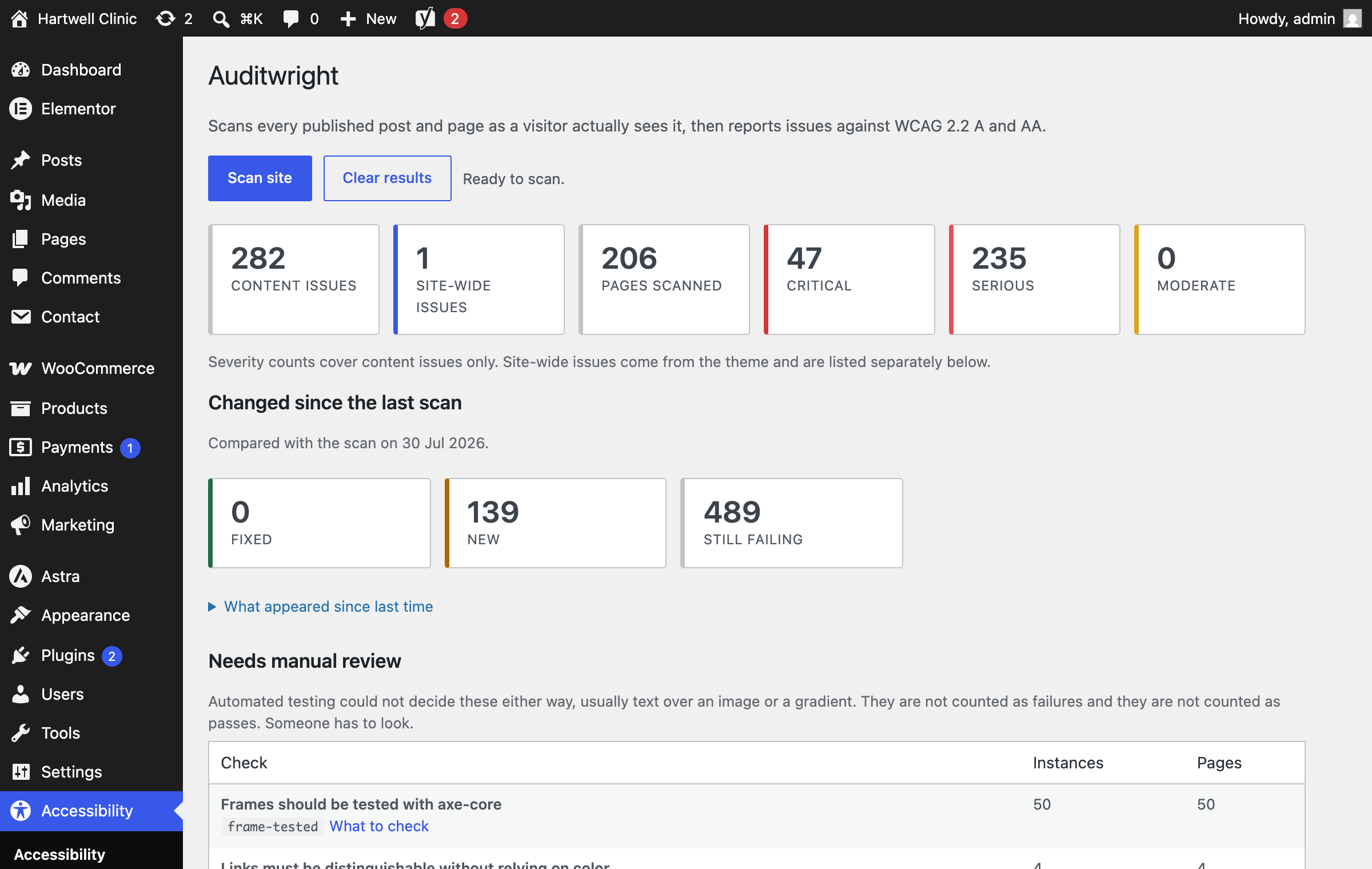
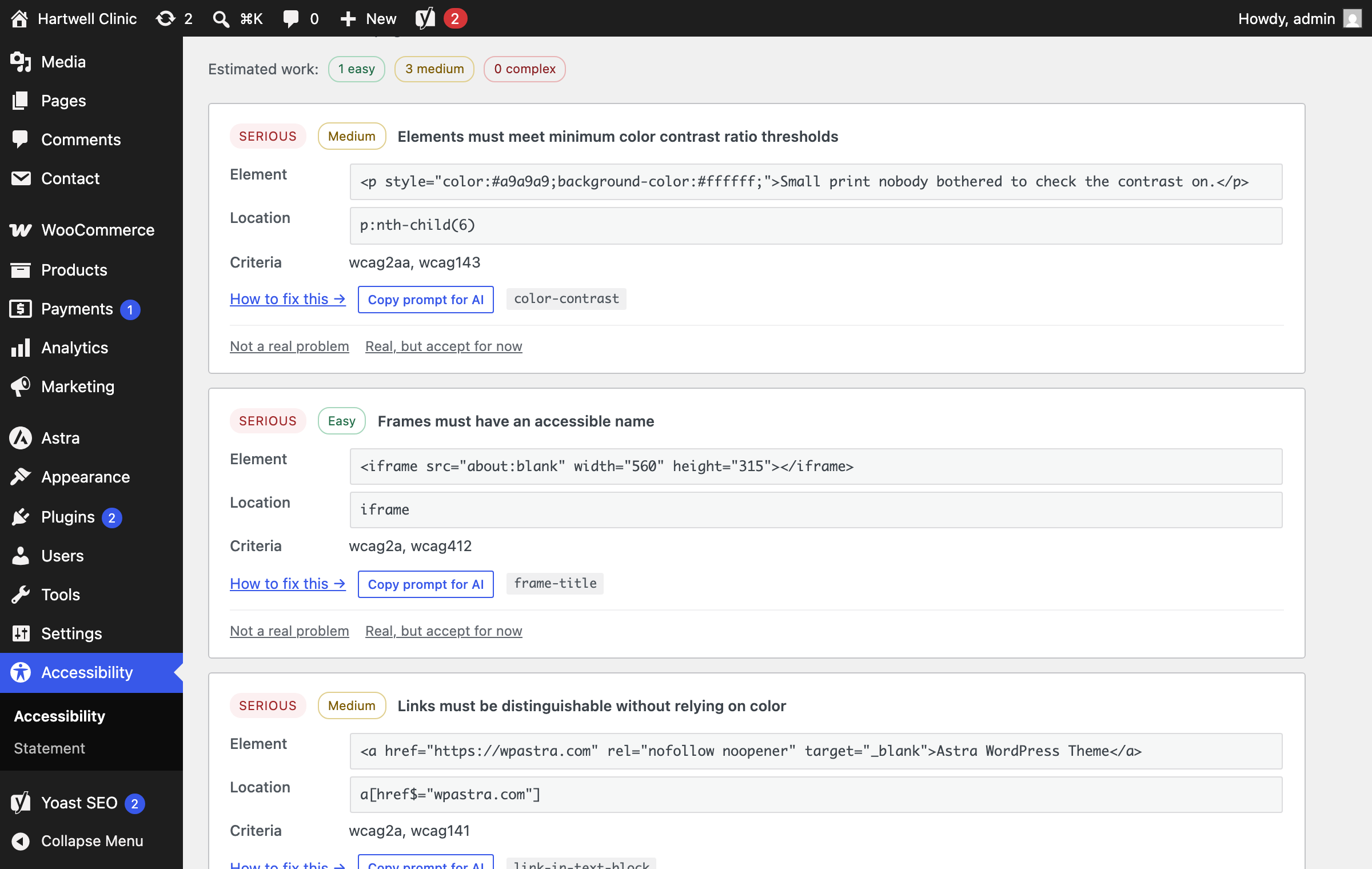
Auditwright checks every published post and page against the Web Content Accessibility Guidelines (WCAG) 2.2, Level A and AA, and shows you the exact element that failed, the selector to find it, the success criteria it breaks, and a link to guidance on fixing it.
It is not an accessibility overlay. It adds no widget, toolbar or button to your site and changes nothing for your visitors. It is a testing tool.
It tests the page, not the source code
Most WordPress accessibility scanners parse your page’s HTML on the server. That approach has no access to computed styles, so it cannot tell whether an element is actually visible. The result is a long list of “issues” inside hidden menus, closed accordions and inactive tabs that no visitor or screen reader will ever reach.
Auditwright loads each page the way a visitor’s browser does and tests what actually rendered. Hidden content is excluded because it is genuinely hidden, so the issues you see are ones real people encounter.
What it does
- Site-wide scan of every published post and page
- WCAG 2.2 Level A and AA using axe-core, the engine behind professional accessibility tooling
- Per-page detail with the failing element, its selector, the criteria it breaks, and how to fix it
- Site-wide issues separated from content issues — a rule failing on nearly every page comes from your theme, and is usually one fix rather than hundreds
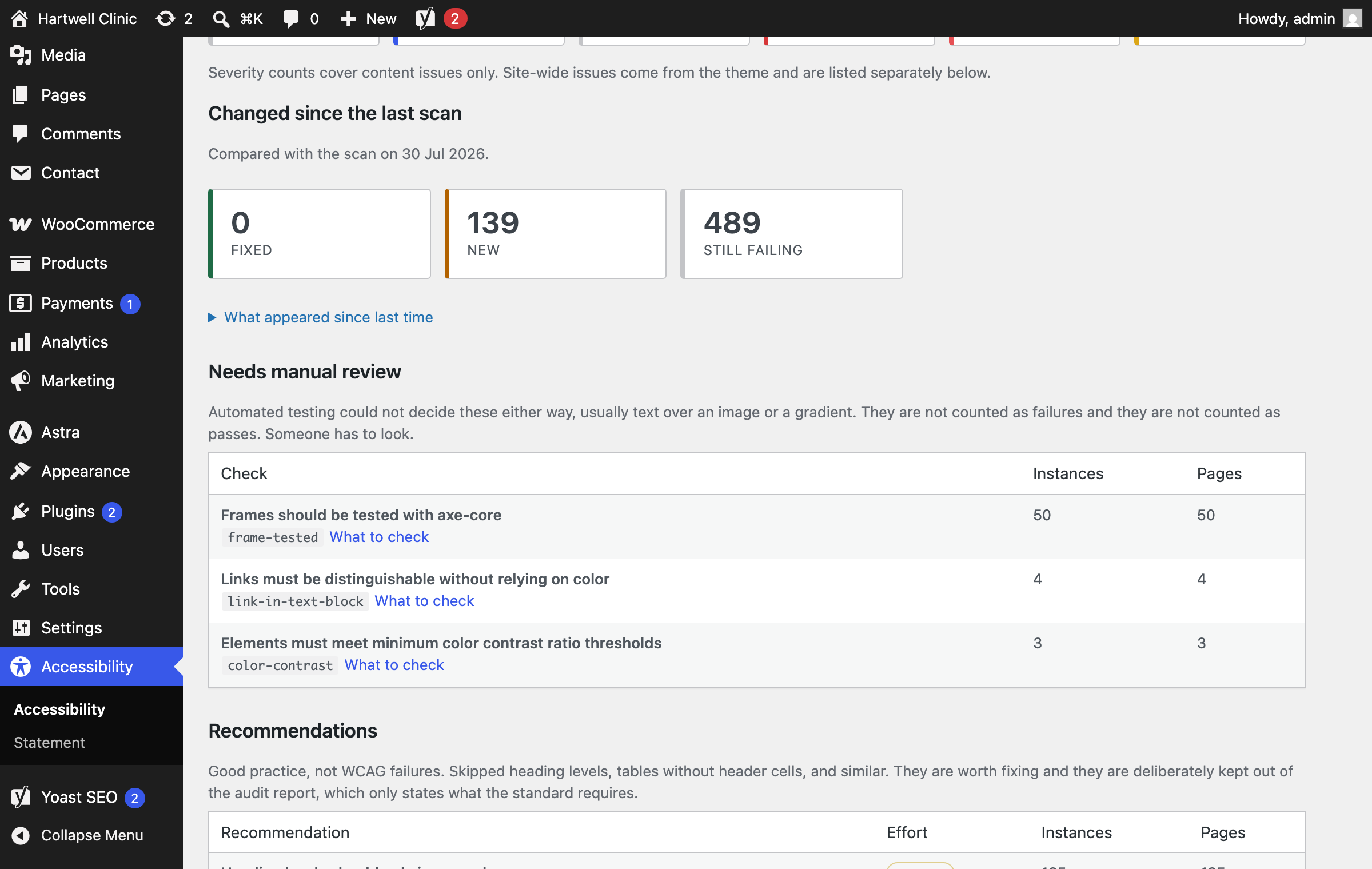
- Needs manual review — checks automated testing genuinely cannot decide, kept separate from failures
- Recommendations — good practice such as heading order, kept separate from WCAG failures
- Effort estimates — every issue tagged easy, medium or complex
- Copy prompt for AI — one click copies a complete prompt describing the issue, ready to paste into an assistant
- Changed since the last scan — what you fixed, what is new, what is still failing
- Set a finding aside, either as not a real problem or as real but accepted for now, and it stays set aside through every future scan
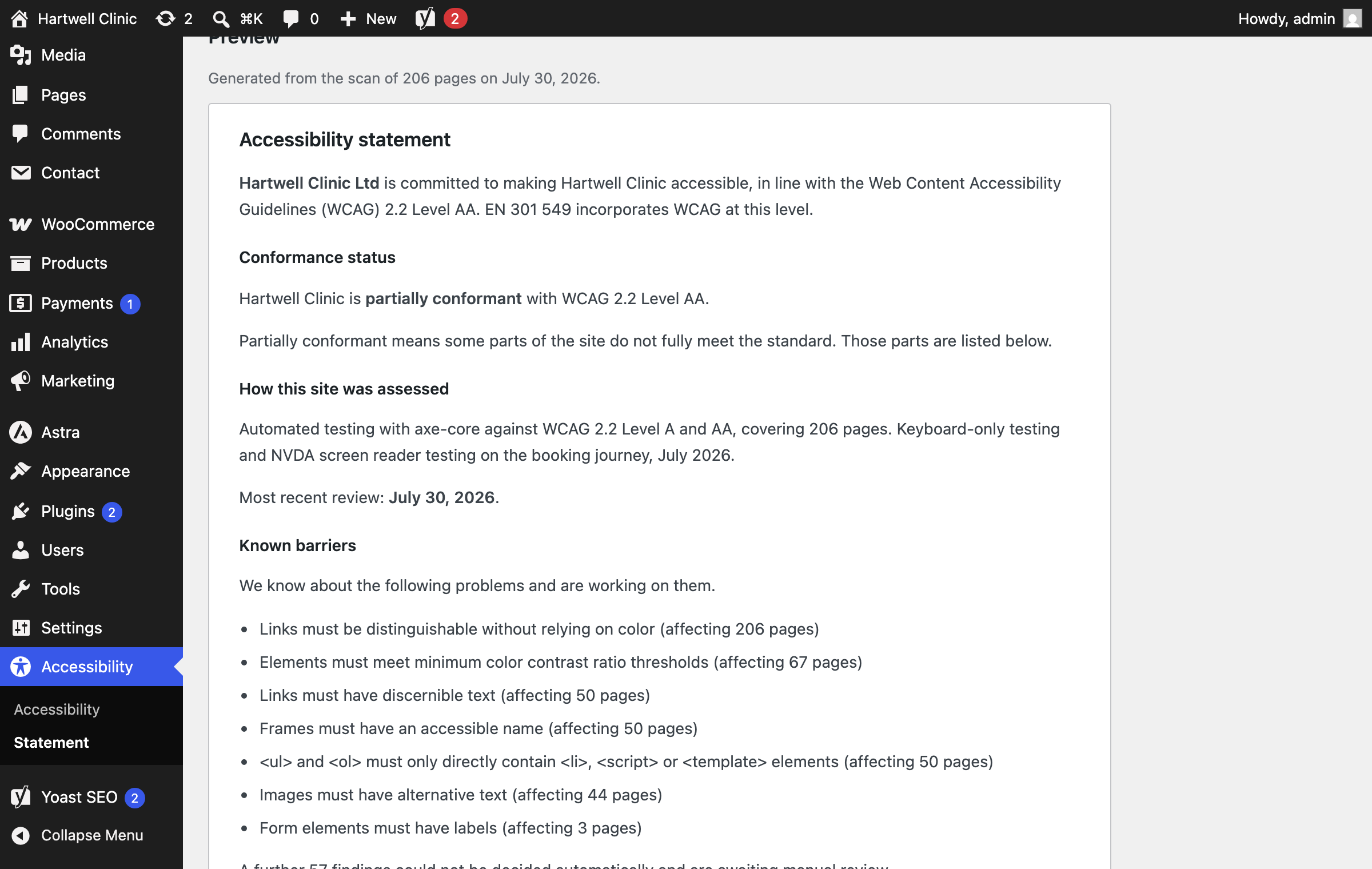
- Accessibility statement, written from your last scan rather than from a form, with the assessment method, the date, and the barriers still outstanding
The accessibility statement
Sites covered by the European Accessibility Act are expected to publish an accessibility statement. It has to name the standard, describe how the site was assessed, give the date of the most recent review, and list the barriers people will still run into.
Every free generator for this is a form. You type the date, you type the method, you type the barriers, and the document is accurate for one day. Then the site changes and the statement quietly becomes a written claim nobody can support.
Auditwright already knows the date, the method and the barriers, so it writes the statement from your scan instead, tells you when the scan behind the published statement has been superseded, and updates the page in one click.
It will not print “fully conformant” off the back of an automated scan. That option only becomes available when nothing is outstanding and you have recorded what manual testing was actually done, because no automated tool can support that claim on its own.
The statement is created as a draft. Auditwright never publishes a legal claim about your site for you.
An honest note about automated testing
No automated tool finds every accessibility problem. Automated testing catches a portion of WCAG failures; the rest need human judgement and testing with real assistive technology.
This plugin will not make your site conformant on its own. It finds and documents what automated testing can detect. Treat it as the first and most repeatable step, not the last one.
Any plugin promising guaranteed compliance from automated scanning alone is misleading you.
Third-party libraries
Auditwright bundles axe-core by Deque Systems, under the Mozilla Public License 2.0. A copy of that licence is included in assets/vendor/axe-core-LICENSE.txt. axe-core runs entirely in your own browser. No page content, scan result or site data is sent anywhere.
Auditwright Pro
A separate paid add-on adds a client-ready audit report organised by WCAG success criterion, report branding, scheduled scan reminders, and scanning of WooCommerce products and custom post types. It is not required, and everything described above stays free.
Details
Related plugins
Plugins that also contain the tag a11y
Ally – Web Accessibility & Usability
AccessibleWP – Accessibility Toolbar
WP Accessibility Helper (WAH)

Contact Form 7: Accessible Defaults

Accesibilidad Web con el Widget de AccedeMe
Accessibility New Window Warnings


About
Plugin for that tries to help you find the WordPress plugin you are looking for.
| Please enjoy an image of Crush (this awesome turtle) and have a lovely day! |  |
We do not own any plugin listed on this site and do not work for or work with WordPress.com or it's associated companies. We simply provide a searchable list of the available WordPress plugins.