



Authyo Passwordless Login
Authyo Passwordless Login enables a modern, secure passwordless authentication system for WordPress using email-based one-time passwords (OTP).
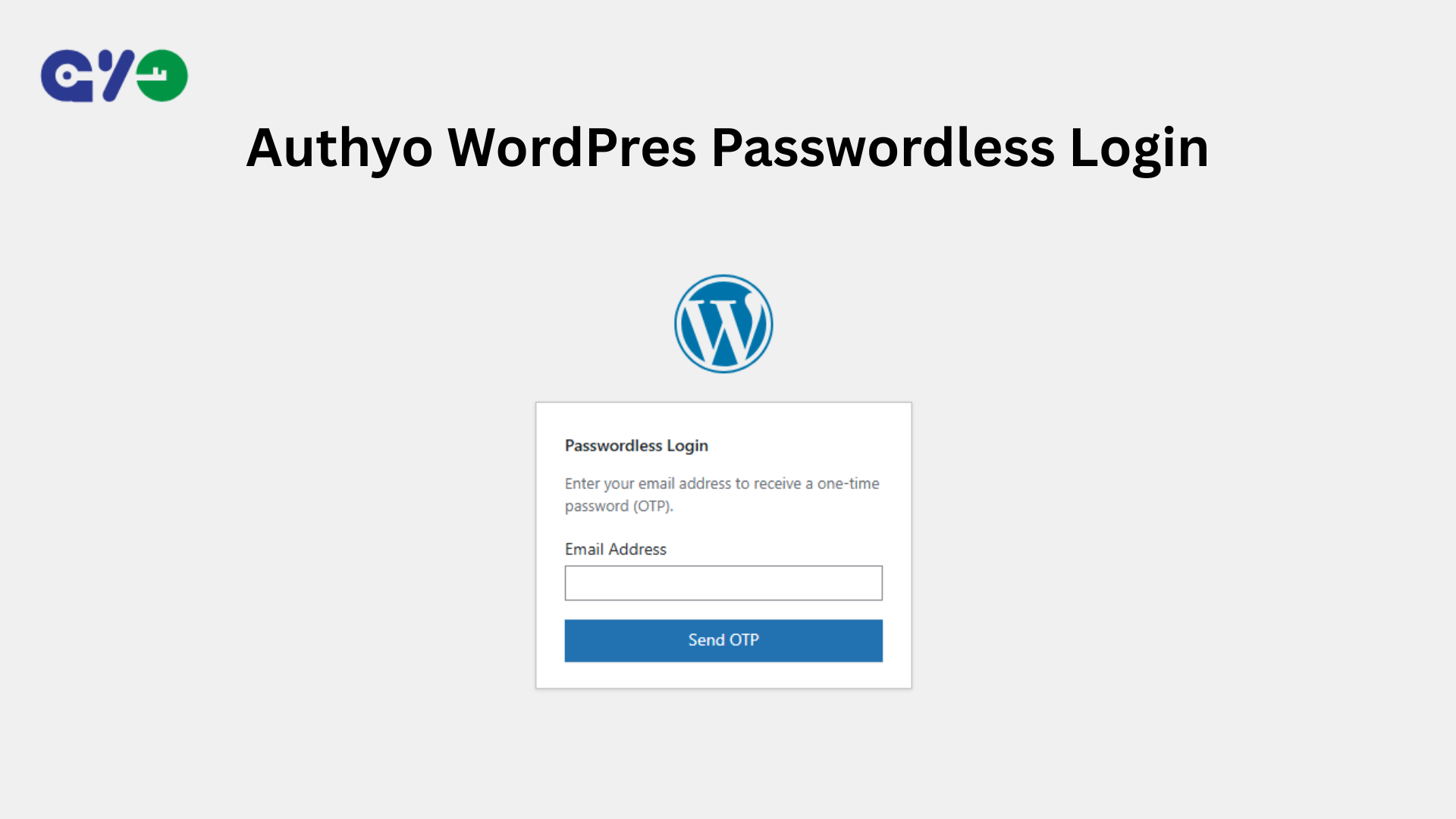
Users simply enter their email address, receive an OTP via email, verify the code, and are automatically logged in — no passwords required at any stage.
This plugin is officially developed and maintained by Konceptwise Digital Media Pvt. Ltd. and uses Authyo’s secure OTP authentication services.
Key Features
- Fully passwordless WordPress login using email OTP
- No passwords stored or required
- Secure token-based authentication (single-use, time-limited)
- OTP delivered via Authyo’s secure email service
- Fallback Method: You can set your two-factor authentication app as a fallback method if you have trouble with email OTPs.
- Works with default WordPress login page
- AJAX-powered login flow (no page reloads)
- Automatic dashboard redirect after login
- Enable / disable passwordless login anytime
- Compatible with custom login URL plugins (e.g., WPS Hide Login)
How It Works:
- User enters their email address on the WordPress login page
- Authyo sends a one-time password (OTP) via email
- User verifies the OTP
- WordPress logs the user in automatically using a secure, single-use token
About Konceptwise & Authyo
Konceptwise is the parent company and original developer of this plugin. Authyo is a product developed and owned by Konceptwise that provides secure OTP-based authentication services. This plugin is officially maintained by Konceptwise and uses Authyo to enable passwordless login for WordPress users.
Video Tutorial
How to Use Authyo Passwordless Login
External Services
This plugin connects to Authyo’s external API to send and verify one-time passwords (OTP) for passwordless login functionality.
What data is sent:
– User email address (sent to Authyo API when requesting OTP)
– OTP code (sent to Authyo API for verification)
– Mask ID (returned by Authyo API, used for OTP verification)
When data is sent:
– When the user requests an OTP: Email address is sent to Authyo API
– When the user submits an OTP for verification: OTP code and Mask ID are sent to Authyo API
Authentication Flow:
– After successful OTP verification via Authyo API, the plugin generates a secure single-use token using WordPress core functions
– This token is browser-bound using a hashed User-Agent signature to prevent session hijacking
– The token is stored temporarily in WordPress transients and expires after 5 minutes
– The token allows WordPress to complete authentication without requiring a password
– Token is deleted immediately after verification (single-use security)
Purpose:
– To verify ownership of the provided email address through OTP verification
– After successful OTP verification, a secure, browser-bound single-use token is generated
– The token allows WordPress to complete authentication without requiring a password
– Token-based authentication is fully secure, browser-locked, time-limited (5 minutes), and single-use
Data Storage:
– OTP session data (email, user ID, mask ID) is stored temporarily in WordPress transients (expires after 10 minutes)
– Login tokens are stored temporarily in WordPress transients (expires after 5 minutes, deleted immediately after use)
– No user data is permanently stored by this plugin
Terms of Service:
https://authyo.io/terms-service
Privacy Policy:
https://authyo.io/privacy-policy
Requirements
- WordPress 5.0 or higher
- PHP 7.2 or higher
- An active Authyo account with API credentials
Configuration
Getting Authyo API Credentials
- Sign up for an account at https://authyo.io
- Log in to your Authyo dashboard
- Navigate to your app settings
- Copy your App ID, Client ID, and Client Secret
Plugin Setup
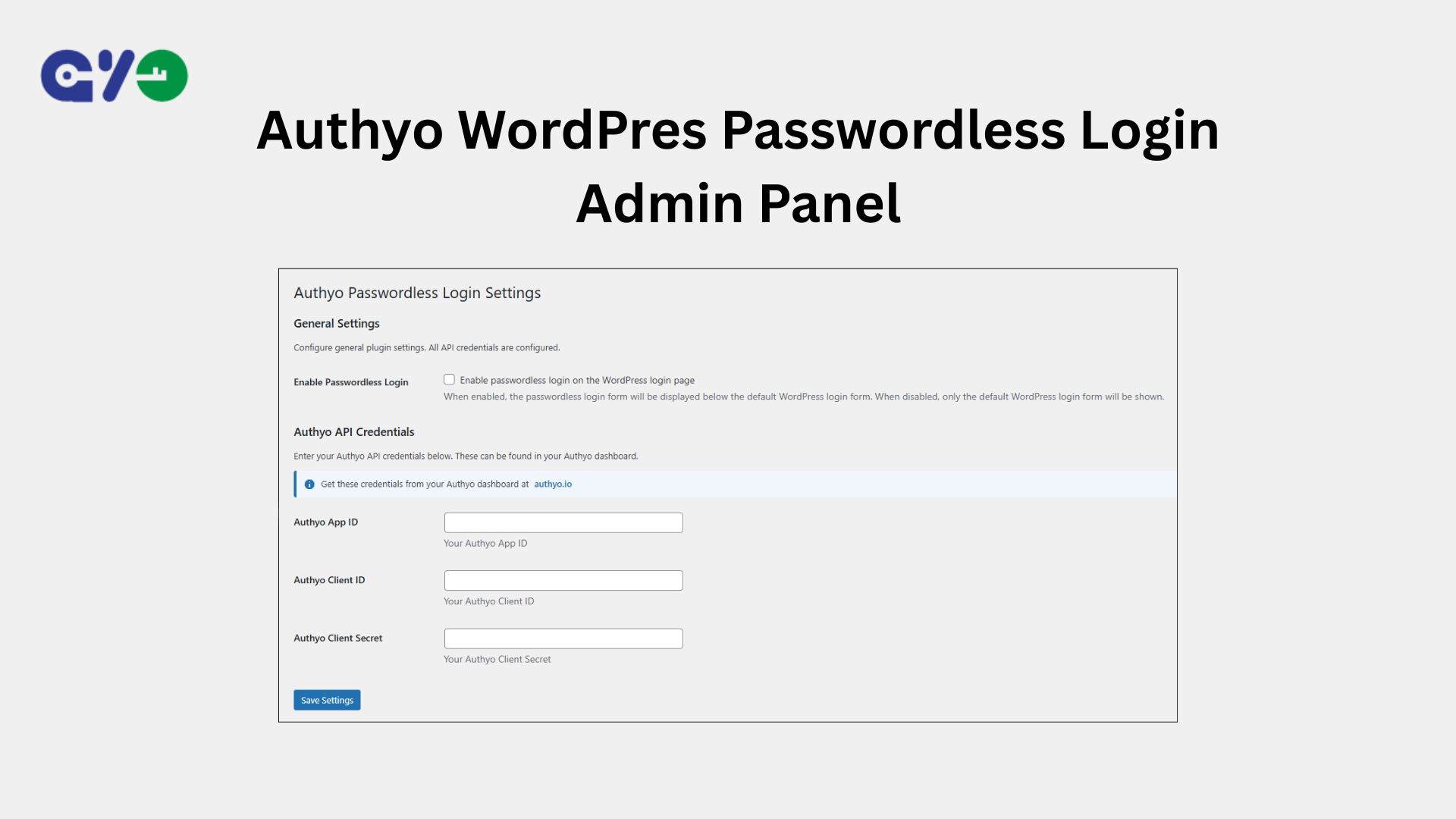
- Go to Settings > Authyo Passwordless Login in your WordPress admin
- Check the Enable Passwordless Login checkbox to activate the feature
- Enter your Authyo API credentials:
- Authyo App ID
- Authyo Client ID
- Authyo Client Secret
- Click Save Settings
Once configured, the passwordless login form will appear on your WordPress login page.
Details
Related plugins
Plugins that also contain the tag email-otp
Email OTP Authenticator – for Login, Registration or 2FA, RWL, RWA Services

MojoAuth Passwordless Authentication

Happy Coders OTP Login for WooCommerce

LoginArmor – Email 2FA

Authyo OTP for WPForms

Authyo OTP for Forminator Form


About
Plugin for that tries to help you find the WordPress plugin you are looking for.
| Please enjoy an image of Crush (this awesome turtle) and have a lovely day! |  |
We do not own any plugin listed on this site and do not work for or work with WordPress.com or it's associated companies. We simply provide a searchable list of the available WordPress plugins.