


Auto Archive for Gravity Forms
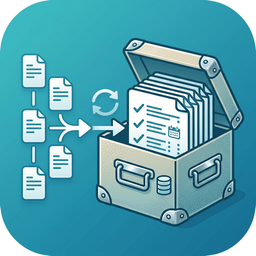
Auto Archive for Gravity Forms keeps your entry lists clean by moving older submissions into a dedicated archive instead of deleting them. It is designed for organizations — universities, registration programs, seasonal applications — that run on an annual cycle and want the current cohort front-and-center while last year’s submissions are tucked away but recoverable.
Archived entries are flagged and hidden from the default Gravity Forms entries view, but remain safely in the database under a dedicated “Archived” tab, where they can be browsed and restored at any time. Archiving never deletes anything.
Free features
- Archive & restore individual entries — an “Archive” link on every entry in the Entries list, and on the entry detail screen. Restore just as easily.
- Dedicated “Archived” view — a filter tab on the Entries list that shows archived entries, with accurate counts kept out of your active totals.
- Automatic rules on every form — each form can archive itself on a daily check, with its own rule. A “Run now” button lets you apply a rule on demand.
- Rolling age rule — “archive entries older than N days/months.”
- Recurring annual cutoff — archive everything submitted before a set day each year (e.g. Aug 1), ideal for clearing last cycle at the start of a new program year.
- Activity log — a running record of what was archived, when, and by which rule, under Forms › Settings › Auto Archive.
Pro add-on
The optional Auto Archive for Gravity Forms – Pro add-on is a separate plugin (available from the developer) that hooks into this one to add:
- Date-field rules — archive based on a date field on the form itself (e.g. a program end date), not the submission date.
- Conditional rules — only archive entries matching field values (e.g. “Decision is Declined”).
- Bulk Archive All — archive every active entry on a form in one click.
- Trash & permanent delete — go beyond soft archive on a retention schedule, always exporting a backup first.
- CSV / Excel export — on demand, or automatically before a destructive run.
- Off-site cloud backup — push a backup to Amazon S3 or Backblaze B2 before deleting.
- Email summaries — a per-run report with the backup attached.
The free plugin is fully functional on its own; nothing on its screens is locked or disabled.
Details


Related plugins
Plugins that also contain the tag archive
Jetpack VaultPress

Zippy

Posts List

Easy Custom Auto Excerpt

Simple Yearly Archive

Archive Content with Archived Post Status


About
Plugin for that tries to help you find the WordPress plugin you are looking for.
| Please enjoy an image of Crush (this awesome turtle) and have a lovely day! |  |
We do not own any plugin listed on this site and do not work for or work with WordPress.com or it's associated companies. We simply provide a searchable list of the available WordPress plugins.