


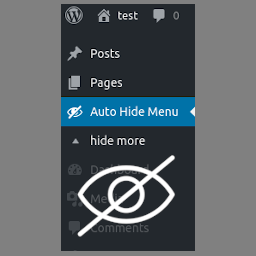
Useful Admin Menu
The plugin automatically hides unused Admin Menu items and adds search box for menu items
If you use a lot of plugins – each of them adds their own admin menu item. The admin menu grows more and more. And though you don’t use the majority of menu items, they bother you to find the certain menu item.
This small plugin solves this issue AUTOMATICALLY. It means you don’t need to enable or disable some menu items manually. If you use a menu item it is on the menu if you don’t use it a certain time (which you can set in the settings) – it will be hidden but you’ll have access to them anyway.
Plugin Features
- Search menu and submenu items
- Auto hides unused Admin Menu items
- These settings personal for each user
- Reset settings
- Reset clicks – to start collecting data and hiding unused menu items from scratch
- Set Menu Items which should be always shown or hidden
Details


Related plugins
Plugins that also contain the tag admin
Redux Framework

Loginizer

LightStart – Maintenance Mode, Coming Soon and Landing Page Builder

Admin Menu Editor

White Label CMS

InfiniteWP Client


About
Plugin for that tries to help you find the WordPress plugin you are looking for.
| Please enjoy an image of Crush (this awesome turtle) and have a lovely day! |  |
We do not own any plugin listed on this site and do not work for or work with WordPress.com or it's associated companies. We simply provide a searchable list of the available WordPress plugins.