


AverForm – Contact Form Builder, Drag & Drop WordPress Form Plugin
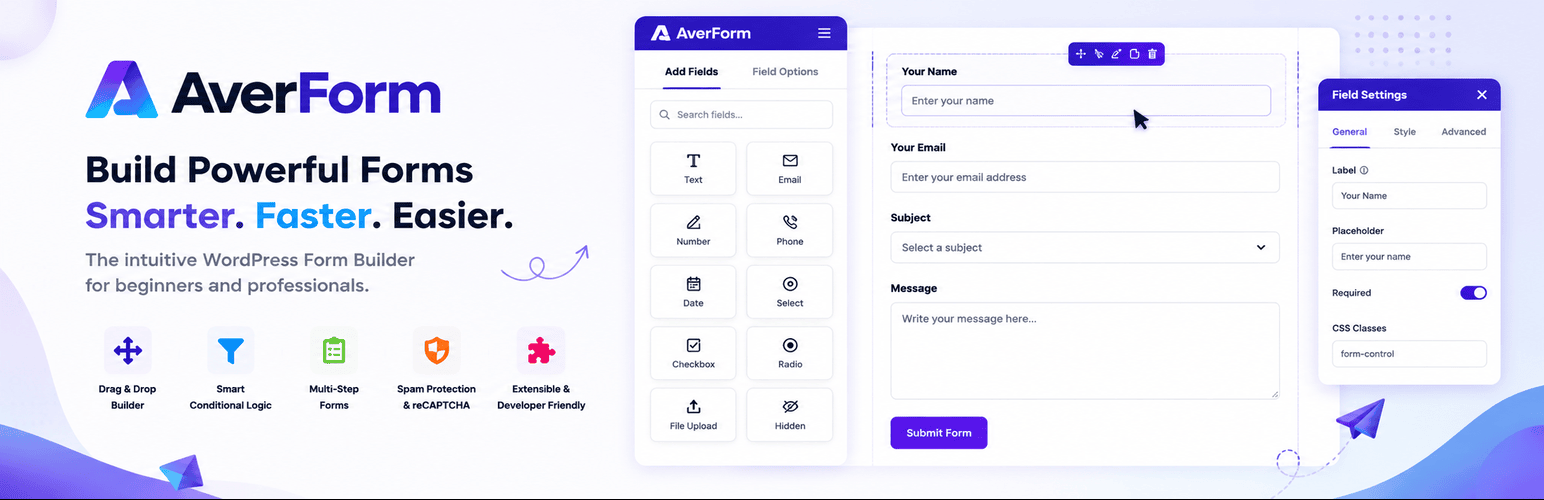
AverForm is a fast, modern drag and drop WordPress form builder
AverForm is a lightweight contact form plugin for WordPress built around a real drag and drop form builder. Add a field, drop it where you want it, edit it in the side panel, and publish — no shortcode juggling, no page reloads, and no code.
Every form you build comes with submission storage, CSV export, email notifications, spam protection and a visual reporting dashboard out of the box, in the free plugin. Nothing is locked behind an upsell.
Whether you need a simple WordPress contact form, a feedback form, a support request form, a newsletter signup, an NPS survey or a lead generation form, AverForm gives you the fields and the workflow to ship it in minutes.
Everything AverForm Gives You
- Drag and drop form builder with a live canvas
- 30+ ready-to-use form fields
- Ready-made form templates (contact, support, newsletter, blank)
- Multi-column form layouts with adjustable column widths
- Undo / redo and full form edit history in the builder
- Desktop, tablet and mobile responsive preview
- Live form preview on a real frontend page
- Complete entry (submission) management — read, unread, favorite, trash, restore
- Bulk actions and entry search
- Export form entries to CSV
- Export and import forms as JSON, plus one-click form duplication
- Email notifications with dynamic smart codes
- Success message or redirect URL after submit
- Built-in honeypot spam protection on every form
- Reporting dashboard with charts, submission trends and per-field breakdowns
- Per-entry diagnostics — source page, browser, device and user agent
- Global defaults for label placement and validation messages
- GDPR-friendly data cleanup control on uninstall
- Fully translation ready (
.potfile included) - No jQuery, no bloat — assets load only on pages that actually show a form
Drag & Drop Contact Form Builder
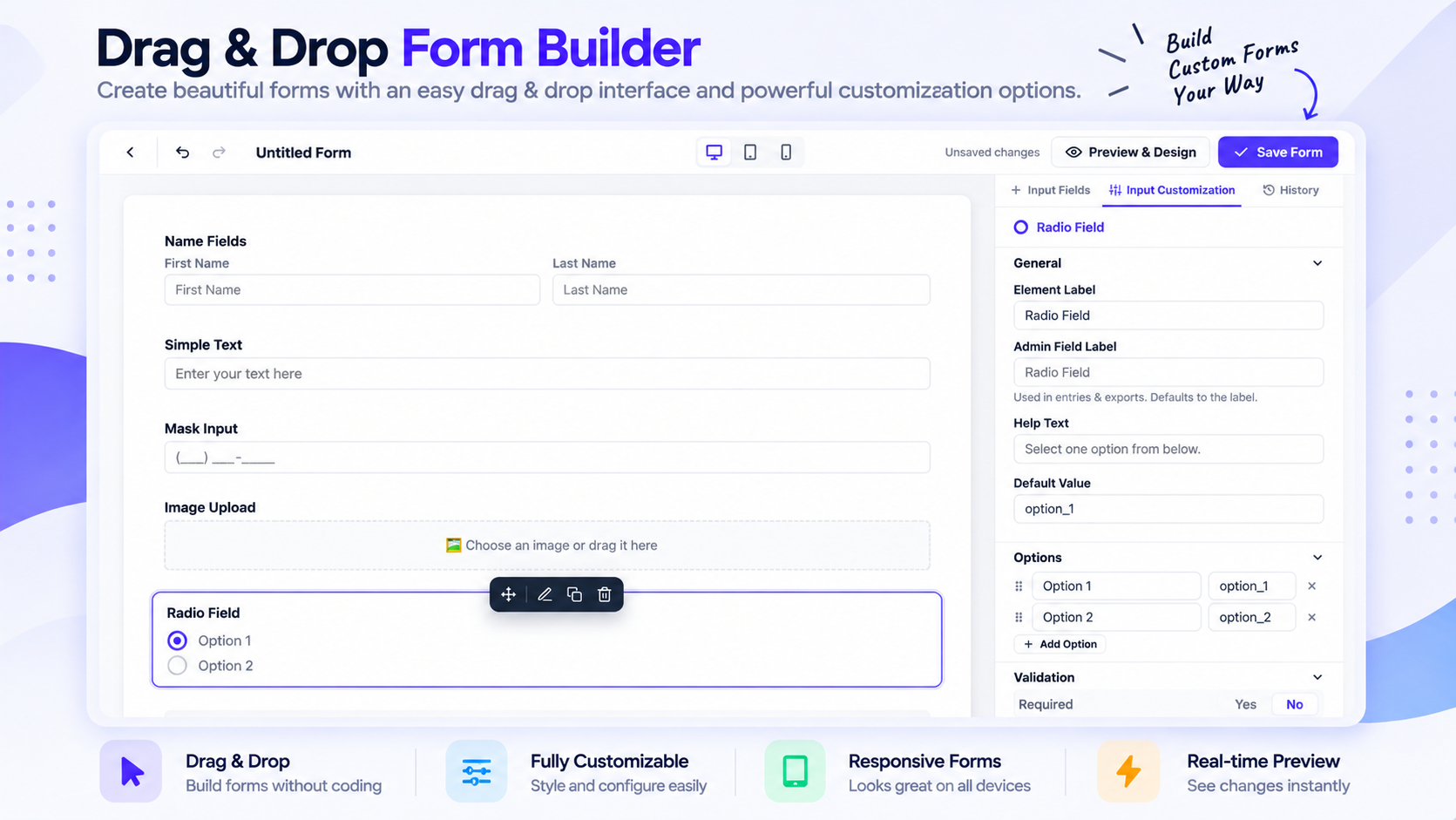
The AverForm builder is a modern React application, not a page of settings screens. Drag any field from the palette onto the canvas, reorder it by dragging, and configure it in the inspector on the right.
- Drag to add, drag to reorder, click to configure
- Multi-column containers so fields can sit side by side
- Undo and redo every change, with edit history
- Switch between desktop, tablet and mobile preview while you build
- Per-field label placement, placeholder, help text, description and custom error message
- Separate admin label for each field, used in entries and CSV exports
30+ WordPress Form Fields
General fields
- Name (first, middle, last — each toggleable)
- Simple Text
- Masked Input
- Text Area
- Number
- Website URL
- Password
- Phone / Mobile Number
- Address (street, city, state, zip, country)
- Country List (with flags, searchable, include or exclude countries)
- Dropdown / Select
- Radio
- Checkbox
- Multiple Choice (multi-select)
- Date & Time
- File Upload
- Image Upload
- Hidden Field
Advanced fields
- Rating
- NPS (Net Promoter Score)
- Range Slider
- Color Picker
- Signature
- Rich Text Editor
- Repeater Field
Layout fields
- Section Break
- Custom HTML
- Column Container (multi-column layout)
- Custom Submit Button
Consent fields
- Terms & Conditions
- GDPR Agreement
Ready-Made Form Templates
Skip the blank page. Start from a template and adjust it:
- Blank Form
- Contact Form
- Support Request
- Newsletter Signup
Every template ships pre-wired with an admin email notification, so a new form is genuinely usable the moment you publish it.
Form Entries & Submission Management
All submissions are stored in your own database — you own your data, and nothing is sent to a third-party service.
- Read / unread status with counts
- Mark entries as favorite
- Trash and restore, or delete permanently
- Bulk actions across selected entries
- Search across submission content
- Full entry detail view with every submitted value
- Submission context: source page URL, browser, operating system, device and raw user agent
- One-click CSV export of a form’s entries
Built-in Reports & Analytics
AverForm ships with a real reporting dashboard, not just a submission counter.
- Total submissions, spam, unread and created forms at a glance
- Period-over-period change indicators
- Submission trend chart over time
- Date ranges: last 7 days, last 30 days, this month, last month, last 90 days, this year
- Top-performing forms
- Per-field answer breakdowns for choice-based fields
- Submission activity heatmap
Email Notifications with Smart Codes
Send an email whenever a form is submitted, and build the content dynamically:
- Multiple notifications per form
- Dynamic recipients, subject and body
- Smart codes for
{site.name},{site.url},{admin.email},{date.now},{form.title}and{all.fields} - Insert any submitted field value into the email
- Clean, readable HTML email template
Spam Protection
Every AverForm form renders a honeypot field that traps automated bots. It is enabled by default, invisible to real visitors, needs no API keys, no configuration and no third-party service — and it never asks your visitors to solve a puzzle.
Privacy & GDPR Friendly
- Built-in GDPR Agreement and Terms & Conditions consent fields
- Submissions stay in your WordPress database — no external data processing
- Optional Remove All Data on Uninstall setting that drops every AverForm table and option when you delete the plugin
Lightweight & Fast
AverForm’s frontend is deliberately small. There is no jQuery dependency, and the form CSS and JavaScript are registered but only enqueued on pages where a form is actually rendered — so pages without a form load exactly zero AverForm assets.
Developer Friendly
- PSR-4 autoloaded, namespaced codebase following WordPress coding standards
- Clean REST API namespace (
averform/v1) for forms, entries, reports and settings - Extension points such as
averform_register_fieldsand theaverform/bootedaction to register your own field types - Custom database tables with a versioned schema
- Fully translation ready with an included
.potfile
Add a Form to Your Site
Publish a form and paste its shortcode anywhere — a post, a page, or a widget:
[averform id="1"]
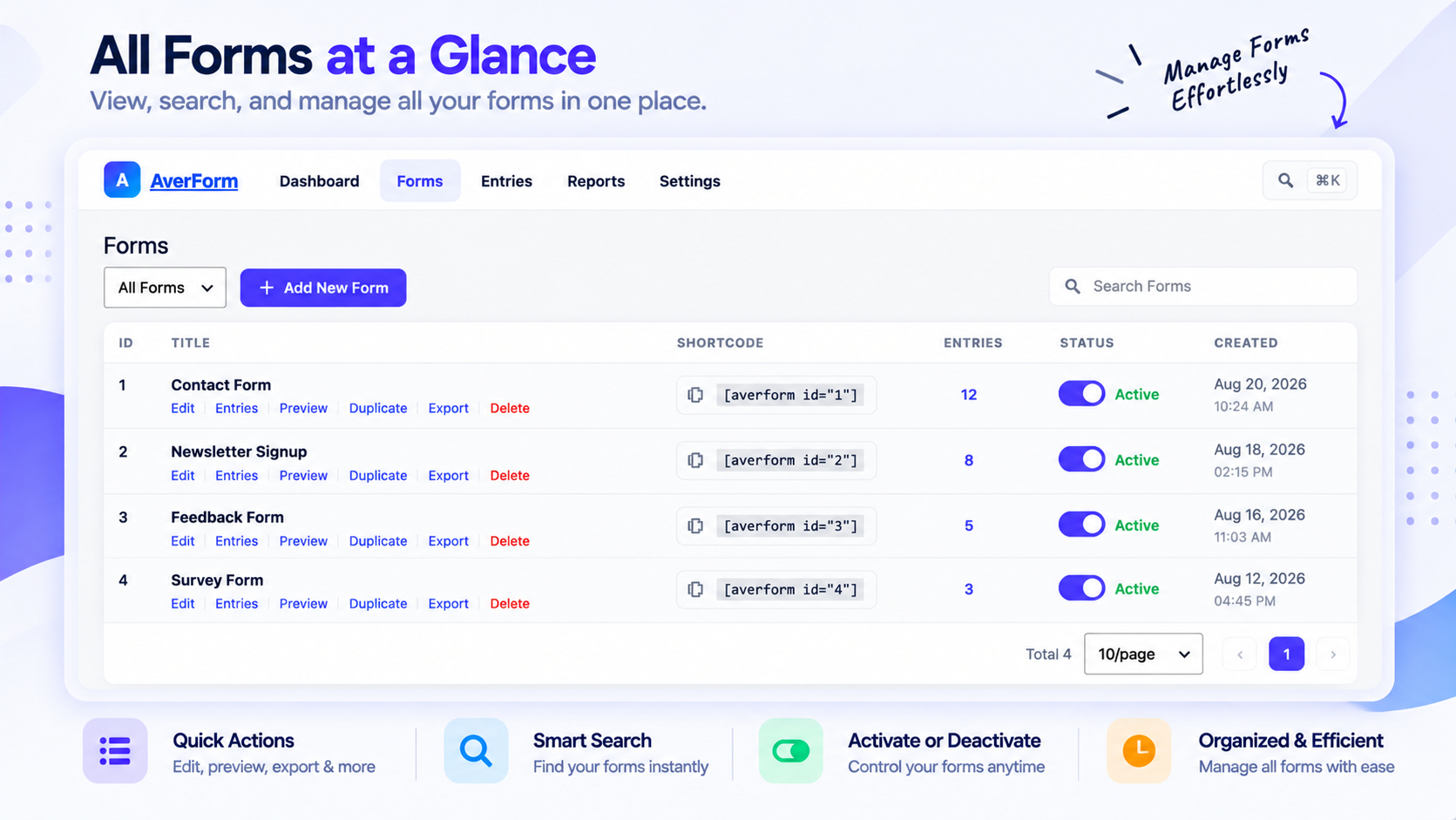
The shortcode is shown next to every form in the AverForm All Forms list, ready to copy.
Details


Related plugins
Plugins that also contain the tag contact-form
Contact Form 7

WPForms – Easy Form Builder for WordPress – Contact Forms, Payment Forms, Surveys, & More

Akismet Anti-spam: Spam Protection

Fluent Forms – Customizable Contact Forms, Survey, Quiz, & Conversational Form Builder

Forminator Forms – Contact Form, Payment Form & Custom Form Builder

Ninja Forms – The Contact Form Builder That Grows With You


About
Plugin for that tries to help you find the WordPress plugin you are looking for.
| Please enjoy an image of Crush (this awesome turtle) and have a lovely day! |  |
We do not own any plugin listed on this site and do not work for or work with WordPress.com or it's associated companies. We simply provide a searchable list of the available WordPress plugins.