


Affiliate WP – s2Member Pro Coupon Codes
When the plugin is activated, navigate to s2Member – Pro Coupon Codes – Pro-Form Coupon Code Configuration. You will see a new column named Affiliate.
In the Legend below, for the above configuration fields, it is mentioned:
s2Member Pro Coupon Codes checks this field to assign this coupon to the affiliate registered on AffiliateWP. You need to input the Affiliate user login (username).
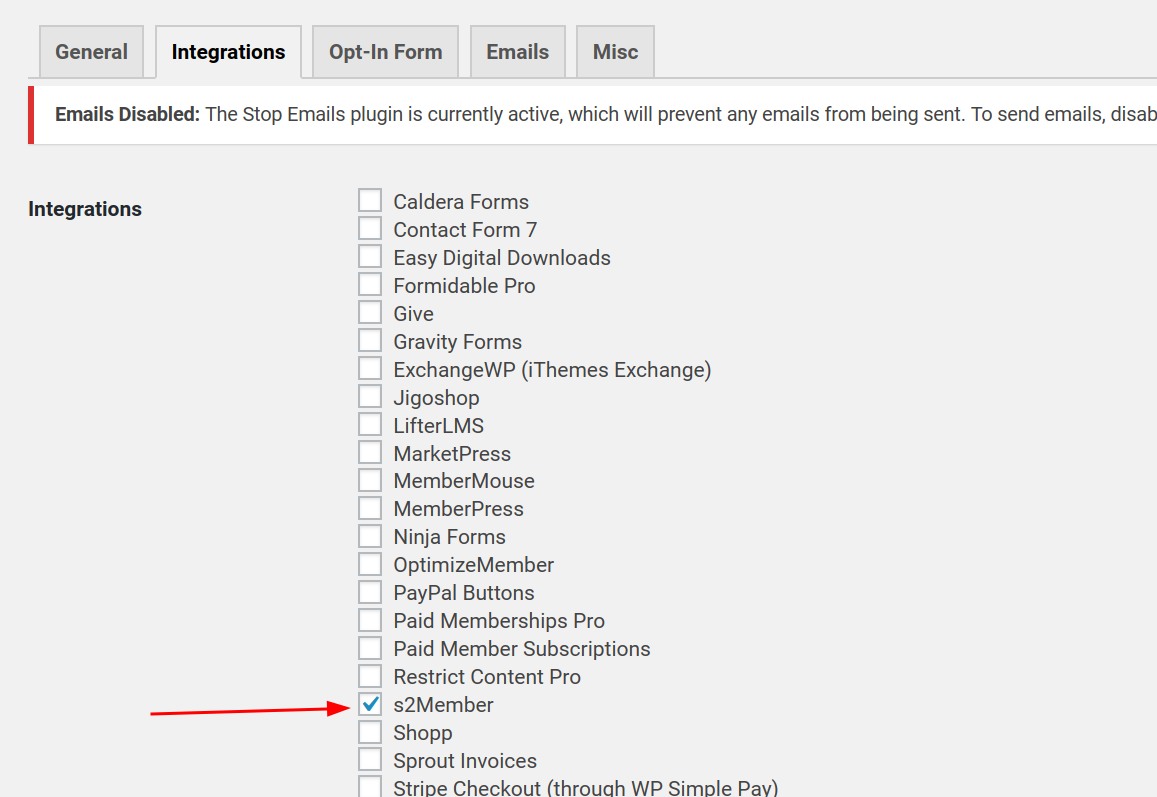
Also, the s2Member integration is selected in AffiliateWP – Integrations screen.
How to find Affiliate User Login?
Affiliates – Affiliates, select the appropriate affiliate and see the Username field.
Paste that username on the Affiliate column of s2Member Pro Coupon Codes.
Apply Coupon
Once that’s done, apply the coupon through s2Member checkout form and happy tracking!
Prerequisites:
Details



Related plugins
Plugins that also contain the tag affiliate
Advanced Ads – Ad Manager & AdSense

AdRotate Banner Manager

Pochipp

Affiliate Program Suite — SliceWP Affiliates

Meks Easy Ads Widget

AffiliateX – Amazon Affiliate Plugin


About
Plugin for that tries to help you find the WordPress plugin you are looking for.
| Please enjoy an image of Crush (this awesome turtle) and have a lovely day! |  |
We do not own any plugin listed on this site and do not work for or work with WordPress.com or it's associated companies. We simply provide a searchable list of the available WordPress plugins.