



AWP Speed Optimization – Accelerate Website Pages
You have a beautiful website. Your content is well written and your SEO is done right. But you are still not ranking #1 on Google. Why?
Because your website is slow.
Visitors who have to wait leave – and they do not come back. You need loading times so short that nobody notices any loading at all. Can you get there without hiring a developer or buying a premium suite? Yes. AWP brings a cloud-powered optimization engine to your site and does the work for you.
🔥 Enterprise Power for free
When you install AWP, you get all of our enterprise cloud features for free, for up to 100 pages of your choice.
- Perfect for smaller sites: for most small businesses, portfolios and personal blogs, 100 pages cover the entire website – forever.
- Risk-free for big sites: running a large WooCommerce shop or a news portal? Spend your 100 free pages on your best-converting landing pages and top products, and see the difference before you ever consider more.
- You stay in control: a minimalist dashboard lets you hand-pick exactly which pages get the treatment.
⚙️ Zero configuration
Stop wasting time on confusing cache settings, endless checkboxes, and tutorials. AWP is built on a “Zero Configuration” philosophy. Simply install the plugin, connect with one click, click Run Optimization, and the defaults do the rest. No guesswork and no broken layouts – any page can be put back the way it was with one click, and deactivating the plugin restores the whole site instantly.
🧠 How it works
Instead of guessing what a page needs, AWP measures it.
We use a lightweight connector that safely links your site to our powerful AWP Exchange Server. It opens each of your pages in a real browser and measures what actually matters: which picture a visitor sees first, how large every image is really shown, and which part of the styling is needed for the first screen. The heavy analysis happens on our servers, not yours. What comes back is a precise, signed plan that your own site carries out: it creates the right-sized pictures, stores the optimized styling, and serves both to your visitors from your own server. None of your images or media files is ever uploaded – only measurements, addresses and your plugin settings travel (the one exception, font subsetting, is described under External services).
⚡ What you get, free for your 100 pages
- Real-browser LCP priority: AWP detects the true Largest Contentful Paint element the way your visitors see it – separately for phone and desktop – and tells the browser to fetch it first, for better Core Web Vitals.
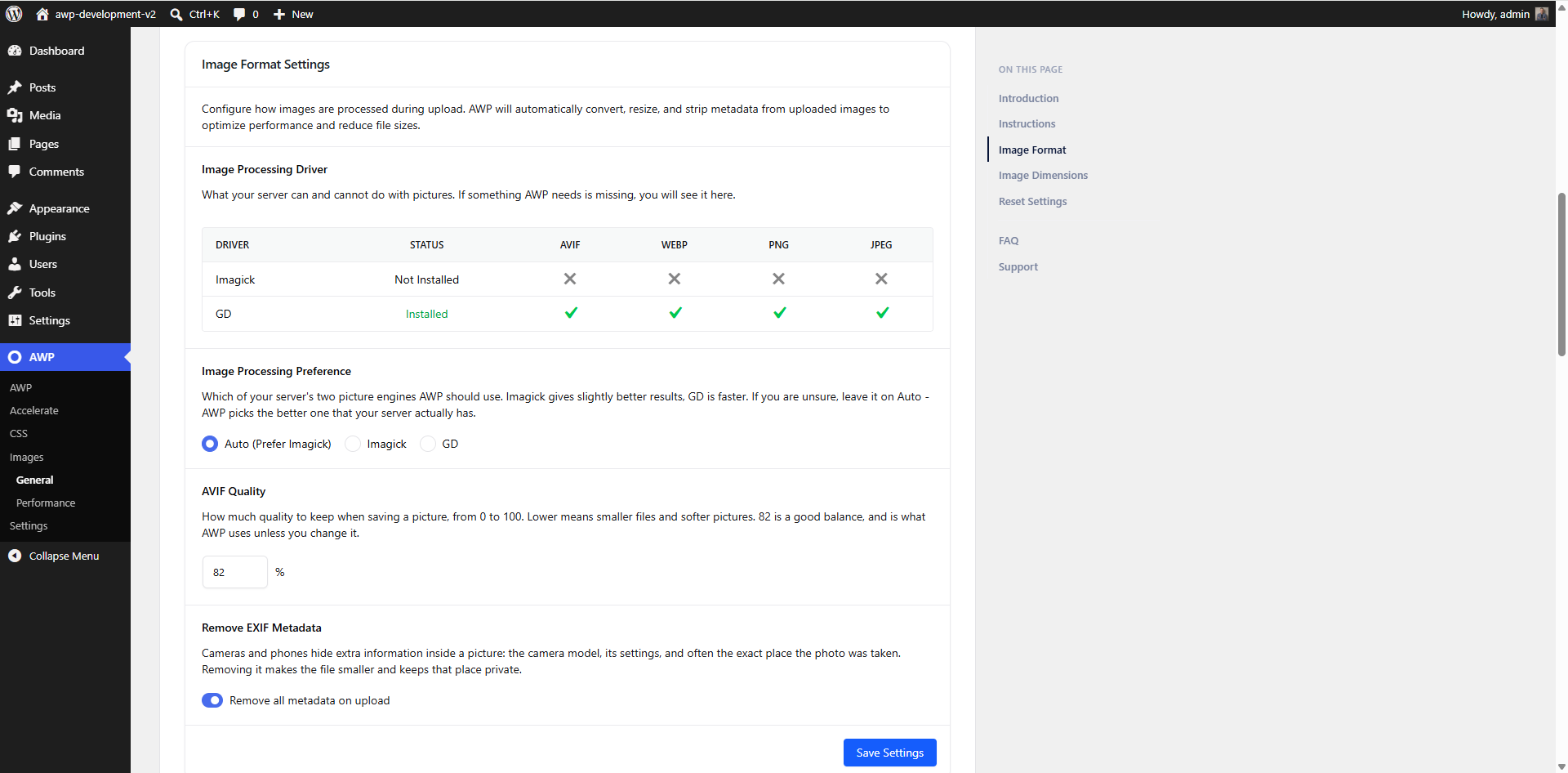
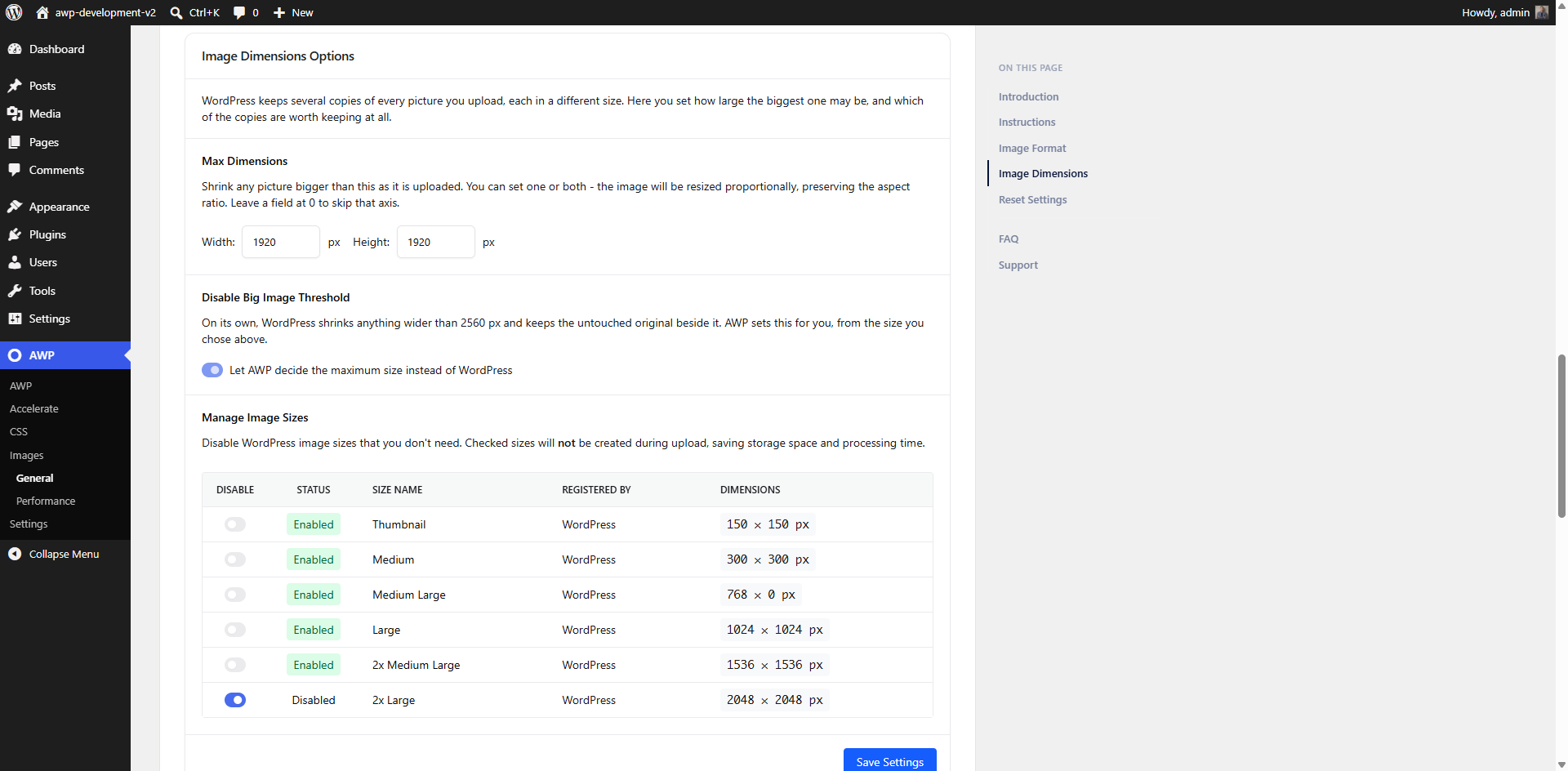
- Right-sized AVIF pictures: no more oversized images. AWP measures the size at which each picture is actually displayed on a phone and on a desktop, and serves a right-sized next-generation AVIF copy made on your own server (where a copy that already fits exists, it is reused instead).
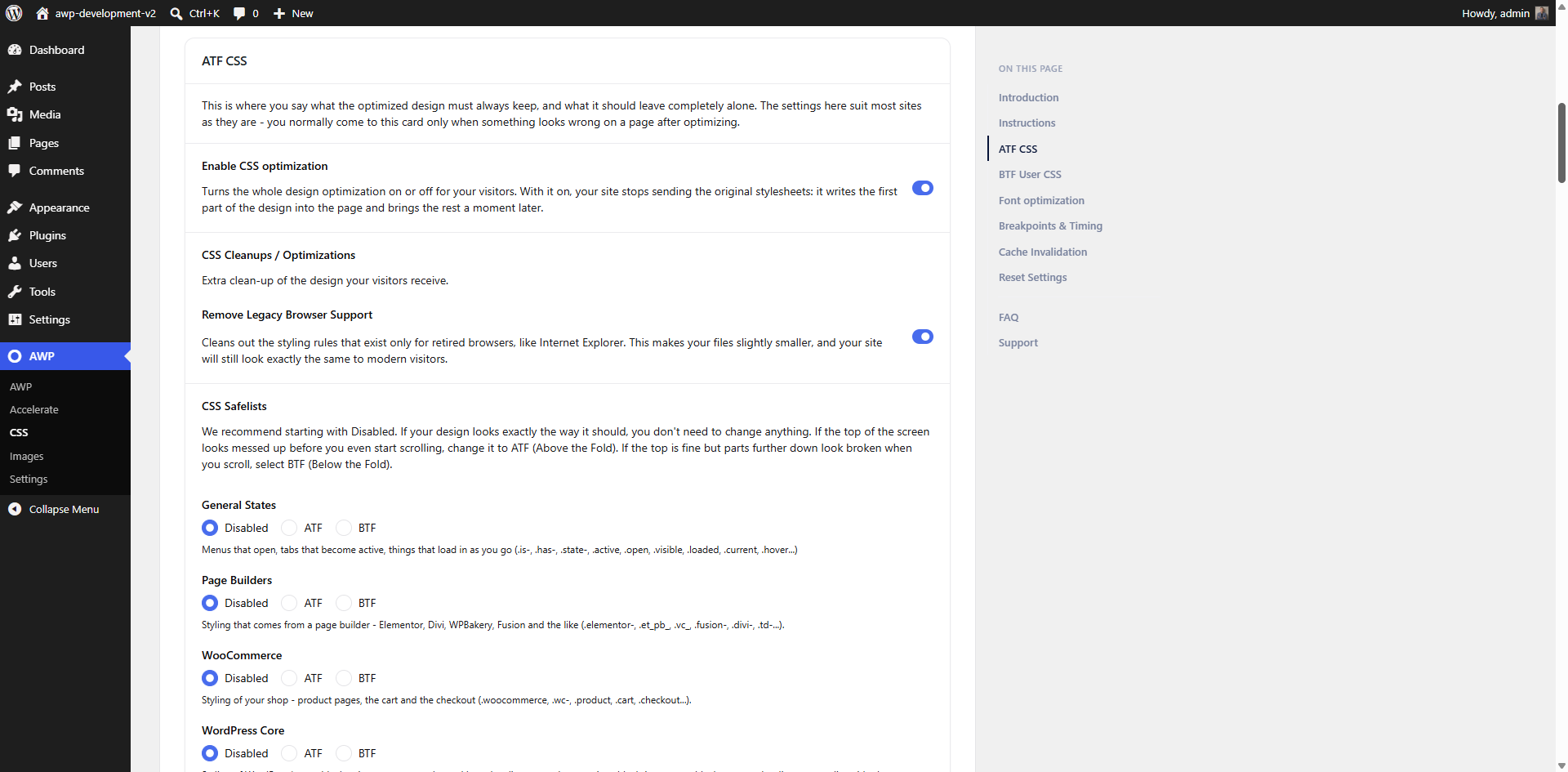
- Critical CSS, measured not guessed: the styling needed for the first screen is delivered inline, the rest follows a moment later – on mobile and desktop alike.
- Pages, not URL variations: your allowance counts pages. A product page reached with filters or sorting parameters (for example ?sort=price) is still one page, so shop navigation never eats into your 100.
🤝 Plays well with others
AWP is applied to the page as it is served, so it does not depend on which editor or page builder made it, and it is built for WooCommerce shops – product galleries and zoom images are converted too. It works alongside the popular page-cache plugins: with LiteSpeed Cache, WP Rocket, W3 Total Cache, WP Super Cache or WP Fastest Cache it clears the cache for you after each optimization and warns you if the cache is set to keep one copy for phones and desktops.
Stop losing customers to slow loading times. Install AWP today, claim your 100 free pages, and experience enterprise speed with zero manual setup.
Requirements
PHP 8.1 or newer; a site served over https:// (AWP Exchange Server must be able to reach it); and, for the picture part, an image engine that can produce AVIF (GD or Imagick) – the Accelerate screen checks all of this for you and says what to ask your host for. If your server cannot make AVIF, pictures are left alone and the styling optimization still runs and still reduces what the browser must load before the first paint.
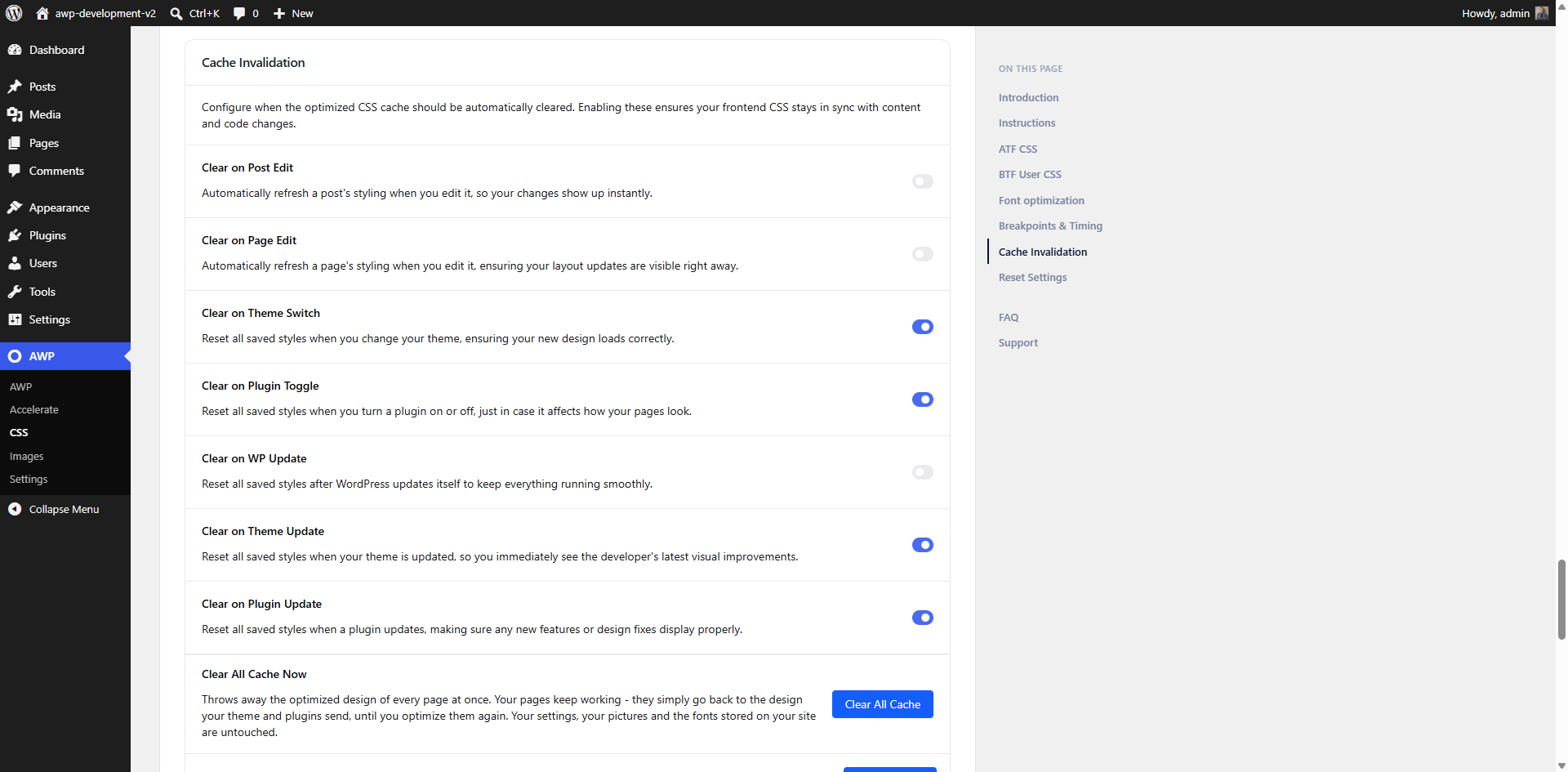
AWP adds no database tables of its own. A small background task applies queued optimizations and copies Google fonts to your server. Everything AWP creates lives in the standard WordPress places, and the built-in Reset removes all of it.
The admin stylesheet (assets/css/main.css) is generated with Tailwind CSS; its build source ships with the plugin at build/css/input.css, with the exact rebuild command documented inside that file.
External services
This plugin can connect to AWP Exchange Server (an optional service operated by Web Evolution at awp.exchange) to run a personalized optimization tailored exclusively to your site. The connection is OFF until you explicitly click Connect on the AWP Accelerate screen; if you never connect, the plugin sends nothing to the AWP Exchange Server. (The Google Fonts feature, described below, is separate and has its own traffic.)
What is sent to the AWP Exchange Server, and when:
- When you click Connect: your site URL, the site administrator email address, a one-time verification code, and the address on your site the service should call back. The service makes that one call – carrying only the verification code – to confirm you control the site, and provisions your account. It is the only time the service calls any address this plugin adds.
- When you run an optimization: the address of the page being optimized, together with its WordPress post ID and type (the service loads and renders that public page); your optimization choices for that page (the mode and zoom handling), the cookie-consent button selector you saved (if any) and a fixed set of rendering parameters (screen sizes and timing); the text you typed into that page’s own safelist box in the editor, if any; image measurements for the images the service found on that page – width, height, format and the addresses of the size variants that already exist; and the plugin’s CSS configuration – every option it stores whose name begins with
awpp_css_, such as your breakpoints, fold heights, safelists, blocklists and the plugin’s own font-hosting records. Nothing is described about the rest of your media library, and no image or media file is ever uploaded – only measurements and addresses. The result comes back as a signed instruction set that the plugin carries out on your own server. - Font subsetting: on optimized pages that use locally hosted Google Fonts (see below), the plugin sends each of those font files – files downloaded from Google and stored on your server, never files you uploaded – together with the list of characters your pages actually use, to the service. The service returns a smaller copy of the font containing only those characters, which is then stored and served from your own server. This is the one case where a file is transmitted to the service.
- Optimization queue: each requested page address is registered with the service, together with its WordPress post ID, and takes a place in a queue; while you have the Accelerate screen open, the plugin periodically asks the service for the queue state and your account status – requests that carry nothing beyond your site’s access key. If an optimization fails on your site, the plugin reports that failure to the service with a short description of the error, so the queue can move on. When the page’s turn comes, the service sends a wake-up request – carrying no data – to your site’s standard WordPress
wp-cron.phpfile, so the optimization can run even if you have closed the browser. Your site performs all of the work itself.
Data is sent only to the AWP Exchange Server endpoint configured for your account. Privacy Policy: https://awp.exchange/privacy-policy/ – Terms of Service: https://awp.exchange/terms-of-service/
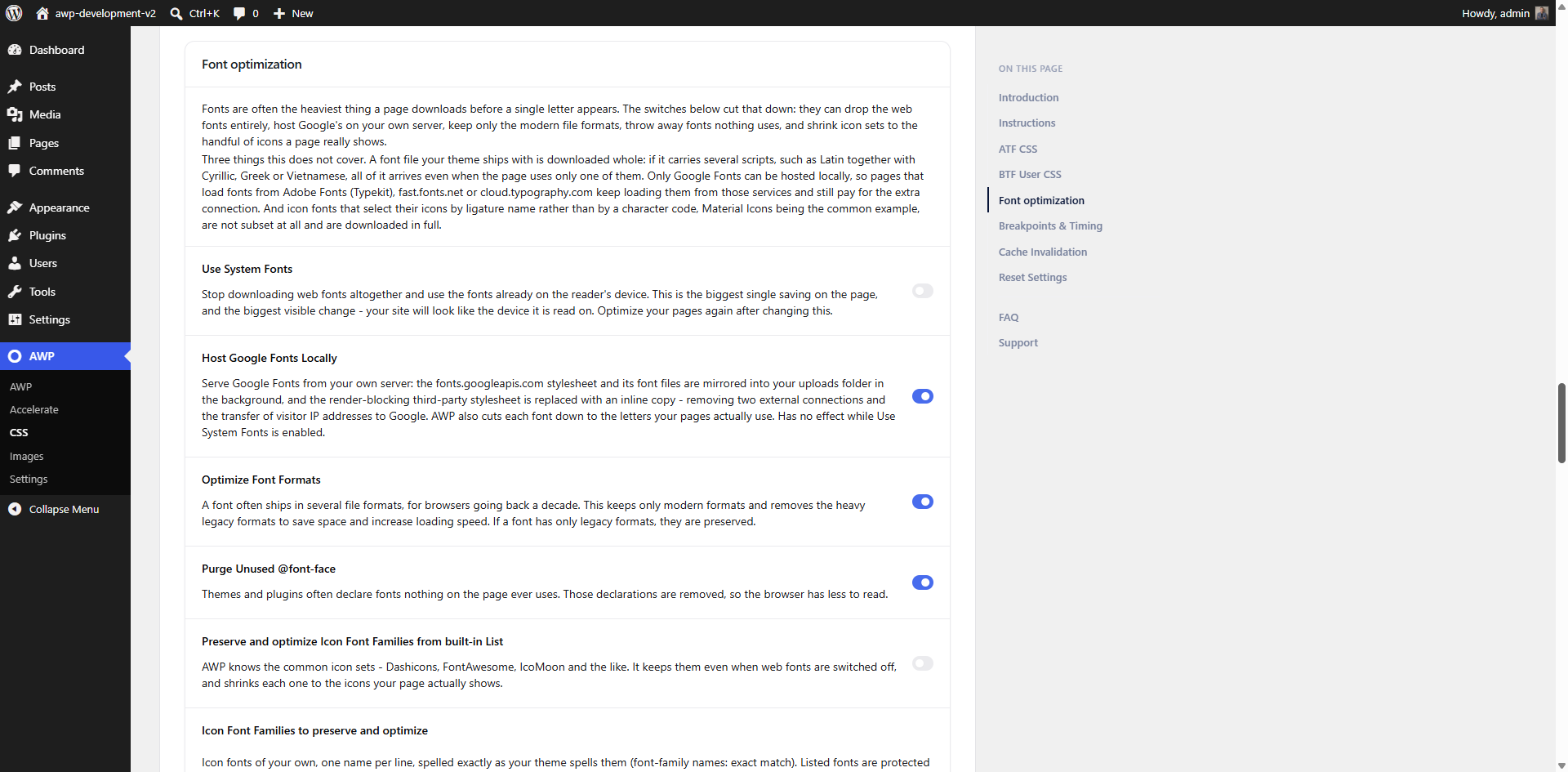
Google Fonts (fonts.googleapis.com / fonts.gstatic.com): when you enable the “Host Google Fonts Locally” option (off by default) and your theme already loads Google Fonts, the plugin downloads those stylesheets and font files from Google’s servers to your own uploads folder, in a background task running on your server, and refreshes that copy about once a week. It also downloads one font file per family a second time to measure it, so a matching substitute font can be shown while yours load. Once the local copy is ready, your visitors’ browsers no longer connect to Google at all – the fonts are served from your site. No visitor data is ever sent to Google by this plugin; the server-side downloads carry only your server’s request. Google terms: https://developers.google.com/fonts/terms – Privacy: https://policies.google.com/privacy
Stylesheets you list yourself: one optional CSS setting (moving listed stylesheets to the footer and combining them into one file – both switches are off by default) makes your server download the stylesheets that match your list, including third-party ones if any match, so the combined copy can be served from your site.
Details




Related plugins
Plugins that also contain the tag avif
Modern Image Formats
Perfect Images: Regenerate Thumbnails, Image Sizes, WebP & AVIF

CompressX — AVIF & WebP Converter, Media Replacement
Plus WebP or AVIF

AVIF Uploader

Modern Images WP

About
Plugin for that tries to help you find the WordPress plugin you are looking for.
| Please enjoy an image of Crush (this awesome turtle) and have a lovely day! |  |
We do not own any plugin listed on this site and do not work for or work with WordPress.com or it's associated companies. We simply provide a searchable list of the available WordPress plugins.