


Back

BackupScope Storage Insights
Details
View on WordPress
Back
Hosting full? Backups failing because the disk is out of space? BackupScope Storage Insights shows you where your WordPress storage goes, in its own Storage Insights menu.
What you see
- Overview: total storage split into media (uploads), plugins, themes, WordPress core, the database, stored backups and everything else, as a chart with sizes and percentages.
- Storage details: tabs for plugins, themes, folders and database tables, each with bars, sizes, file counts and the share of the total. Inactive plugins and themes are marked. Sort by size, number of files, name or active first.
- Folders: drill into uploads by year, every plugin and theme folder, and folders such as caches and other backup plugins’ archives.
- Largest files: the 20 biggest files on the site, with their paths.
- What we noticed: plain-language findings from your numbers, each with something you can do about it: backups kept on the same server, inactive plugins and themes taking space, media growth, large caches, and a nearly full server disk.
- Change since the previous analysis: how much your site grew or shrank since you last ran it.
Safe by design
- Read-only. The analysis only measures. Nothing on your site is changed, moved or deleted.
- Works on large sites. The analysis runs in short steps from your browser, so it stays within normal server time limits, and you can watch the progress.
- No account, no tracking, no external requests. Results stay in your own database.
- Only administrators can run an analysis or see the results.
Want storage looked after automatically?
Storage Insights shows you the numbers whenever you open it. BackupScope Pro keeps watching when you do not:
- Automatic analysis daily, weekly or monthly.
- Email alerts when the server disk or your hosting plan passes a warning level, once per level.
- Growth over time: a chart of every analysis, so you can see what grew and when.
- Media review: media files with no reference found in your content, removed into a 30-day trash.
- Safe cleanup: inactive plugins and themes into a 30-day trash, restored with one click.
- Backups: scheduled, copied off-site to Amazon S3, Cloudflare R2, Backblaze B2 or Wasabi, and restored from the dashboard.
Storage Insights works on its own and never limits what you see.
Details
Plugin code:
backupscope-storage-insights
Plugin version:
1.0.1
Author:
Outdated:
No
WP version:
6.2 or higher
PHP version:
7.4 or higher
Test up to WP version:
7.1.3
Total installations:
0
Last updated:
2026-10-10
Rating:
Times rated:
0
database-size
disk-space
disk-usage
file-size
storage
Related plugins
Plugins that also contain the tag database-size
Optimize Database after Deleting Revisions

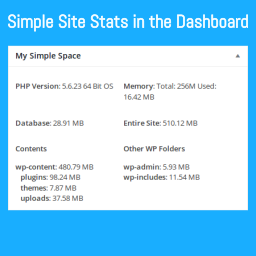
My Simple Space
WUCO – WP Ultimate Cleanup & Optimization


About
Plugin for that tries to help you find the WordPress plugin you are looking for.
| Please enjoy an image of Crush (this awesome turtle) and have a lovely day! |  |
We do not own any plugin listed on this site and do not work for or work with WordPress.com or it's associated companies. We simply provide a searchable list of the available WordPress plugins.