

This plugin is outdated and might not be supported anymore
Back

Before After
Details
View on WordPress
Back
Before After plugin integrates modified version jQuery Before/After Plugin in the wordpress.
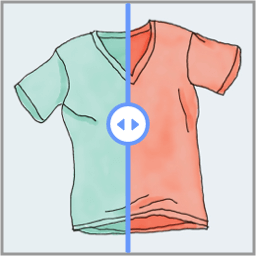
It can be used to show the difference between edited and original photo, before and after photos of changes, etc.
Please check ‘Other Notes’ for the Usage instructions to see how to use it on your blog
Demosites:
Demo with Latest version
Operation on custom theme
Author info:
Follow me on Twitter or become my Friend on facebook
Also on Google+
Usage
- Write the content of your post other than the images
- Switch to ‘HTML-editor’ mode of the post editor area
- Click ‘BeforeAfter’ button (This will start the ‘[beforeafter]’ shortcode)
- Add the photos to your post through the wordpress image/media uploader
- 1 photo should be left align when you insert the images on your post, the other one can be aligned right/center/none
- The ‘left-aligned’ photo is taken as before photo so please align your photos accordingly
- After you have inserted the two images in the post Click ‘BeforeAfter’ button again to close ‘[/beforeafter]’ shortcode.
- You can add more content to your post after closing the ‘[/beforeafter]’ shortcode
- The content other than image information withing the ‘[beforeafter]…[/beforeafter]’ is ignored when the shortcode is executed, in other places like home page archive page the content will be shown as is in the post.
Details
Plugin code:
before-after
Plugin version:
1.0.2
Author:
Outdated:
Yes
WP version:
2.9 or higher
PHP version:
or higher
Test up to WP version:
4.4.33
Total installations:
100
Last updated:
2016-02-16
Rating:
Times rated:
11
after
before
photo-effects
photoblog
photos
Related plugins
Plugins that also contain the tag after
Before + After Images for Divi

Image Comparison Block

Advanced Image Comparison for Elementor

Insert Blocks Before or After Posts Content

Majestic Before After Image
Modern Comparison Slider


About
Plugin for that tries to help you find the WordPress plugin you are looking for.
| Please enjoy an image of Crush (this awesome turtle) and have a lovely day! |  |
We do not own any plugin listed on this site and do not work for or work with WordPress.com or it's associated companies. We simply provide a searchable list of the available WordPress plugins.