



Bhranti – AI Agent Harness
Bhranti is an AI agent for WordPress that helps you manage your website through simple conversations.
Ask it to create a page, update existing content, improve your writing, manage supported plugins, or help set up your WooCommerce store. Bhranti can take action directly on your website instead of just telling you what to do.
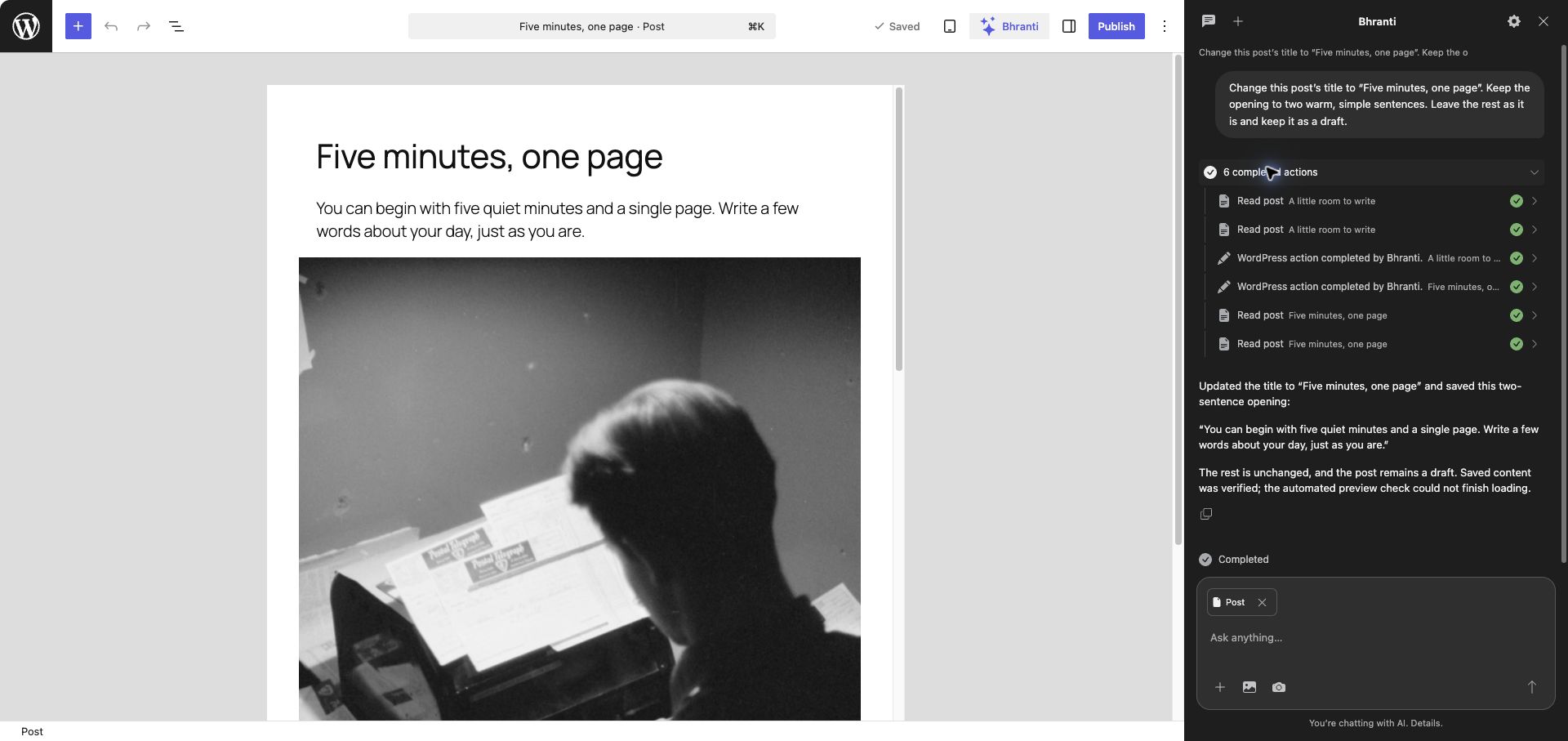
It works alongside the WordPress editor, keeps you informed about changes, and asks for your approval before sensitive actions.
Less clicking. Less repetitive work. More time to focus on your website.
Bhranti requires an administrator account, WordPress 7.0 or later, PHP 8.0 or later, and a compatible AI text connection in Settings > Connectors. Optional image generation depends on your connector and model.
Get started with Bhranti for setup and your first request.
What you can do
- Write and edit posts and pages, find content, and recover wording from saved revisions.
- Edit supported templates, template parts, navigation and styles.
- Search the Media Library, improve image descriptions and generate images with a supported connection.
- Install WordPress.org plugins and activate or deactivate permitted plugins, with your approval.
- Create Contact Form 7 forms when available, or reuse working forms.
- With WooCommerce, manage simple, non-downloadable products, categories and supported store, stock, shipping and cash-on-delivery settings. Payment account connections remain manual.
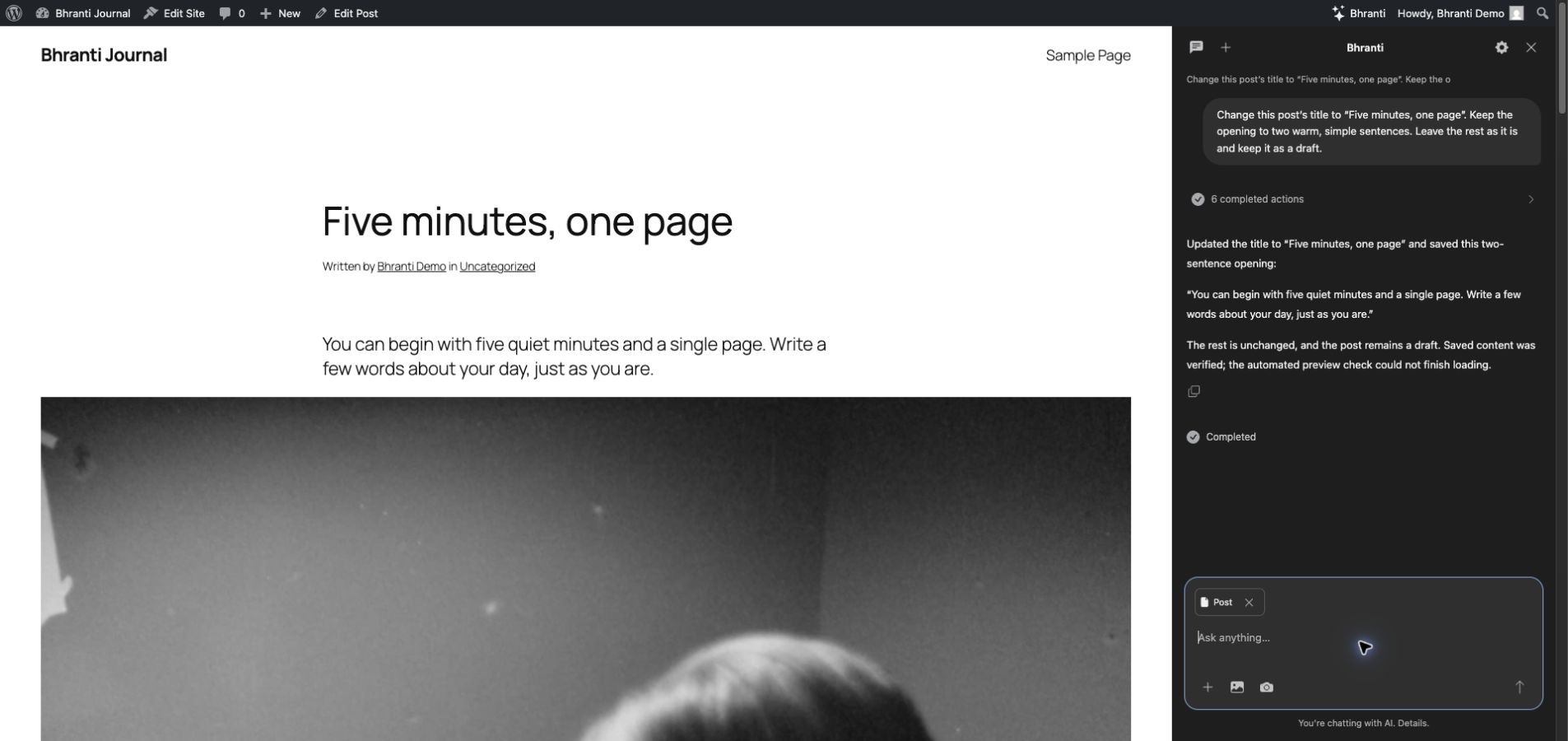
- Check saved pages at desktop and mobile sizes for common layout and accessibility issues. Checks do not certify WCAG conformance or test every visitor interaction.
Small, clear edits can happen directly. Larger projects begin with questions about your audience, content and design, followed by a work plan.
Stay in control
Choose allowed actions in Bhranti > Settings. Plugin installation, later activation/deactivation and uninstall each need an Approve/Cancel card. Installation can include activation when listed; otherwise, it installs inactive. Plugin deletion is off by default.
Creating a Contact Form 7 form, changing its notification destination, moving supported content to Trash, or making a WooCommerce store or other site pages visible needs an exact Approve/Deny card. Declining stops the task; earlier saved changes remain.
Actions and Undo use your signed-in account, current WordPress permissions and action switches. Bhranti does not create users, edit core, theme or plugin source files, or change accounts, roles, credentials or security settings.
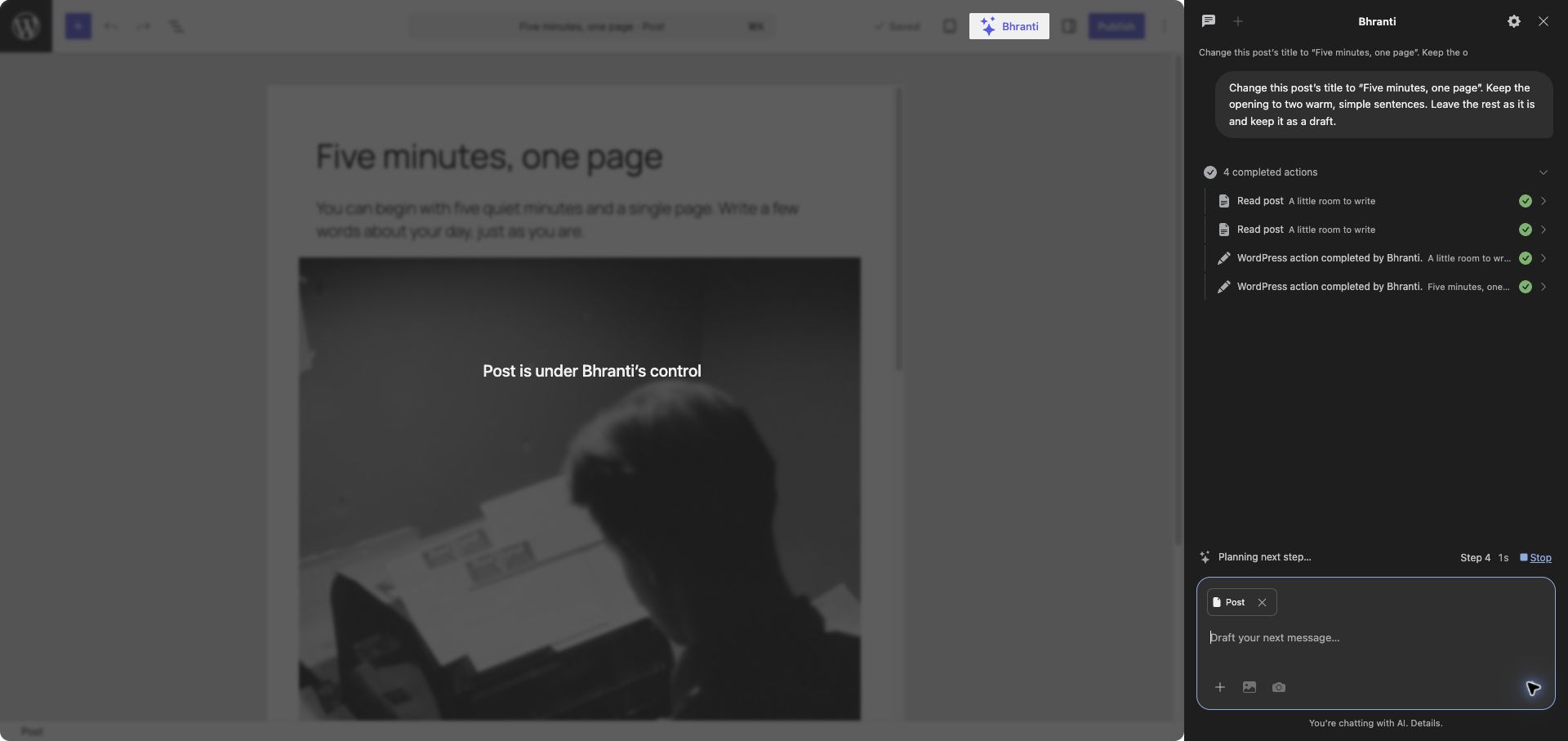
When the editor has no unsaved changes, saved updates can appear as Bhranti works. An overlay helps prevent accidental edits. Stop works between steps; it cannot recall a sent request.
In Bhranti > Logs, administrators can search, filter and download actions, outcomes, affected items and requester details. Records retain the executing account.
Make it work your way
Add instructions and guardrails in Settings. Create named agents with pasted agent.md text and skills with skill.md text. These cannot override permissions or approvals.
Ask Bhranti to remember language, tone, design or workflow preferences. Review or reset memory in Settings. Drafts stay with each chat; the sidebar stays open across admin pages.
Privacy and external services
Bhranti uses WordPress’s AI Client to send requests to your connector’s provider. Opening the sidebar does not send an AI request. A message may share:
- Your request, relevant conversation history, work plans and instructions.
- Basic site information, relevant content, search/action results and log metadata.
- Attached page text or HTML, blocks, images and screenshots.
- Image prompts, relevant preferences and checked image capabilities.
- Design-reference content and rendered layout/accessibility check results.
Your connector determines the provider and account. Usage may consume your allowance or incur charges. Provider terms and privacy:
Plugin searches and installations use WordPress.org services (Privacy). Bhranti may retrieve a public HTTPS design reference you supply without sign-in cookies or credentials. Rendered checks use your browser and a local accessibility engine; page scripts and resources still load normally.
Bhranti has no telemetry. Interface assets load locally. Logs exclude chat bodies and raw provider errors.
Conversations, context, results, plans, rollback records and logs are stored on your site. Conversations are not encrypted in the database. Optional memory is encrypted separately for each user and site. Ordinary unsent drafts use this tab’s session storage; unsent images stay in browser memory.
Chats are private to their creator. Other administrators can view Logs; database/server administrators can access stored data. WordPress personal-data export and erasure include Bhranti data. You can delete chats and reset memory. Chat deletion removes rollback records, without reversing changes or removing audit entries.
Uninstall removes Bhranti’s private data and preferences. Site content, authorship and existing users stay in place.
Source code
Public source, issues and release tools. Build instructions are in docs/release.md.
Editable PHP, JavaScript and CSS are included in includes/ and assets/. First-party JavaScript is not compiled, bundled or minified. WordPress supplies React components and dependencies. No npm or Composer build is needed; packaging copies these files unchanged into a ZIP.
License and credits
Bhranti uses GNU GPL version 2 or later; see LICENSE. Provided without warranty. Bundled third-party code retains its notices.
Bootstrap Icons SVG paths in assets/admin.js and assets/editor.js come from https://github.com/twbs/icons and use MIT (assets/bootstrap-icons-LICENSE.txt).
The bundled axe-core 4.14.0 by Deque Systems uses MPL-2.0 (assets/vendor/axe-core/LICENSE). Original module source and build instructions are upstream. Its folder includes the readable distribution, package metadata, source hashes and third-party notices.
Details
Related plugins
Plugins that also contain the tag ai
SEOPress – On-site SEO & Analytics

AI Engine – The Chatbot, AI Framework & MCP for WordPress

GetGenie – AI Content Writer with Keyword Research & SEO Tracking Tools

SEO Plugin by Squirrly SEO

Website LLMs.txt

Smartsupp – live chat, AI shopping assistant and chatbots


About
Plugin for that tries to help you find the WordPress plugin you are looking for.
| Please enjoy an image of Crush (this awesome turtle) and have a lovely day! |  |
We do not own any plugin listed on this site and do not work for or work with WordPress.com or it's associated companies. We simply provide a searchable list of the available WordPress plugins.