



Bit CRM: Leads, Contacts, Deals & Invoices
Bit CRM is a complete WordPress CRM plugin that brings contact management, lead tracking, a visual sales pipeline, email, and invoicing together in one place. As a result, you can manage your customers and grow your business without ever leaving your WordPress dashboard.
Whether you run a small business, an agency, a WooCommerce store, or a freelance practice, Bit CRM gives you the core CRM tools you need. First, capture leads and turn them into contacts. Then, move deals through your sales pipeline. Finally, bill your customers with professional invoices — all in the same WordPress dashboard.
Because the CRM runs inside WordPress, your core CRM records remain in your site’s database and you do not need a separate CRM login.
Why choose Bit CRM for WordPress?
- All-in-one CRM — Contacts, leads, companies, deals, and invoices work together in one plugin.
- Self-hosted and private — Your CRM data stays in your own WordPress database.
- Built for sales — A visual pipeline, deals, and invoicing help you close and bill faster.
- WooCommerce ready — Connect your store customers, orders, and products.
- Easy to start — Import your existing data from CSV and begin in minutes.
Main features
- Lead management — Capture leads, track them, and convert them into contacts and deals.
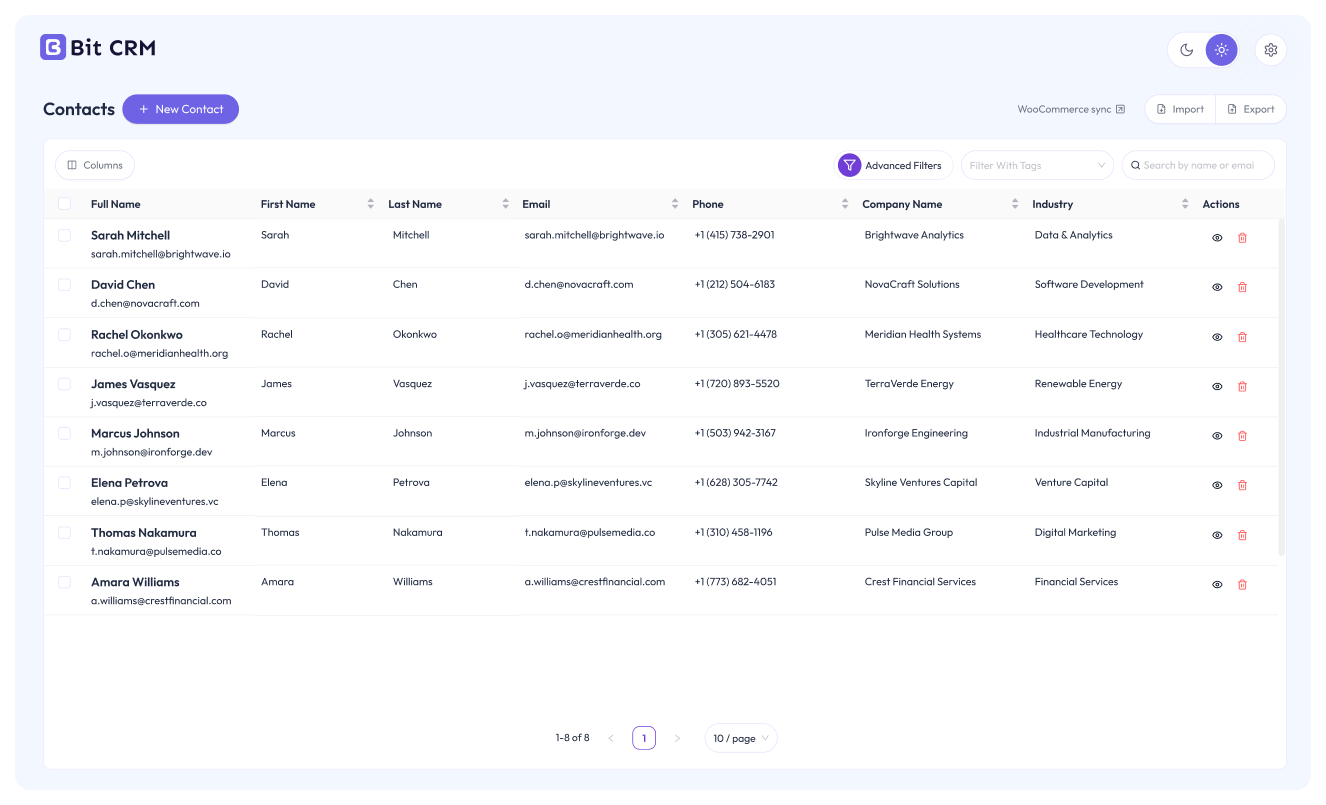
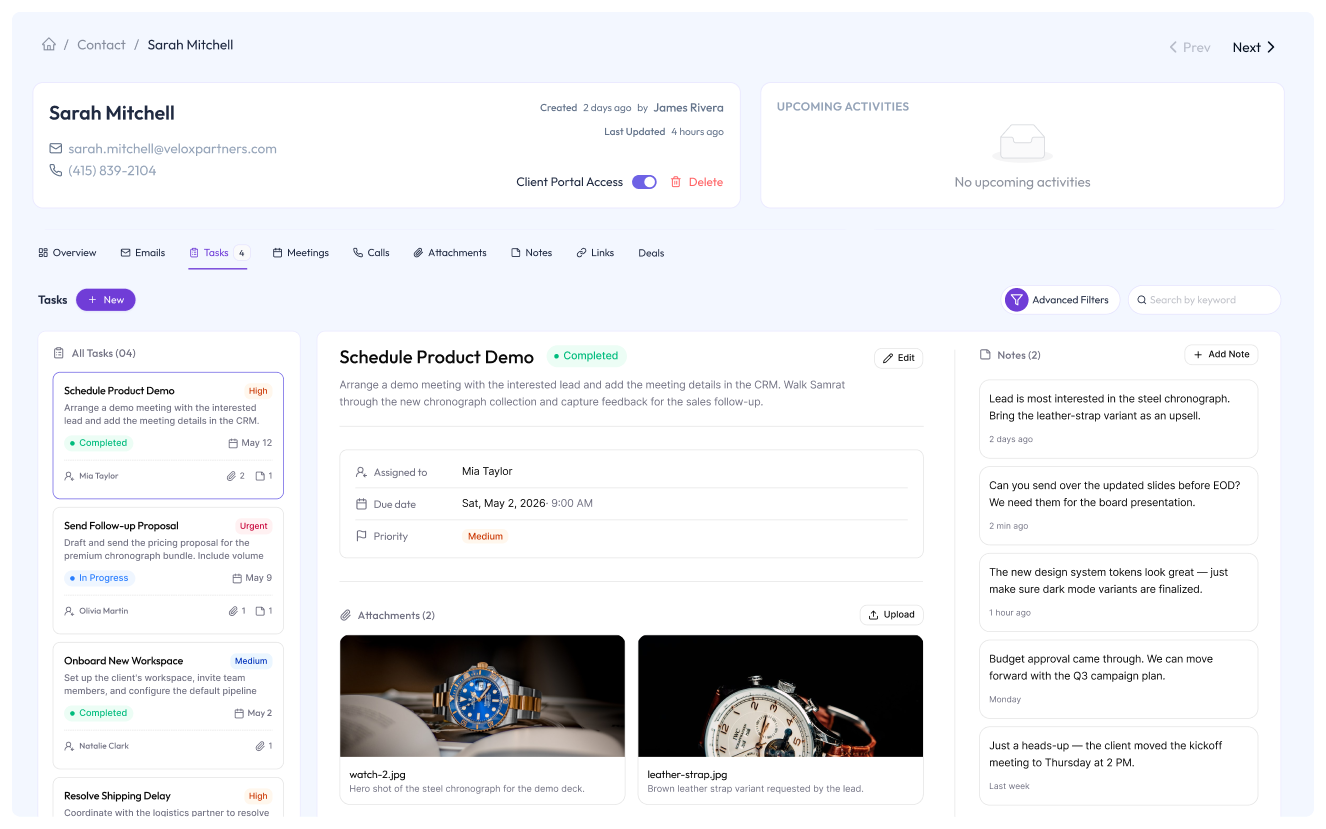
- Contact management — Store and organize customer records with tags, notes, attachments, and related activities.
- Company management — Group contacts under the companies they belong to for B2B relationship management.
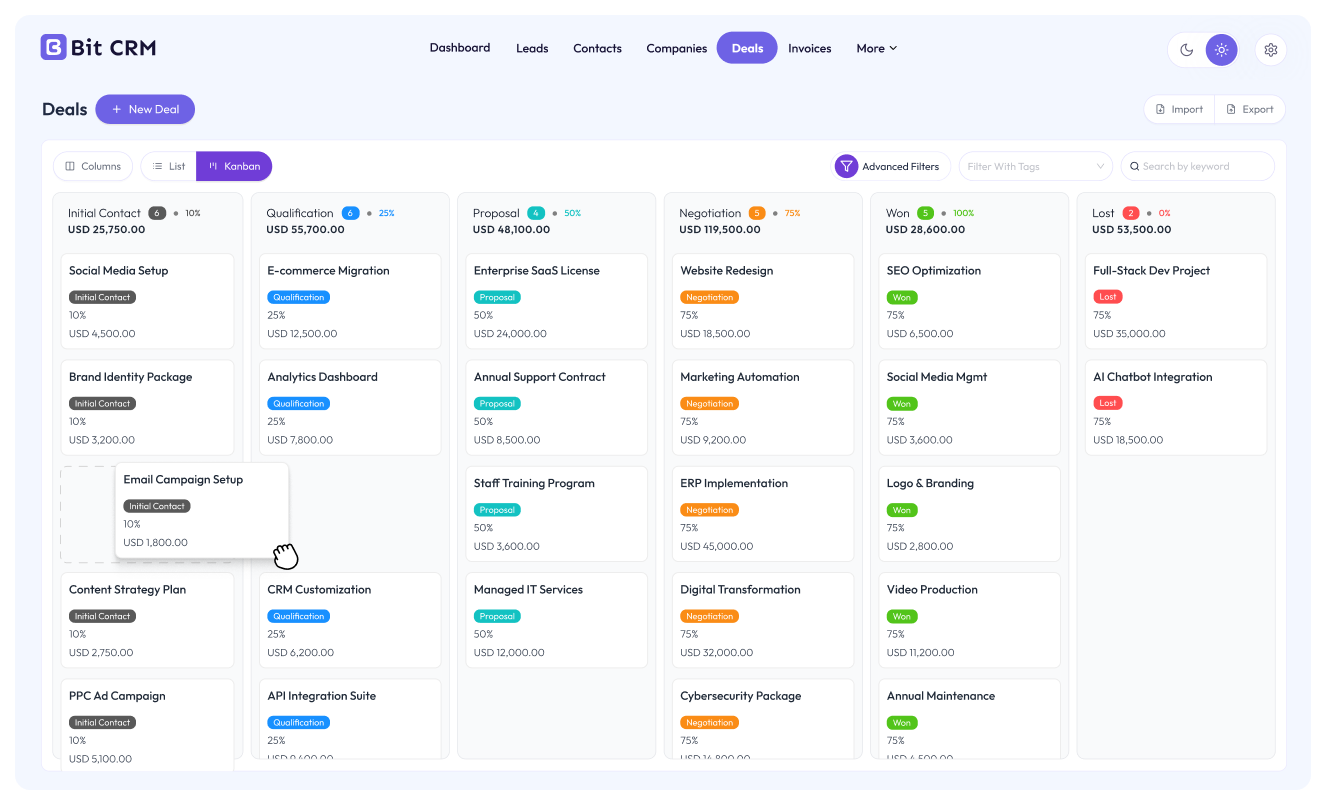
- Sales pipeline & deals — Move deals across customizable pipeline stages, and itemize each deal with line items to track its value.
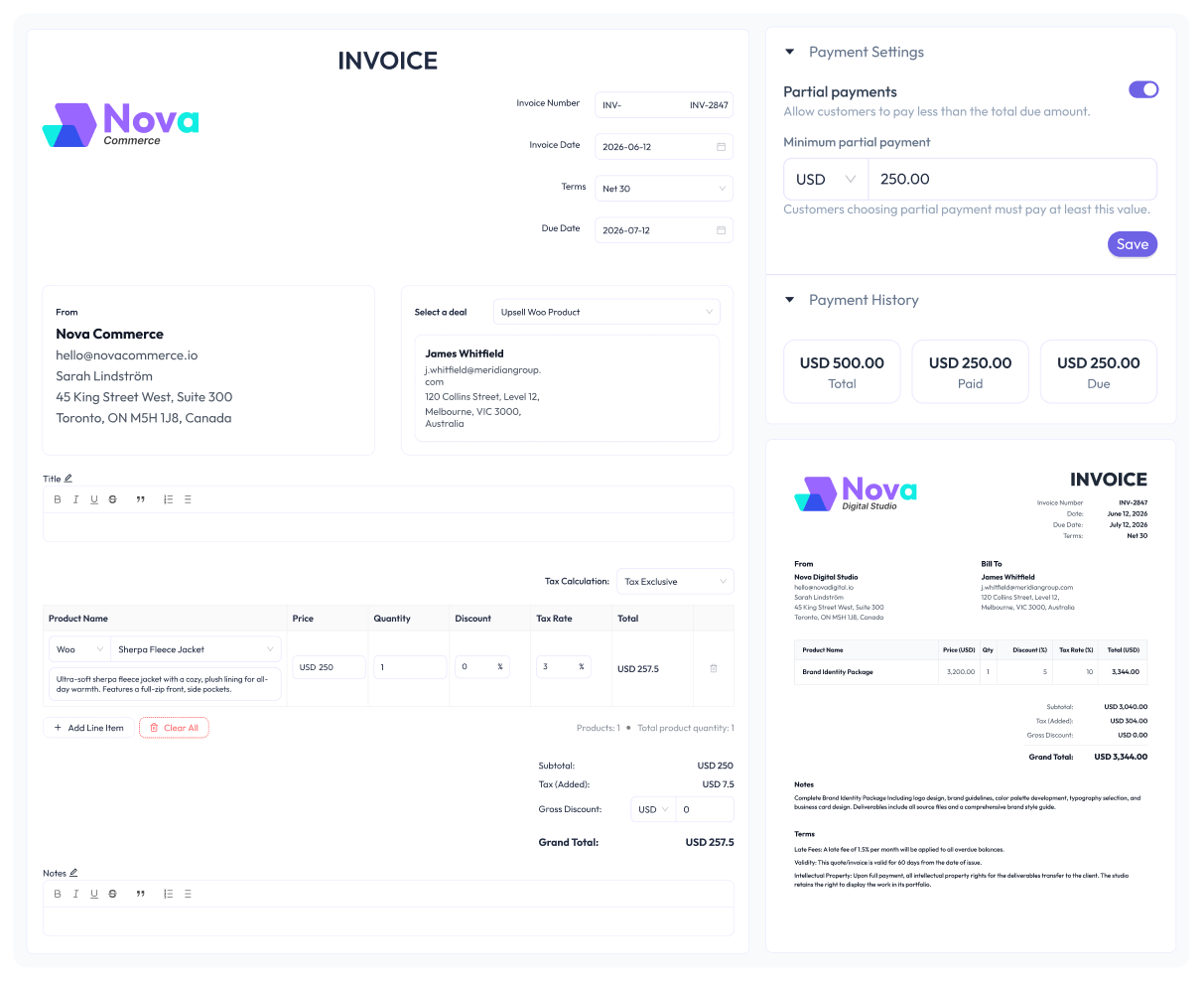
- Invoicing — Create professional invoices with line items, terms, and statuses, then download them as PDF or email them to customers.
- Line items & products — Build deals and invoices from line items. Add custom products manually or insert WooCommerce products, each with its own quantity, discount, and tax.
- Currency — Set a home currency and bill deals and invoices in the currency you need.
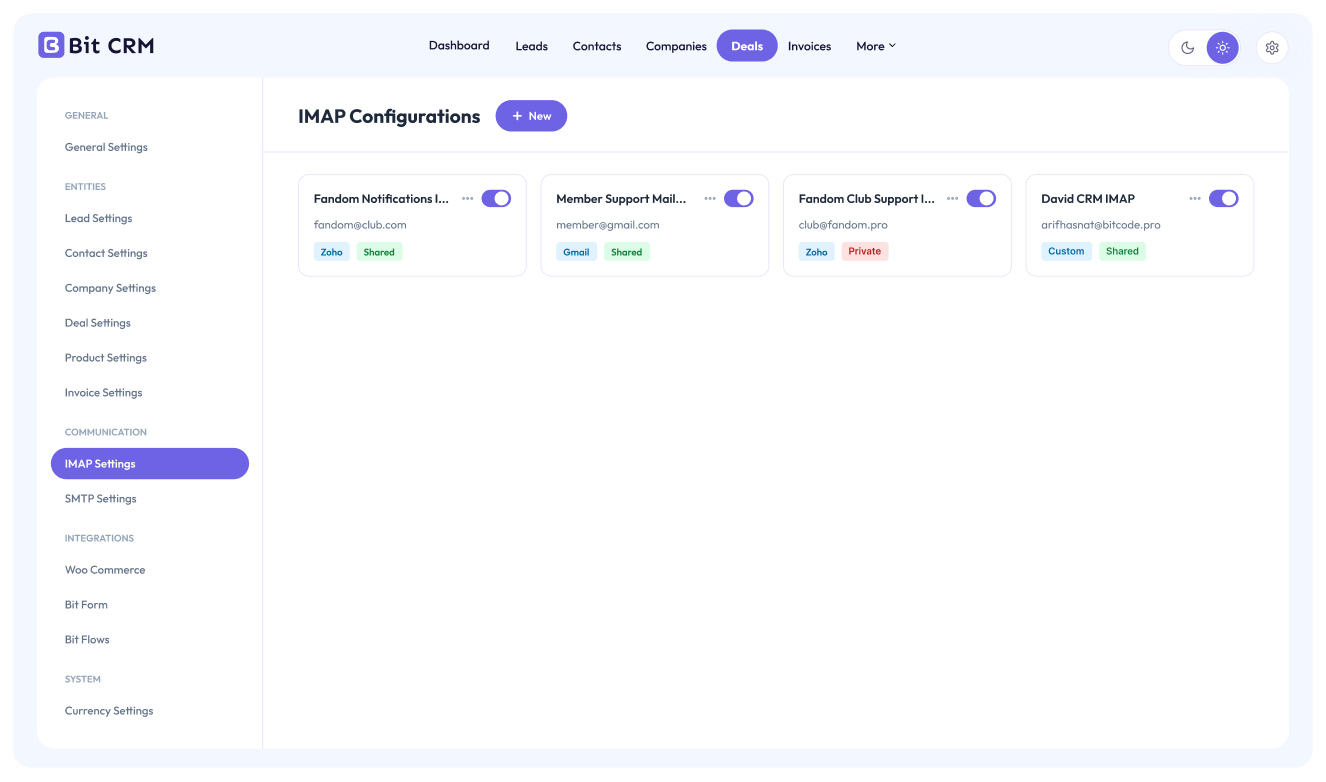
- Email & mailbox (IMAP/SMTP) — Send emails to your contacts and connect your IMAP mailbox to keep conversations in sync.
- Tasks & activities — Log calls, meetings, and tasks, set follow-ups, and track upcoming activities.
- Notes & attachments — Add notes and attach files to any contact, lead, deal, or company.
- Tags — Tag and segment records across every module for fast filtering and targeted follow-up.
- Activity log & history — Keep an audit trail of changes across your CRM records.
- WooCommerce integration — Sync your existing WooCommerce customers and order history, and add WooCommerce products as line items on deals and invoices.
- CSV import — Bring your existing contacts, leads, companies, and deals into the CRM from a CSV file.
- Recycle bin — Restore deleted records, or empty the trash when you are ready.
- Dashboard — Get an at-a-glance overview of your CRM activity.
Contact, lead, and company management
Bit CRM gives you a structured way to store every customer relationship. First, add contacts and companies and capture incoming leads. Then, keep each record rich with tags, notes, file attachments, and a full history of activities. Finally, convert qualified leads into contacts and deals in a couple of clicks, so nothing falls through the cracks.
Visual sales pipeline
Track every opportunity with deals organized into pipeline stages you control. You can create, reorder, and archive stages to match the way your team actually sells, and then move deals forward as they progress. Moreover, you can link deals to contacts and companies for complete context, and itemize each deal with line items — custom products or WooCommerce products, each with quantity, discount, and tax — so the deal value always stays accurate.
Professional invoicing
Create invoices from line items — either enter custom products manually or pull in WooCommerce products, each with its own quantity, discount, and tax. After that, set payment terms, apply the currency you need, and track each invoice through draft, sent, paid, and overdue statuses. When you are ready, download invoices as polished PDF documents and email them to your customers directly from WordPress.
Email and mailbox integration
Send emails to your contacts from inside the CRM, configure SMTP for reliable delivery, and connect an IMAP mailbox to fetch and keep your customer conversations in sync — all without switching tools.
Source code
Bit CRM source code is available on GitHub.
Initial setup and first steps
- On first launch, Bit CRM opens a setup wizard. Enter your business name and email, or use Skip to add them later.
- The next step offers Bit Form, Bit SMTP, and Bit Integrations as optional companion plugins. They are selected by default; deselect any plugin you do not want installed.
- Click Let’s get started to finish onboarding and open the Bit CRM dashboard.
- Go to Settings => Currencies and review your home currency before creating financial records.
- Use Settings to configure your business details, deal stages, entity fields, invoice preferences, email, and available integrations.
- Open Leads, Contacts, Companies, or Deals from the Bit CRM navigation and use the add button to create your first record. You can also use the Import option on supported modules to upload existing CSV data.
All core CRM features work inside WordPress. Optional integrations only need configuration when you choose to use them.
External Services
Google Fonts
Bit CRM admin pages load the “Outfit” font from Google Fonts (fonts.googleapis.com and fonts.gstatic.com), sending the administrator’s IP address, user-agent, and request data, but no CRM records. See Google’s Terms and Privacy Policy.
Email and IMAP providers
An administrator can connect Gmail (imap.gmail.com), Zoho Mail (imappro.zoho.com), or a custom IMAP server. On email history or sync, Bit CRM sends the saved mailbox username, app password, connection settings, and IMAP commands to that provider and retrieves matching message data. Gmail is governed by Google’s Terms and Privacy Policy; Zoho by its Terms and Privacy Policy; a custom server by its provider’s policies.
When a user sends an email or invoice, Bit CRM passes its recipient, subject, body, headers, and attachments to WordPress’s wp_mail, which uses the site owner’s configured mail service and the recipient’s mail server. Those providers’ terms and privacy policies apply; Bit CRM does not select a mail provider.
Details

Related plugins
Plugins that also contain the tag contacts
Constant Contact Forms

Simple Secure Contact Form

Click to Contact – Float Buttons

MailChimp Integration for WordPress

ContactSync : Integration of Google Contacts for WooCommerce
Contacts BMLT


About
Plugin for that tries to help you find the WordPress plugin you are looking for.
| Please enjoy an image of Crush (this awesome turtle) and have a lovely day! |  |
We do not own any plugin listed on this site and do not work for or work with WordPress.com or it's associated companies. We simply provide a searchable list of the available WordPress plugins.