



Bizzswatches – Variation Swatches for WooCommerce
Bizzswatches is a powerful WooCommerce plugin that transforms the default dropdown select boxes for product variations into beautiful, user-friendly swatches. Display your product attributes as colors, images, buttons, or radio buttons.
Key Features
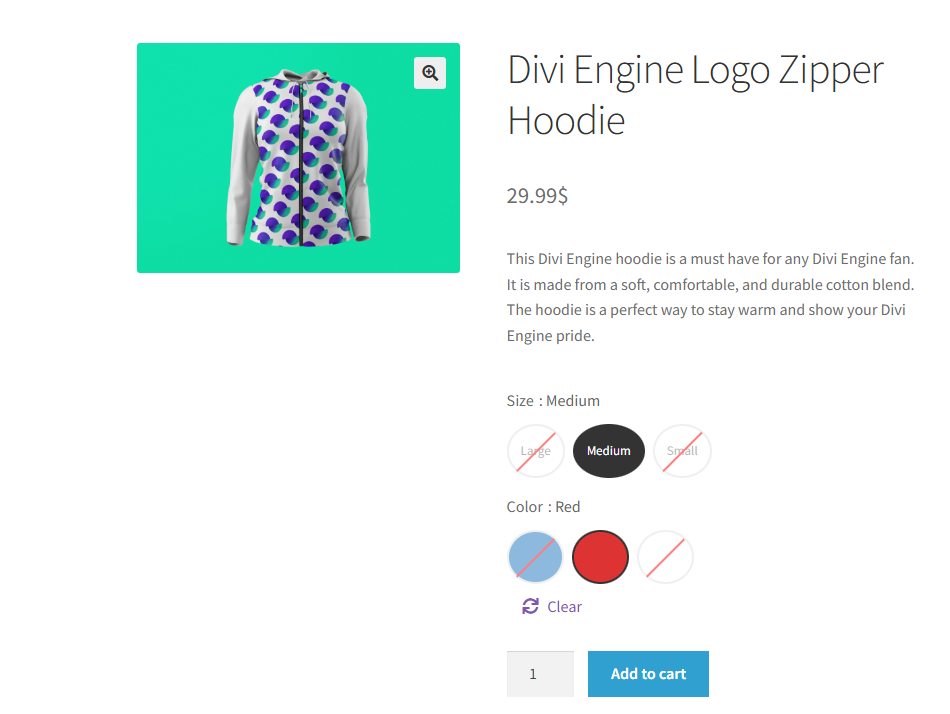
Color Swatches
Display color options as beautiful color circles or squares. Perfect for clothing, accessories, and any product with color variations.
Image Swatches
Use custom images to represent product variations. Great for patterns, textures, or any visual variation.
Button Swatches
Convert dropdown menus to stylish button labels. Ideal for sizes, materials, or any text-based variation.
Multiple Shape Styles
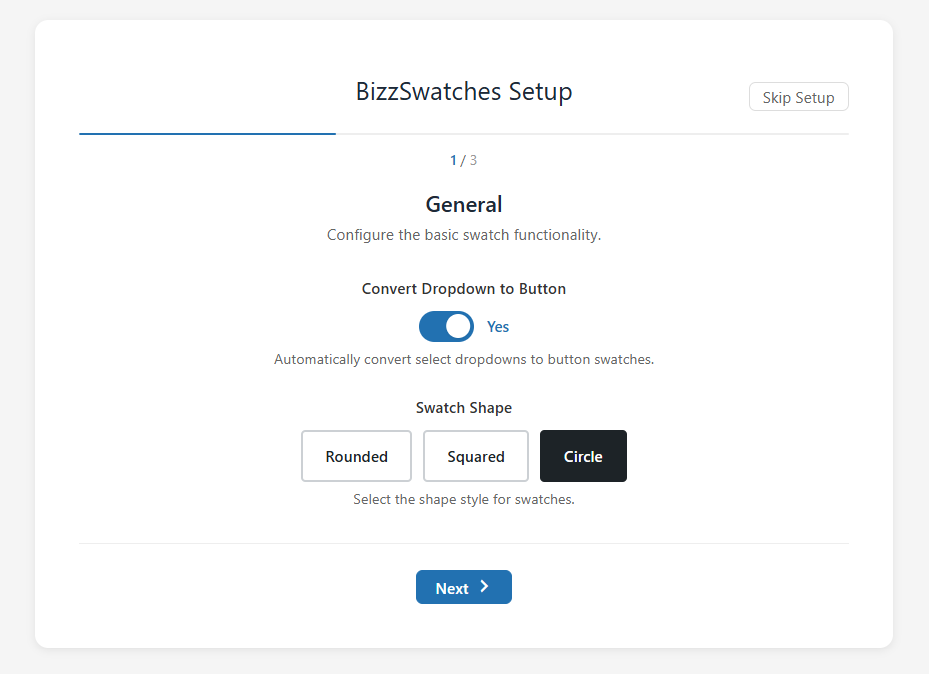
Choose from rounded, squared, or circle shapes to match your store’s design.
Tooltip Support
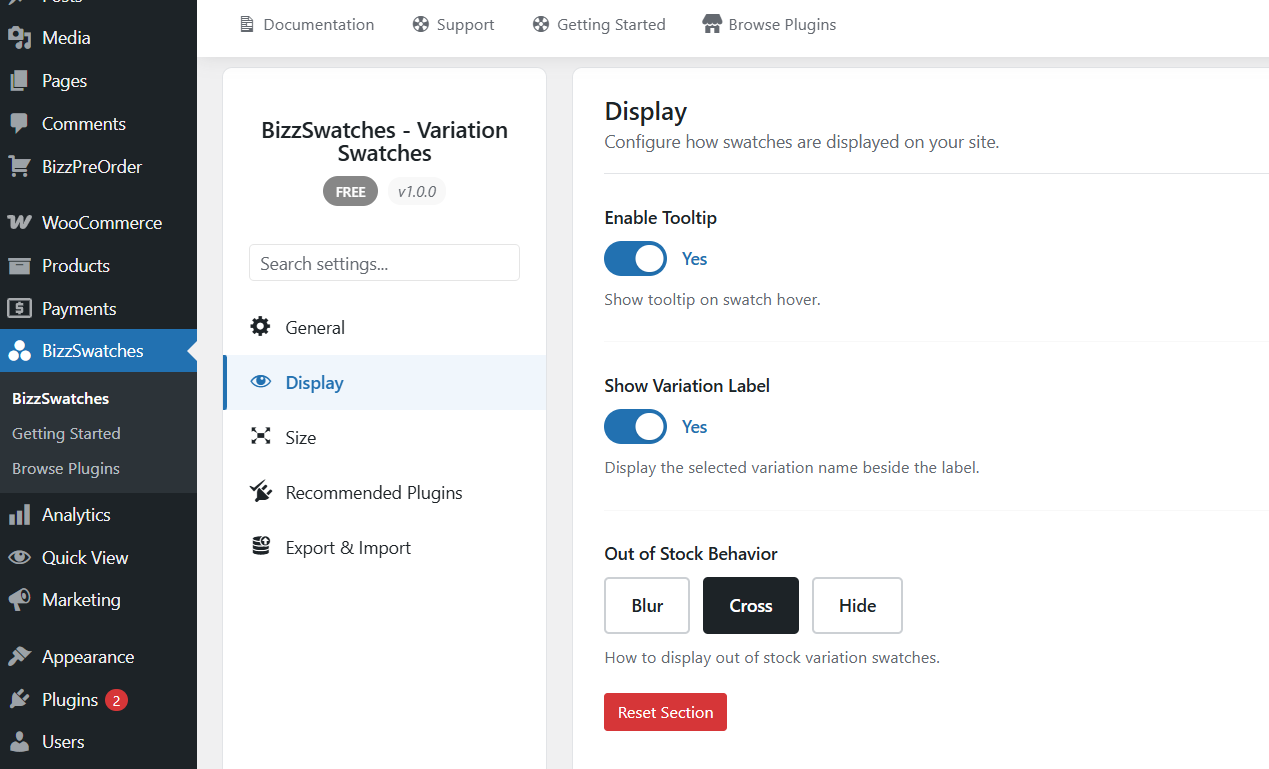
Show helpful tooltips on swatch hover to provide more information about each variation.
Stock Behavior Options
Configure how out-of-stock variations are displayed – blur, cross out, or hide completely.
Product-Level Settings
Override global settings on individual products for complete customization control.
Why Choose Bizzswatches?
- Easy Setup – Works out of the box with no coding required
- WooCommerce Native – Built specifically for WooCommerce
- Lightweight – Minimal impact on page load speed
- Customizable – Extensive settings to match your design
- Modern Code – Built with OOP patterns and WordPress standards
- HPOS Compatible – Works with WooCommerce High-Performance Order Storage
- Future-Ready – Designed for easy premium extension
Quick Start Guide
- Install and activate the plugin
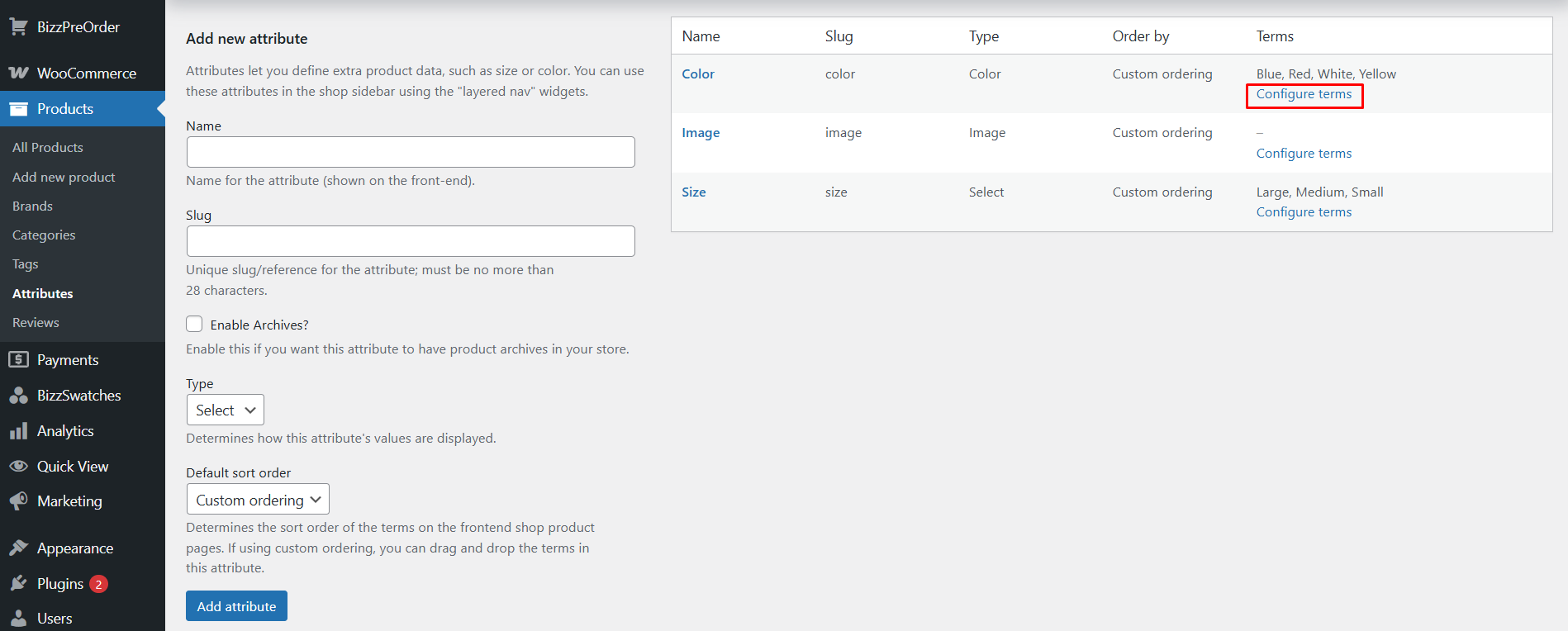
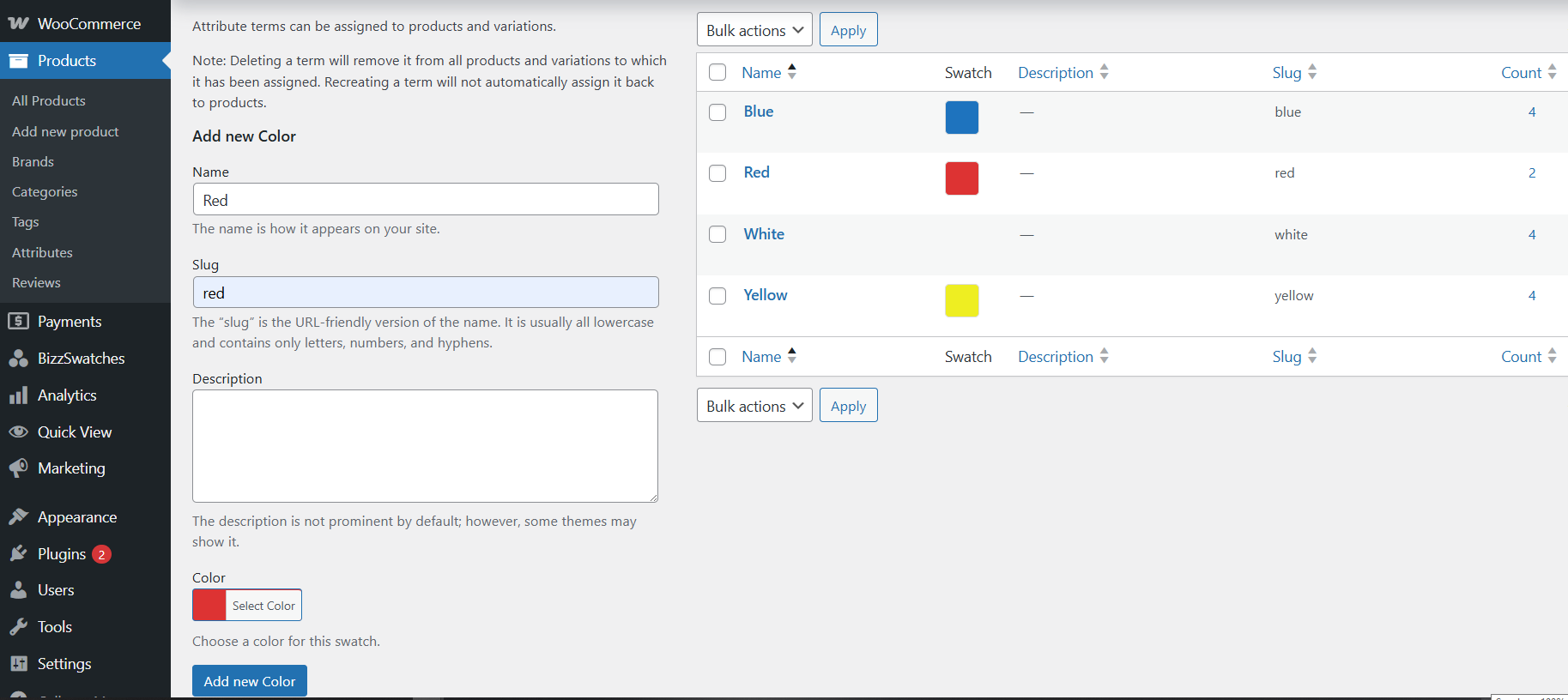
- Go to Products > Attributes
- Create or edit an attribute
- Select a swatch type (Color, Image, Button, or Radio)
- Configure attribute terms with colors or images
- Create variable products using your attributes
- That’s it! Swatches will automatically appear on product pages
Settings
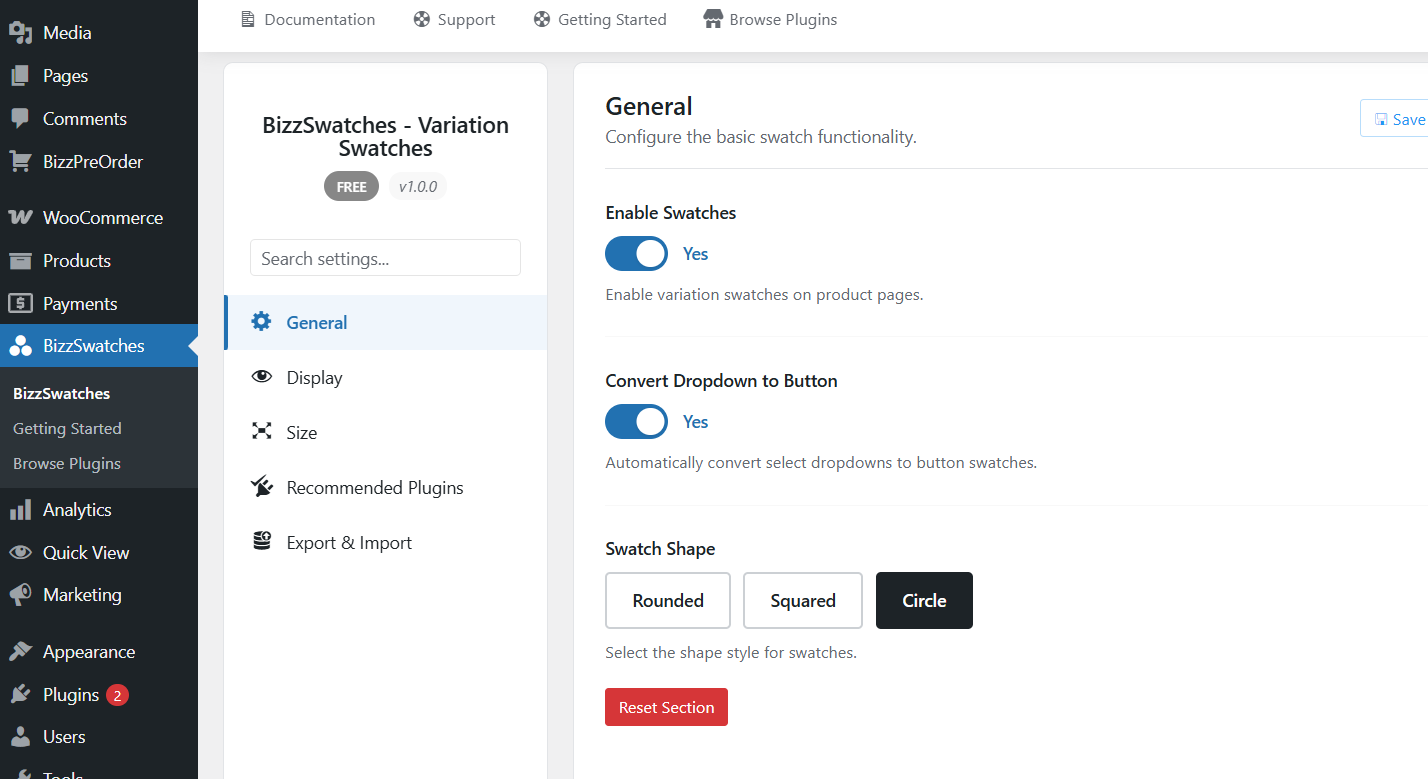
Visit Bizz Swatchs > Settings to configure:
- Enable/disable swatches
- Select swatch shape style
- Enable tooltip display
- Configure out-of-stock behavior
- Set swatch dimensions
- Auto-convert dropdowns to buttons
Details
Related plugins
Plugins that also contain the tag color-swatches
Product Variation Swatches for WooCommerce – Smart Swatches

XT Variation Swatches for WooCommerce

Custom Swatches for Iris Color Picker

Iris Color Picker Enhancer

Variation Swatches and Gallery for WooCommerce

Color and Label Variations for WooCommerce


About
Plugin for that tries to help you find the WordPress plugin you are looking for.
| Please enjoy an image of Crush (this awesome turtle) and have a lovely day! |  |
We do not own any plugin listed on this site and do not work for or work with WordPress.com or it's associated companies. We simply provide a searchable list of the available WordPress plugins.