


Block Control
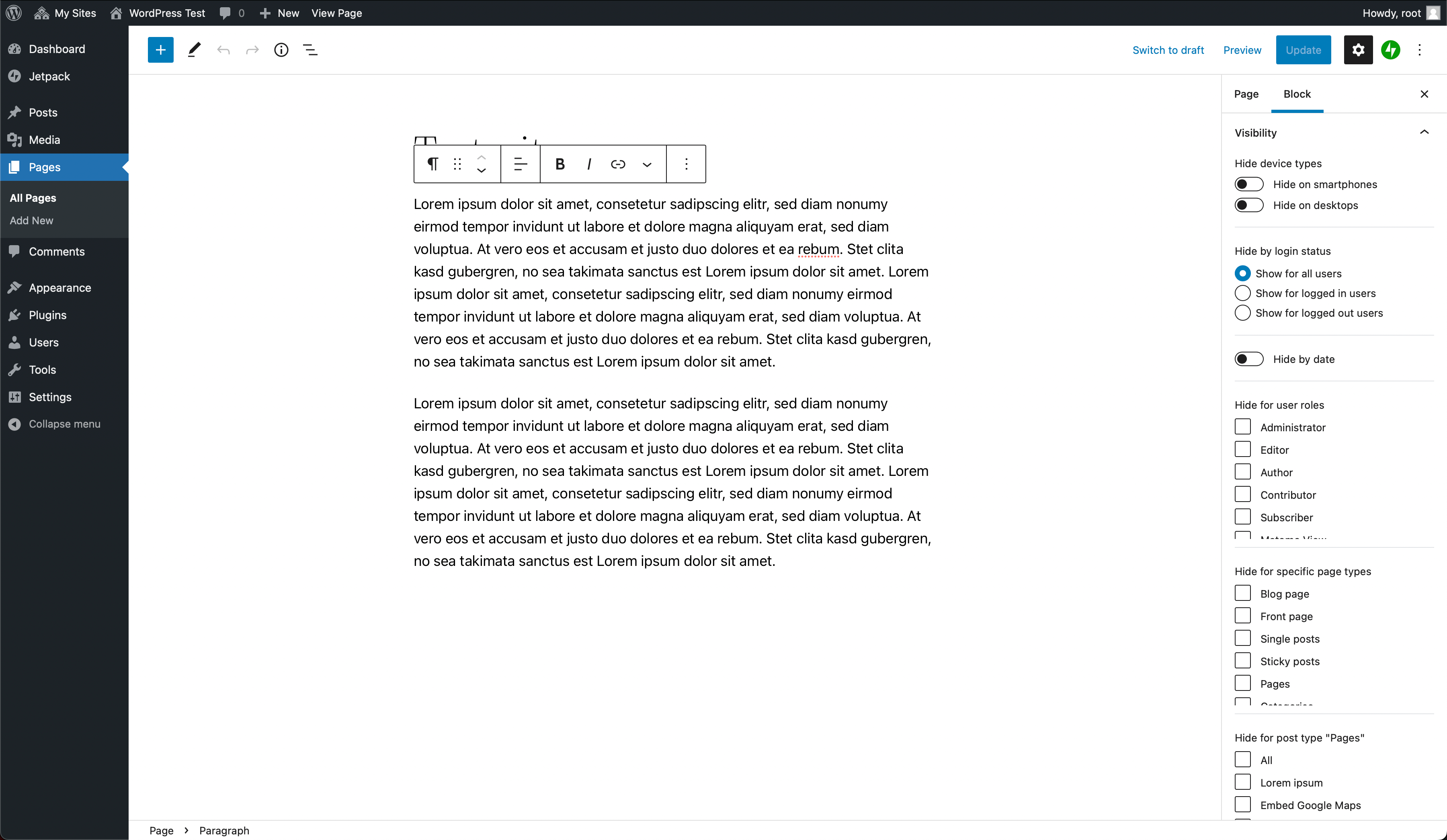
Have you ever used WordPress’ new block editor Gutenberg and wished for a way to influence, when and to whom blocks are shown? We’ve been in this situation, that’s why we came up with Block Control. This nifty little plugin allows you to control, whether a block should be displayed under certain circumstances or not. And that’s of course true for both WordPress’ default blocks and blocks added by third-party plugins.
You can hide blocks based on:
- Device types (desktop, mobile, screen reader)
- Login status
- Date (start and end date)
- User roles
- Page types
- Posts of the current post type
- Page number in numbered pages (in archives and search results)
Additionally, you can set an inline formatting to display certain text only for screen readers.
Details
Related plugins
Plugins that also contain the tag block
Spectra Gutenberg Blocks – Website Builder for the Block Editor

Breadcrumb NavXT

WP Go Maps (formerly WP Google Maps)

Otter Blocks – Gutenberg Blocks, Page Builder for Gutenberg Editor & FSE

PDF Embedder

Layout Grid Block


About
Plugin for that tries to help you find the WordPress plugin you are looking for.
| Please enjoy an image of Crush (this awesome turtle) and have a lovely day! |  |
We do not own any plugin listed on this site and do not work for or work with WordPress.com or it's associated companies. We simply provide a searchable list of the available WordPress plugins.