



Block Navigation
Demo – Documentation – GitHub
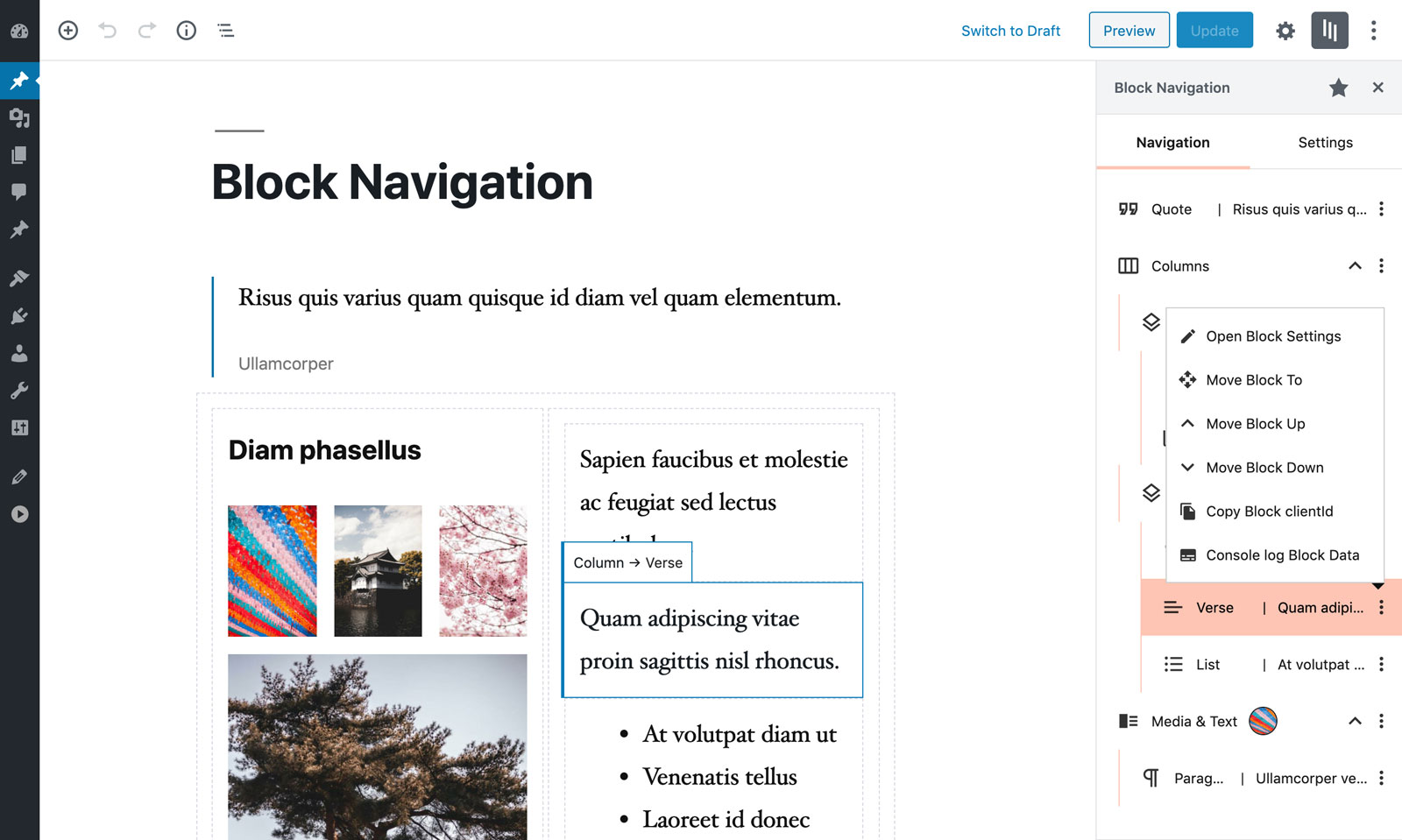
Block Navigation provides a sidebar with the current post/page’s blocks and some tools to facilitate the editing process in the new Gutenberg editor.
Features
The features are especially useful for nested blocks – blocks that are inside parent blocks which are difficult to select or move in the editor.
Inside the panel several utilities are included to enhance the UX, such as:
- Dragging blocks to a different location
- Moving blocks by click
- Selecting blocks
- Easily recognising the block from a small snippet of the block’s content
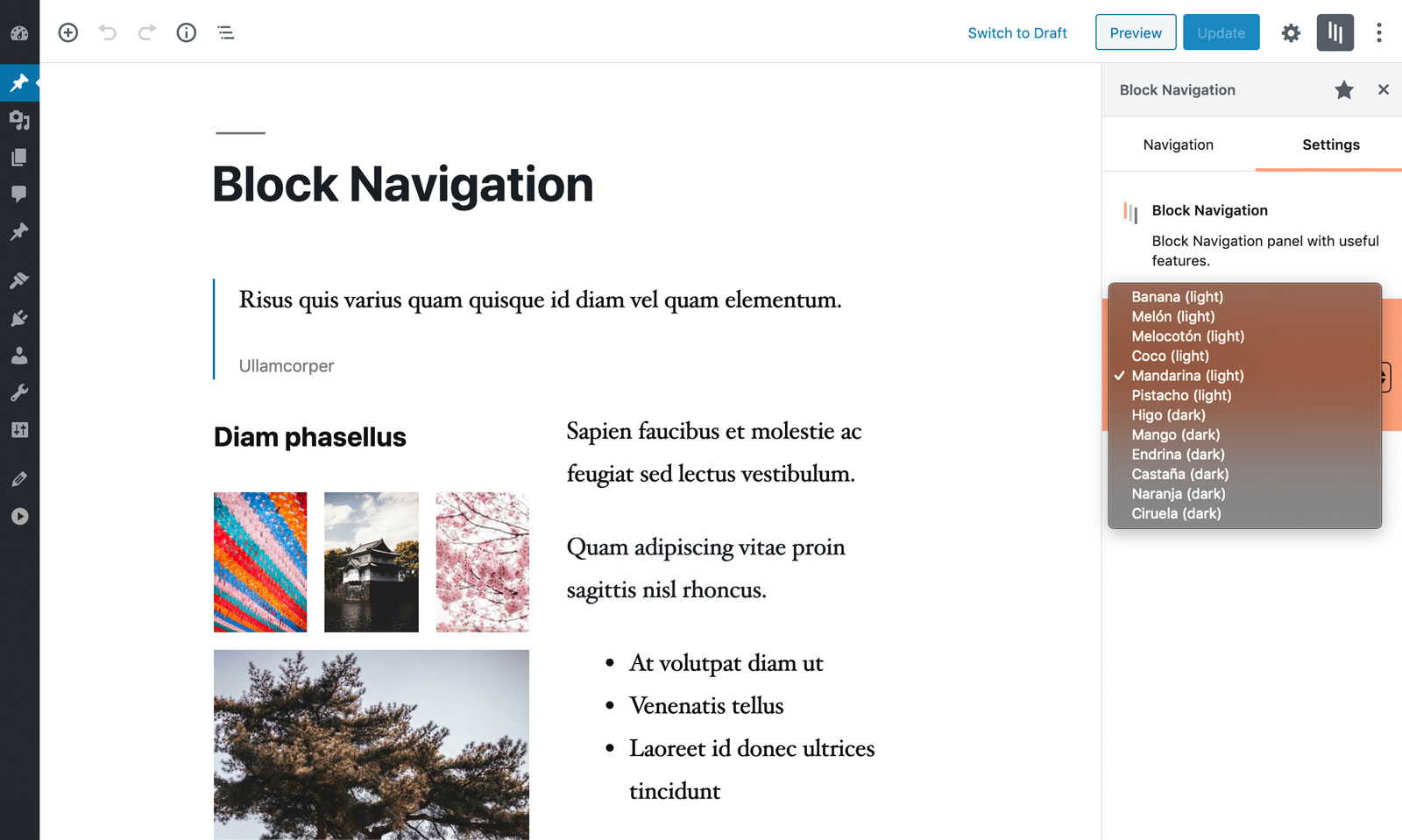
The user can select a dark or light color scheme, from the multiple included.
Plugin and Theme developers
The plugin also provides some features for Plugin and Theme developers, such as:
- Click and Copy the block’s clientId
- Click to console.log helpful data from the block
Usage
Inside the Post editor on the right side of the top Block’s Toolbar the plugin icon/button should appear (if not, please read the FAQ below).
Click the icon/button to open the plugin sidebar.
Credits
Images from the readme banner and screenshots belong to Charles Postiaux.
Details


Related plugins
Plugins that also contain the tag blocks
Spectra Gutenberg Blocks – Website Builder for the Block Editor

Kadence Blocks — Page Builder Toolkit for Gutenberg Editor

Extendify

Otter Blocks – Gutenberg Blocks, Page Builder for Gutenberg Editor & FSE

Page Builder Gutenberg Blocks – CoBlocks

GenerateBlocks


About
Plugin for that tries to help you find the WordPress plugin you are looking for.
| Please enjoy an image of Crush (this awesome turtle) and have a lovely day! |  |
We do not own any plugin listed on this site and do not work for or work with WordPress.com or it's associated companies. We simply provide a searchable list of the available WordPress plugins.