



Blocks for Discogs
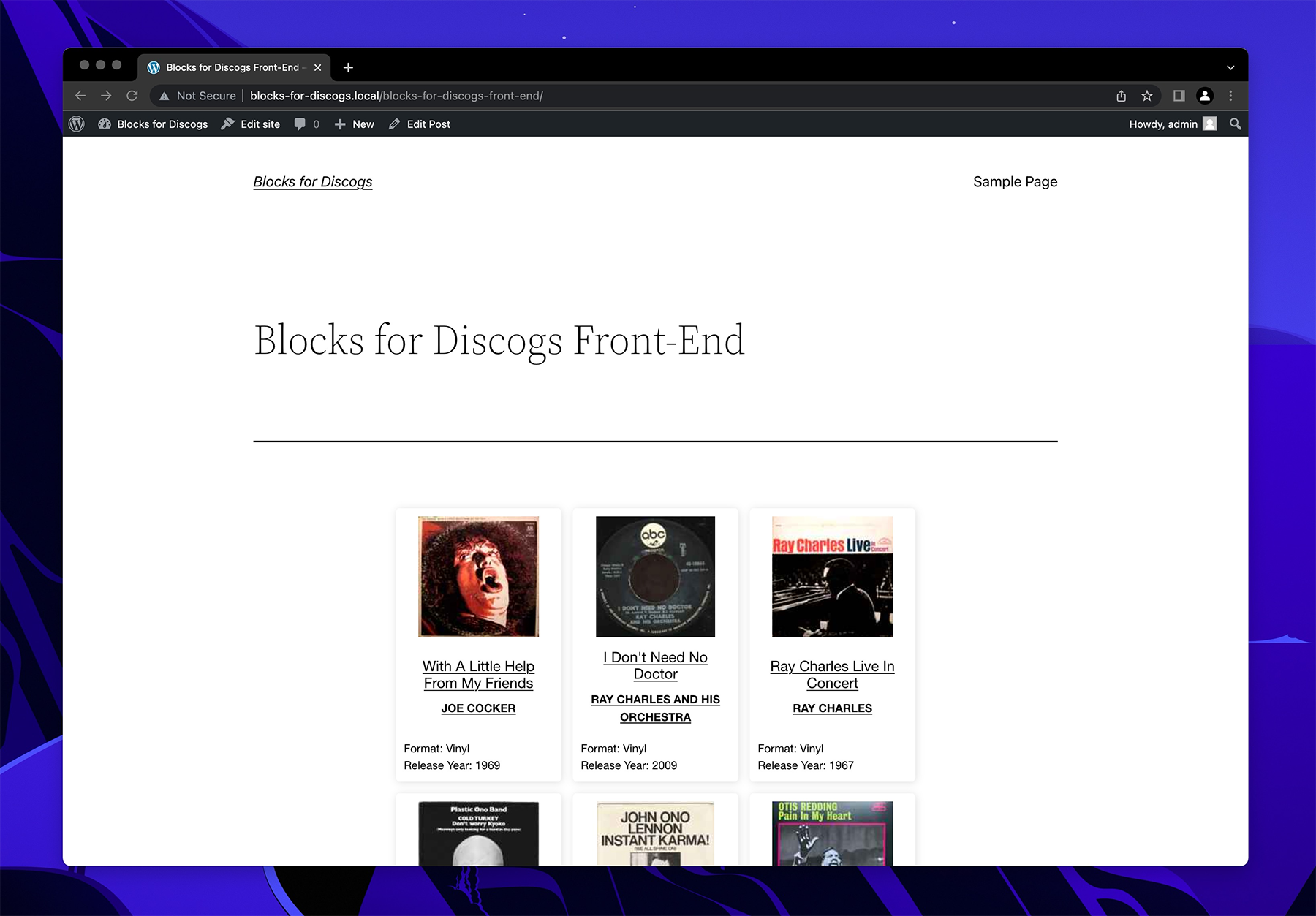
This is a WordPress plugin displays your music collection from Discogs.com in a WordPress Block. If you’re using the Classic Editor, or a page builder such as Elementor, then you can still use its built in short code [blocks-for-discogs].
A live demo can be seen at https://danielr.io/projects/blocks-for-discogs-demo/
Installation and Usage
- Install and activate the plugin.
- Navigate to Blocks for Discogs in the admin menu
- Enter your Discogs.com username (required). If you don’t already have a discogs.com account, you can register for a free account [here] (https://accounts.discogs.com/register).
- Enter your Discogs.com token (required). You can view or generate a token here.
- If you’re using the WordPress Block Editor, then you can search for the Blocks for Discogs block. Your collection will automatically be displayed, so as long as you have entered a valid username & token.
- If you’re using the Classic Editor, or a page builder such as Elementor, then you can use the shortcode [blocks-for-discogs].
This plugin employs infinite scroll to seamlessly load your collection as you continue to scroll. This is important to consider, as you will want to avoid placing content below this block/short code.
Currently only one block per page is supported, and only the default collection will be displayed. If you add multiple blocks to one page, only the first block will display content.
Why isn’t my collection displaying?
Ensure that both username and token are entered correctly. You must also ensure that your collection is publicly accessible by going here and enabling “Allow others to browse my collection”.
Is it possible to …
Currently with the initial release it is not possible to sort the collection, select a custom created collection, want lists, for sale lists, or customize how the collection displays. This functionality is intended to be added in future releases.
Details


Related plugins
Plugins that also contain the tag block
Spectra Gutenberg Blocks – Website Builder for the Block Editor

Breadcrumb NavXT

WP Go Maps (formerly WP Google Maps)

Otter Blocks – Gutenberg Blocks, Page Builder for Gutenberg Editor & FSE

PDF Embedder

Layout Grid Block


About
Plugin for that tries to help you find the WordPress plugin you are looking for.
| Please enjoy an image of Crush (this awesome turtle) and have a lovely day! |  |
We do not own any plugin listed on this site and do not work for or work with WordPress.com or it's associated companies. We simply provide a searchable list of the available WordPress plugins.