



Bobs Wishlist for WooCommerce
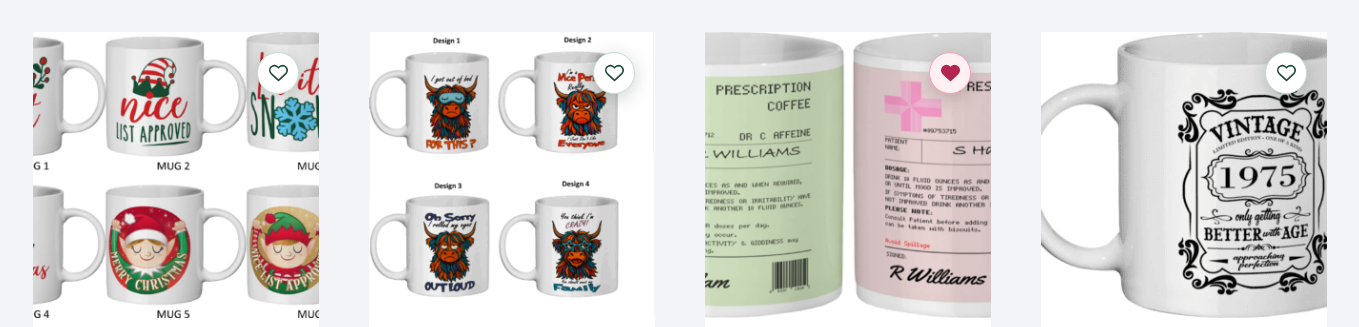
Bobs Wishlist for WooCommerce helps shoppers save products they like and return to them later. Every included feature is free, with no premium subscription, licence key or external wishlist service.
What shoppers can do
- Save and remove products with a heart button.
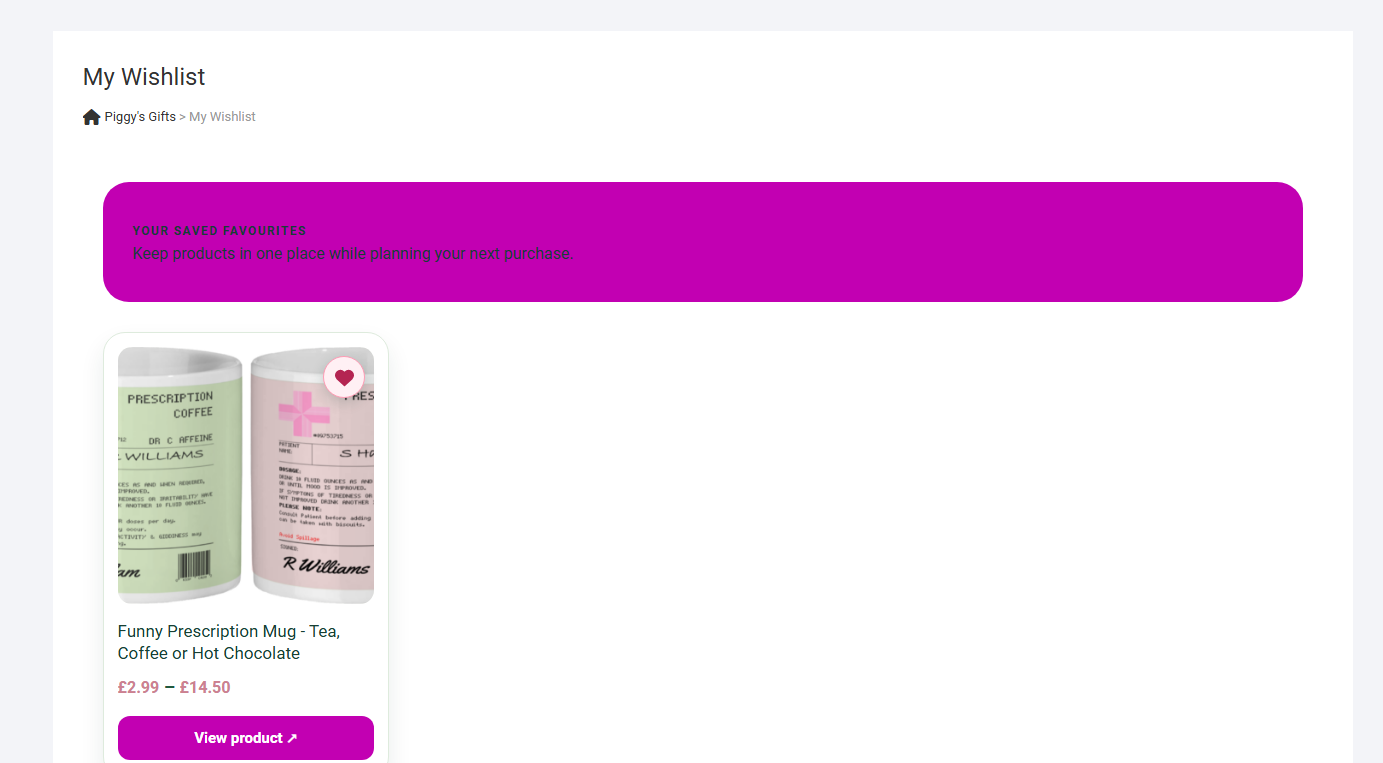
- Browse saved products on a dedicated My Wishlist page.
- Save a guest wishlist in their browser without signing in.
- Keep a wishlist in their WordPress customer account when signed in.
- Merge browser favourites into their account wishlist when they sign in.
What shop owners can customise
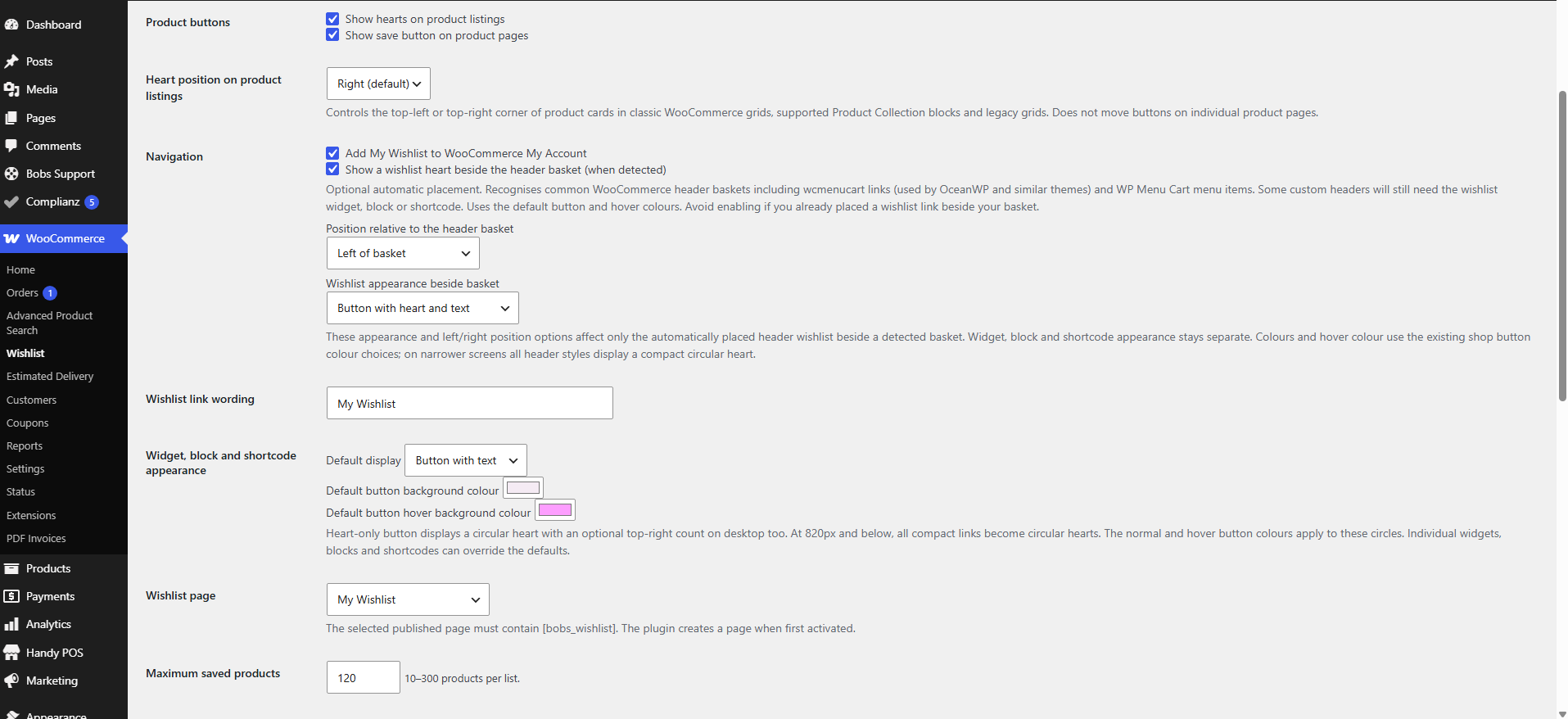
- Show hearts on standard product listing and individual product pages.
- Place listing hearts on the left or right of supported product cards.
- Add a wishlist link with a WordPress widget, block or shortcode.
- Choose a text link, coloured button with text or circular heart-only button, with optional saved-product counter.
- Set button background and hover colours, including individual widget and shortcode overrides.
- Optionally place the wishlist beside a recognised header basket, with separate left/right and appearance settings. This is off by default.
- Show a link under WooCommerce My Account.
- Change wording, accent colours and the maximum number of saved items.
Compatible with classic WooCommerce product templates and supported WooCommerce Product Collection layouts using the Product Image block. Some custom product layouts and JavaScript-rendered product grids require manual button placement; automatic insertion cannot be guaranteed for every theme.
Shortcodes
[bobs_wishlist]– full wishlist page.[bobs_wishlist_link]– simple wishlist link and count.[bobs_wishlist_widget]– configurable compact link.[bobs_wishlist_widget style="heart"]– circular heart link.[bobs_wishlist_widget style="button" color="#173f34" hover_color="#d9ff68"]– button with custom background and hover colours.[bobs_wishlist_button id="123"]– product wishlist button (replace 123 with the product ID).
Privacy and donations
Guest lists are stored in that visitor’s browser. Signed-in lists are stored in WordPress user metadata. WordPress privacy export and erasure tools can handle stored account wishlist data. No wishlist information is sent to a remote Bobs Stuff service. An optional Buy Me A Coffee / PayPal link appears only on the plugin’s own settings screen, and can be hidden for six months. Donation is not required for any feature.
Developed independently by Bobs Stuff. Requires the WooCommerce plugin. This plugin is not affiliated with or endorsed by WooCommerce or Automattic.
Privacy
The guest wishlist is stored in the visitor’s browser localStorage. Logged-in account wishlists are stored in WordPress user metadata and can be exported or erased with WordPress privacy tools. Store owners should mention this processing in their website’s privacy information. Using the optional donation link takes an administrator to PayPal only when clicked; it does not send data to PayPal automatically.
Details

Related plugins
Plugins that also contain the tag ecommerce
WooCommerce

WooCommerce PayPal Payments
Mailchimp for WooCommerce

PrettyLinks – Affiliate Links, Link Branding, Link Tracking, Marketing and Stripe Payments Plugin

Mercado Pago payments for WooCommerce

TI WooCommerce Wishlist


About
Plugin for that tries to help you find the WordPress plugin you are looking for.
| Please enjoy an image of Crush (this awesome turtle) and have a lovely day! |  |
We do not own any plugin listed on this site and do not work for or work with WordPress.com or it's associated companies. We simply provide a searchable list of the available WordPress plugins.