

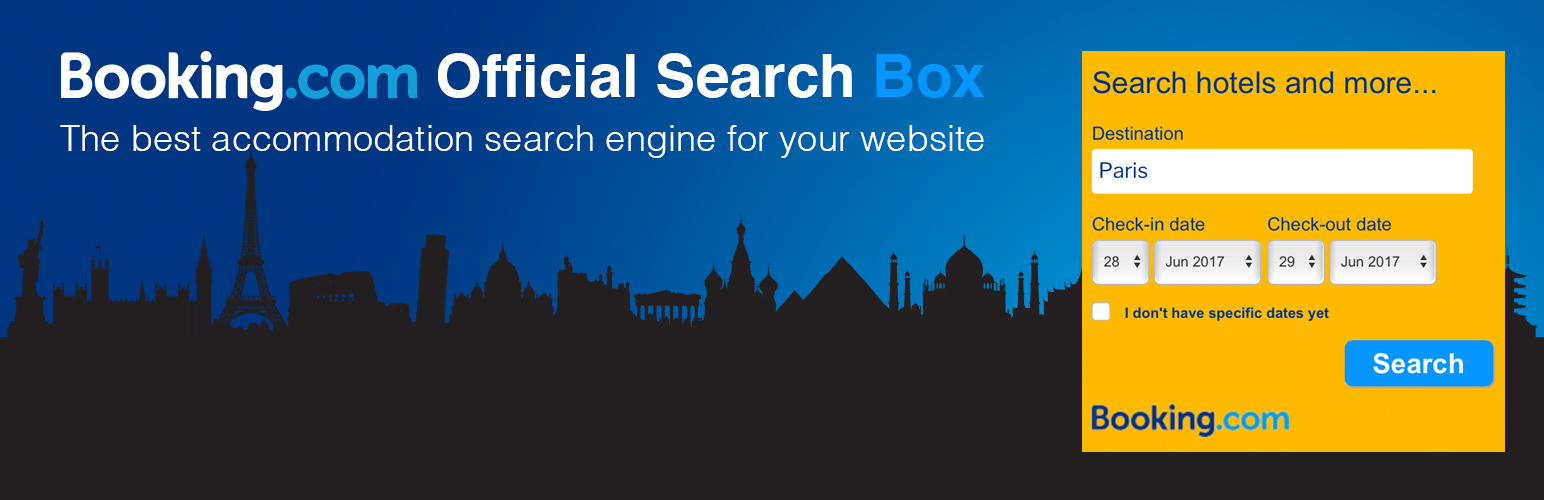

Booking.com Official Search Box
This plugin creates a search box that Booking.com Affiliate Partners can implement into their site using their affiliate ID.
If you’re not an Affiliate Partner yet, you can still implement the plugin. To get the most out of the plugin and earn commission, you’ll need to sign up for the Booking.com Affiliate Partner Programme.
To implement the search box, simply drag and drop the plugin to the sidebar Widget area to publish it – then you’re done!
Once installed, you can choose a pre-filled destination for the search box. This destination is linked to a destination ID, avoiding potential issues for multiple cities with the same name. You can also change the pre-filled destination for each page or post where the search box is displaying, thanks to the meta box feature showed at the end of the editing area.
You can even customize the colour, text, and size of the search box to fit your website design. Check the Features for more details.
Features
- Easy to use: No code or Javascript knowledge needed! We create a standard search box ready to be implemented in your site
- Responsive design: The search box automatically adapts to your website’s sidebar width
- Search box flexibility: Can have pre-filled destination in the search box with the option to have different pre-filled destinations on different pages and posts.
- Try it before you publish: You can preview the plugin in your settings before it goes on your website
- Multi-lingual search box and dashboard settings: Now available in over 40 languages and dialects.
- Performances: Css and Javascript loaded only when needed
- Support: You can always contact your Strategic Partnerships Technical Team for technical support
- Earn more: Join our Booking.com Affiliate Partner Programme
Possible customisation
- Add your aid ( Ex. 382821 ): pay attantion affiliate ID is different from partner ID which normally starts with a ‘4’.
- Adjust the width of the search box (min-width is 200px)
- Pre-fill the search field with a destination name to show filtered search results
- Add a flexible-dates feature
- Preset check-in and check-out dates
- Customize the Booking.com logo: Available in white or blue and three sizes (150×25, 200×33, 300×50)
- Change the logo position: Center, left, right
- Pre-set specific destination: To further filter search results you can determine the destination page type, such as city or landmark, as well as a specific destination ID
- Choose specific destination for posts and pages
- Change main colors: Background, text, button background, button border, button text
- Choose infinite colours from the colours picker
- And much more…
Details


Related plugins
Plugins that also contain the tag accommodation
WP Tripadvisor Review Widgets

WP Hotel Booking

Agoda Affiliate Partners Text Link Generator
Widgets for Hotels.com Reviews

Hotels & Airbnbs Map

LSX Content Importer for Wetu


About
Plugin for that tries to help you find the WordPress plugin you are looking for.
| Please enjoy an image of Crush (this awesome turtle) and have a lovely day! |  |
We do not own any plugin listed on this site and do not work for or work with WordPress.com or it's associated companies. We simply provide a searchable list of the available WordPress plugins.