



Bookzenix Lite – Appointment Booking
Bookzenix Lite adds a modern booking form to any page and a fast admin app for your team.
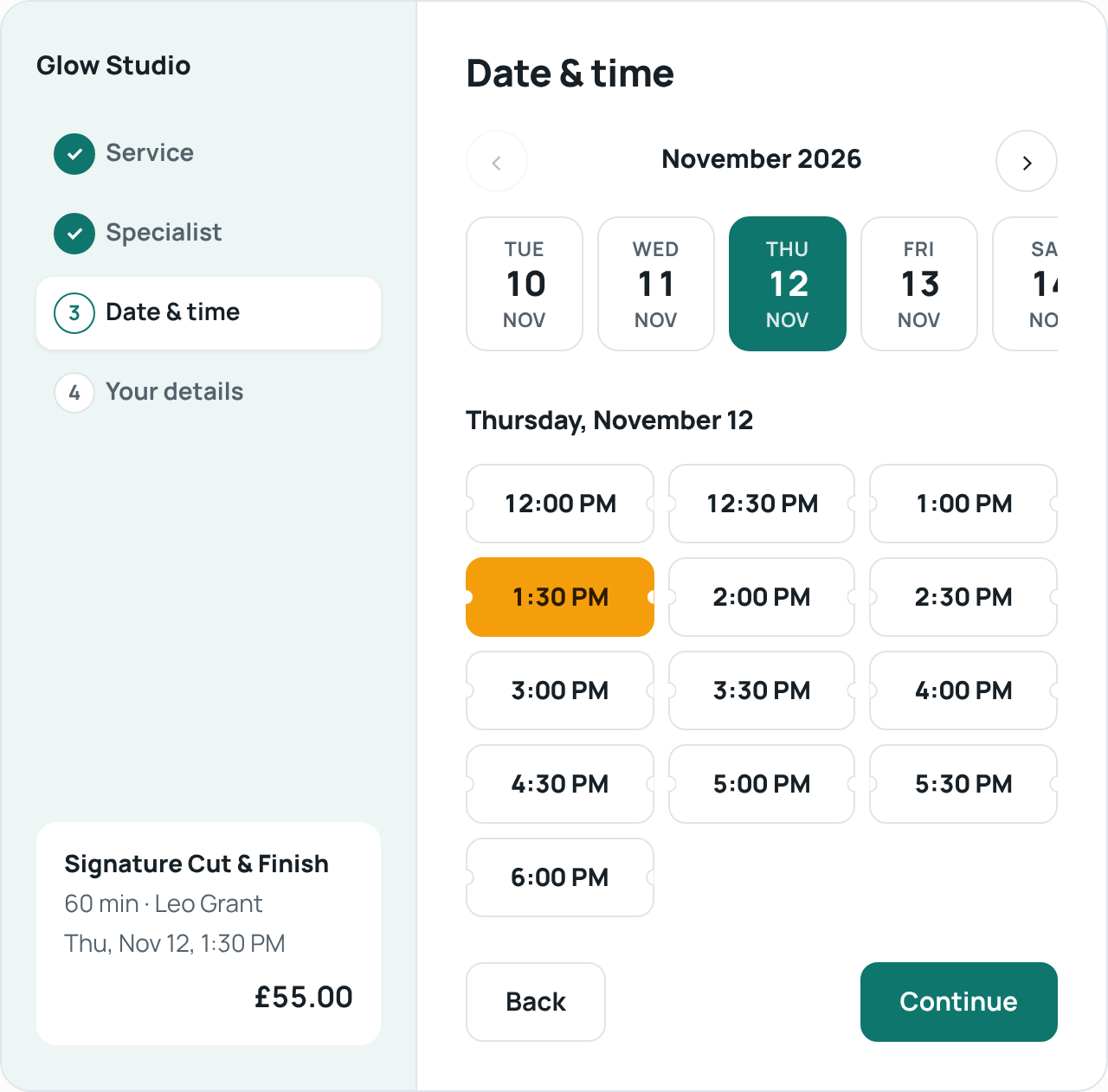
- Step-by-step booking: service specialist date & time details
- As many services, categories and staff members as you need
- Smart availability: working hours, split shifts, breaks before/after, days off and company holidays
- Day and week calendar, appointment list with filters, customer list
- Approve bookings automatically or by hand
- Email confirmations with an .ics calendar file, fully editable email templates
- Several services in one booking request through the REST API (
itemslist), for developers building their own forms - Design options: layouts (steps, sidebar, compact, pop-up), colours, fonts, shapes, button and card styles, labels
- Works with any theme: shortcode
[bookzenix_booking]or the “Bookzenix Booking Form” block - Times stored in UTC, shown in your WordPress timezone – daylight saving handled
- Translation ready, personal data export/erase support
What your customers get
Customers pick a service, a specialist and a free time, enter their details and get a confirmation email with an .ics file they can add to their own calendar. Bookings are confirmed automatically or after you approve them, and customers are emailed when you approve, reschedule or cancel. To change or cancel a booking, customers contact you and you update it in the admin calendar. Lite does not include an online customer account area.
Everything here is free
Every feature in this plugin works without a key, a time limit or a usage limit. There are no locked settings in this plugin.
A separate commercial plugin, Bookzenix Pro, is sold on bookzenix.com for businesses that need online payments, a customer account area, calendar sync, events, packages and similar extras. Pro is a different plugin download – nothing in this plugin is unlocked by it. If you switch, install Pro and your services, staff and bookings stay where they are.
External services
Bookzenix Lite does not connect to any external service. It does not load fonts, scripts or styles from other servers and does not send data anywhere. The fonts offered under Settings Design (Manrope, Inter, Poppins, DM Sans, Lato, Open Sans, Roboto, Montserrat) are included in the plugin under the SIL Open Font License – see assets/fonts/*/OFL.txt.
Privacy
Bookzenix stores the name, email, phone and note customers enter when booking, in your own WordPress database. It supports the WordPress personal data export and erase tools and adds a suggested paragraph to your privacy policy page.
To delete every table, option and role the plugin created when you uninstall it, add define( 'BOOKZENIX_REMOVE_ALL_DATA', true ); to wp-config.php before deleting the plugin. Without it, your bookings are kept in case you reinstall.
Details



Related plugins
Plugins that also contain the tag appointments
LatePoint – Calendar Booking Plugin for Appointments and Events

Booking for Appointments and Events Calendar – Amelia

Online Scheduling and Appointment Booking System – Bookly

Appointment Booking Calendar — Simply Schedule Appointments Booking Plugin

Fluent Booking – The Ultimate Appointments Scheduling, Events Booking, Events Calendar Solution

SimplyBook.me – Booking and reservations calendar


About
Plugin for that tries to help you find the WordPress plugin you are looking for.
| Please enjoy an image of Crush (this awesome turtle) and have a lovely day! |  |
We do not own any plugin listed on this site and do not work for or work with WordPress.com or it's associated companies. We simply provide a searchable list of the available WordPress plugins.