


BrikFront Page Builder for WooCommerce: Wishlist, Quick View, Variation Swatches & Side Cart
BrikFront adds fast, ready-designed sections and store features to a WooCommerce store built with the block editor. The sections take their colors, fonts, spacing and corners from your store’s style, so they fit your theme, and each one loads its small stylesheet only on the pages that use it.
Start from a store demo, add sections from the block inserter, and turn on only the store features you need. Every section shows all of its content without JavaScript, and saved pages keep working after every update: a block stores its settings, and the plugin draws it when the page opens.
Getting started
- Install and activate WooCommerce, then BrikFront.
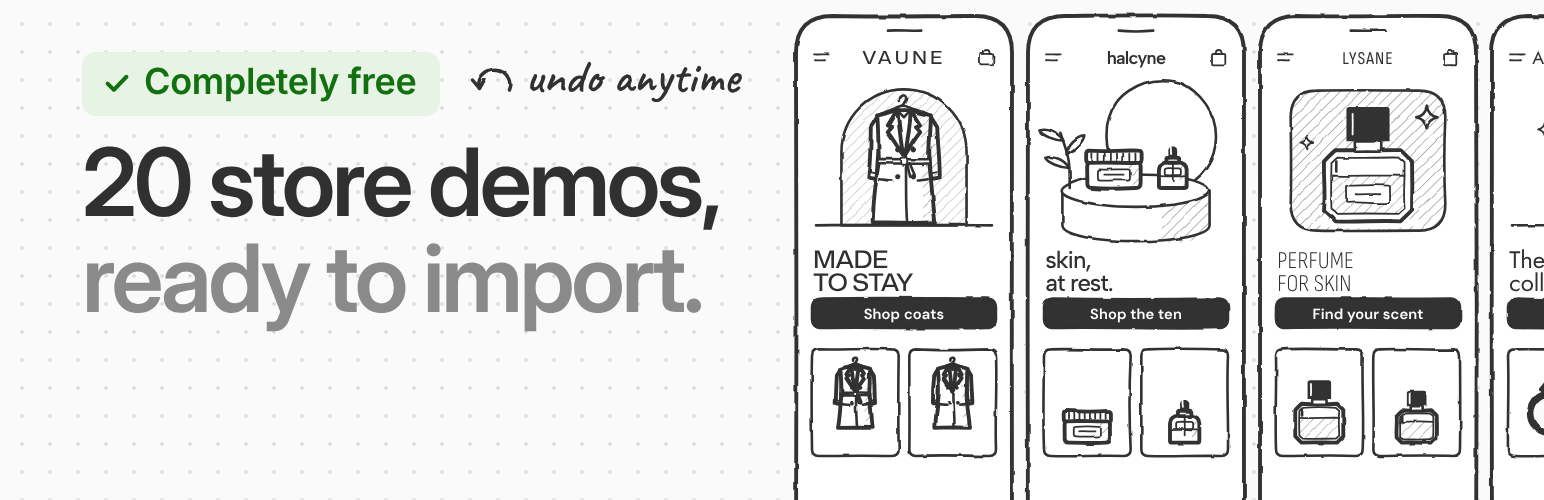
- To begin with a finished store, open BrikFront > Demos, pick a demo and press Import. Before anything changes, the screen lists what the demo adds and what stays as it is. Undo import puts everything back.
- To add a section to a page, open the page in the editor, press + (the block inserter) and pick a block from the BrikFront group.
- To add store features such as the side cart, wishlist, quick view or variation swatches, open BrikFront > Modules and switch them on. Each card has a Settings panel for its options; Module look sets an accent color and corners for all modules.
- Messages sent through a Form block are listed under BrikFront > Form entries. When the Newsletter popup module is on, sign-ups are listed under BrikFront > Subscribers.
Sections (blocks)
- Hero slider. Full-width slides with a photo, text and buttons. The first photo loads first and is never lazy-loaded, and phones can get their own photo. Slides pause on hover, on focus and in a hidden tab. A pause button is included, and “reduce motion” is respected. Without JavaScript, the slides become a strip you can swipe.
- Product slider. A row of products that slides, from WooCommerce’s own Product Collection (newest, best sellers, on sale, a category or hand-picked products). Set the number of cards per device and show part of the next card at the edge. Choose arrows below the row, next to the heading or on both sides, dots or a progress line, and an optional autoplay that stops as soon as the shopper takes over. Without JavaScript, the row still scrolls and snaps to each card.
- Tabs and option bands. Classic tabs, or a row of option bands (for example “what to wear, by temperature”). They work without JavaScript: the server draws the chosen panel.
- Testimonials. Customer quotes with their stars, as cards, a sliding row or one big quote, with the store’s real average rating if you want it.
- Shop the look. Photos with points on the products in them. A point opens the product’s name, price and link, and each photo can list its pieces with prices and a total.
- Product finder. A quiz, a size finder, a pet food planner or a set builder, then the products that fit.
- Announcement bar, scrolling text and mega menu. A line or a few rotating lines across the top of the store, a band of words or logos that slides across the page, and a menu item that opens a wide panel of links with a picture.
- Facts and documents. Label and value rows for a kit list, specs or big numbers, and a list of files to download (manuals, safety sheets) with each file’s type and size.
- Contact and quote form. Name, email, phone, message, choices and a consent box with a link to your privacy policy, in one or two columns. Messages arrive by email (Reply-To is the sender) and are kept under BrikFront > Form entries, with read and unread status, CSV export, WordPress’s personal data export and erase, and a retention period next to WooCommerce’s. On a product page, the form adds the product, its SKU and the options the shopper chose, so it works as a “request a quote” or product enquiry form. Spam is stopped without a captcha or an outside service: a hidden trap field, a time check and a limit per visitor. It works without JavaScript and on cached pages, and it loads only on pages that have a form.
- Buy button. A product’s price and add to cart button anywhere on a page.
- Product card look. A look for WooCommerce’s Product Collection block: an image shape from the style set, Sale, New and Sold out badges, and a second photo on hover that phones never download.
- Blocks for products and modules. Product badges and a short product spec line for product cards and product pages, and Wishlist, Compare, Share and WhatsApp buttons you can place anywhere.
- Style sets. Colors, type, spacing and corners come from the site’s style set (theme.json), so the sections follow your store’s look instead of carrying their own.
Store demos
Start from one of 20 ready-made stores under BrikFront > Demos, among them fashion, jewelry, skincare, perfume, electronics, food, furniture, garden, sports, toy, baby, health, art, music, coffee, gaming and pet stores.
- The whole store. The demo’s colors and fonts, home, about and contact pages, its header with the announcement bar, its footer and menu, the layouts of the shop, category, product, cart and checkout pages, the front page and the modules the demo uses. Header, footer and page layouts need a block theme; if the BrikFront theme is installed, you can switch to it in the same step.
- Sample products when you want them. A new store gets the demo’s sample products in categories (some with color and size options) and their “goes with it” suggestions in the cart. If the store has no shipping yet, it also gets the demo’s shipping (free over an amount, otherwise a flat rate). A store that already has products can choose, and a store with orders never gets sample products: the demo’s product lists show your own products, and its category links go to your own categories. Your products, orders, customers and shipping settings are not touched.
- Your own photos, or none to clean up. Without sample products, your own photos and categories fill the design. With them, pictures are colored stills in the demo’s colors, noted in your Media Library.
- One-click undo. Undo removes everything the import added and puts back every setting it changed. A demo product that has already been ordered stays, with its pictures.
Store features (modules)
BrikFront brings together store features that usually need one small plugin each. Turn on only the ones you want under BrikFront > Modules. A module that is off loads nothing: no code, no styles, no requests. If your theme or another plugin already does the same thing, the Modules page says so, and where two would clash (two quick views, two sales popups), BrikFront’s stays off. A button that names the other plugin can turn it off for you, and the module’s card turns it back on; nothing is turned off unless you press it.
Product page
- Photo and video reviews. A star summary with filters, review titles, a Helpful button, and customer photos and videos without their location data.
- Variation swatches. Color, image and button swatches instead of dropdowns, on product pages and as color dots on product cards.
- Video in the gallery. Product videos from YouTube, Vimeo or your media library, played from a button on the product photo. Nothing loads from YouTube or Vimeo until the shopper presses play.
- Size guide. A size chart in centimeters and inches, with how to measure, for all products, chosen categories or one product.
- Custom product tabs. Extra tabs shared by all products or by chosen categories, and tabs for a single product.
- Sticky add to cart. A bar with the price and the add to cart button stays in view as shoppers scroll down.
- Add to cart without reload. Ajax add to cart on the product page for simple and variable products, with a short notice instead of a page reload.
- Buy now. A buy now button next to add to cart that goes straight to checkout with the product.
- Quantity buttons. Plus and minus buttons around the quantity field on product and cart pages.
- Sale countdown. A countdown timer to the end of a product’s sale, from the sale dates you set.
- Share buttons. WhatsApp, Facebook, X, Pinterest, email and copy link, with link previews.
Shop and category lists
- Quick view and quick add. Shoppers open a product in a window, pick its options and add it to the cart without leaving the list.
- Product badges. Sale, New and Sold out badges on product photos.
- Load more. A “Load more products” button or infinite scroll instead of page numbers.
Cart
- Side cart. A light cart drawer, or a short note under the cart icon, that opens without leaving the page, with quantities, a free shipping bar, a discount code field, suggestions and checkout.
- Free shipping bar. Shows how much more to spend for free shipping, read from your shipping settings.
Whole store
- Wishlist. Shoppers save products with a heart, as guests or signed in, and share their list.
- Compare. A comparison table of the products a shopper picked, with the differences marked.
- Recently viewed products. The products a shopper looked at last, in a row on the product page.
- Live search. Ajax product search with product and category suggestions while shoppers type.
- WhatsApp chat and order on WhatsApp. A click-to-chat button on every page, and “Order on WhatsApp” on products and the cart with the order details filled in.
- Mobile bottom bar. Home, shop, search, account, cart and a link of your own at the bottom of phone screens.
- Newsletter popup. A polite email popup, shown once, with a consent box and an optional coupon code. Sign-ups are listed under BrikFront > Subscribers (search, CSV export, WordPress’s personal data export and erase). BrikFront sends no email itself; an email tool can pick up each new address from the brikfront_newsletter_subscribed action.
- Recent sales notice. A sales popup for social proof, from real recent orders only, with the buyer’s name shortened (“Anna K.”). A store without recent orders shows nothing.
- Catalog mode. Hide prices and add to cart for everyone or for visitors who are not signed in, in the whole store or in chosen categories.
- Age verification. An age check before the store or chosen categories.
- Back to top. A round button that takes shoppers back to the top of long pages.
- Speed. Loads WooCommerce, Contact Form 7 and Stripe files only on the pages that need them, so pages show sooner.
BrikFront works with block themes and with classic themes such as Astra, Blocksy, Kadence and Flatsome. It requires WooCommerce.
Credits
The demo fonts ship with the plugin and are served from your own site: Albert Sans, Anton, Archivo, Barlow, Barlow Condensed, Bricolage Grotesque, Chakra Petch, Dela Gothic One, DM Mono, DM Sans, Familjen Grotesk, Figtree, Fragment Mono, Funnel Display, Funnel Sans, Gabarito, Geist Mono, Host Grotesk, IBM Plex Mono, Instrument Sans, Inter, Inter Tight, JetBrains Mono, Jost, Lexend, Michroma, Mona Sans, Nunito, Nunito Sans, Onest, Public Sans, Sofia Sans, Sofia Sans Condensed, Sora, Syne, Unbounded and Urbanist, all under the SIL Open Font License 1.1 (each license is in the demo’s fonts folder). The setup guide’s handwritten notes use Caveat, also under the SIL Open Font License 1.1 (assets/fonts/caveat/OFL.txt).
The WhatsApp, Facebook, X, Pinterest and Telegram marks on the share and WhatsApp buttons are drawn from Simple Icons 16.36.0 (https://simpleicons.org), released under CC0 1.0. Each mark is a trademark of its company.
External services
BrikFront sends nothing to an outside service on its own: no tracking, no license check, no calls home, and no fonts or scripts from other servers. Two modules can connect a shopper’s browser to another service, only when the store turns them on and only when the shopper asks for it:
- YouTube and Vimeo (Video in the gallery module). When the store adds a product video from YouTube or Vimeo and a shopper presses its play button, the video player loads from YouTube’s privacy-enhanced address (www.youtube-nocookie.com) or from Vimeo (player.vimeo.com). Nothing loads from them before that press. As with any embedded video, the player receives the video’s ID, the page’s address and the shopper’s browser details, such as the IP address. YouTube: Terms of Service, Google Privacy Policy. Vimeo: Terms of Service, Privacy Policy.
- WhatsApp (WhatsApp chat and order on WhatsApp module). The chat and “Order on WhatsApp” buttons are links to wa.me. A shopper who presses one opens WhatsApp with the store’s number and a message filled in (for an order: the products, their options and quantities, coupons and the total); nothing is sent before the press, and the shopper sends the message. WhatsApp: Terms of Service, Privacy Policy.
The share buttons (Share buttons module) are plain links: pressing one opens WhatsApp, Facebook, X, Pinterest, Telegram or an email app with the product’s name and address, and nothing is sent before that.
The setup guide (BrikFront > Modules > Setup guide) offers BrikPanel, our free admin plugin from WordPress.org, in its last step. Only when you press “Install and activate BrikPanel”, WordPress’s own plugin installer gets BrikPanel’s details from WordPress.org (api.wordpress.org) and downloads it from downloads.wordpress.org, exactly as Plugins > Add New does, with what WordPress sends for any plugin install (the plugin’s name, your WordPress version and language, and your site’s address); then the same press activates it. Nothing is asked before that press, and nothing is installed from anywhere else. WordPress.org: Privacy Policy.
Source code
All of BrikFront’s code is in the plugin and readable. A few files are built from a source file that ships next to them:
- Block editor scripts. Each
blocks/<block>/index.jsis built fromblocks/<block>/edit.jsxand the files it imports fromblocks/_shared/. The same build writes theindex.asset.phpbeside it andblocks/blocks-manifest.php(every block’sblock.jsonas PHP). - Minified styles and scripts. Every
name.min.cssandname.min.jsis built fromname.cssorname.jsin the same folder (inblocks/,modules/,assets/css/,assets/kit/andassets/front/). All other scripts and styles are used as written. - Build tool. esbuild 0.25.10, run by
tools/build.mjs. The build script ships with the plugin, together withtools/package.jsonandtools/package-lock.json. To rebuild with Node.js 18 or newer: open thetoolsfolder, runnpm ci, thennode build.mjs.node build.mjs --checklists any built file that does not match its source. - Third-party code. None. The demo fonts, the setup guide’s handwriting font and the brand marks of the share buttons are listed under Credits, with their license.
Details
Related plugins
Plugins that also contain the tag quick-view
WPC Smart Quick View for WooCommerce

YITH WooCommerce Quick View

Pre-Orders, Product Labels, Buy Now, Quick View, Discount Rules and More for WooCommerce – Merchant

Direct Checkout – Quick View – Buy Now For WooCommerce

StoreGrowth: Smart Sales Booster for WooCommerce | BOGO, Upsells, Direct Checkout, Quick View, Side Cart

Quick View WooCommerce


About
Plugin for that tries to help you find the WordPress plugin you are looking for.
| Please enjoy an image of Crush (this awesome turtle) and have a lovely day! |  |
We do not own any plugin listed on this site and do not work for or work with WordPress.com or it's associated companies. We simply provide a searchable list of the available WordPress plugins.