

This plugin is outdated and might not be supported anymore
Back

Brozzme Plugins Thumbnails
Details
View on WordPress
Back
Add thumbnail column to plugins displays thumbnails for WordPress plugins on the plugins list page, on admin (wp-admin/plugins.php).
Brozzme Add Plugins Thumbnails would help to easily identify plugins. Add your own thumbnails for premiums or personal plugins.
Just activate plugin to see thumbnail.
Options
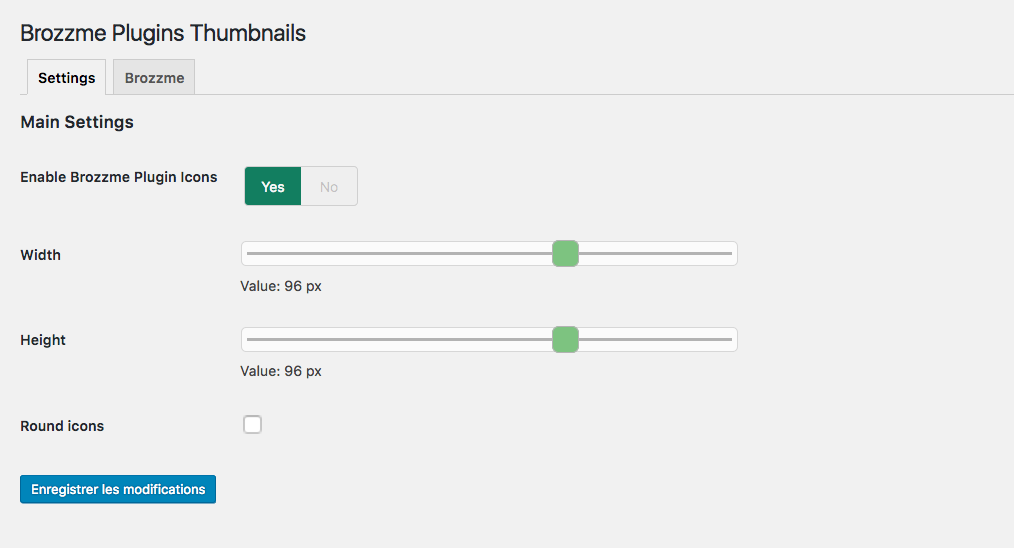
- Icon width and height
- Round icon
- Reset transients
- Transient expiration
- Add your special thumbnails
Behaviour
- thumbnail from wordpress.org repository
- thumbnail fallback with text, random colors or your own thubnails
- specials links to the thumbnails
- transients
Details
Plugin code:
brozzme-add-plugins-thumbnails
Plugin version:
1.4.5
Author:
Outdated:
Yes
WP version:
4.7 or higher
PHP version:
5.6 or higher
Test up to WP version:
5.8.10
Total installations:
70
Last updated:
2021-10-28
Rating:
Times rated:
3
add
admin
icon
list-table
thumbnails


Related plugins
Plugins that also contain the tag add
Pages with category and tag

Timeline Express HTML Excerpts Add-on

SB RSS feed plus

Permalink Trailing Slash Fixer

Bulk Term Editor

JC Recaptcha


About
Plugin for that tries to help you find the WordPress plugin you are looking for.
| Please enjoy an image of Crush (this awesome turtle) and have a lovely day! |  |
We do not own any plugin listed on this site and do not work for or work with WordPress.com or it's associated companies. We simply provide a searchable list of the available WordPress plugins.