



Bulwarden
Bulwarden is the site agent, installed on each managed
WordPress site. It exposes a signed REST API (jgm/v1) that a Bulwarden
hub calls to read health and security data and to trigger updates. The hub
is a separate application — it is not part of this plugin — and this plugin
talks to no hub at all until you pair it with one.
Features
- Site health snapshots (versions, pending updates, disk, WordPress Site Health tests)
- Full plugin & theme inventory (version, active status, available update) per site
- Configuration-level security checks with a posture score
- Remote core / plugin / theme updates, wrapped in maintenance mode
- Zero-knowledge encrypted backups: the passphrase stays on your server and is never transmitted
- A dashboard card showing who maintains this site and how to reach them
Pairing
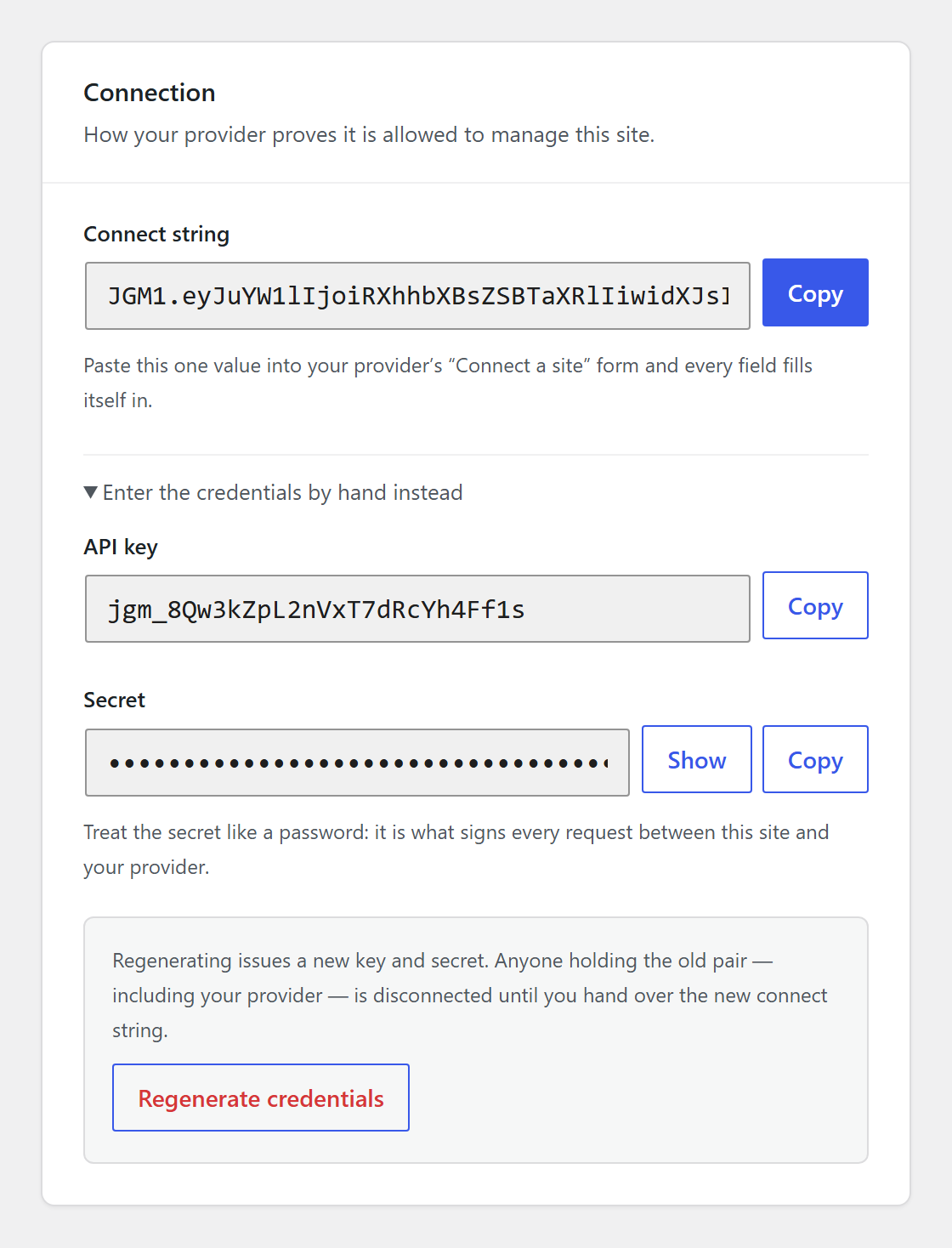
On activation the plugin provisions an API key + secret. Copy the connect
string from the Bulwarden entry in the WordPress admin menu and paste
it into the hub’s “Connect a site” form. Your provider’s support details are
then pushed to the site automatically by the hub and appear on the dashboard.
Security
Hub client requests are authenticated with the per-site API key and an
HMAC-SHA256 signature over the method, route, timestamp, and body. Timestamps
outside a 5-minute window are rejected to limit replay. The secret never
travels on the wire — it lives only in this plugin and in the hub webapp.
Privacy
Bulwarden is a client agent: on its own it sends data nowhere. Pairing this
site with a hub (yours, or your maintenance provider’s) is an explicit,
opt-in action — you choose when to copy the connect string from the Bulwarden
screen in the WordPress admin menu and hand it to that hub. Nothing is
transmitted before that.
Once paired, data only moves in these cases:
- Health, inventory, and security checks. The paired hub reads these from
this site’s signed REST API when it polls or when a check is requested —
WordPress/plugin/theme versions and update status, a full plugin & theme
inventory, disk usage, and the configuration-level security posture score. - Backups, only when triggered (the Settings screen’s “Back up now”
button, or a request from the paired hub): the full site is archived and
encrypted on this server with a passphrase that is never transmitted
anywhere, then the ciphertext is uploaded to the hub. Only someone who has
the passphrase can decrypt a backup — the hub operator cannot read its
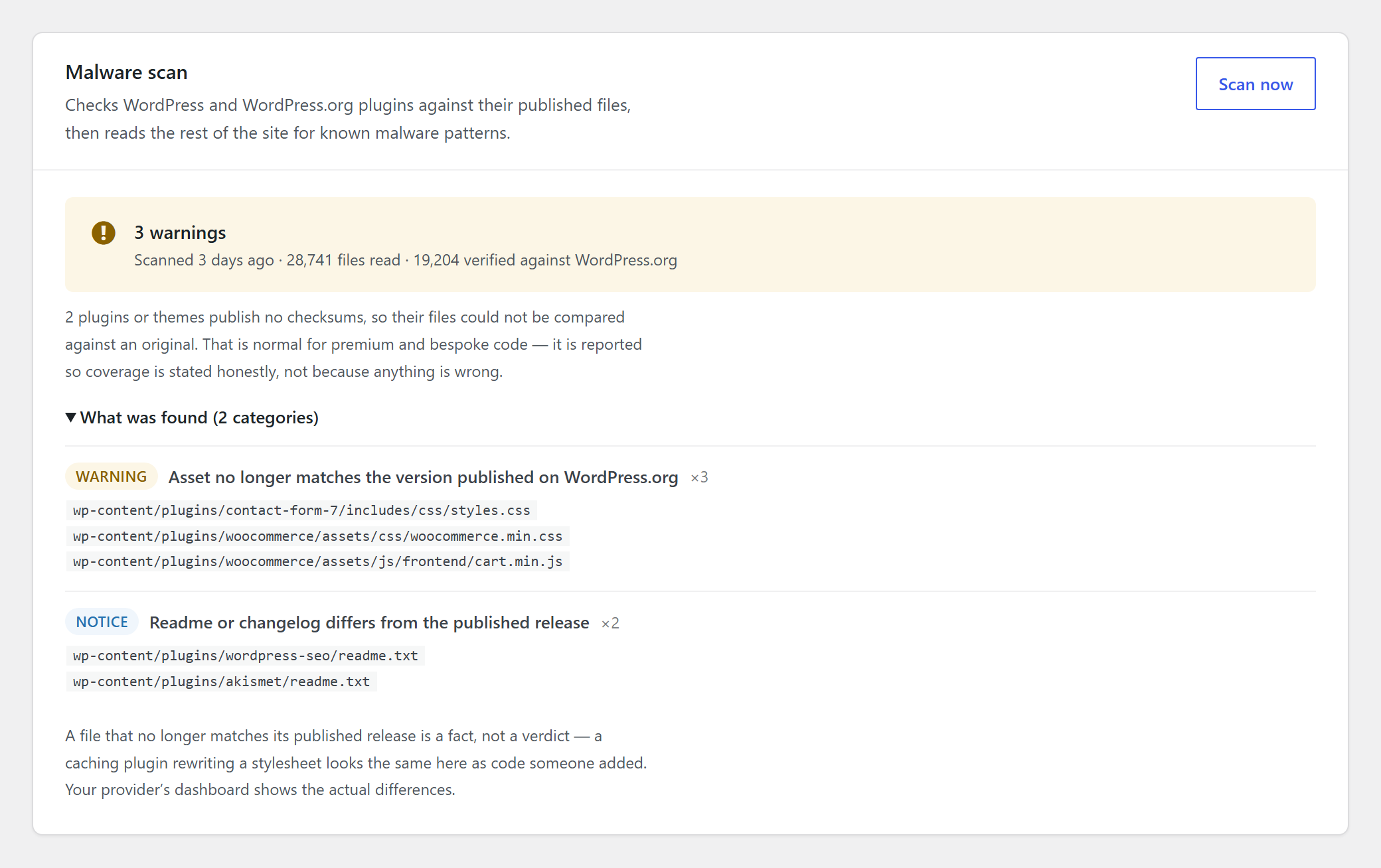
contents. - Malware scan results, only when a scan is triggered (admin- or
hub-initiated): findings (type, severity, file path, line, and a short
excerpt) are sent to the hub that requested the scan. - Finishing an interrupted update, when the paired hub asks. Nothing is
sent in that exchange; the site runs WordPress’ own database upgrade, or
deletes an expired.maintenancelock file, and reports the outcome.
Independently of any hub pairing, this plugin verifies WordPress core and
wordpress.org-hosted plugin files by comparing local file hashes against the
public checksum APIs at api.wordpress.org and downloads.wordpress.org.
Those requests carry only what identifies the release to look up — the
WordPress version and locale, and each plugin’s slug and version. No file
contents, hashes, URLs or user data are sent: the reference checksums come
back and the comparison happens here, on this server.
Bulwarden does not call home on activation, does not collect analytics, and
stores data on no server this site hasn’t been explicitly connected to. The
hub itself is a separate service outside this plugin’s control; consult your
provider for how it handles the data described above.
External services
This plugin connects to the services below. Nothing here runs on activation.
Your Bulwarden hub
Bulwarden is the site-side agent for a hub — the management application an
agency or site owner runs to watch and maintain a fleet of WordPress sites. The
hub is a separate product and is not part of this plugin.
The default hosted hub is operated by Bulwarden at https://bulwarden.net/ —
terms of use: https://bulwarden.net/terms/ , privacy policy:
https://bulwarden.net/privacy/ . A hub can also be self-hosted, or run by the
maintenance provider you buy from, in which case this plugin talks to that
provider’s server instead and their terms and privacy policy apply.
No connection to any hub exists until you make one. You pair a site by
copying the connect string from the Bulwarden screen in the WordPress admin
menu and pasting it into the hub; before that the plugin contacts no hub at
all, and it never discovers or chooses one on its own. Once paired, data moves only in these cases:
- When the hub asks for status. It reads this site’s signed REST API and
receives WordPress/plugin/theme versions and update status, the full plugin
and theme inventory, disk usage, the results of WordPress’ own Site Health
tests, and the configuration-level security posture score. - When a backup runs (you press “Back up now”, or the hub requests one).
The site is archived and encrypted here, with a passphrase that is never
transmitted, and only the ciphertext is uploaded. The hub operator cannot
read a backup’s contents without that passphrase. - When a malware scan runs (started by you or by the hub). The findings —
type, severity, file path, line number and a short excerpt — are sent to the
hub that asked for the scan. - When the hub pushes your provider’s support details — their name, logo,
support address and accent colour — on connect and whenever they change
them. Nothing is sent from the site in that exchange.
Every one of those requests is authenticated with this site’s own API key and
an HMAC-SHA256 signature; the shared secret never travels over the wire.
api.wordpress.org and downloads.wordpress.org
The malware scan verifies WordPress core and wordpress.org-hosted plugins
against their published checksums, using WordPress.org’s own public APIs at
https://api.wordpress.org/core/checksums/1.0/ and
https://downloads.wordpress.org/plugin-checksums/. This happens whenever a
scan runs, whether or not the site is paired with a hub.
These requests identify only the release being looked up: the WordPress version
and locale, and each installed plugin’s slug and version. No file contents,
hashes, site URL or user data are sent — the reference checksums are returned
and compared locally.
These are WordPress.org services, covered by the WordPress.org privacy policy:
https://wordpress.org/about/privacy/
Details



Related plugins
Plugins that also contain the tag maintenance
Hostinger Tools

Maintenance

WP Maintenance

XO Security

Error Log Monitor

Under Construction, Coming Soon & Maintenance Mode

About
Plugin for that tries to help you find the WordPress plugin you are looking for.
| Please enjoy an image of Crush (this awesome turtle) and have a lovely day! |  |
We do not own any plugin listed on this site and do not work for or work with WordPress.com or it's associated companies. We simply provide a searchable list of the available WordPress plugins.