


Burnpedia Image Maker – Social Image Designer with 130 Templates
Burnpedia Image Maker is not affiliated with, endorsed by or sponsored by
Pinterest, Inc. Pinterest is their trademark, named here only to say what the
images are for and where the one optional feature posts them.
Every post you publish deserves a Pin, and making one is usually a trip to another
website: export the photo, upload it somewhere, fight a template, download it,
come back. This plugin puts the whole thing inside WordPress.
It is a Pinterest pin designer that lives in your dashboard – a pin maker
that already knows the post you are writing about, so there is no upload step and
no second tab.
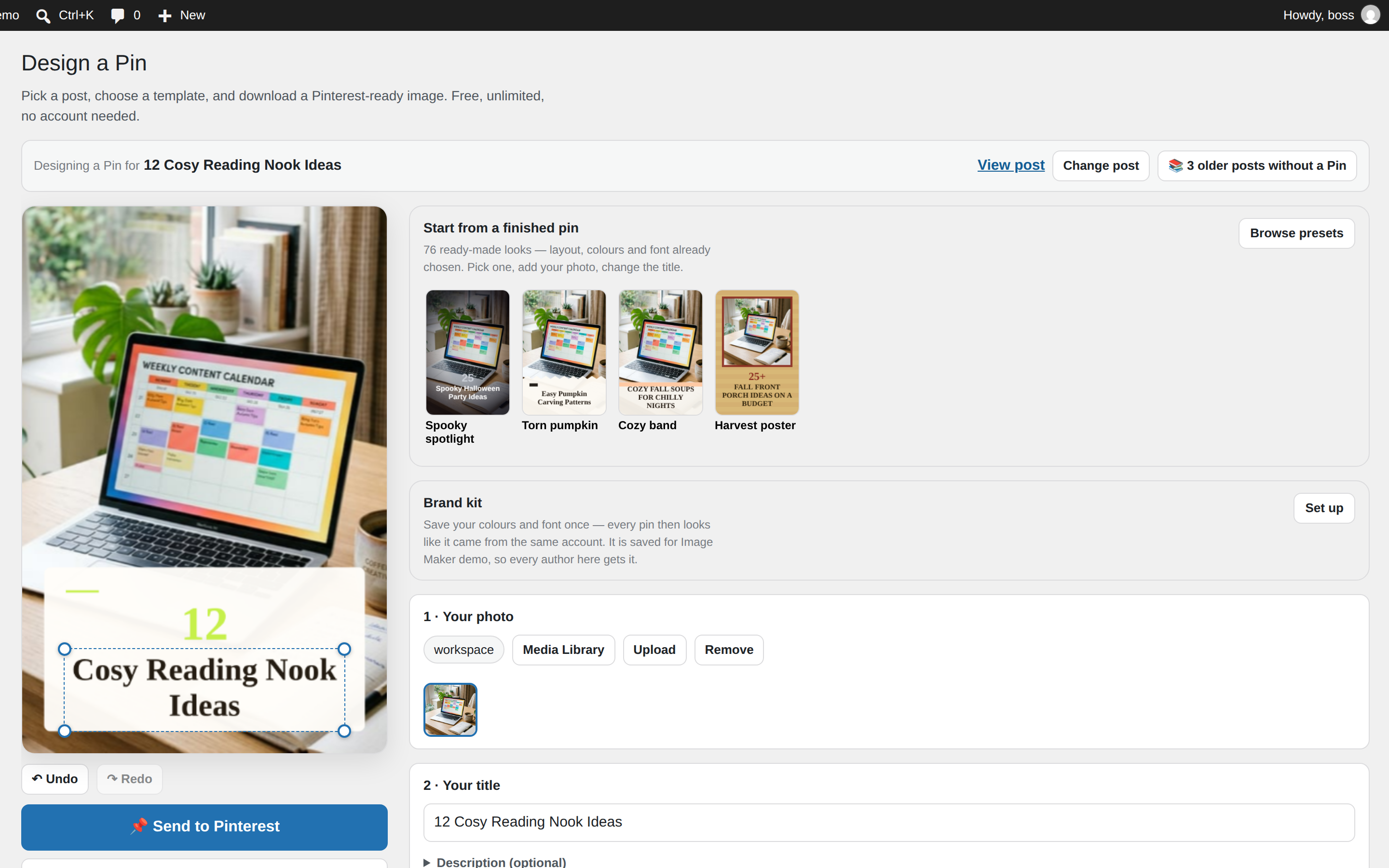
Open a post and the canvas is already composed — the featured image in place,
the post title as the headline, a sensible template, a 2:3 Pinterest canvas, the
permalink attached. Change what you want and download it. Most Pins take under a
minute.
Do I need an account? No — not to design, not to download, not to save to your
Media Library. All of that runs in your browser, on your own site, with no limit,
no watermark and no sign-up. An account is needed for one optional thing: posting
the finished Pin to Pinterest for you. That is described plainly under External
services below.
What you get
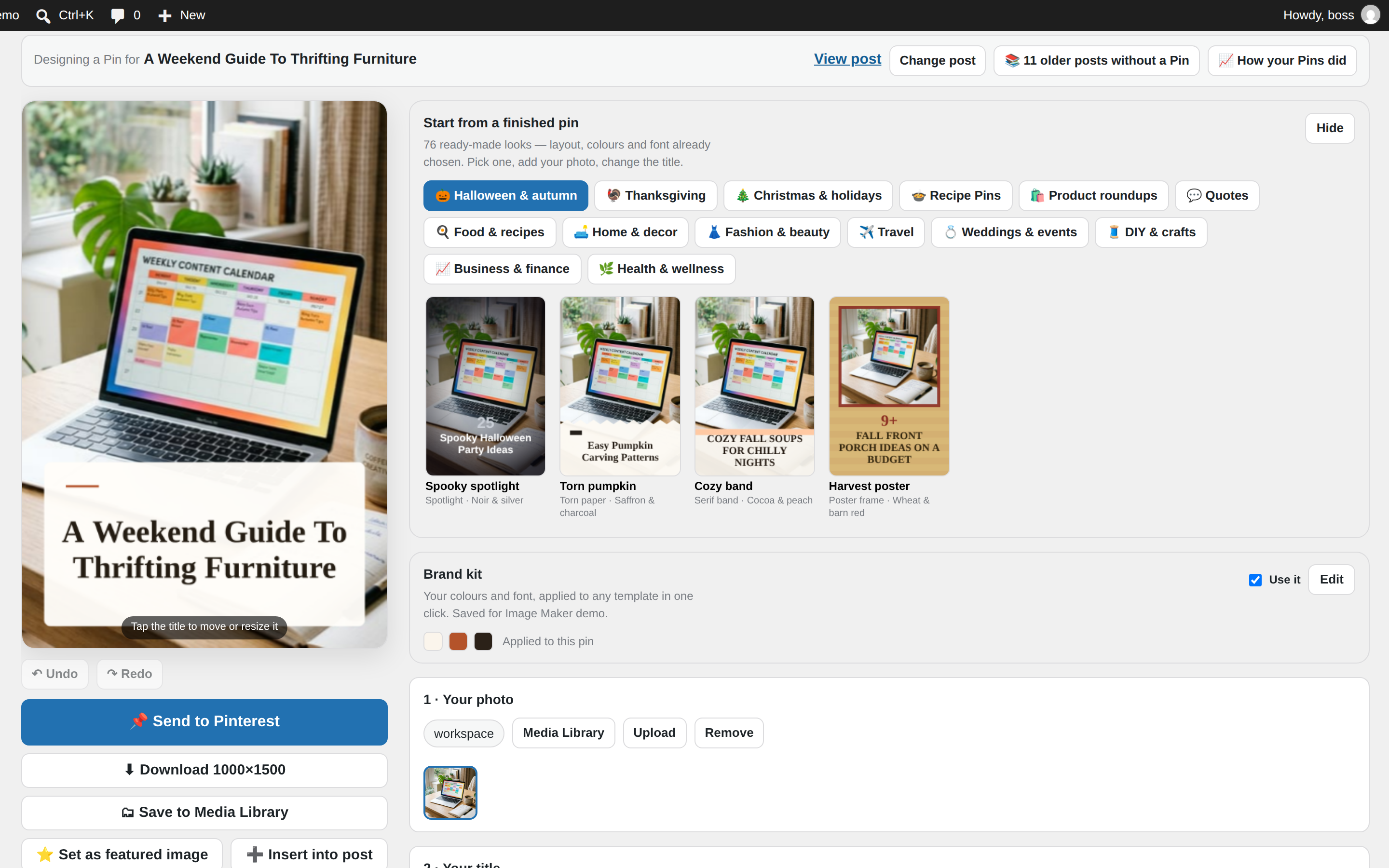
- 130 templates across two families — text laid over a full-bleed photo, and
layouts that hold the photo inside a designed frame (magazine cover, side split,
ticket stub, arch pair, window pane, and many more). - 40 colour palettes, or your own brand colours.
- Your photos — the post’s featured image, any image already in the post, your
Media Library, or a file from your computer. Crop with 1–4× zoom and pan. - Text you can move — drag the headline anywhere on the canvas, resize it,
restyle it. Seven type choices, colour, size and a legibility scrim. - Extra elements — up to 12 text blocks, badges and stickers.
- A brand kit — your logo, your colours, your font, remembered per site, so
every Pin from this blog looks like this blog. - Any size from 400 to 3000 pixels, exported as PNG, JPG or WebP, with a
warning when a shape is a poor fit for Pinterest. - Undo and redo, and an autosaved draft so a closed tab does not lose work.
Every pin template is a real design, not a filter: the same layouts a designer
would build for a vertical Pinterest image, with your photograph and your
headline dropped into them.
What you can do with a finished Pin
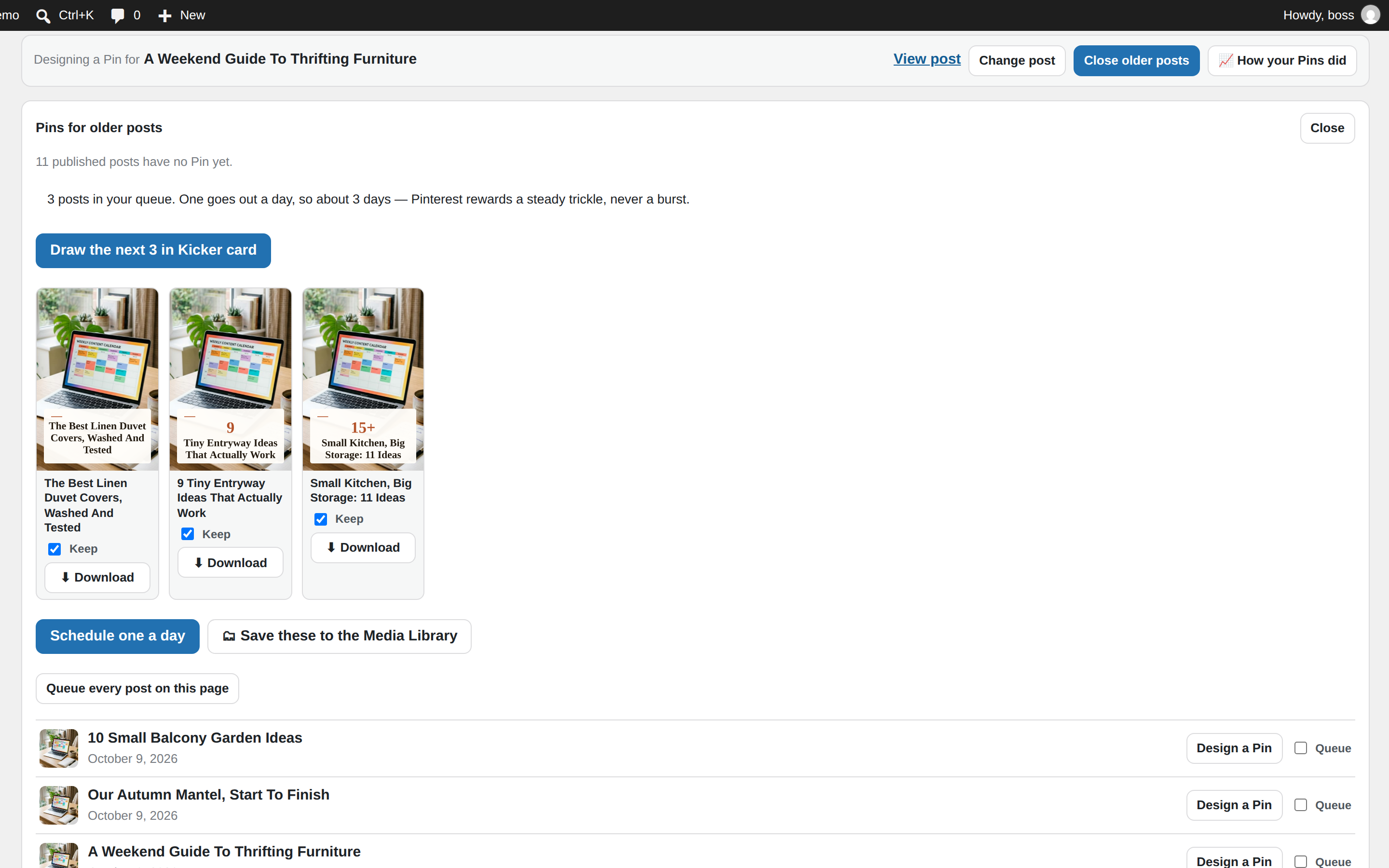
- Download it — full resolution, no watermark, ever.
- Save it to your Media Library.
- Set it as the post’s featured image.
- Insert it into the post (it asks first, and it only ever appends).
- Send it to Pinterest — optional, and the only part that needs an account.
Works on a phone
wp-admin gets used on phones, so the editor does too: the canvas takes a finger,
the controls stack, and nothing is smaller than a thumb.
Nothing is locked
There is no pro version of the editor, no watermark, no trial, no feature behind
a button that asks for money. What our service meters is volume of posting to
Pinterest — see below — and everything else here is simply free.
External services
This plugin is a client for Burnpedia (https://burnpedia.app), a Pinterest
scheduling service we operate. It is used for one optional feature: sending a
finished Pin to Pinterest.
Nothing is sent anywhere until you save a Burnpedia API key. With no key
saved, the plugin makes no outbound request of any kind. There is no telemetry,
no analytics, no phone-home and no third-party asset — every script, style and
font in this plugin is served from your own site.
When a key is saved, these requests are made, and only these:
GET https://burnpedia.app/api/v1/me— when an administrator opens the Send
panel or the Connection screen, and when a key is saved. Sends: your API key.
Receives: your plan, how many Pins you have posted today, and whether a
Pinterest account is connected.GET https://burnpedia.app/api/v1/boards— when an administrator opens the
Send panel, to list your Pinterest boards. Sends: your API key. Receives: board
names and ids.POST https://burnpedia.app/api/v1/pins— only when you press Send to
Pinterest. Sends: your API key, the public URL of the Pin image you just
saved to your Media Library, the Pin title, the post’s permalink, and the board
you chose (or a board name taken from the post title). Pinterest then downloads
the image from your site at that URL.
Every request also carries the plugin’s name and version, so we can tell which
version of the plugin a request came from.
Burnpedia’s terms: https://burnpedia.app/terms
Burnpedia’s privacy policy: https://burnpedia.app/privacy
Pinterest itself is never contacted by this plugin. You connect Pinterest once,
on Burnpedia, through Pinterest’s own login screen; this plugin never sees or
stores a Pinterest credential.
Burnpedia is our own service and is not affiliated with Pinterest, Inc.
Details




Related plugins
Plugins that also contain the tag featured-image
Quick Featured Images

XO Featured Image Tools

Conditionally display featured image on singular posts and pages

Multiple Post Thumbnails

Ultimate Posts Widget

Manual Image Crop

About
Plugin for that tries to help you find the WordPress plugin you are looking for.
| Please enjoy an image of Crush (this awesome turtle) and have a lovely day! |  |
We do not own any plugin listed on this site and do not work for or work with WordPress.com or it's associated companies. We simply provide a searchable list of the available WordPress plugins.