


Cache Autopilot
WordPress cache plugins are excellent at what they do: storing and serving pages fast. When content changes, deciding what to purge gets harder once the same content appears in archives, Query Loops, synced patterns, shared templates, or other pages across the site.
Without knowing those connections, the safe choices are often either narrow — purge the page that changed — or broad — flush the entire cache. The first can leave related pages stale. The second works, but turns more of the site into a cold cache than necessary.
Cache Autopilot works alongside your existing cache plugin and adds that missing context. It figures out which frontend pages are affected and coordinates a targeted cache refresh: the cache plugin purges those URLs, then Cache Autopilot safely preloads them in the background.
That means fewer manual full-cache purges, fewer stale-page surprises, and less cold-cache traffic.
Requirements
Cache Autopilot requires an active, supported cache plugin with URL-level purging.
Currently supported cache plugins:
- LiteSpeed Cache (Free)
- Cache Enabler (Free)
- Breeze (Free)
- FlyingPress
- WP Rocket
Some widely used cache plugins are not listed because they do not expose reliable URL-level purge APIs. Read full explanation.
Before installing, check the full requirements.
How it works
- Something changes — a post update, synced pattern edit, option or widget change, form update, or structural site edit.
- Cache Autopilot resolves which frontend pages are affected by that change.
- It purges those pages through your supported cache plugin.
- The purged pages are queued for safe background preload, paced to avoid server spikes.
Resolution happens automatically for standard content and block themes. Custom layouts, classic themes, and advanced setups can be extended through settings and developer filters.
What the free version includes
Block theme / Site Editor support — zero configuration
Block themes reuse templates, template parts, synced patterns, Navigation, and Styles across the site. Cache Autopilot follows those relationships through the WordPress template hierarchy. If WordPress cannot resolve every affected page, it falls back to a full purge and site-wide preload.
Cache Autopilot understands Gutenberg’s structural model:
- Template parts — follows references through synced patterns and Site Editor templates, with a full-site fallback when WordPress cannot determine every page that inherits the shared part.
- Site Editor templates — supports archive templates, single templates, post-type-specific templates, and slug-specific templates.
- Synced patterns — finds pages embedding the pattern and refreshes those pages.
- Navigation blocks — refreshes affected pages after navigation changes.
- Global styles — treated as a site-level design change.
Learn more about Block Theme / Site Editor support.
Manual targeting and developer filters
Some pages show dynamic lists or shared content outside a normal archive — a shortcode, Query Loop block, custom block, widget area, theme option output.
Settings and developer filters let you define which pages refresh when that content or setting changes.
- Post changes — refresh selected pages when a specific post type changes.
- Option changes — refresh selected pages when specific WordPress options change.
- Widget/sidebar changes — map widget areas or Classic theme templates to the pages that use them.
- Meta changes — catch selected custom field updates from imports or integrations.
- Custom hooks — connect project-specific workflows to targeted page refreshes.
View developer reference.
Targeted cache clearing for standard content
- Posts and custom post types — configured per post type.
- Archive and taxonomy pages — post type archives, paginated archives, categories, tags, and custom taxonomy archives.
- Comments — refresh affected content when comments change.
Form plugin support
When a supported form is updated, Cache Autopilot finds pages embedding the changed form via shortcodes or Gutenberg blocks, then refreshes only those pages.
View Supported form plugins.
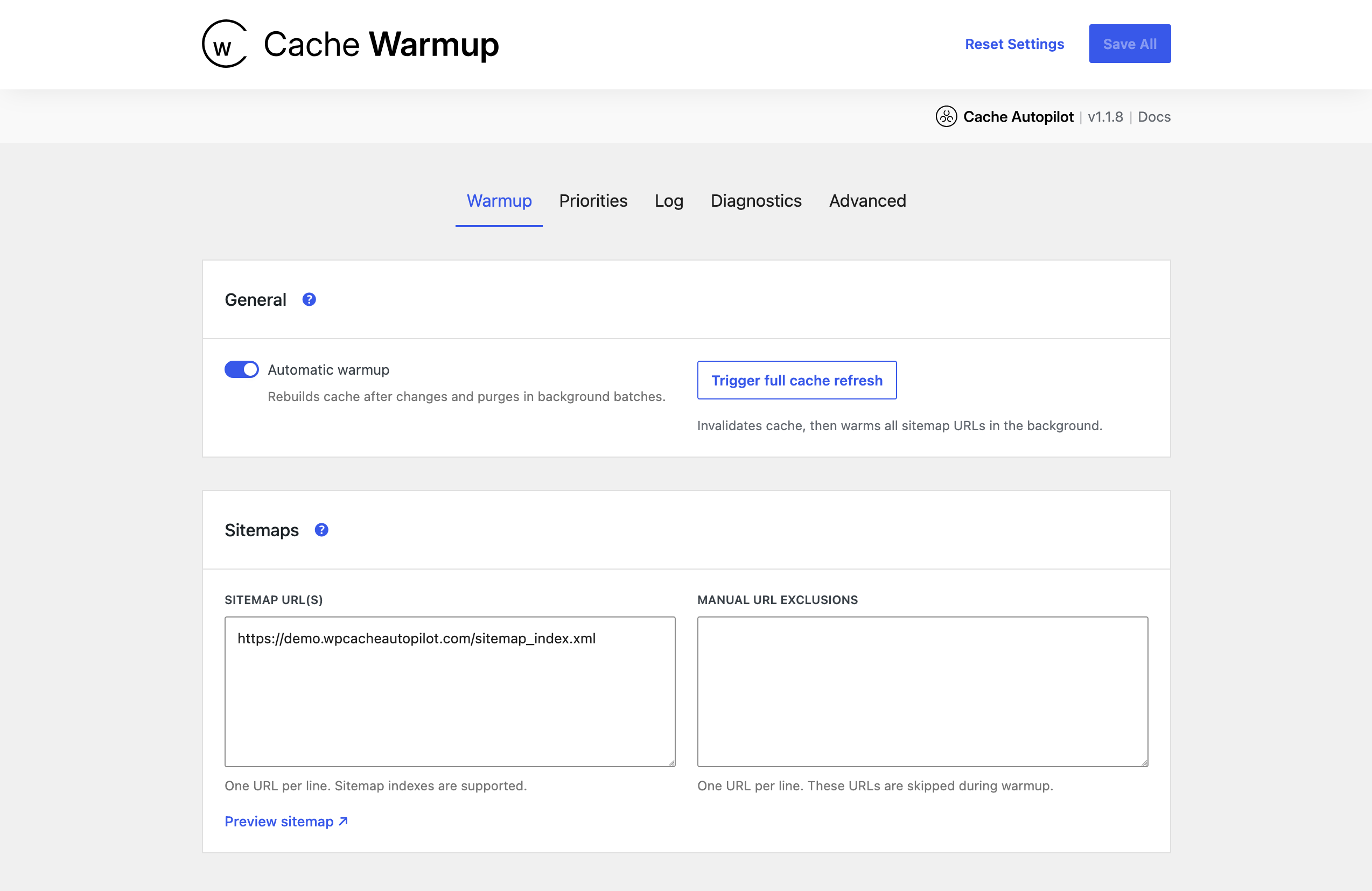
Background preload — Cache Warmup
Pages cleared by Cache Autopilot are queued for background preload:
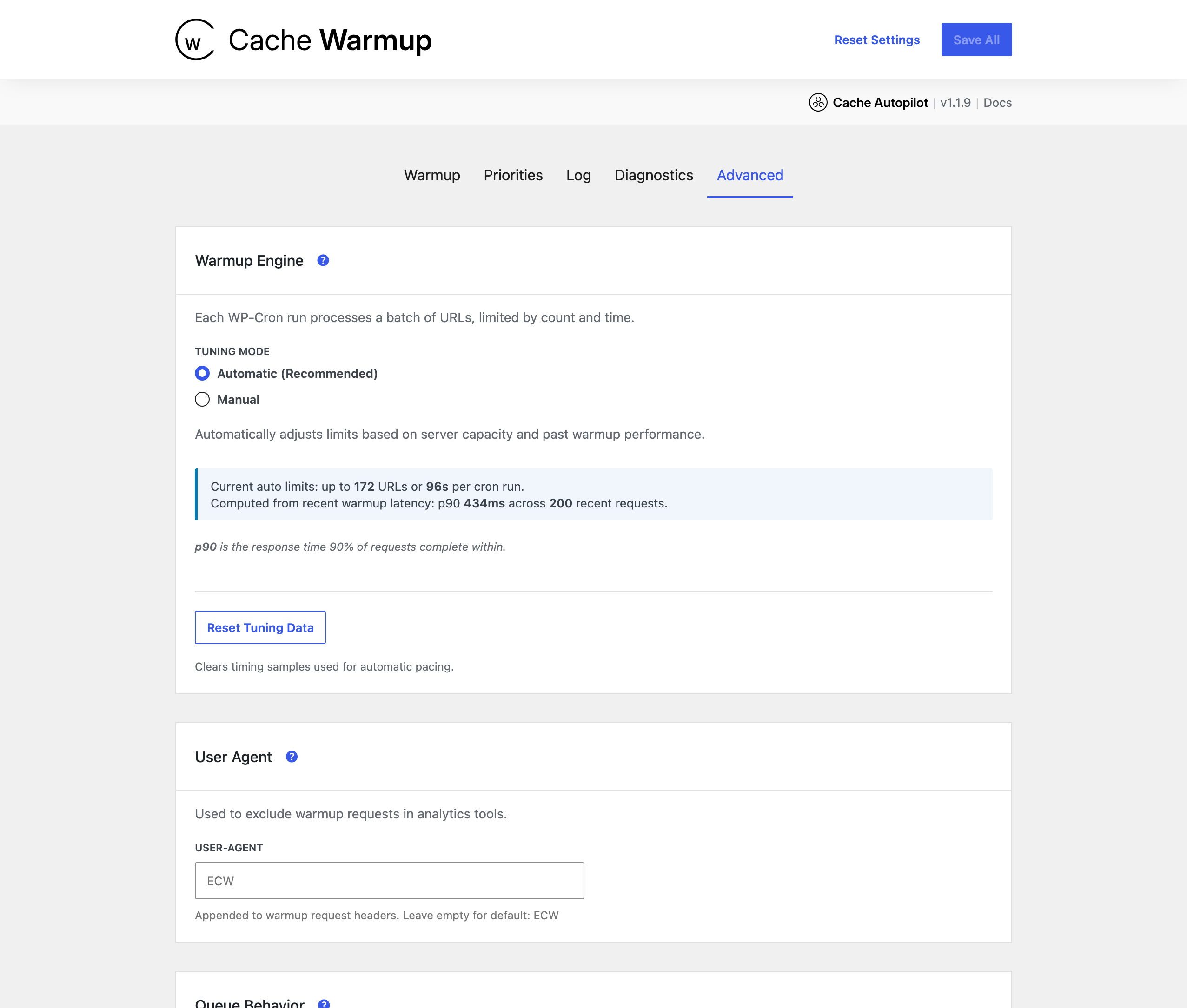
- Auto-paced batch execution based on past server response times.
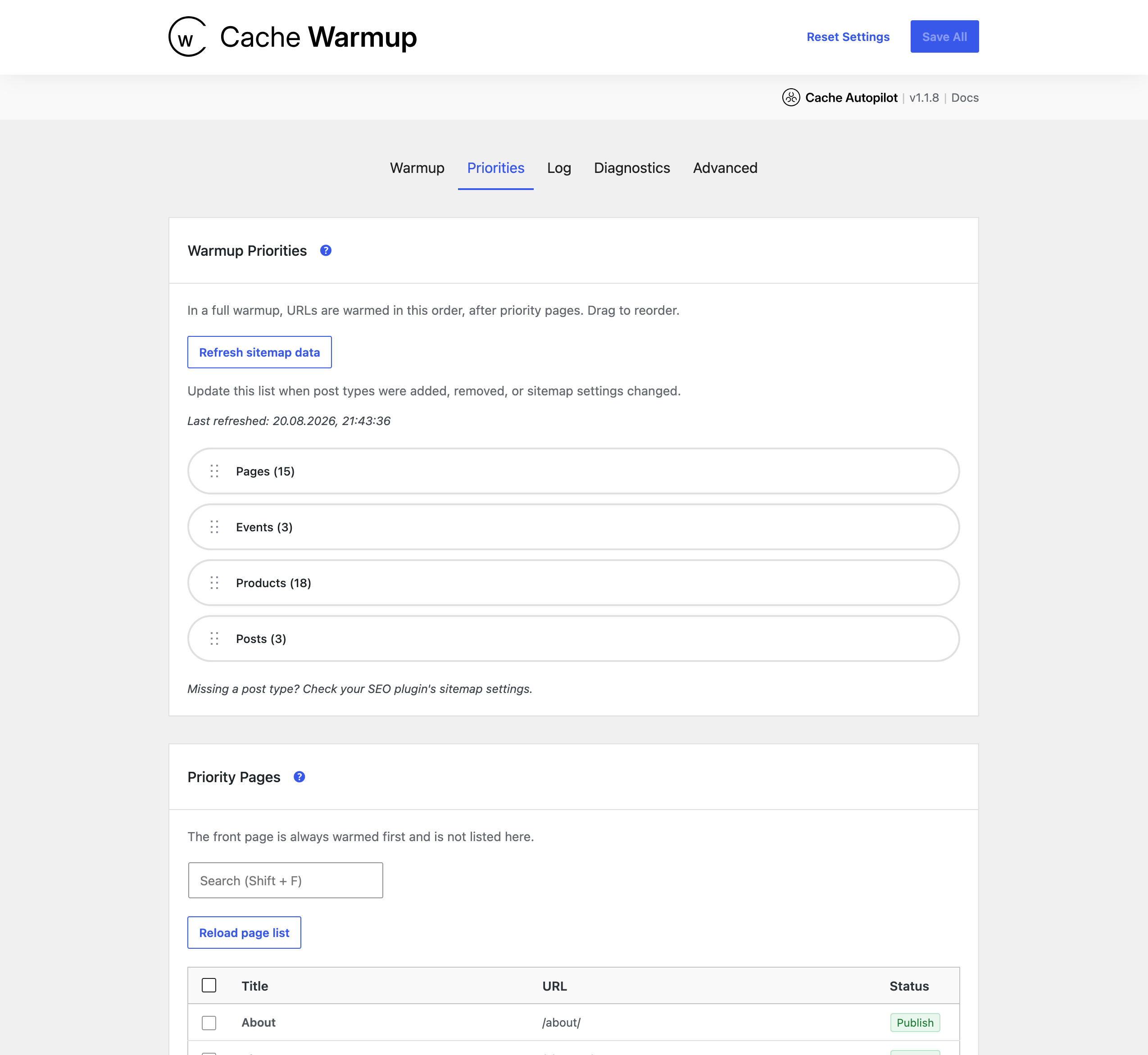
- Priority ordering so important pages warm first.
- New URLs added during a run join at the current position.
- Safe to deactivate — no leftover jobs or database clutter.
Debug and support logging
- Debug log available from the WordPress admin.
- Support Debug Mode creates a downloadable log file for troubleshooting.
Cache Autopilot PRO
Watch the full 100-second overview, or jump straight to the integration demos.
The video includes examples from both Cache Autopilot Free and PRO.
Cache Autopilot PRO adds automatic handling for builders, ecommerce, content relationships, multilingual sites, and scheduled refreshes:
-
Elementor (PRO) — templates, global widgets, reusable components, display conditions, Theme Builder archive and single templates, and full nesting chain handling. Zero configuration for standard setups.
-
WooCommerce (PRO) — product pages, shop page, product archives, variations, grouped products, upsells, and cross-sells.
-
ACF relationship propagation (PRO) — follows configured ACF relationship and post object fields across multi-level content chains such as Country Venue Event Pages.
-
Advanced content relationships (PRO) — general relationship propagation beyond ACF, configurable per post type.
-
Multilingual (PRO) — WPML, Polylang, and TranslatePress support for refreshing translated target URLs.
-
Timed cache refresh (PRO) — scheduled rules for refreshing specific pages at set times, plus automatic handling of WordPress scheduled posts.
-
Access control (PRO) — grant plugin access by role or user without giving full WordPress admin rights.
-
Pro developer filters — additional extension points for relationship, multilingual, and resolver customization.
What Cache Autopilot does *not* do
- It does not replace your cache plugin — it works alongside it.
- It does not handle cache storage or page delivery.
- It cannot function without a supported cache plugin.
- It does not guarantee instant background preload on every host — preload timing depends on WP-Cron and available server resources.
- It does not flush the entire cache on every content change – full purges happen only as a fallback or when triggered manually.
Documentation
- Official Cache Autopilot website
- Getting started
- Supported integrations
- Developer reference
- Troubleshooting
Developer extension
Cache Autopilot exposes filters at every major resolution decision, so developers can extend which pages refresh without touching plugin code.
View developer reference.
Details



Related plugins
Plugins that also contain the tag cache
WP Super Cache

WP-Optimize – Cache, Compress images, Minify & Clean database to boost page speed & performance

SpeedyCache – Cache, Optimization, Performance

Breeze Cache

OMGF | GDPR/DSGVO Compliant, Faster Google Fonts. Easy.

Jetpack Boost – Website Speed, Performance and Critical CSS


About
Plugin for that tries to help you find the WordPress plugin you are looking for.
| Please enjoy an image of Crush (this awesome turtle) and have a lovely day! |  |
We do not own any plugin listed on this site and do not work for or work with WordPress.com or it's associated companies. We simply provide a searchable list of the available WordPress plugins.