



Cartnorm Omnibus Lowest Price
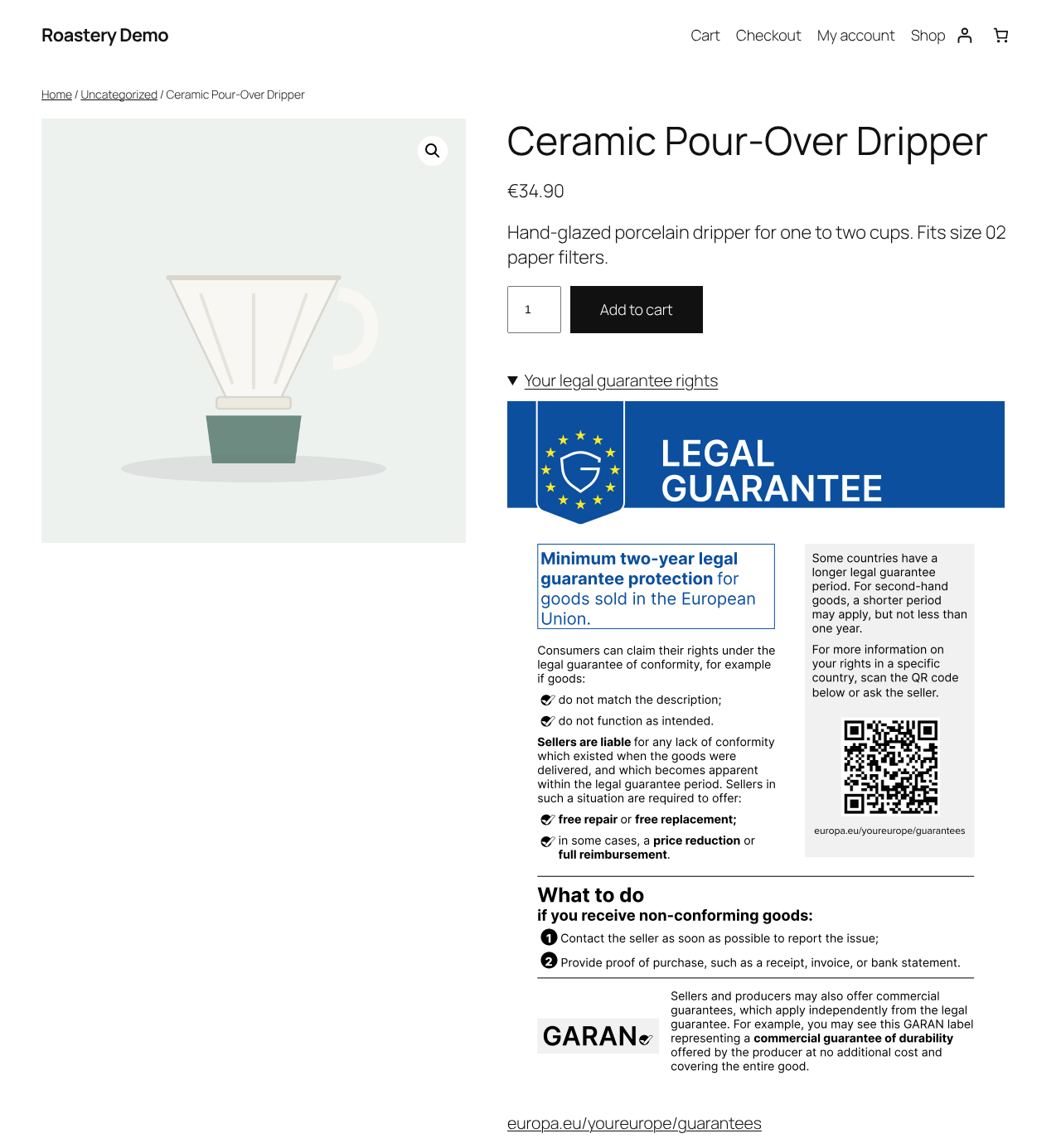
Since 2022, every shop selling to consumers in the EU must show the lowest price of the 30 days before a price reduction, and calculate any strikethrough price or “-20%” badge from that price (Directive 98/6/EC, Article 6a, confirmed by the EU Court of Justice in case C-330/23, Aldi Süd).
Cartnorm does this correctly and quietly, without slowing your store down.
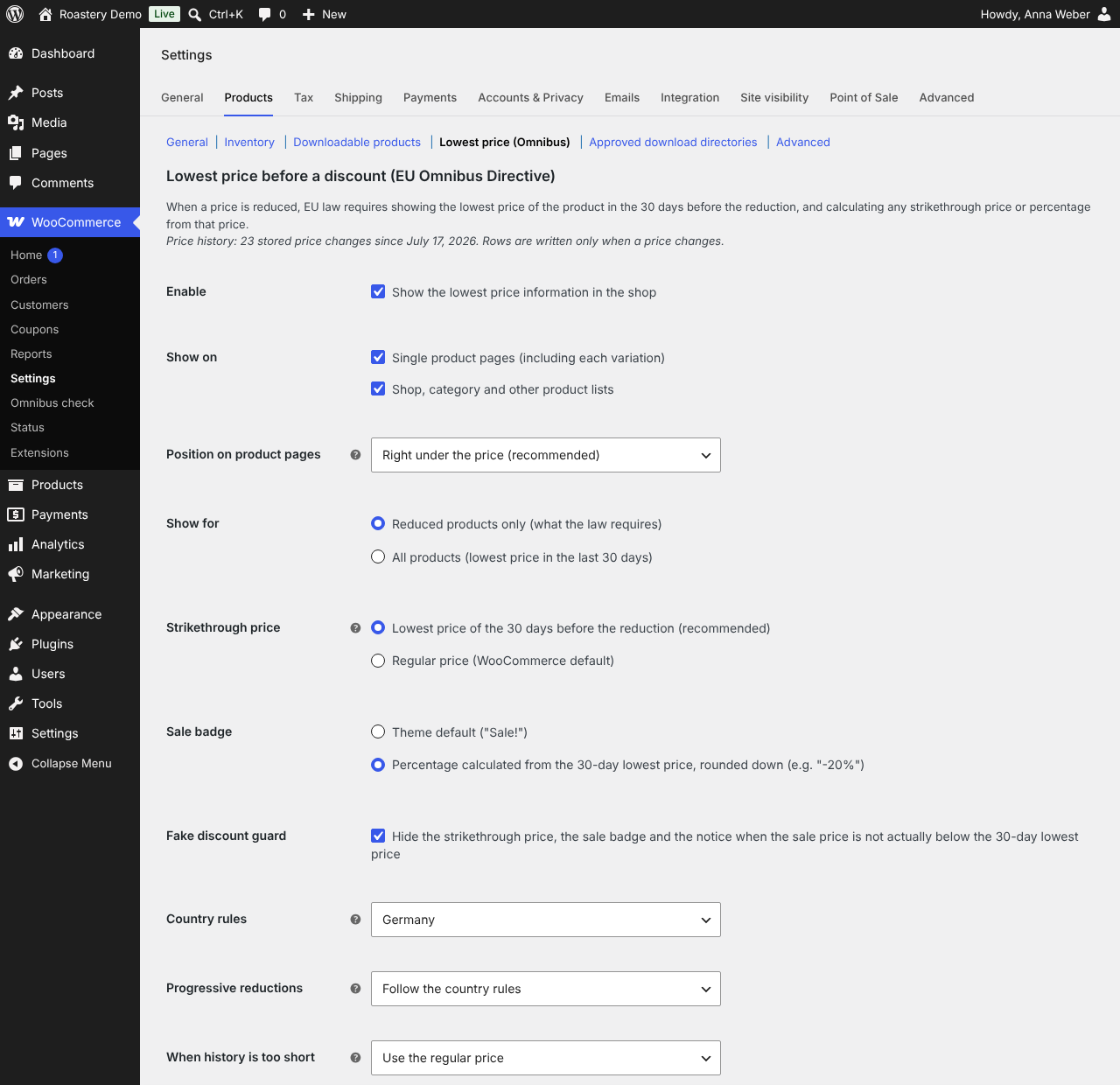
Correct legal logic
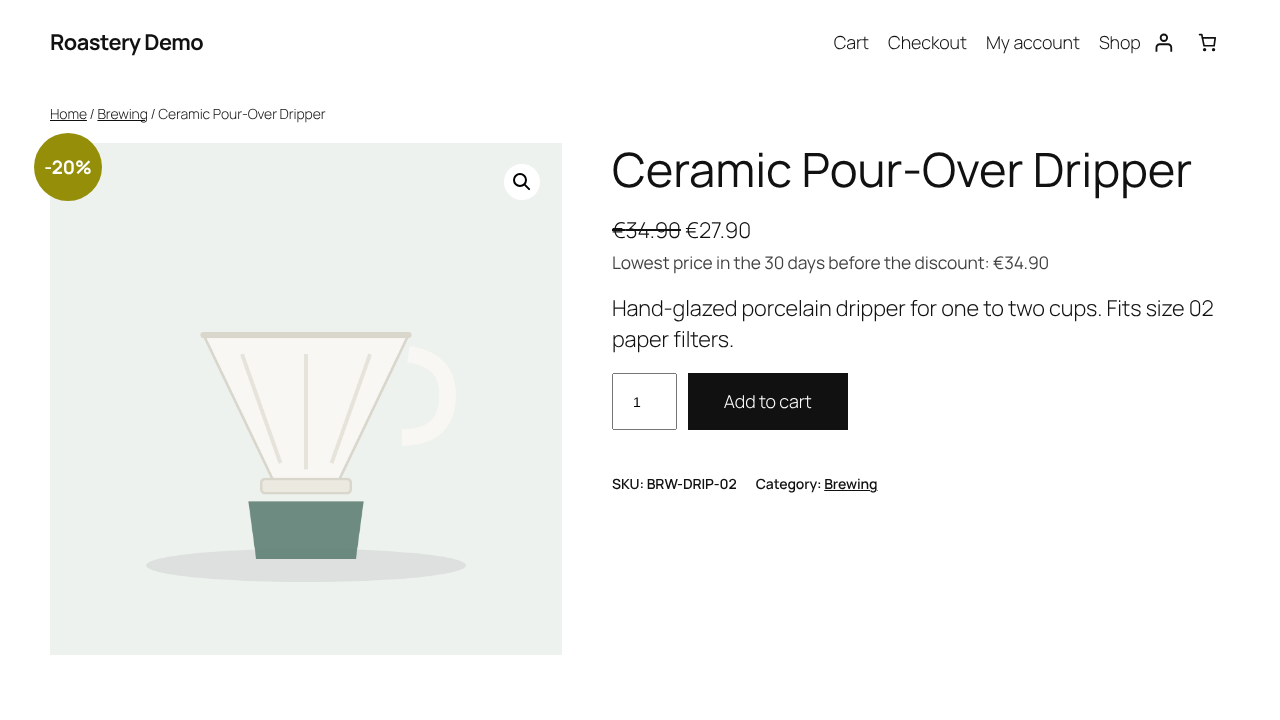
- The 30-day window ends when the reduction starts, not today, and stays fixed for the whole sale. A long sale never “drifts” to its own sale price.
- The strikethrough price and the percentage badge are calculated from the 30-day lowest price, not from a price you raised just before the sale.
- Fake discount guard: if the “sale” price is not actually below the 30-day lowest price, the strikethrough price and the “Sale!” badge are hidden automatically.
- Every variation of a variable product has its own history and its own reference price.
- Scheduled sales are recorded at their real start time.
- Never shows 0.00 or an empty notice.
Rules for each EU country
Choose your country (or let Cartnorm read it from your store address). The member states differ in details such as progressive reductions and new products:
- Poland and Spain: every further reduction gets a new reference price.
- Belgium: progressive reductions up to 30 days; at least 7 days of history for new products.
- Netherlands: progressive reductions up to 3 months; the real period is stated for new products.
- Italy: the real period is stated for products on sale for less than 30 days.
- Germany, Austria, France, Czech Republic, Sweden, Portugal, Ireland, Romania: one uninterrupted campaign keeps its reference price.
You can override the progressive-reduction rule in the settings.
No database bloat
Cartnorm stores history in one small table and writes a row only when a price actually changes. Saving a product 1,000 times without changing its price adds nothing. Old history is removed automatically, while the price needed for the current calculation is always kept.
Every way prices change is captured
Product editor, quick edit, bulk edit, CSV import, REST API, WP-CLI, scheduled sales, and plugins that write prices directly. A daily background check catches anything else.
Switch without losing your history
Already using another Omnibus plugin? Cartnorm imports the price history of:
- Omnibus — show the lowest price (iworks)
- WC Price History
so your 30-day history is complete from day one.
Omnibus check: your whole shop at a glance
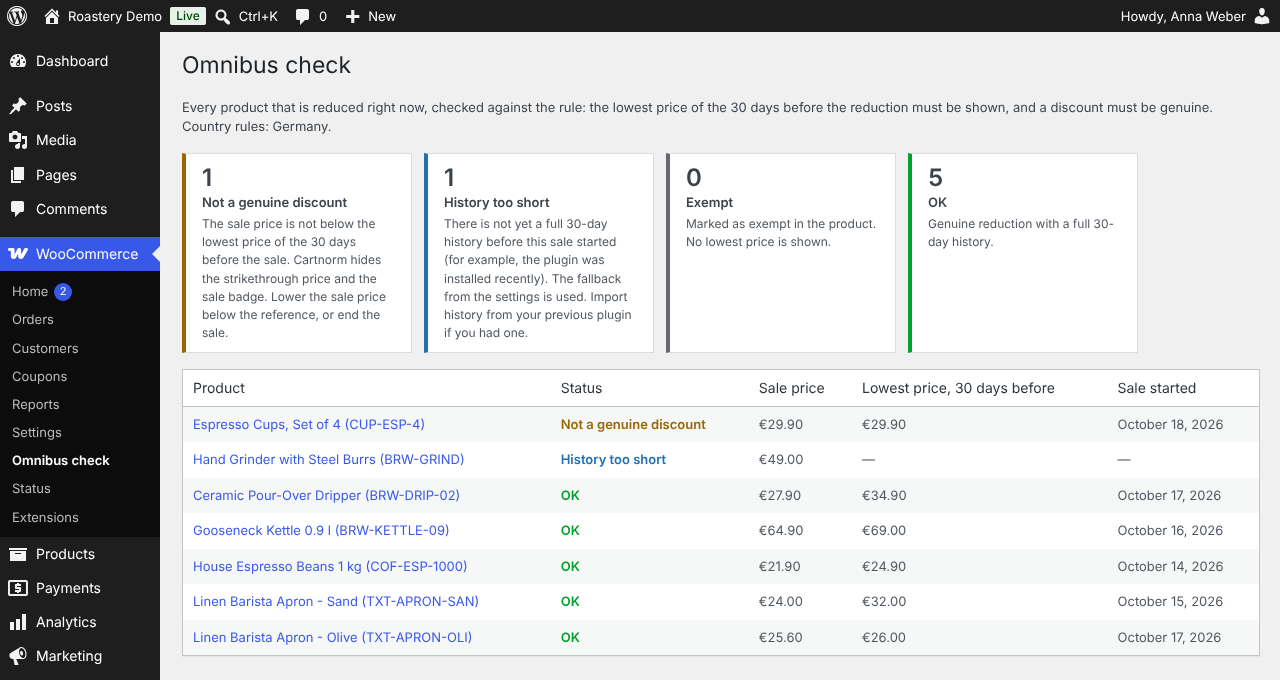
WooCommerce › Omnibus check lists every product that is reduced right now and tells you, in plain words, which ones need attention:
- Not a genuine discount – the sale price is not below the 30-day lowest price.
- History too short – the sale started before a full 30-day history existed.
- Exempt and OK.
For shop owners and inspectors
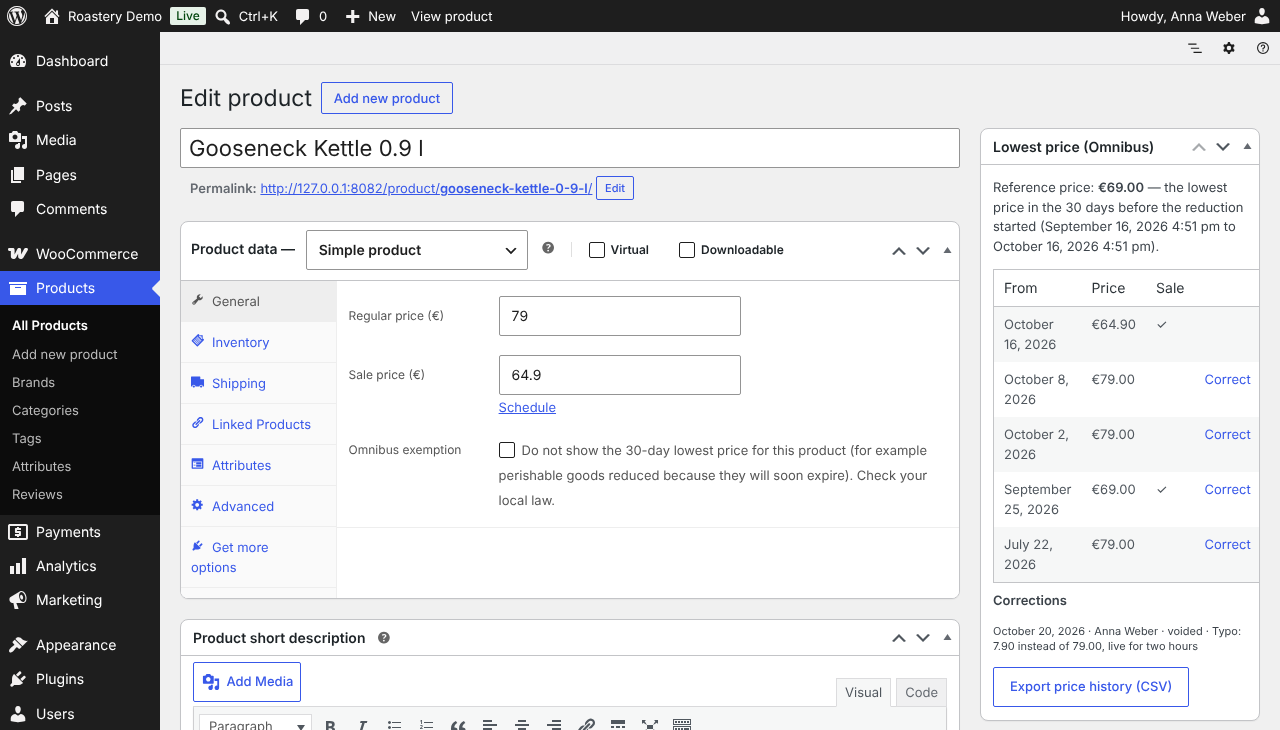
- An “Explain this price” panel on every product shows the reference price, the exact dates of the 30-day window, and the price history.
- Correct mistakes with an audit trail. A typo was live for two hours? Correct or void that record, with a reason. The original value is kept in an audit log, so nothing is hidden from an inspector.
- Export the price history and the audit log of one product or the whole shop as CSV. Free.
- Exempt individual products (for example perishable goods reduced before their expiry date).
Honest sale badge
Optionally replace “Sale!” with a percentage calculated from the 30-day lowest price and rounded down, so it never overstates the saving.
For developers and headless shops
- The WooCommerce REST API returns an
omnibusobject for every product and variation: lowest price, number of days, whether the discount is genuine, discount percentage and the ready-made notice text. - Filters and actions:
cartnorm_reference_price,cartnorm_notice_html,cartnorm_should_display,cartnorm_country_rules,cartnorm_history_corrected. - WP-CLI:
wp cartnorm seed,wp cartnorm show <id>,wp cartnorm import <source>,wp cartnorm prune.
Display anywhere
Product pages, shop and category pages, a block for block themes, an Elementor widget (with color, typography and alignment), and the [cartnorm_lowest_price] shortcode. Choose where the notice appears on product pages: under the price, under the short description, under the add-to-cart button, or nowhere (place it yourself). On variable products, the general notice names its variation and is replaced by the selected variation’s own notice. The customer-facing notice is built in for German, Polish, French, Italian, Spanish and Dutch shops, using the wording recommended by national regulators (for example “Najniższa cena z 30 dni przed obniżką” in Poland).
Free, with nothing locked
Every feature described above is included in this free plugin and works without an account or licence. An optional paid add-on, Cartnorm Omnibus Pro, adds tools for multi-currency shops and a few extras (see “Is there a Pro version?” in the FAQ).
Not legal advice
Cartnorm helps you meet the price-indication rules, but it is not legal advice. You remain responsible for your prices and for checking the law that applies to your shop.
Details

Related plugins
Plugins that also contain the tag eu
One Stop Shop for WooCommerce

GDPR Compliance for Mailchimp

CookieCode

EU Cookie Consent

Cartograf Cookie filter

Cookie Confirm


About
Plugin for that tries to help you find the WordPress plugin you are looking for.
| Please enjoy an image of Crush (this awesome turtle) and have a lovely day! |  |
We do not own any plugin listed on this site and do not work for or work with WordPress.com or it's associated companies. We simply provide a searchable list of the available WordPress plugins.