


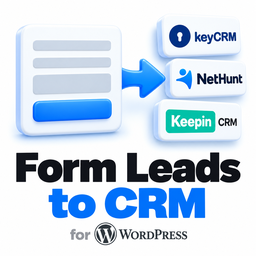
CatCode Form Leads to CRM
A site of services has no shop, but it has forms. This plugin takes every lead from a form and creates it in your CRM: the contact, the visitor’s message, the other fields, the page and the ad source.
- Four CRMs: KeyCRM (an order or a pipeline card), SalesDrive, NetHunt (the folder and its fields are prepared for you), KeepinCRM (a deal with a lead client).
- Telegram: every lead to one or several chats and group topics, next to the CRM or on its own.
- Contact Form 7 works out of the box. Field roles come from the field types and captions, so auto-generated names like
text-32are fine. Fields without a role go to the CRM comment under their captions. - A lead is not lost when a CRM is down. It is saved first and sent right after the visitor gets the answer. If the CRM does not answer, it is tried three more times within about 40 minutes.
- A double click is one lead: the same submission within 5 minutes is sent once.
- A log of every delivery with the reason of a failure, in plain view, and a notice on the plugin screen when something did not arrive.
- Ad source: utm tags, gclid and fbclid of the visit are remembered in a first-party cookie and added to the lead.
- Buttons to check it: “Check the connection” and “Send a test lead” for each connection.
KeyCRM, SalesDrive, NetHunt, KeepinCRM and Telegram are third-party products. This is an independent integration, not affiliated with or endorsed by them.
For developers: do_action( 'catcode_flc_capture', $raw ) sends a lead from any custom form, the filter catcode_flc_lead changes or drops a lead, and the action catcode_lead_captured fires once per lead.
External services
The plugin sends data only to the services you connect, and nothing until you enter a key. For each of them, the data of a lead is: name, phone, e-mail, message, the other fields of the form, form title, page address, site address and the ad source (utm tags, gclid, fbclid, referring site, landing page) if that option is on. It is sent when a visitor submits a form and on repeated attempts; the test buttons on the settings screen send a sample instead.
KeyCRM (https://openapi.keycrm.app/v1): creates an order (POST /order) or a card (POST /pipelines/cards); reads the lists of sources and pipelines (GET /order/source, GET /pipelines). Terms of use, privacy policy.
SalesDrive (https://<your account>.salesdrive.me): creates a lead (POST /handler/); checks the key (GET /api/statuses/). Terms of service, privacy policy.
NetHunt (https://nethunt.com/api/v2): creates a record (POST /folders/{id}/records); when the settings are saved, reads or creates the folder and its fields (/folders). Terms of service, privacy policy.
KeepinCRM (https://api.keepincrm.com/v1): creates a deal with a lead client (POST /agreements); reads the lists of statuses, funnels and sources (GET /clients/statuses, GET /agreements/funnels, GET /sources). Contract offer, privacy policy.
Telegram Bot API (https://api.telegram.org): sends the lead as a message to your chats (sendMessage); checks the bot and finds chats on your request (getMe, getUpdates). Terms of service, privacy policy.
The first-party cookie catcode_flc_utm keeps the ad source of the visit for 90 days. It goes only into the lead. You can switch it off in the settings.
Details
Related plugins
Plugins that also contain the tag contact-form-7
ReCaptcha v2 for Contact Form 7

Contact Form 7 Captcha

Contact Form 7 – Dynamic Text Extension

Conditional Fields for Contact Form 7

Image CAPTCHA for Contact Form 7 and WPForms by HookAndHook (DSGVO/GDPR)

Database for Contact Form 7, WPforms, Elementor forms


About
Plugin for that tries to help you find the WordPress plugin you are looking for.
| Please enjoy an image of Crush (this awesome turtle) and have a lovely day! |  |
We do not own any plugin listed on this site and do not work for or work with WordPress.com or it's associated companies. We simply provide a searchable list of the available WordPress plugins.