


Celero Adaptive Speed
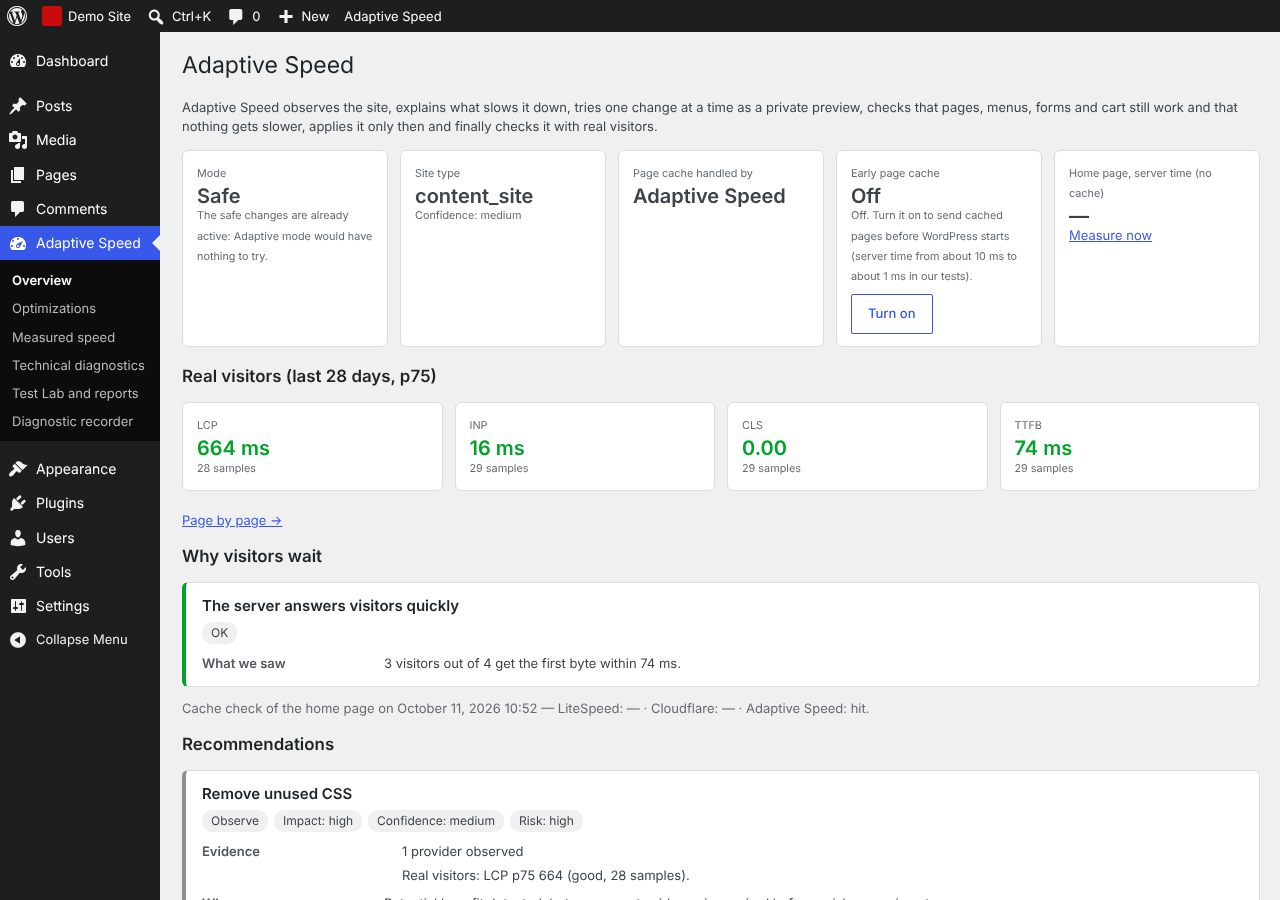
Celero Adaptive Speed is a performance plugin that decides from data. It observes your site, explains in plain language what slows it down, and tries one change at a time as a private preview. A change is applied only if pages, menus, forms and the cart keep working and nothing gets slower. Afterwards it keeps checking the numbers of your real visitors and undoes the change by itself if they get worse.
It works next to the cache and optimization plugin you already use. When LiteSpeed Cache, WP Rocket or a similar plugin is active, Adaptive Speed leaves their features to them and never changes their settings: it tells you what to change and where.
What it does
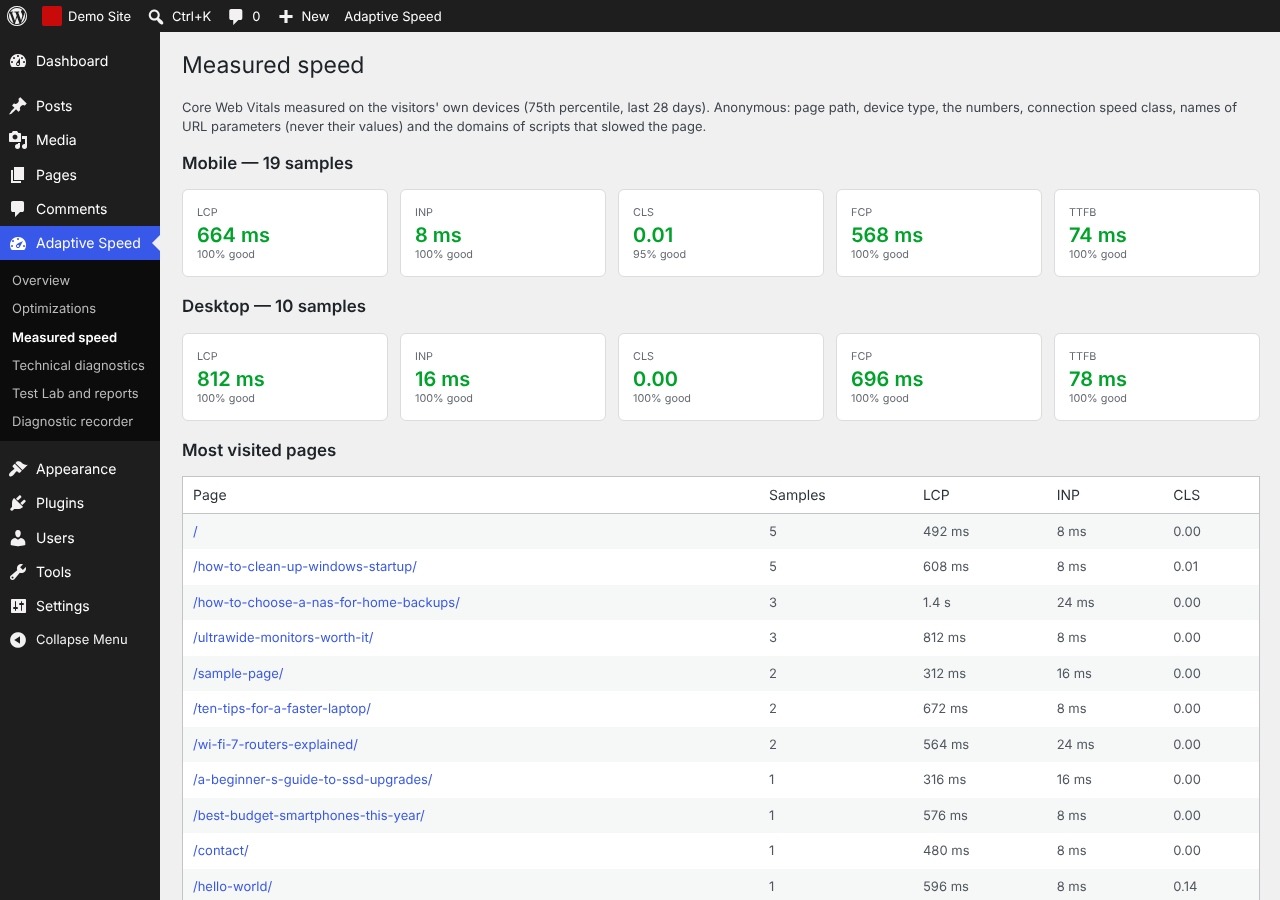
- Diagnosis in plain language: real-visitor Core Web Vitals (LCP, INP, CLS, time to first byte), which cache answers your pages (Adaptive Speed, LiteSpeed, Cloudflare), links with tracking parameters that skip the cache, slow pages, heavy images, scripts that block the page.
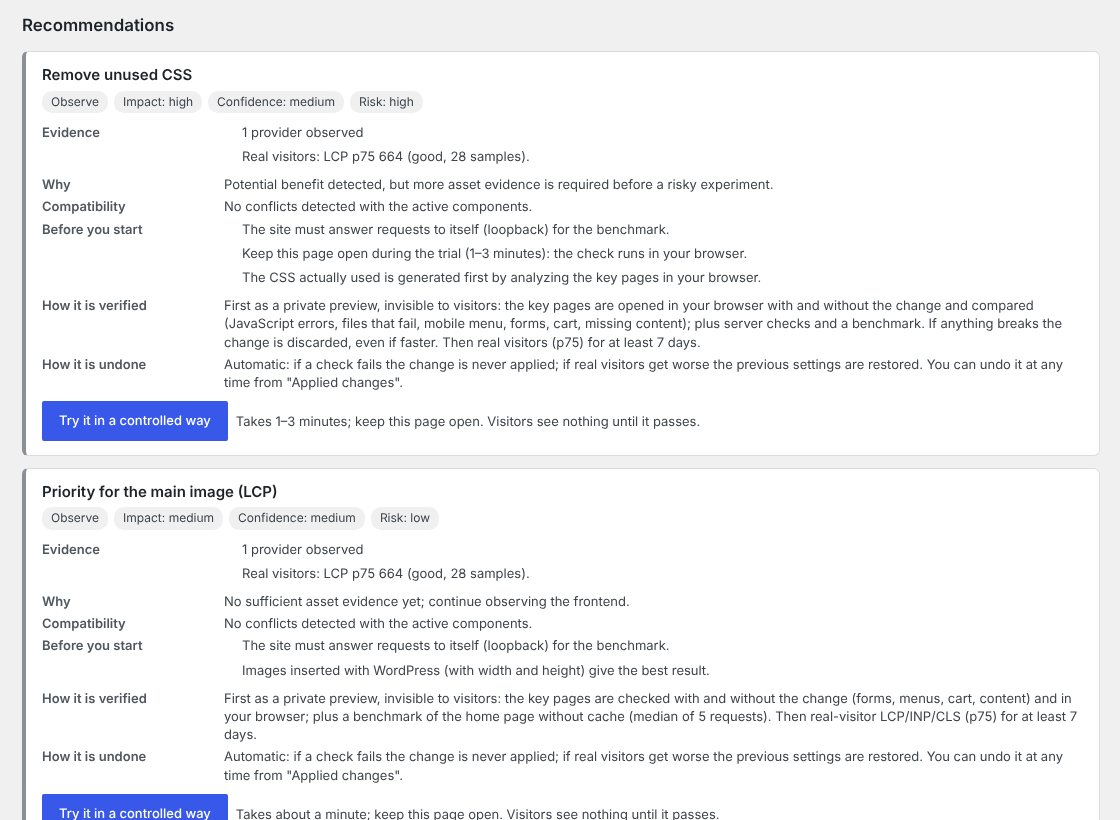
- Controlled trials: each recommendation shows evidence, impact, confidence, risk, compatibility, how it is verified and how it is undone. “Try” runs the change as a private preview (visitors see nothing), checks the key pages on the server and in your browser (JavaScript errors, missing files, mobile menu, forms, cart, missing content) and compares the speed with and without the change, alternating the measurements.
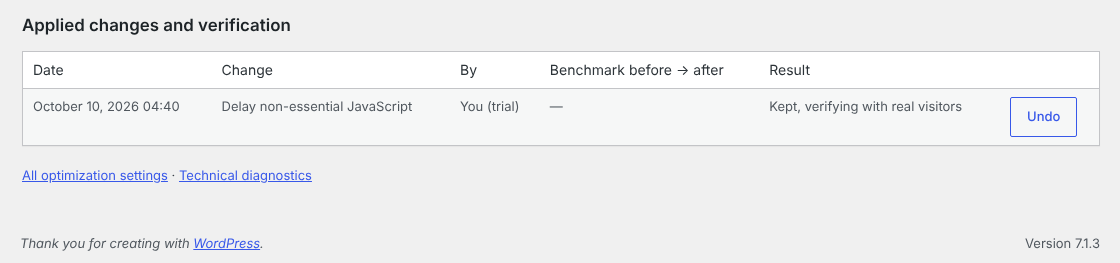
- Real-visitor verification: after a change is kept, the 75th percentile of LCP, INP and CLS is compared before and after. If it gets worse, the change is undone automatically.
- Two modes: Safe (recommends and tries only when you ask) and Adaptive (tries low-risk changes by itself, one at a time, with the same checks).
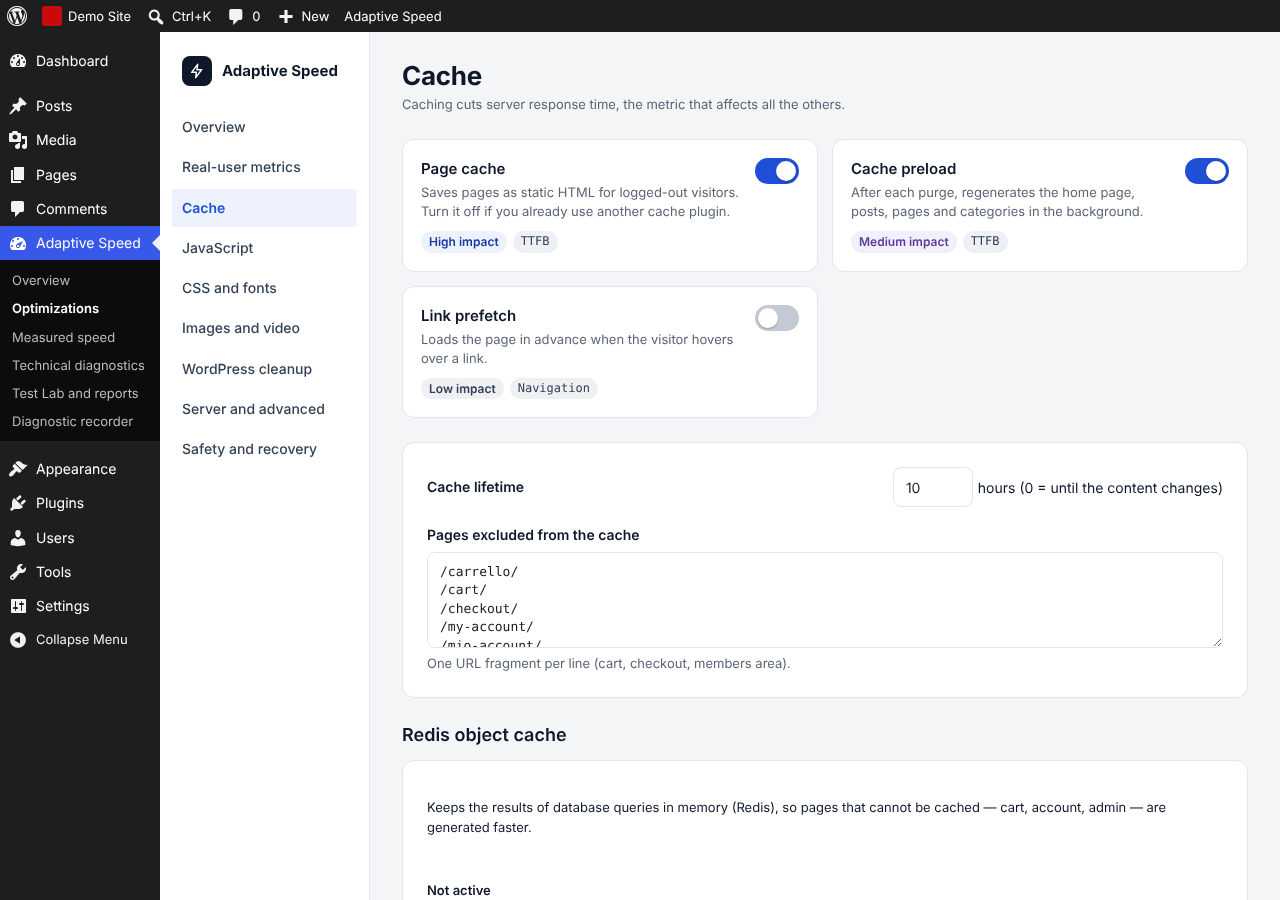
- Optimizations: page cache (optional early cache that serves pages before WordPress loads), Google Fonts served from your own domain, deferred and delayed JavaScript, used CSS, lazy loading, image dimensions, preconnect hints, WebP/AVIF copies, cleanup of emojis and embeds, plugin files only on the pages that use them, optional Redis object cache.
- Safety: settings snapshots, automatic rollback, emergency mode with a recovery link sent by email, and everything is removed when you uninstall.
Built to go easy on your hosting
- One trial at a time, never two together, and never on the public site: visitors always get the current settings until a change has passed every check.
- The cache preload works in small batches, pauses when the server slows down and stays off on local and development sites.
- Fonts and other files are downloaded in the background, never while a visitor waits for a page.
- Real-visitor measurements are sampled, limited per minute and per day, and deleted after 28 days.
No paid services
Everything works with the plugin alone. Google PageSpeed Insights tests are optional and need only a free API key; Cloudflare and a CDN are used only if you set them up.
Good to know
- Multisite networks are not supported yet: the plugin refuses network activation.
- Separate cache copies for phones are created automatically when a mobile-theme plugin is detected (filter
ctps_cache_mobile_variant). - The plugin never changes the settings of other plugins or of Cloudflare.
External services
The plugin connects to the following services only in the cases described.
- Google PageSpeed Insights API (
www.googleapis.com/pagespeedonline): only when you ask for it: when you press “Test” or “Measure score” in the plugin, and once a day if you turn on “Daily PageSpeed test” (off by default). It sends the URL of the page to test, the strategy (mobile or desktop), the language of the site and, if you entered one, your API key. Nothing is sent when the plugin is activated. Google APIs Terms of Service, Google Privacy Policy. - Google Fonts (
fonts.googleapis.com,fonts.gstatic.com): only when you turn on “Local Google Fonts” (off by default) and the theme loads Google Fonts, your server downloads the font CSS and files once, in the background, so that visitors load them from your site instead of Google. Only the font CSS address used by your theme is requested. Google Fonts FAQ / privacy, Google Privacy Policy. - YouTube thumbnails (
i.ytimg.com): when the “YouTube facade” option is on, embedded YouTube videos are replaced by their thumbnail image until clicked; the visitor’s browser loads the thumbnail from YouTube (sending its IP address to Google). YouTube Terms of Service, Google Privacy Policy. - Cloudflare API (
api.cloudflare.com): only if you enter a Cloudflare zone ID and API token. When the cache is cleared, the plugin asks Cloudflare to purge the same URLs (or everything). It sends the zone ID, the token and the URLs. Cloudflare Website Terms, Cloudflare Privacy Policy. - Your CDN: if you enter a CDN address, static files are served from that address.
The plugin also makes requests to your own site (cache preload, speed measurements, trials, health checks). It sends emails to the site administrator only when asked (recovery link on request, optional weekly report). “Measure real visitors” is off by default; when on, visitors’ browsers send anonymous load times to your own site only. The plugin does not send any data to the plugin author.
Details
Related plugins
Plugins that also contain the tag cache
WP Super Cache

WP-Optimize – Cache, Compress images, Minify & Clean database to boost page speed & performance
SpeedyCache – Cache, Optimization, Performance

Breeze Cache

OMGF | GDPR/DSGVO Compliant, Faster Google Fonts. Easy.

Jetpack Boost – Website Speed, Performance and Critical CSS


About
Plugin for that tries to help you find the WordPress plugin you are looking for.
| Please enjoy an image of Crush (this awesome turtle) and have a lovely day! |  |
We do not own any plugin listed on this site and do not work for or work with WordPress.com or it's associated companies. We simply provide a searchable list of the available WordPress plugins.