


CiteKit – Citation and Reference Manager
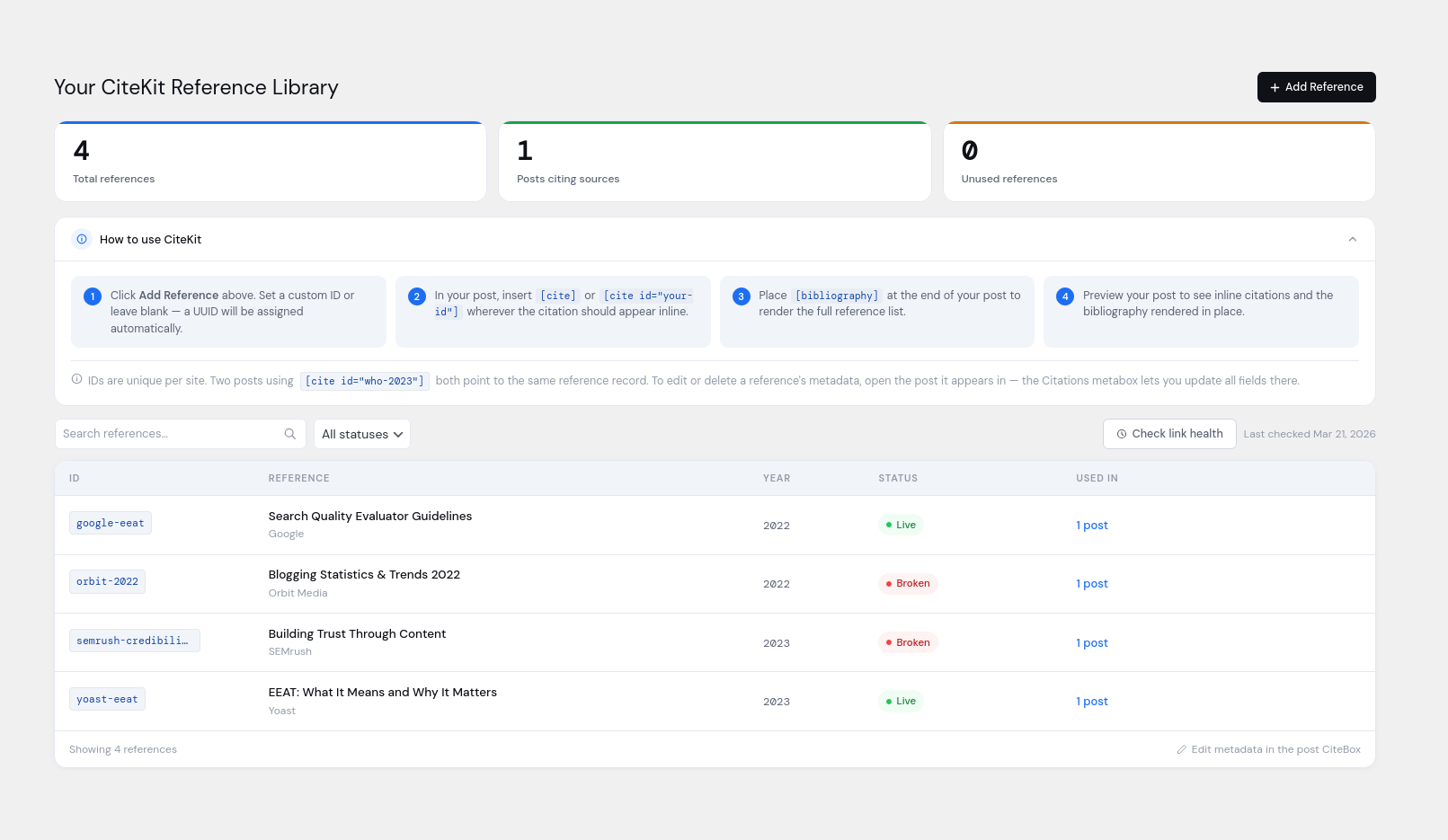
CiteKit – Citations Manager makes it easy to add professional in-text citations to your WordPress content using simple [cite] shortcodes. Automatically generate a bibliography at the end of your post with [bibliography], styled in APA, MLA, Chicago, Harvard, and other major formats.
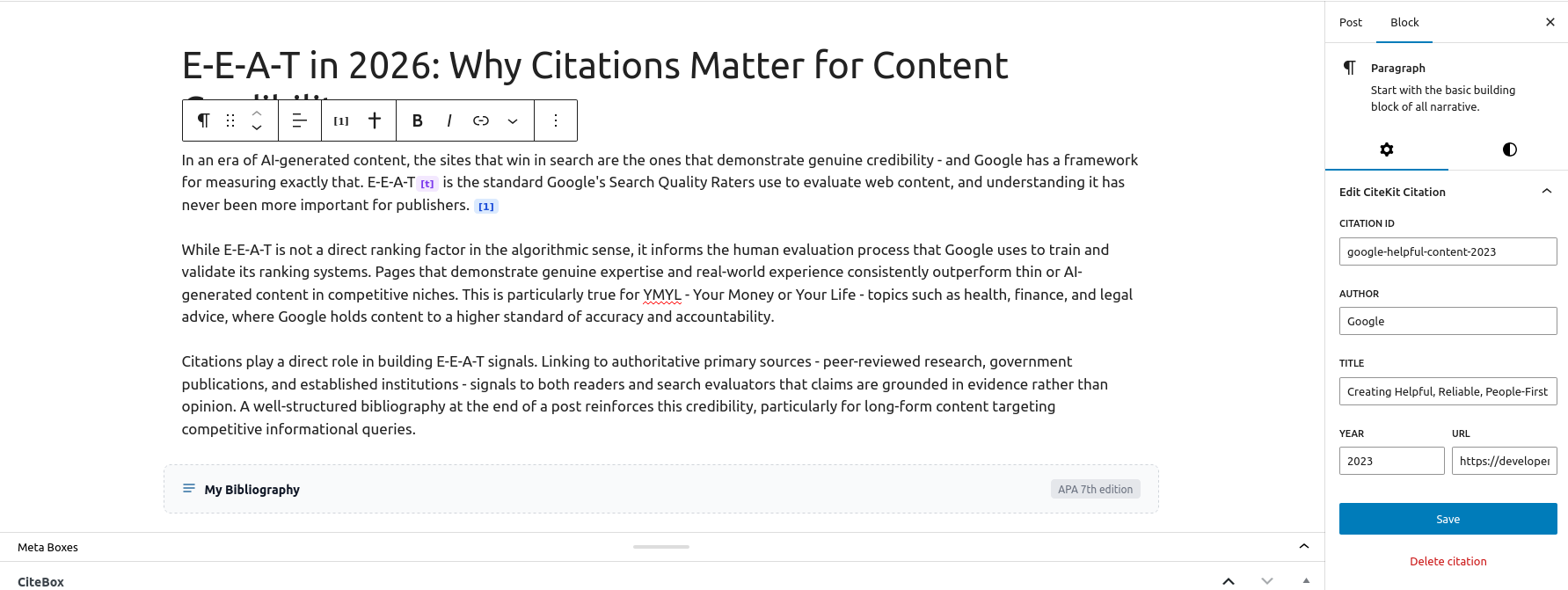
Use the built-in Citation Library to:
+ Track every citation used across posts
+ Edit citation details (author, title, year, URL)
Perfect for bloggers, educators, journalists, and researchers who need clean, consistent citation formatting.
Features
-
Inline [cite] Shortcode with Auto-ID
Insert citations directly into post content using [cite]. Unique citation IDs are automatically generated, or set manually with [cite id=”my-custom-id”]. -
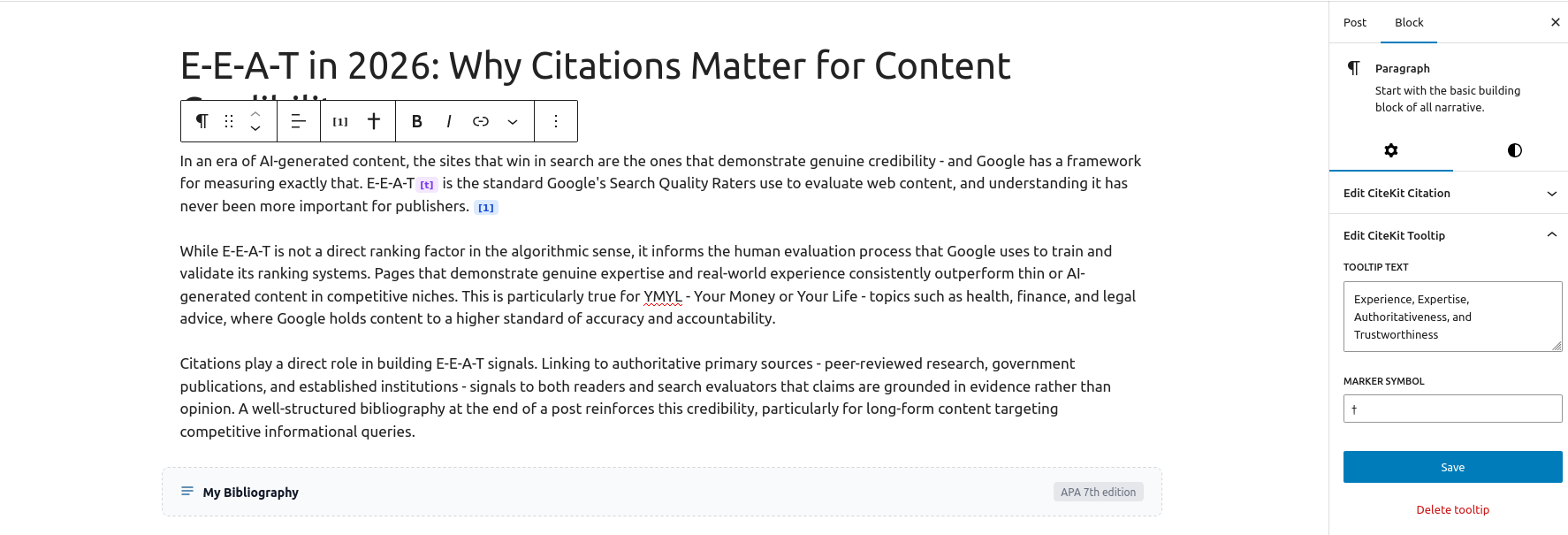
Post-Level Citation Editor (Citebox)
View and edit all citations associated with a post from a dedicated metabox. Modify author, title, year, or URL without leaving the editor screen. -
Centralized Citation Library Dashboard
Manage all citations across your entire site in one place. Search, filter, and update entries inline to ensure consistency sitewide. -
Auto-Generated Bibliography
Use the [bibliography] shortcode to automatically output a formatted bibliography for the current post. Entries are ordered and backlink to their corresponding in-text references. -
Manual Bibliography Composition
Create a standalone bibliography using [bibliography title=”References”] Source 1 ; Source 2 ; Source 3 [/bibliography] — ideal for static lists or non-[cite] workflows. -
Multiple Citation Style Support
Output citations in APA, MLA, Chicago (Author-Date and Notes), Harvard, or IEEE styles using [bibliography style=”apa|mla|chicago-ad|chicago-nb|harvard|ieee”]. -
Tooltip-Style Inline Notes
Add lightweight footnotes or definitions using [tooltip]…[/tooltip] shortcodes. Renders as clean tooltips with no visual clutter or numbering.
CiteKit Shortcodes
- [cite] — Inline citation with auto-generated ID
- [cite id=”user-defined-id”] — Inline citation with user-defined ID
- [bibliography title=”Works Cited” style=”mla”] — Formatted reference list
- [bibliography] Smith, 2026; John Jacobs, The Red Roof, 2021; Mary Martha, Happy Homes, https://happyhomes.com [/bibliography] – Manually listed entries
- [tooltip]…[/tooltip] — Define tooltip annotations
Details
Related plugins
Plugins that also contain the tag bibliography
Academic Blogger's Toolkit
Citations

Side Matter

CM Footnotes – Boost your content’s credibility with footnotes, citations, and bibliography

Endnotes

WPBMB Entrez


About
Plugin for that tries to help you find the WordPress plugin you are looking for.
| Please enjoy an image of Crush (this awesome turtle) and have a lovely day! |  |
We do not own any plugin listed on this site and do not work for or work with WordPress.com or it's associated companies. We simply provide a searchable list of the available WordPress plugins.