

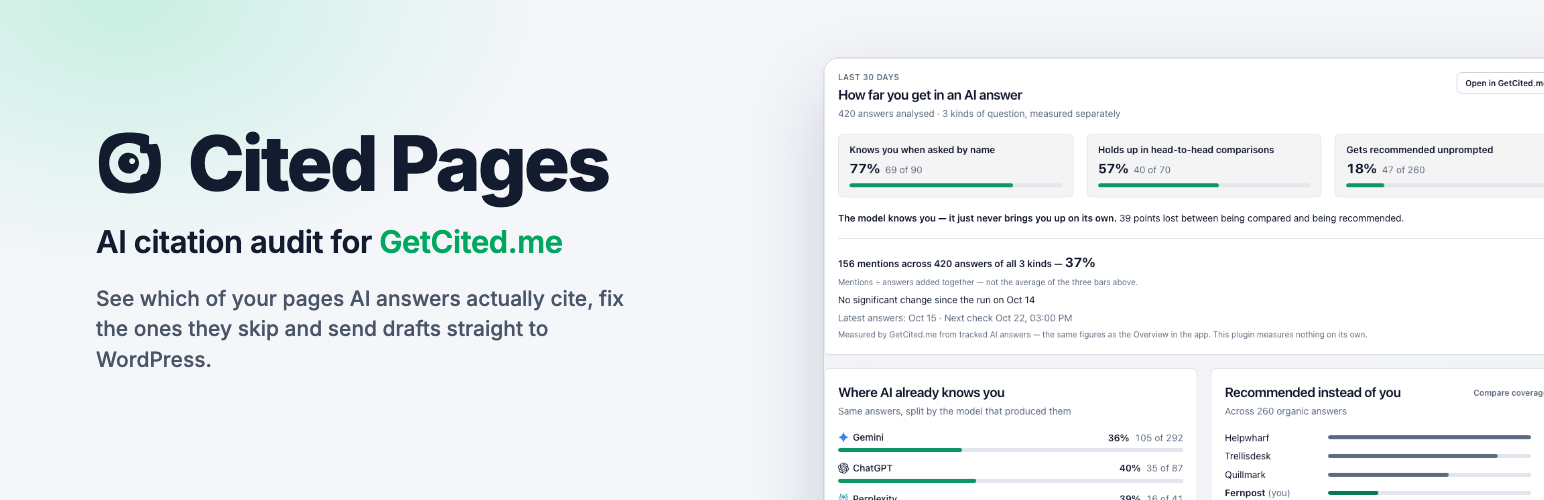

Cited Pages AI Citation Audit for GetCited.me
Most AI-visibility plugins score your pages with rules that run on your own server. This one reports what AI assistants actually answered.
Connect the plugin to a GetCited.me account and it brings your measured visibility into wp-admin: which of your published pages were cited in real answers from ChatGPT, Claude, Gemini, Perplexity and Google AI Overviews, how those answers changed this week, and which pages the measurements say to fix first.
What it does
Real citations, per page
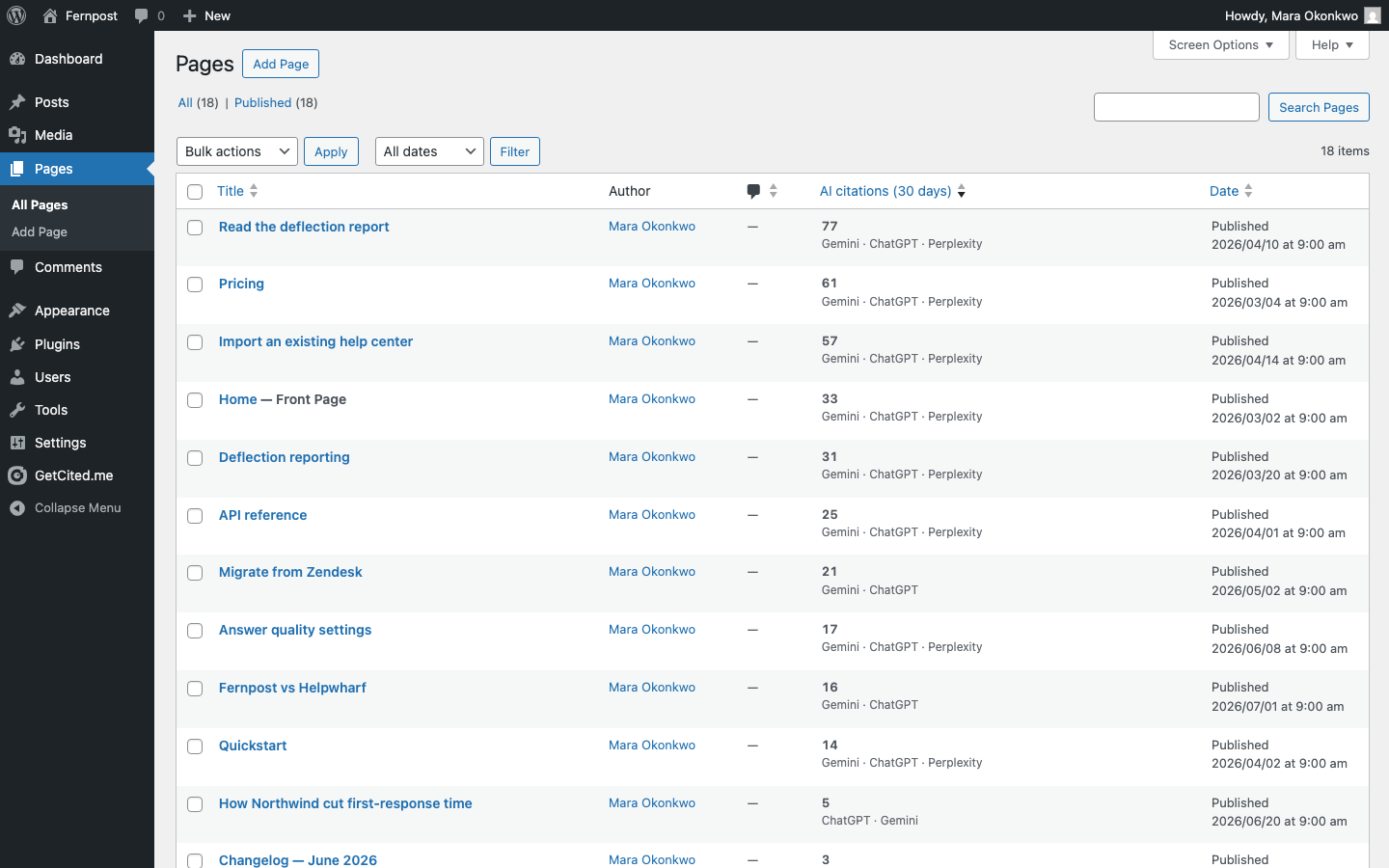
A column in your Posts and Pages lists showing how many times AI answers cited that exact URL in the last 30 days, and by which assistant. This is measured from answers, not inferred from your markup. Site administrators also see that page’s Google Search clicks beside it when the project has Search Console connected; authors and editors see the AI citations only.
A site inventory your crawler cannot build
The plugin reports your published pages – titles, headings, FAQ blocks, structured-data types, word counts – straight from WordPress. Sites behind Basic Auth, “coming soon” pages, membership areas and bot-protected hosts are invisible to any external crawler; they are not invisible to a plugin running inside WordPress.
Measured visibility, as the app shows it
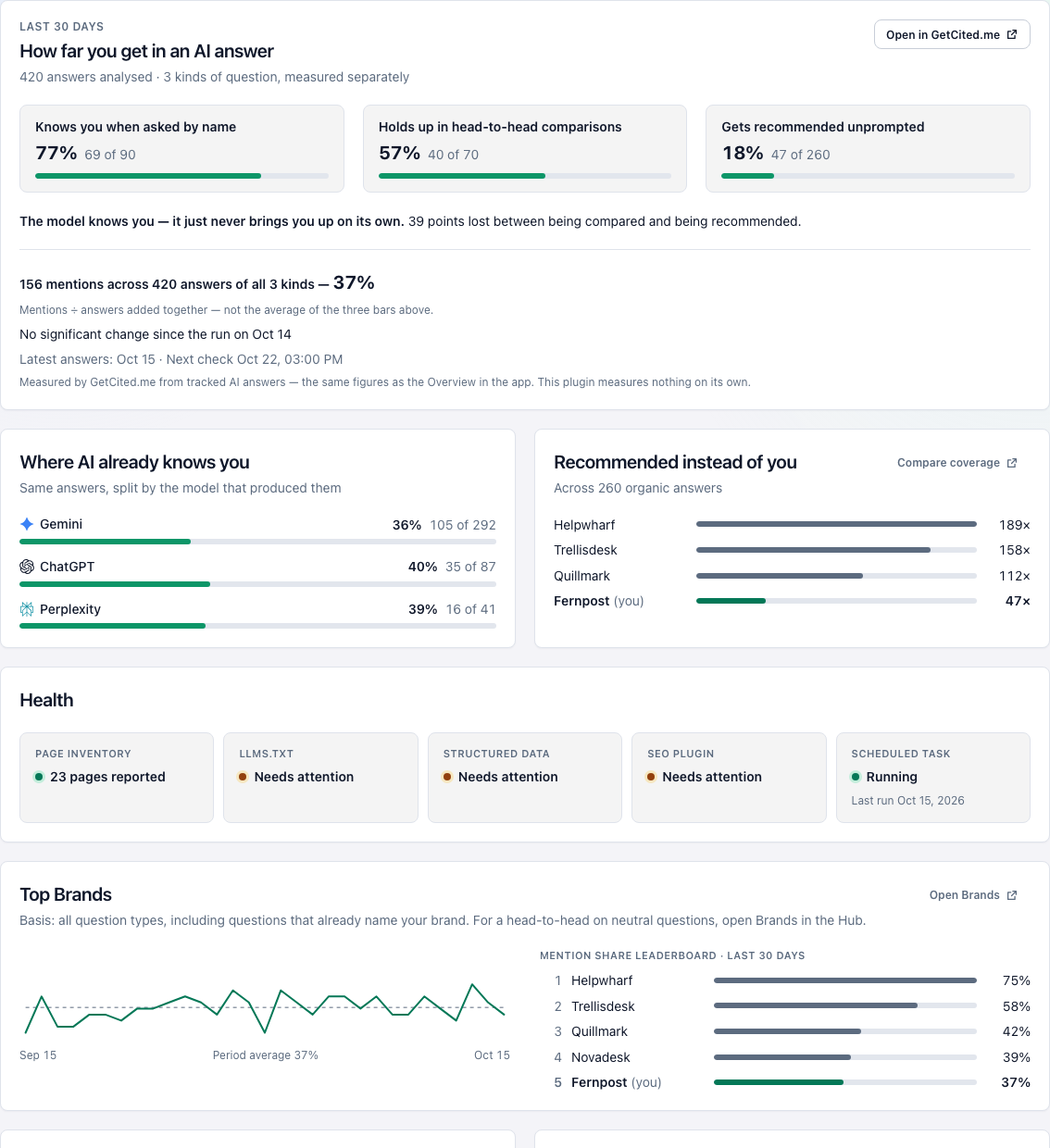
The Overview screen shows the share of tracked AI answers that named your site over the last 30 days – split by kind of question and by engine, with the daily trend, how you rank against the competitors those answers named, your Google Search totals for the same window as the app’s Pages screen, and how many drafts are waiting for you in the Action Center. Every figure is read from GetCited.me; links open the same view in the app.
What changed
The last seven days, one line per tracked question: where an assistant started naming your site, where it stopped, where a competitor is cited in your place, and where an answer still names you but links to a look-alike domain. Each line opens the exact answer in GetCited.me.
Fixes you review before anything is applied
Per-page suggestions – title, meta description, answer-shaped opening, FAQ, structured data. Every one is shown as a preview with a copy button, and nothing is ever written without a click. Applying a title or a meta description writes a backup first and offers a single-click undo; everything else is copy-only, and the plugin says in plain words why each one is.
Articles become WordPress drafts – on your click, never on their own
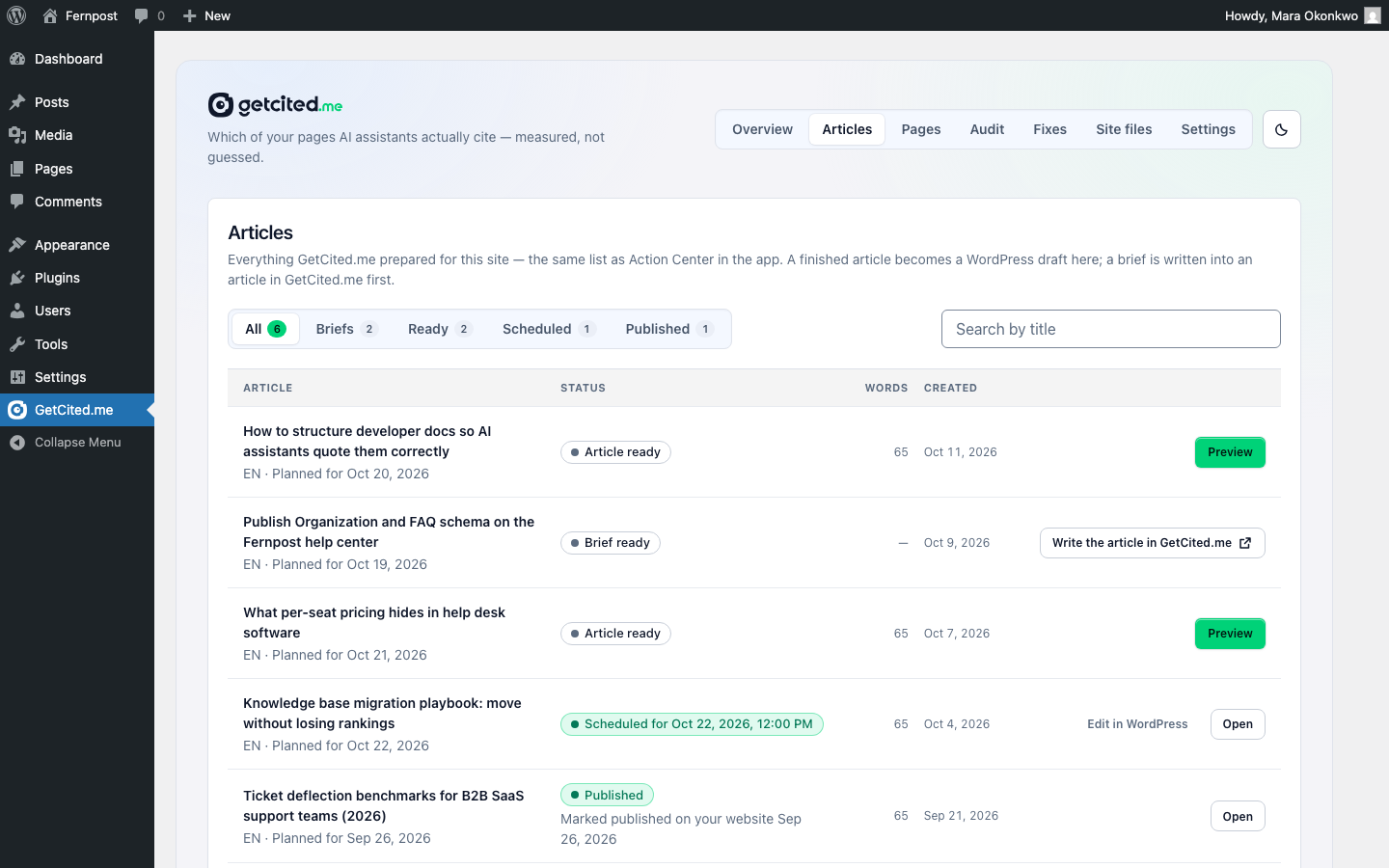
Everything GetCited.me prepared for this site is listed in the plugin – the same list, with the same statuses, as Action Center in the app: briefs, articles being written, finished articles, and what became of each one in WordPress (draft, scheduled, published, or moved to the Trash). Pressing Create WordPress draft on a finished article creates one draft post with you as its author – its text as blocks, its SEO fields in your SEO plugin, its poster and its FAQ structured data – and nothing is published until you publish it. Create draft in WordPress in the app does the same through a single-use link. Nothing is created by a background task; exactly what a draft contains is in the FAQ below.
Page report
Every page GetCited.me knows on your site, with its citation-readiness score, AI citations, Google Search clicks, impressions and position (from the project’s Search Console – administrators only), Google index state, whether outside crawlers can reach it, and the one fix worth making first – linked straight to the Fixes screen for that page.
Your GEO audit, all of it
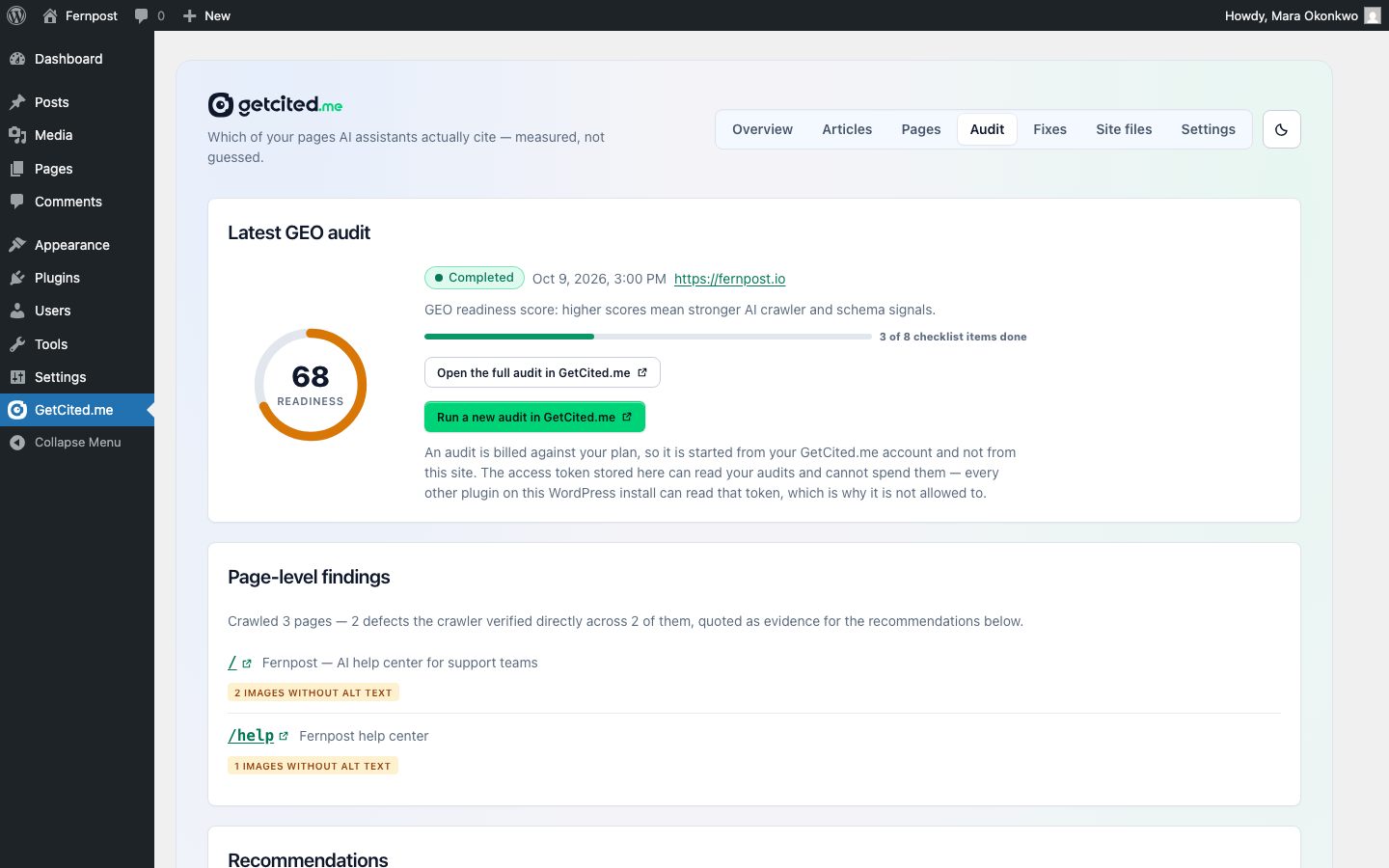
The latest GEO audit from your GetCited.me account as the app shows it: the readiness score, the page-level findings, every recommendation with its evidence and the draft it comes with, the implementation checklist, every generated file, and whether your live llms.txt, ai.txt and robots.txt match what the audit recommended. A link opens the same audit in GetCited.me. You can tick checklist items and re-check the live files from wp-admin; running a new audit is billed against your plan, so it starts from your account.
Site files you review before they go live
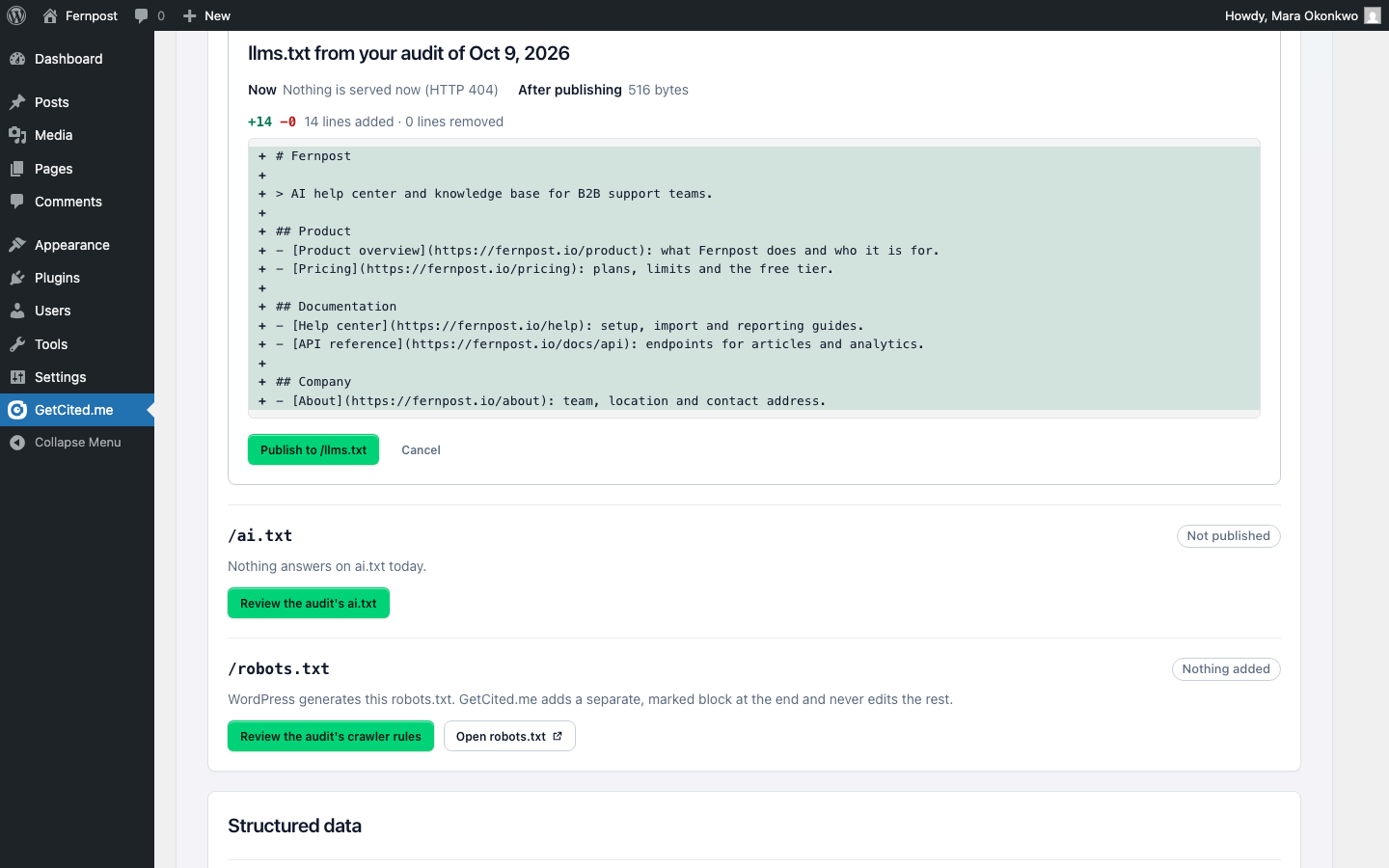
The audit’s llms.txt and ai.txt can be served from WordPress, and the audit’s crawler rules (its User-agent groups for GPTBot, ClaudeBot and the rest) can be added to the robots.txt WordPress generates. Each change is shown first as a difference against what your site serves right now, happens only when you press Publish, and can be undone with one click. Nothing is published on connect, on opening a screen or on a schedule, and no file is ever written into your site’s folder.
Works with your existing setup
This is not an SEO plugin and it does not want to be one. If Yoast SEO, Rank Math, All in One SEO, SEOPress or The SEO Framework already handles something, the plugin says so and stands aside: titles and meta descriptions go into your SEO plugin’s own fields, structured data and an llms.txt it already serves are left alone, and robots.txt is never written as a file. How each case is handled is in the FAQ below.
What it does not do
No plugin can guarantee a citation, a ranking, or a place in an AI-generated answer, and this one does not claim to. It measures, it reports, and it prepares changes you approve. llms.txt is a proposed convention, not an adopted standard, and crawler behaviour varies by provider and changes over time.
Third Party Services
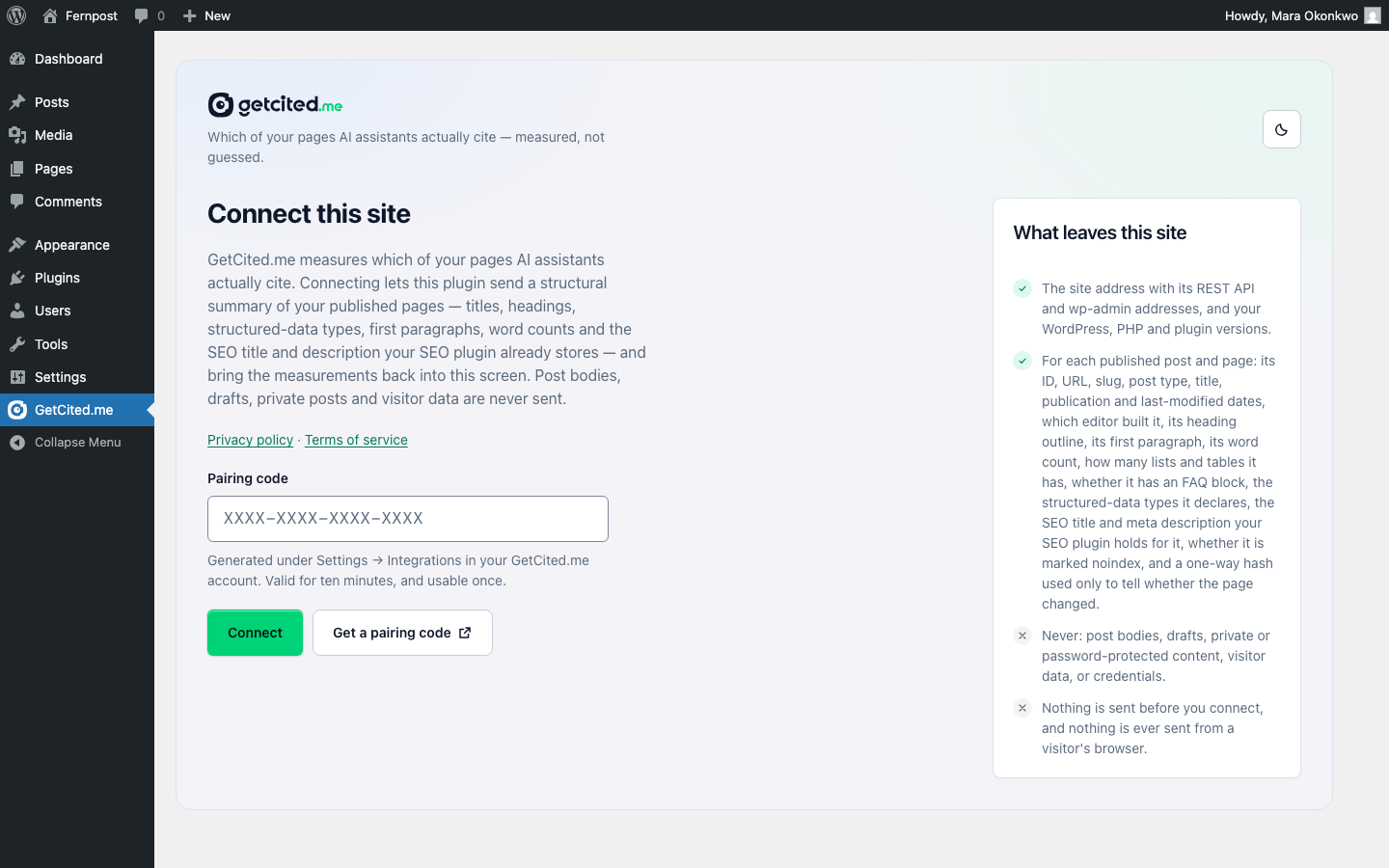
This plugin is the WordPress interface to GetCited.me, a hosted service. It is not usable without a GetCited.me account, and it contacts that service only after you connect one.
GetCited.me API
- Service: GetCited.me – https://getcited.me
- Endpoint:
https://api.getcited.me - When: Only after you complete the connection step in the plugin’s settings, and from then on when you open a plugin screen, when you open the Posts or Pages list (the AI citations column, cached for a short while), once a day when WordPress runs this plugin’s scheduled task, when you press a button that asks for data (including Create WordPress draft), and once in the background shortly after a post that was created from a GetCited.me article is scheduled, published, taken back to draft, moved to or restored from the Trash, or deleted – and once when you delete the plugin while connected, to revoke its access token (three-second limit; deactivating sends nothing). Never before you connect and never while disconnected. The plugin itself never contacts the service from a visitor’s browser; the one exception is images inside posts created from GetCited.me articles, which visitors’ browsers load from where they are hosted – see “Images in posts created from GetCited.me articles” below.
- Data sent: when you connect, the pairing code you pasted, your site URL, the address of this plugin’s verification route on your site (its REST API address, so sites in a subfolder or on plain permalinks can be verified) and the address of your wp-admin (used only to build links from GetCited.me back into this plugin’s screens). Then, with every request: your site URL, the environment type WordPress reports for it (production, staging, development or local – sent with every request as the
X-Site-Envheader), your WordPress and PHP versions, and this plugin’s version; then, for each published post and page: its ID, URL, slug, post type, title, publication and last-modified dates, which editor or page builder produced it, its heading outline, its first paragraph, its word count, how many lists and tables it contains, whether it has an FAQ block, which structured-data types it declares, the SEO title and meta description your SEO plugin holds for it (and which plugin that is), whether it is markednoindex, and a one-way hash of its text used only to tell whether the page changed since the last report, together with a yes/no flag saying whether the plugin was able to read that page at all. Post bodies are not sent – the first paragraph is the only body copy that leaves your site. Draft, private and password-protected content is not sent. For a draft created from a GetCited.me article, the plugin sends that post’s ID and its edit-screen URL when the draft is created or goes back to draft, the date and time WordPress will publish it when you schedule it (with your site’s time zone offset, so GetCited.me moves the article’s planned day on its Plan to the day you scheduled), its public permalink and publication date once you publish it, and the word “trashed” or “deleted” when it is moved to the Trash or deleted – never its content. On the Articles screen, the status tab, page number and any search text you type are sent to fetch the matching list; when you open a GetCited.me app link to create a draft, the single-use code it carries is sent back once to be checked. When you tick or untick an audit checklist item, the plugin sends that item’s ID and whether it is done; when you press Re-check now on the Audit screen, it sends the audit’s ID, and GetCited.me then fetches your site’s public llms.txt, ai.txt and robots.txt to compare them with the audit. The request sent when you delete the plugin carries only what every request does. No visitor data, no personal data of your readers, and no credentials are ever transmitted. - See it for yourself: press Show the data that would be sent on the plugin’s Settings screen (see the FAQ).
- Data received: your measured AI-visibility data for that site, per-page citation counts, your GEO audits (score, page-level findings, recommendations with their evidence, the implementation checklist, the generated files – llms.txt, ai.txt, robots.txt, structured data and the other drafts – and whether your live files match them) and the suggested page fixes shown in the plugin; the briefs and articles prepared for your site in GetCited.me – on the Articles screen their titles, languages, statuses (including where and when each was published and what became of its WordPress post), created, updated and planned dates, word counts, poster image links and a link to each in GetCited.me, and for one article its title, slug, language, text, SEO title and description, focus keyphrase and keywords, excerpt, planned date, author name, job title and short bio, poster image link with its alt text and photographer credit, FAQ – when you open the Articles screen or create a draft; and per-page Google Search Console metrics – clicks, impressions, click-through rate and average position over the same window as the Pages screen in the GetCited.me app – when the project’s owner has connected Search Console in GetCited.me (no search queries come with these per-page metrics). Search queries do reach the plugin in one place: when the project has Search Console connected, the GEO audit’s search-demand findings quote the searches Google sends your site, with their impressions, clicks and average positions, and the Audit screen shows them to administrators only. Search Console data is shared with the whole project team in GetCited.me, so a site paired by any team member – the owner or a collaborator – receives the same Google figures; only the owner can connect, change or disconnect Search Console, and that is never done from the plugin.
- Data received for the Overview: the share of tracked AI answers that named your site over the last 30 days – by kind of question, by engine and by day – the names, website domains and mention counts of the competitors those answers named, the changes of the last seven days with the tracked question and answer each belongs to, the number of drafts waiting in your Action Center, and your site’s Google Search Console totals (clicks, impressions, click-through rate, average position) for that window and, to show the change, for the same number of days just before it. Every Google number in the plugin – on the Overview, the Pages screen and the Posts list – covers the same days as the Pages screen in the GetCited.me app: the 30 days ending today, up to the newest day Google reported.
- Purpose: the plugin has no measurements of its own. Everything it shows is computed by the service from AI answers collected for your site.
- Terms of Service: https://getcited.me/terms-of-service
- Privacy Policy: https://getcited.me/privacy-policy
Poster download from GetCited.me (api.getcited.me)
- When: Only when a draft is created – Create WordPress draft in the plugin, or Create draft in WordPress in the GetCited.me app – from an article whose poster is an image you uploaded to GetCited.me. Your server downloads that one file once from
https://api.getcited.me, GetCited.me’s upload host, and adds it to your Media Library; from then on your site serves it. No other poster is ever downloaded. - Data sent: an ordinary image request from your server – its IP address and WordPress’s user agent. No site or visitor data.
Images in posts created from GetCited.me articles
These images are loaded by the browser of whoever views the post, not by the plugin, and only on posts created from GetCited.me articles with Create WordPress draft in the plugin or Create draft in WordPress in the GetCited.me app.
- Which images: only images that were in the GetCited.me article. Images inside the article text keep their original addresses: an image you uploaded to GetCited.me loads from
api.getcited.me, an Unsplash photo fromimages.unsplash.com, and an image the article took from another website from that website. A poster that you did not upload to GetCited.me is placed the same way – an Unsplash photo with the photographer credited underneath, because Unsplash’s licence terms require it to be shown from Unsplash’s servers rather than copied; an image from another website pointing at that website. - When: each time someone views such a post on your site, or opens its draft in the editor – and, for an Unsplash poster on a site with Yoast SEO or SEOPress, whenever a social network or messaging app builds a link preview of the post, because the photo’s Unsplash address is set as the post’s social sharing image.
- Data sent: nothing by the plugin itself. The viewer’s browser requests the image the way it requests any embedded image, which tells that host the viewer’s IP address, browser and the page the image is embedded on. The photographer credit under an Unsplash photo links to the photographer’s Unsplash profile and to Unsplash with
utm_source=citedpages&utm_medium=referraladded, as Unsplash’s attribution guidelines require; following a link tells Unsplash the visitor came from this credit. - To stop it for a post: replace those image blocks with images from your Media Library, or remove them, and clear the social image in your SEO plugin.
- GetCited.me: Terms of Service https://getcited.me/terms-of-service – Privacy Policy https://getcited.me/privacy-policy
- Unsplash (https://unsplash.com): Terms of Service https://unsplash.com/terms – Privacy Policy https://unsplash.com/privacy
- Other websites: whichever site hosts the image; its address is in the image block.
Details
Related plugins
Plugins that also contain the tag ai-citations
Citolume – AI Visibility


About
Plugin for that tries to help you find the WordPress plugin you are looking for.
| Please enjoy an image of Crush (this awesome turtle) and have a lovely day! |  |
We do not own any plugin listed on this site and do not work for or work with WordPress.com or it's associated companies. We simply provide a searchable list of the available WordPress plugins.