



CleanFlow – Cleanup & Optimization
CleanFlow helps you clean unnecessary WordPress data without manually working with the database.
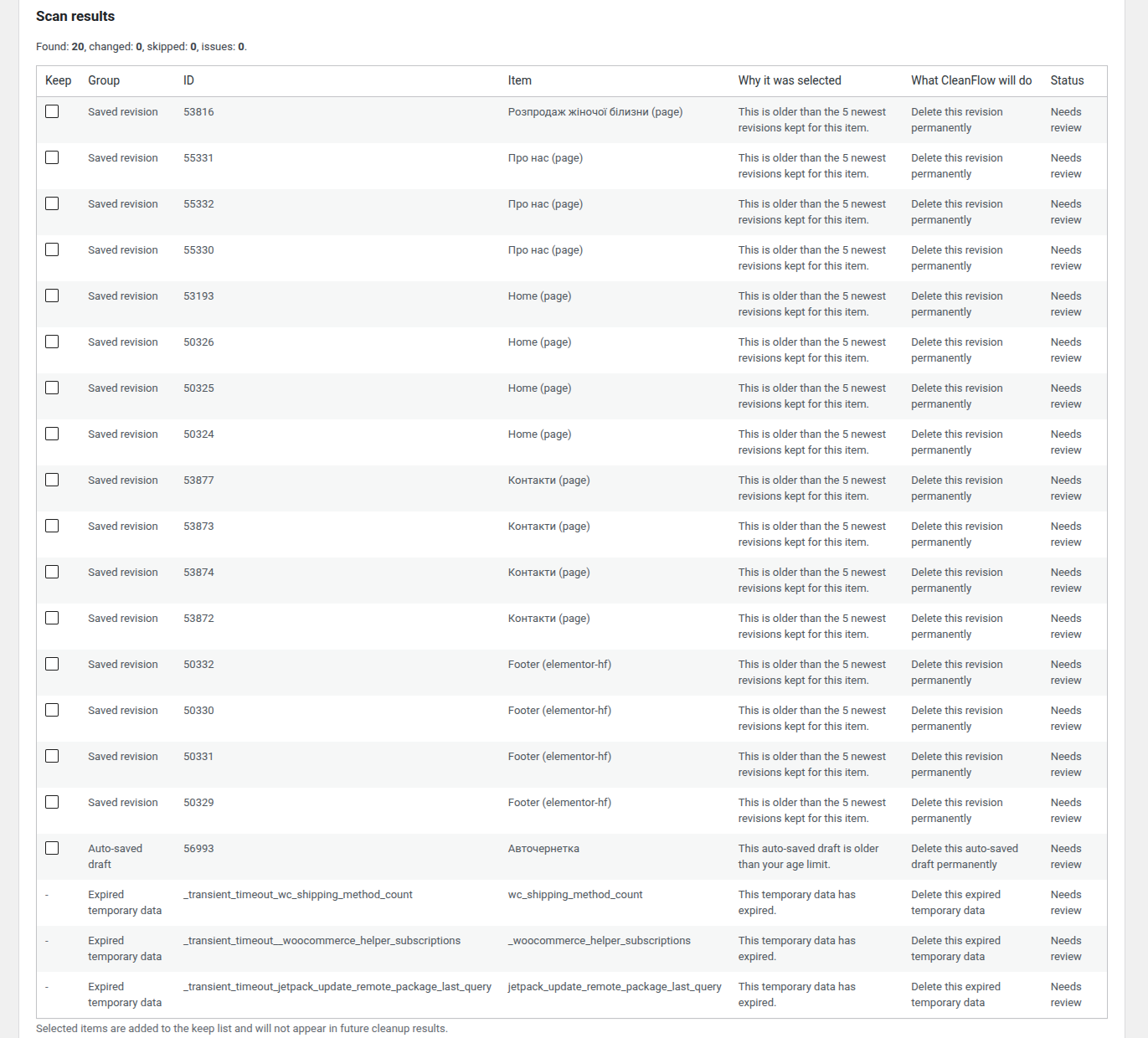
The plugin is built around a simple principle: show what can be cleaned, explain why it was selected, and let you review the action before anything is removed.
CleanFlow follows a review-first workflow:
- Scan for items that may be safe to clean.
- See what was found and why.
- Review the results and mark anything you want to keep.
- Preview what CleanFlow will do.
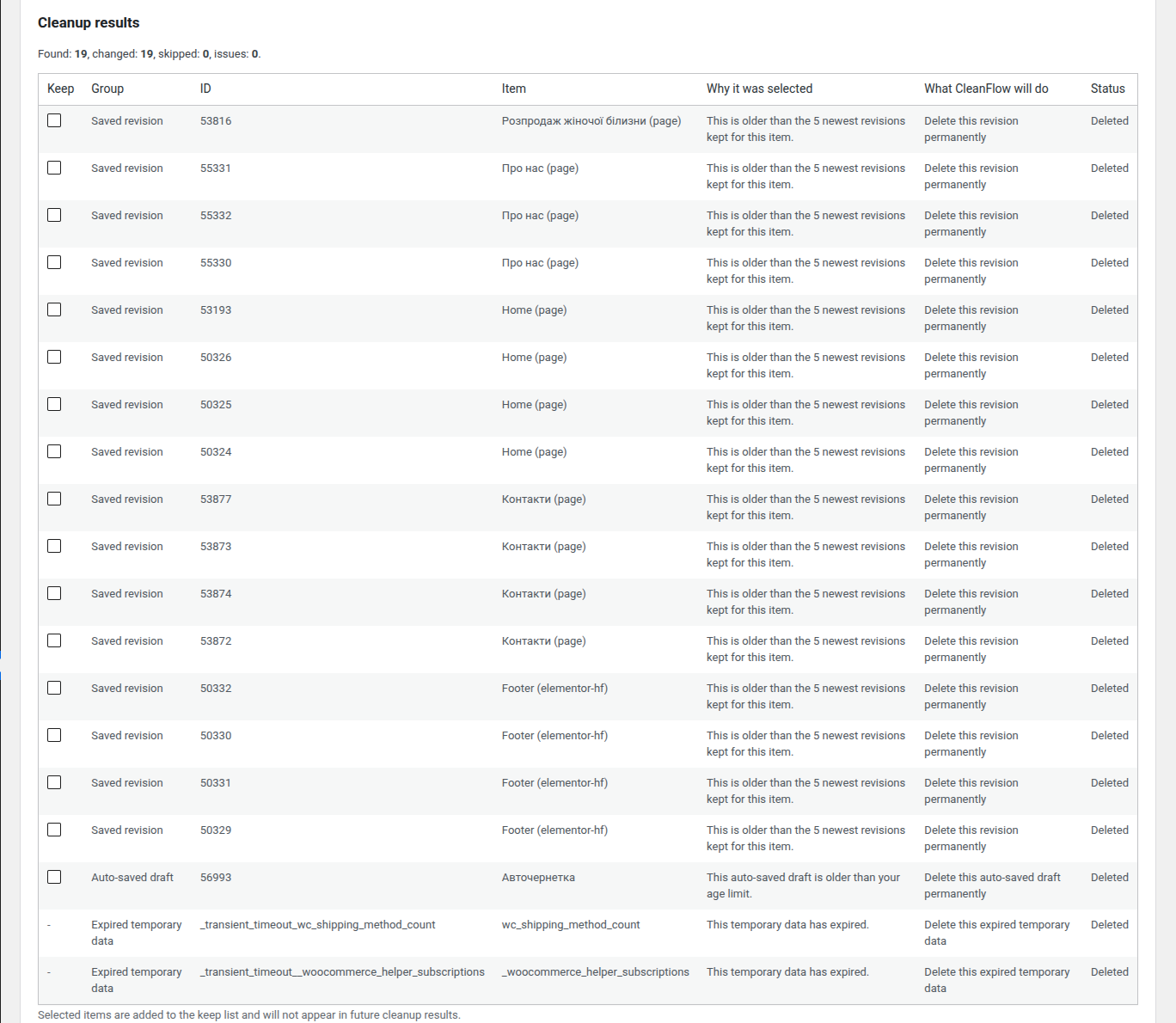
- Confirm and run the cleanup manually.
The Free version focuses on complete manual cleanup. Core safety features such as previews, keep lists, and cleanup history are part of the free workflow.
WordPress Cleanup
Clean common WordPress data that can accumulate over time:
- Old post and page revisions
- Unused auto-saved drafts
- Spam comments
- Items in Trash
- Expired temporary WordPress data
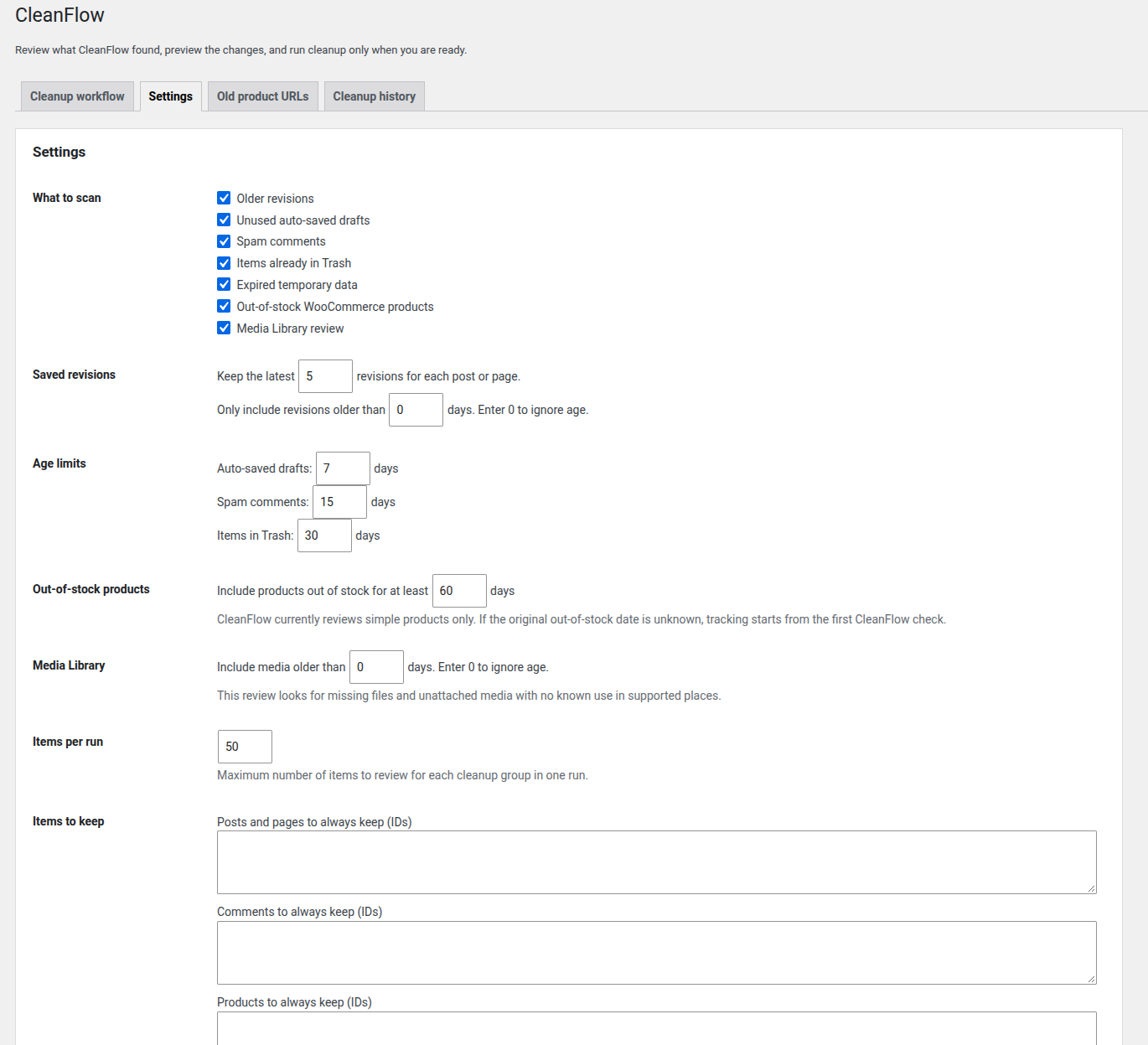
For revisions, you can keep a selected number of the most recent revisions instead of removing everything.
Age limits and keep lists help you control which data is included in a cleanup.
Regular saved drafts are not automatically removed.
Media Library Analysis
CleanFlow Free includes a careful media review workflow.
The initial media module can identify:
- Media Library records whose original file is missing from disk
- Unattached media where no known use was found in supported places
Known-use checks include media attached to posts, featured images, WooCommerce product galleries, common page content, and common custom-field references.
Media scan results show found links, such as pages, posts, products, featured-image usage, gallery usage, and custom-field references, so you can review why a media item may or may not be safe to remove.
Media review is intentionally careful. “No known use found” does not guarantee that a file is unused by every theme, builder, shortcode, custom field, or external integration.
You can review media items, mark individual media items to keep, preview actions, and manually confirm cleanup before any media record or file is deleted.
WooCommerce Product Cleanup
CleanFlow also provides a cleanup workflow for WooCommerce stores with products that remain out of stock for extended periods.
You can identify products that have continuously remained out of stock for:
- 30 days
- 60 days
- 90 days
- A custom period
If a product becomes available again, its out-of-stock timer is reset.
Before taking action, you can:
- Review matched products
- See why each product was selected
- Review found links from pages and related product media
- Exclude individual products
- Exclude product categories
- Preview planned actions
- Preview actions before cleanup
- Move products to Trash
- Permanently delete products with separate confirmation
Product availability is checked again immediately before a cleanup action.
If the original date when a product became unavailable is unknown, CleanFlow starts tracking from the first recorded check.
Orders and purchase history are not cleaned by the WooCommerce product cleanup module.
The initial WooCommerce cleanup workflow focuses on simple products. Variable products are not included in the first release of this module.
Old Product URLs
When removing an outdated WooCommerce product, CleanFlow allows you to manually configure a redirect to a relevant replacement product or another appropriate page.
A redirect is not required.
When there is no suitable replacement, the old product URL can show a not-found or removed page instead of being automatically redirected to an unrelated category or page.
If a previously removed product becomes available again at its original URL, its associated redirect can be disabled.
Preview First. Delete Second.
Cleanup should not require blind trust.
CleanFlow is designed to show found items before destructive actions are performed.
You can review:
- What CleanFlow found
- Why it was selected
- What action is planned
- Which items are marked to keep
A preview lets you check planned actions without actually deleting data.
Cleanup runs in smaller batches, with limits per run. Conditions are checked again before destructive actions.
If an operation cannot be safely confirmed or a critical error occurs, the action should stop rather than continue blindly.
Where WordPress provides a Trash workflow, CleanFlow uses it to make recovery possible before permanent deletion.
Cleanup History
CleanFlow keeps a basic cleanup history with actions and issues. The history can be exported to CSV, and clearing it requires explicit confirmation.
For WooCommerce product cleanup, the log can also record:
- Products moved to Trash
- Products permanently deleted
- Reasons for cleanup actions
- Old product URL rules created during the cleanup workflow
For media cleanup, the log records media records and files selected for cleanup and the reason each item was selected.
Where available, result details and history exports include found links to pages, posts, products, media, content references, and custom-field references.
This provides a clearer record of what happened during previous cleanup operations.
Free Means Manual Control
CleanFlow Free is designed as a functional manual cleanup tool, not simply a limited preview of the paid version.
The Free workflow includes:
- Cleanup scanning
- Result previews
- Reasons items were selected
- Action previews
- Tabbed admin screens for cleanup workflow, settings, old product URLs, and cleanup history
- Keep lists
- Age-limit settings
- Manual cleanup
- Media Library analysis and manual media cleanup
- Safety checks
- Basic exportable cleanup history
You decide what gets cleaned and when.
What CleanFlow Does Not Do
CleanFlow is focused on controlled cleanup and optimization workflows.
It is not intended to replace:
- Backup plugins
- Caching plugins
- Image compression tools
- Antivirus or security plugins
- Full SEO plugins
CleanFlow does not clean WooCommerce orders or users.
Always maintain a current backup before performing irreversible cleanup operations.
Built to Grow
CleanFlow is being developed in stages.
The initial Free releases focus on WordPress cleanup, WooCommerce product cleanup, and careful Media Library analysis.
Future development is planned around additional cleanup and analysis workflows, including deeper media checks and more advanced automation.
Planned features are not included in the current version unless explicitly stated in the changelog.
CleanFlow Pro
A future CleanFlow Pro version is planned to focus primarily on automation and reusable cleanup workflows.
Planned Pro capabilities include:
- Scheduled cleanup
- Separate rule profiles for different data types and product groups
- Email reports
- More advanced cleanup history
- Multi-step cleanup workflows
- Advanced bulk operations and integrations
Core safety checks are intended to remain part of both Free and Pro workflows.
Details



Related plugins
Plugins that also contain the tag cleanup
WP-Sweep

Delete Duplicate Posts
Simple Revisions Delete

AAA Option Optimizer

Freesoul Deactivate Plugins – Disable plugins on individual WordPress pages
Optimize Images Resizing


About
Plugin for that tries to help you find the WordPress plugin you are looking for.
| Please enjoy an image of Crush (this awesome turtle) and have a lovely day! |  |
We do not own any plugin listed on this site and do not work for or work with WordPress.com or it's associated companies. We simply provide a searchable list of the available WordPress plugins.