



Clearyvo Media Cleanup
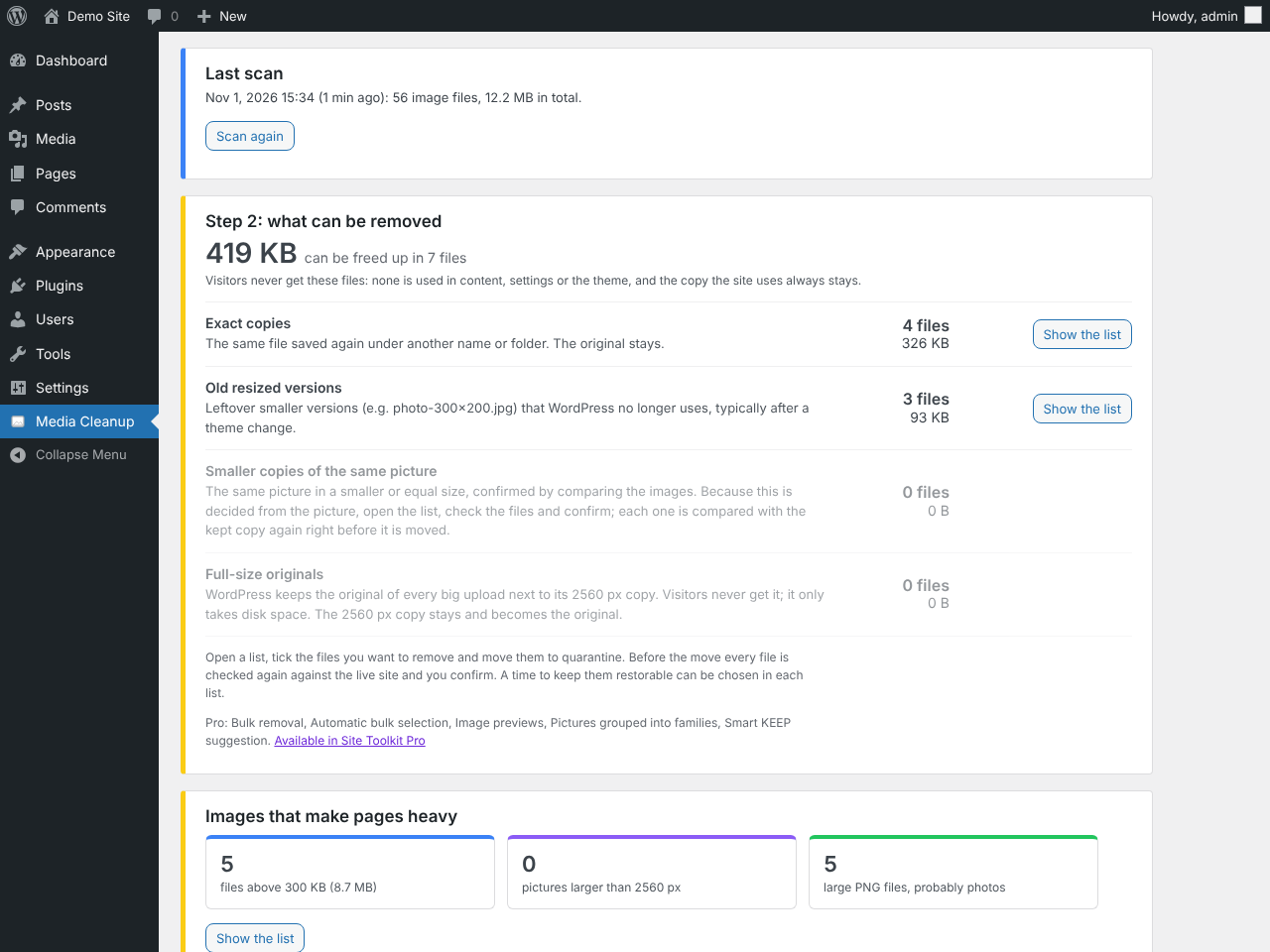
Scans the uploads folder in small resumable steps (no PHP time-limit problems) and classifies every image file:
- Media Library originals, registered sizes, pre-scaling originals and image-editor backups: never moved.
- Orphan sizes:
name-300x200.jpgfiles whose original is in the Media Library but which WordPress no longer lists. - Files in backup / old / archive folders.
- Plugin-managed folders and WebP/AVIF siblings: never touched.
- Unregistered files.
Within every group of same-picture files the plugin keeps (1) the best copy in use (referenced, then registered) and (2) the highest-resolution copy. Other copies are only offered when they are unregistered, unreferenced, not recent, and verified:
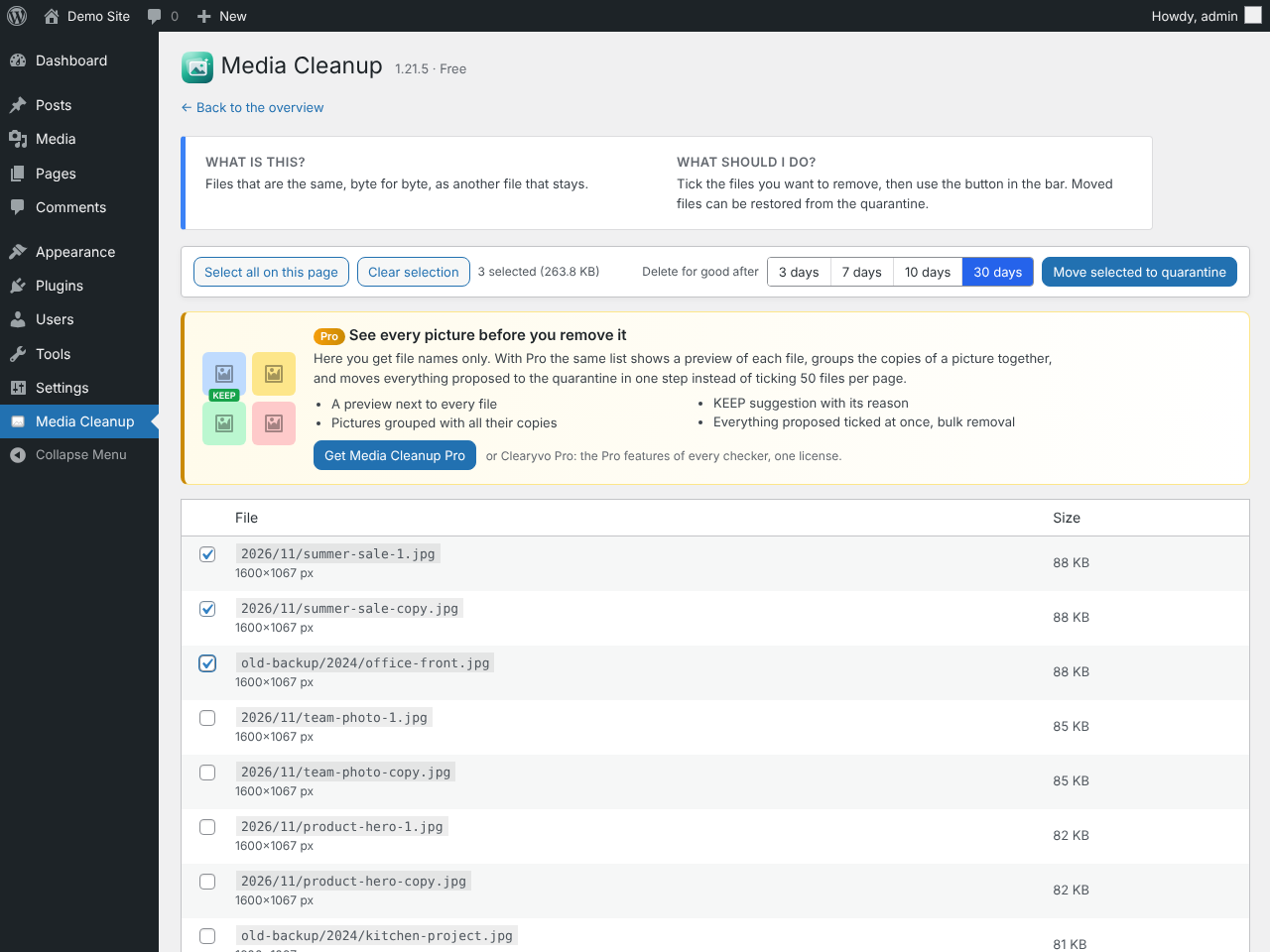
- Identical copies: same SHA-256.
- Verified look-alikes: same picture at a lower or equal resolution, confirmed by a two-stage content comparison (16×16 prefilter, then a strict 32×32 neighbour-tolerant comparison). During the scan, Media Library images are read from a proportional registered size; right before a file is moved, the strict comparison is repeated on the real files. Anything that does not pass is listed as “unverified” and cannot be quarantined.
References are looked up in posts, post meta, term meta, user meta, settings (options), the active theme’s files and CSS files in uploads. Attachment-level use (featured image, wp-image-ID classes, block and gallery IDs, site icon, logo) is detected as well. Revisions and transients are ignored.
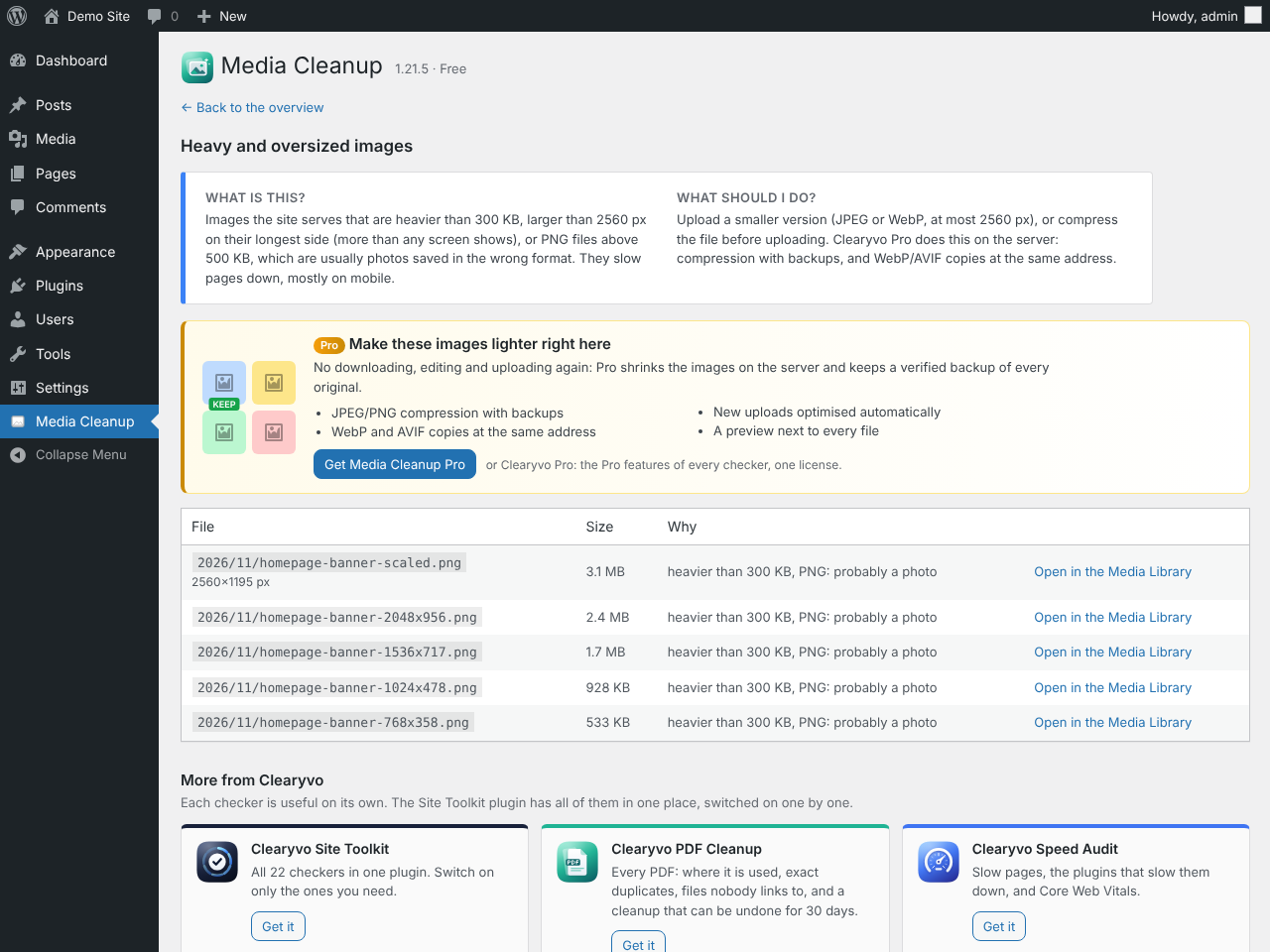
Heavy and oversized images (free): images the site serves that are heavier than 300 KB, larger than 2560 px on their longest side, or PNG files above 500 KB (usually photos in the wrong format), with where they are used.
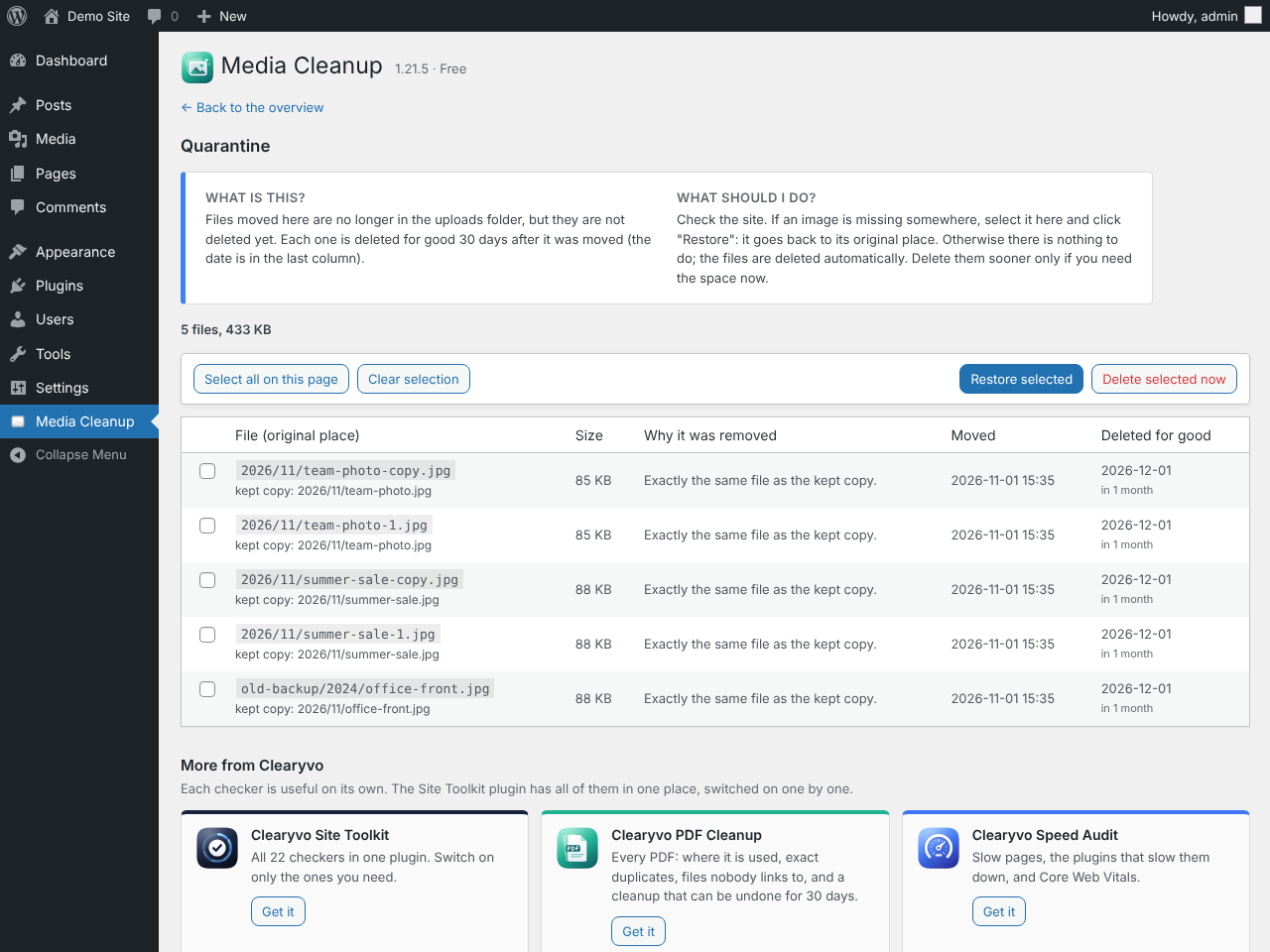
“Delete” means quarantine: files move to a private folder and can be restored for the retention period (3, 7, 10 or 30 days; default 30), then they are removed automatically. Before every move the file is re-checked against the live site (unchanged, not newly referenced, not registered, kept copy still valid and identical in content). A “check only” pass runs first and shows what would happen.
Part of the Clearyvo plugin family: focused plugins that each check one part of your site and share one “Site Toolkit” menu with a Site health score. The Site Toolkit plugin has every checker in one plugin, switched on one by one; when it is installed, this plugin’s settings and results are shared with it. More at wp-sitechecker.com.
Free and Pro
- Free: the full scan, exact copies, old resized versions, verified look-alikes, backup folders, full-size originals, heavy and oversized images (above 300 KB, larger than 2560 px, PNG photos), size statistics, selecting files by hand and the restorable quarantine.
- Clearyvo Pro adds: image previews and picture families, the KEEP suggestion with its reason, everything proposed ticked at once and bulk removal, WebP and AVIF copies served at the same address, JPEG/PNG compression with verified backups, automatic optimisation of new uploads and of the library in the background, and optimisation reports with CSV export.
Clearyvo Pro is a separate add-on: the Pro features are its own code, not part of this plugin. One add-on adds the Pro features of every checker; it works with this plugin and with the Site Toolkit plugin.
Faster pages: WebP and AVIF copies (Clearyvo Pro)
For every JPEG/PNG the site serves (Media Library images and their sizes, and files found in use) a WebP copy is written next to it (photo.png -> photo.png.webp) and, where the server can write AVIF (WordPress 6.5+ with AVIF support in GD or Imagick), an AVIF copy (photo.png.avif). A copy is kept only when it is at least 10% smaller. Rules in wp-content/uploads/.htaccess give browsers the smallest format they accept (AVIF first, then WebP), at the same address, so posts, pages, page builders and the Media Library are not changed. Browsers that do not accept WebP get the original. The admin page checks from your browser whether the server really sends WebP.
- Needs Apache or LiteSpeed (they read .htaccess). Nginx ignores .htaccess: the check then says so, and nothing changes for visitors.
- When an image is replaced, regenerated or deleted, its copy is removed so an outdated picture is never shown. A scan also removes outdated copies.
- “Remove all WebP and AVIF copies” deletes exactly the copies this plugin made (files from other tools are never touched) and removes the rules.
- Deactivating the plugin stops serving the copies; reactivating serves them again after removing outdated ones. Deleting the plugin removes the copies and the rule.
JPEG/PNG compression (Clearyvo Pro)
Re-encodes JPEG (quality 60-95, default 82, progressive) and PNG (lossless) files the site serves. A file is replaced only if the new one is at least 5% smaller, opens, has the same pixel size (PNG: a spread of pixels, including transparency, is compared with the original). Before replacing, the original is copied to a protected folder inside the quarantine folder and verified; it stays for the quarantine retention (3, 7, 10 or 30 days). “Undo all compression” puts every original back, and refuses to overwrite a file that was changed after compression.
Left alone, with the reason in the report: JPEGs rotated through EXIF orientation, JPEGs with a colour profile other than sRGB, CMYK JPEGs, PNGs that are palette, grayscale, 16-bit, animated or carry a colour profile, files under 10 KB, files that do not fit the PHP memory limit. EXIF metadata is not kept in compressed JPEGs. The WordPress file size in the attachment data is updated.
- Automatic optimisation: new uploads are queued and processed a few seconds after the upload by WP-Cron, so uploading is not slowed down.
- Background optimisation: the files of the last scan are processed every 5 minutes (WP-Cron; a host cron job calling wp-cron.php makes it regular).
- Reports: totals, before/after per type, every run, why files were left alone, problems, and a CSV of all files.
- Deleting or replacing an image removes its record and backup; WebP copies of a compressed image are dropped and made again.
Full-size originals
When a photo larger than 2560 px is uploaded, WordPress keeps the original next to its “-scaled” copy and uses the copy everywhere. Unused originals can be moved to the quarantine; WordPress then treats the scaled copy as the original (original_image is removed from the attachment data). Restoring the file from the quarantine also puts that link back.
Limitations
- Registered Media Library images are never moved. Registered duplicates are only listed (“merge manually”): this plugin does not rewrite content.
- References built dynamically by plugin or template code cannot be seen. Plugin folders and plugin-generated images are therefore left alone, and every move goes to a restorable quarantine first.
- Plugin files (other than the active theme and CSS in uploads) are not searched for references.
- The reference check must be complete: if theme files could not be read, quarantine is disabled until a scan completes cleanly.
- A scan older than 3 days must be repeated before quarantining.
- Look-alikes are moved from their own list; each one is compared with the kept copy again, picture against picture, right before the move.
- Needs PHP GD for visual comparison (exact duplicates and orphan sizes work without it) and a 64-bit PHP.
- Per-site on multisite: the main site’s scan skips the
sites/folders of other sites. - The quarantine folder is inside wp-content (random name, protected with .htaccess/web.config). On Nginx add a deny rule for
wp-content/wpmc-quarantine-*.
Filters
wpmc_backup_regex: regular expression that decides which folders count as backup folders.
Uninstall
Tables and settings are removed. Quarantined files are kept (together with the table that records where they belong) unless WPMC_REMOVE_QUARANTINE_ON_UNINSTALL is defined as true in wp-config.php.
Details

Related plugins
Plugins that also contain the tag cleanup
WP-Sweep

Delete Duplicate Posts

Simple Revisions Delete

AAA Option Optimizer

Freesoul Deactivate Plugins – Disable plugins on individual WordPress pages

Optimize Images Resizing


About
Plugin for that tries to help you find the WordPress plugin you are looking for.
| Please enjoy an image of Crush (this awesome turtle) and have a lovely day! |  |
We do not own any plugin listed on this site and do not work for or work with WordPress.com or it's associated companies. We simply provide a searchable list of the available WordPress plugins.