


Code Unloader
Official plugin homepage:
https://wpservice.pro/our-products/code-unloader/
Code Unloader gives site administrators surgical control over which JavaScript and CSS files are loaded on each individual page or post.
Key Features:
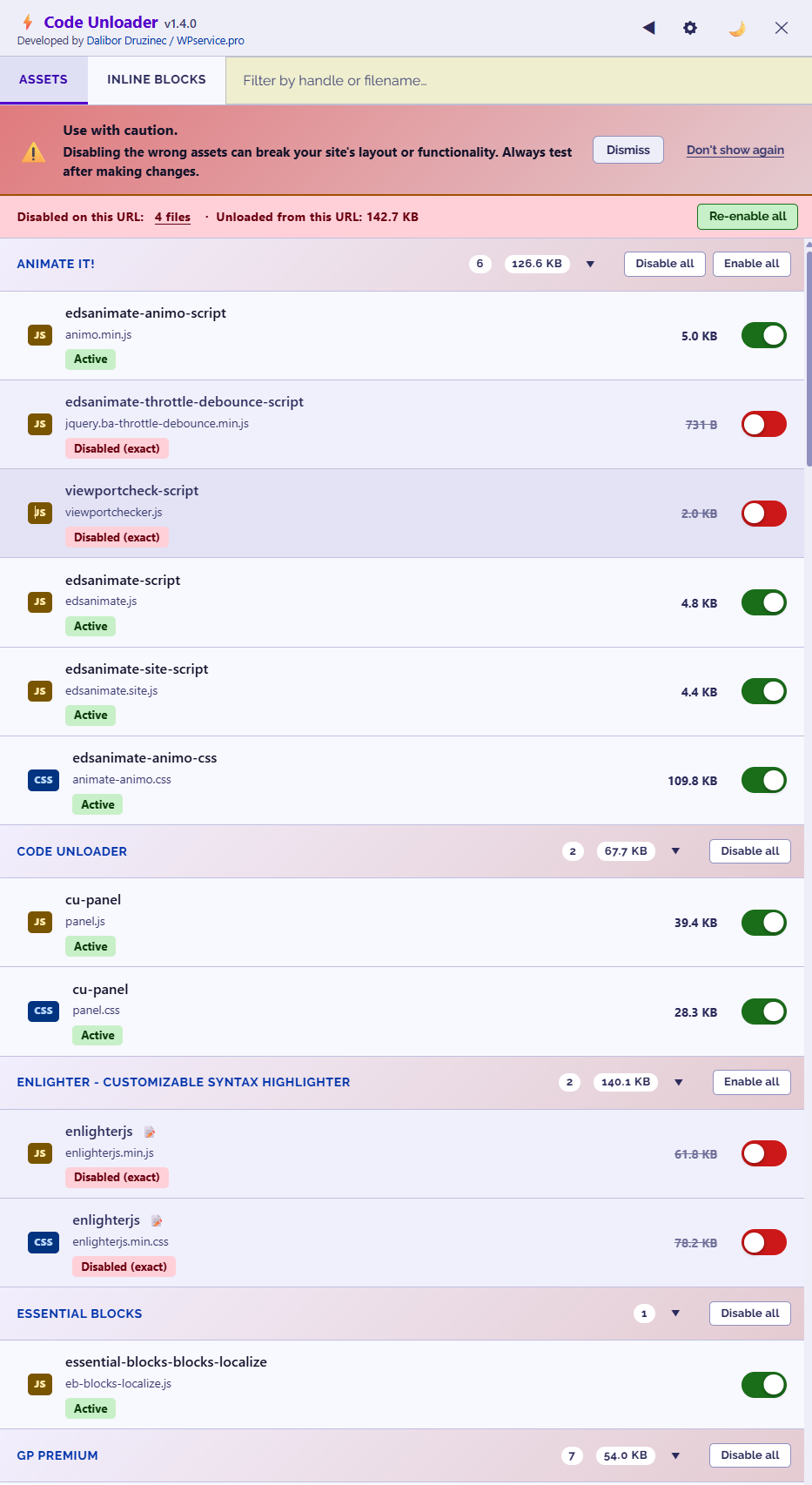
- Disable any registered JS or CSS file on any page or post
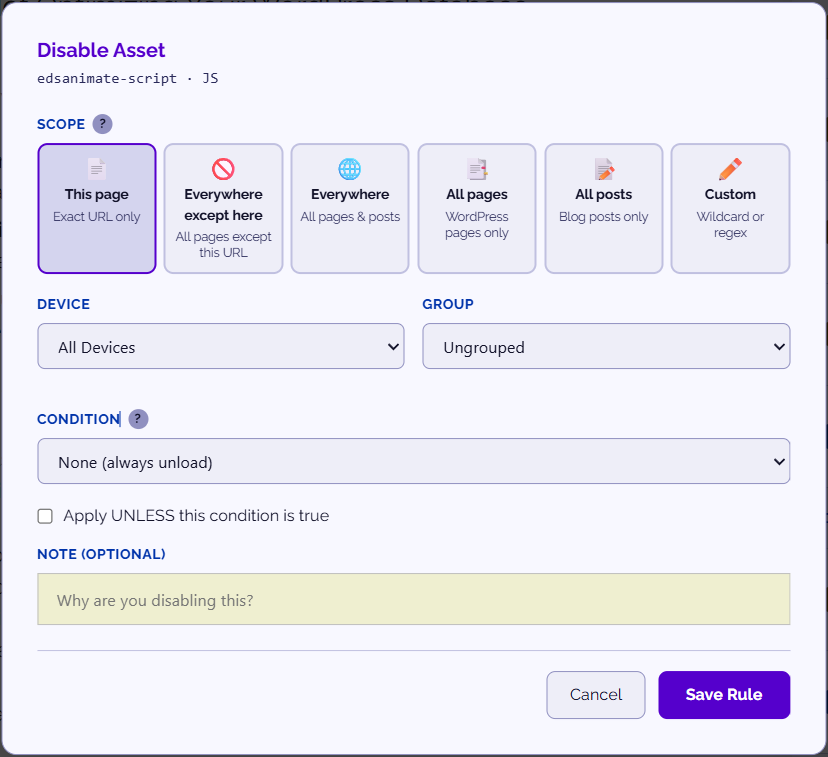
- Exact URL, wildcard pattern (/shop/*), and full regex matching
- Rules survive cache flushes and plugin reactivations
- Assets grouped by plugin, theme, or WordPress Core in the panel
- Per-page frontend panel accessible from the Admin Toolbar
- Access panel on any page via
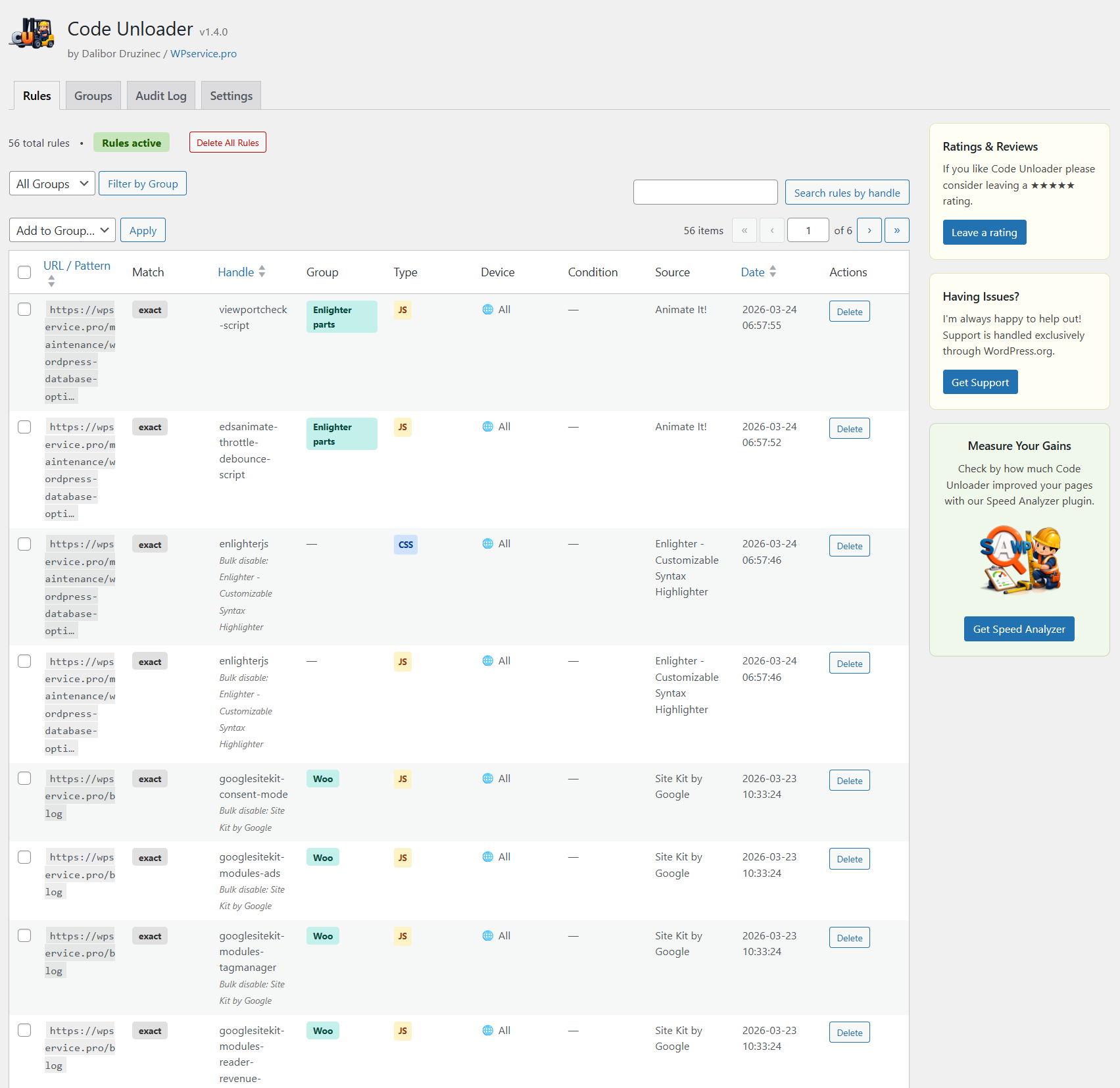
?wpcuURL parameter - Global admin screen listing all rules across the site
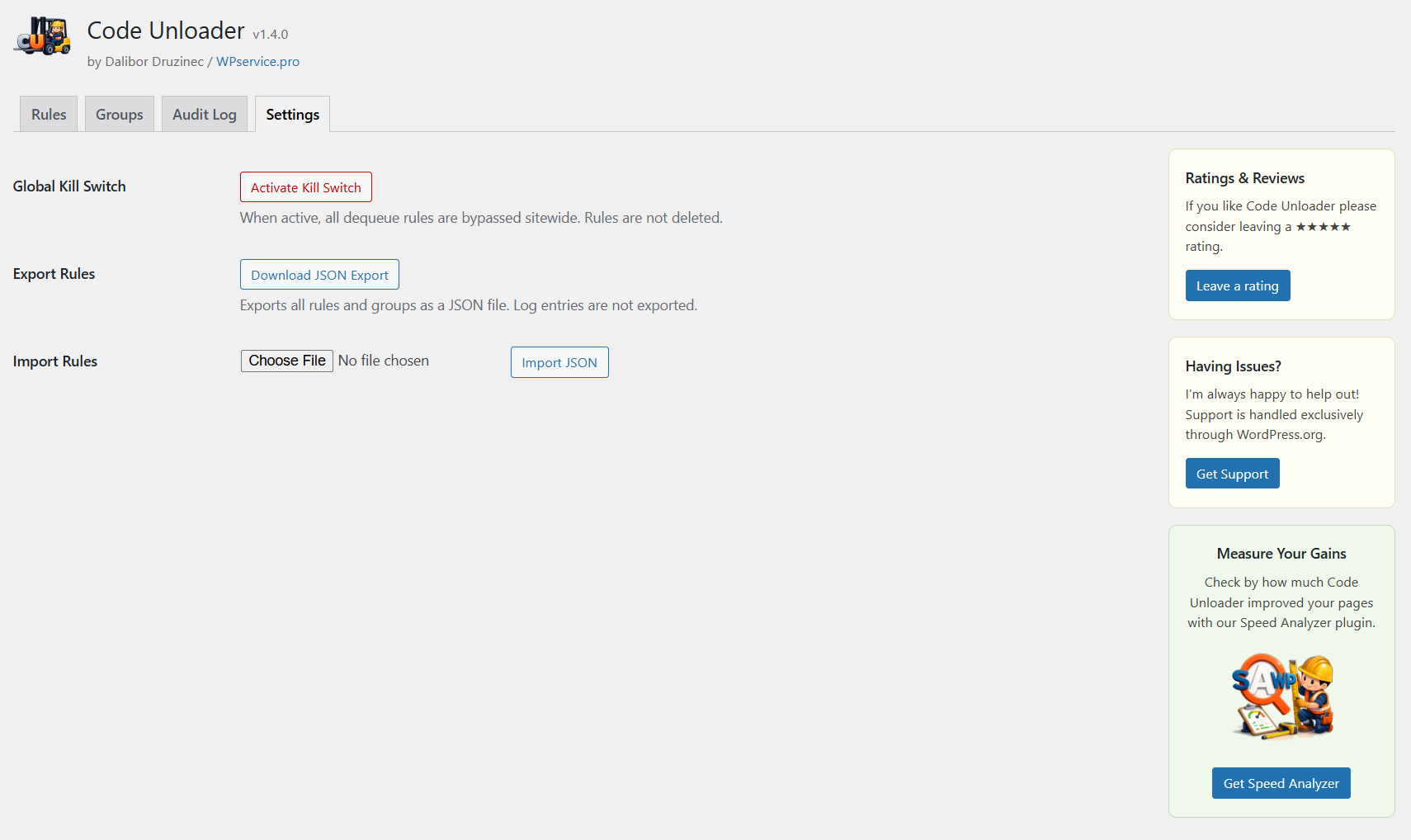
- One-click kill switch to instantly restore all assets sitewide
- Bypass all rules for a single request via
?nowpcuURL parameter - Conditional rules (logged-in users, WooCommerce pages, shortcodes, post types)
- Device-type rules (desktop-only or mobile-only)
- Inline script/style blocking for assets without registered handles
- Inline block detection — see every inline
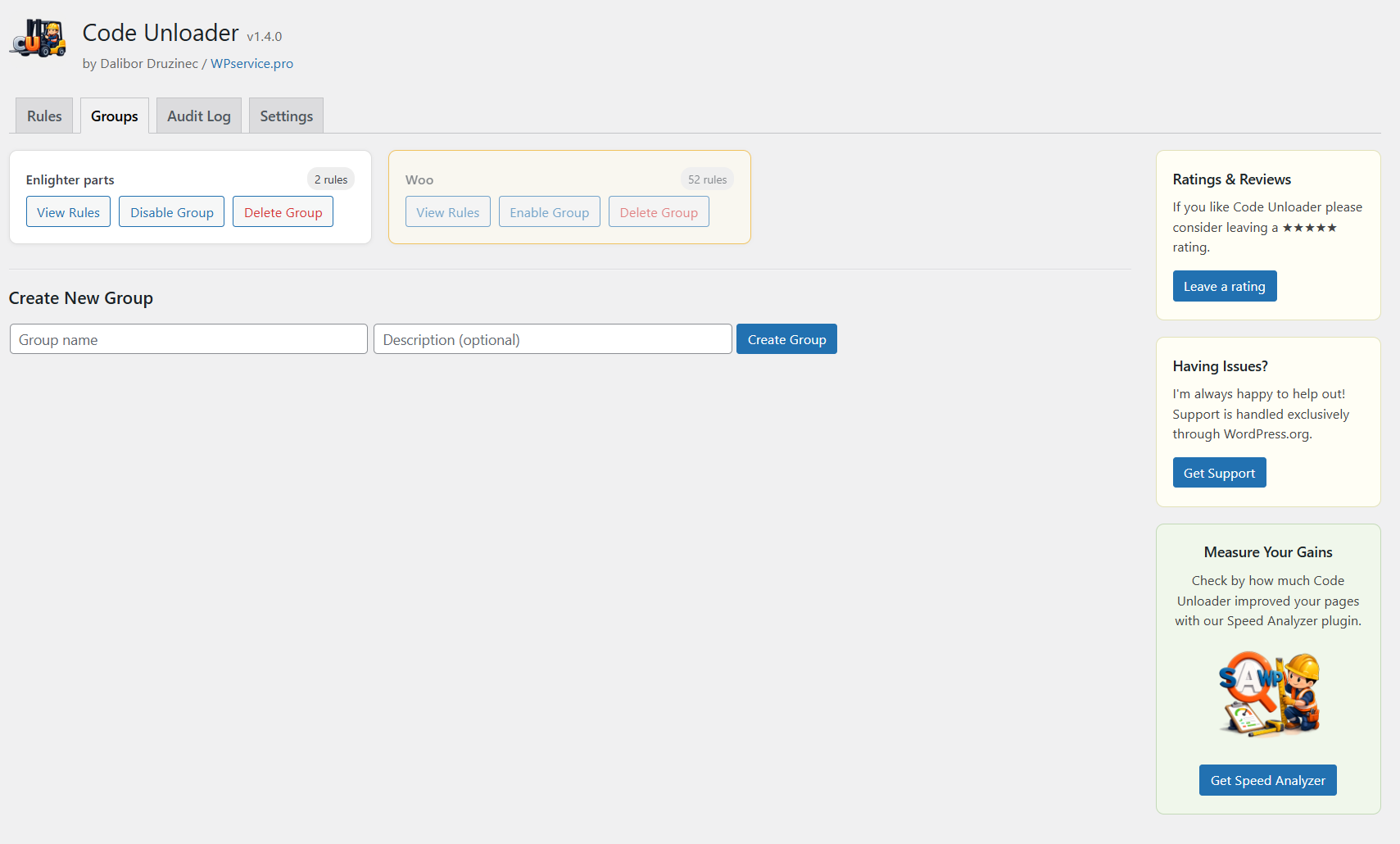
<script>and<style>on the page - Rule groups for managing sets of rules as a unit
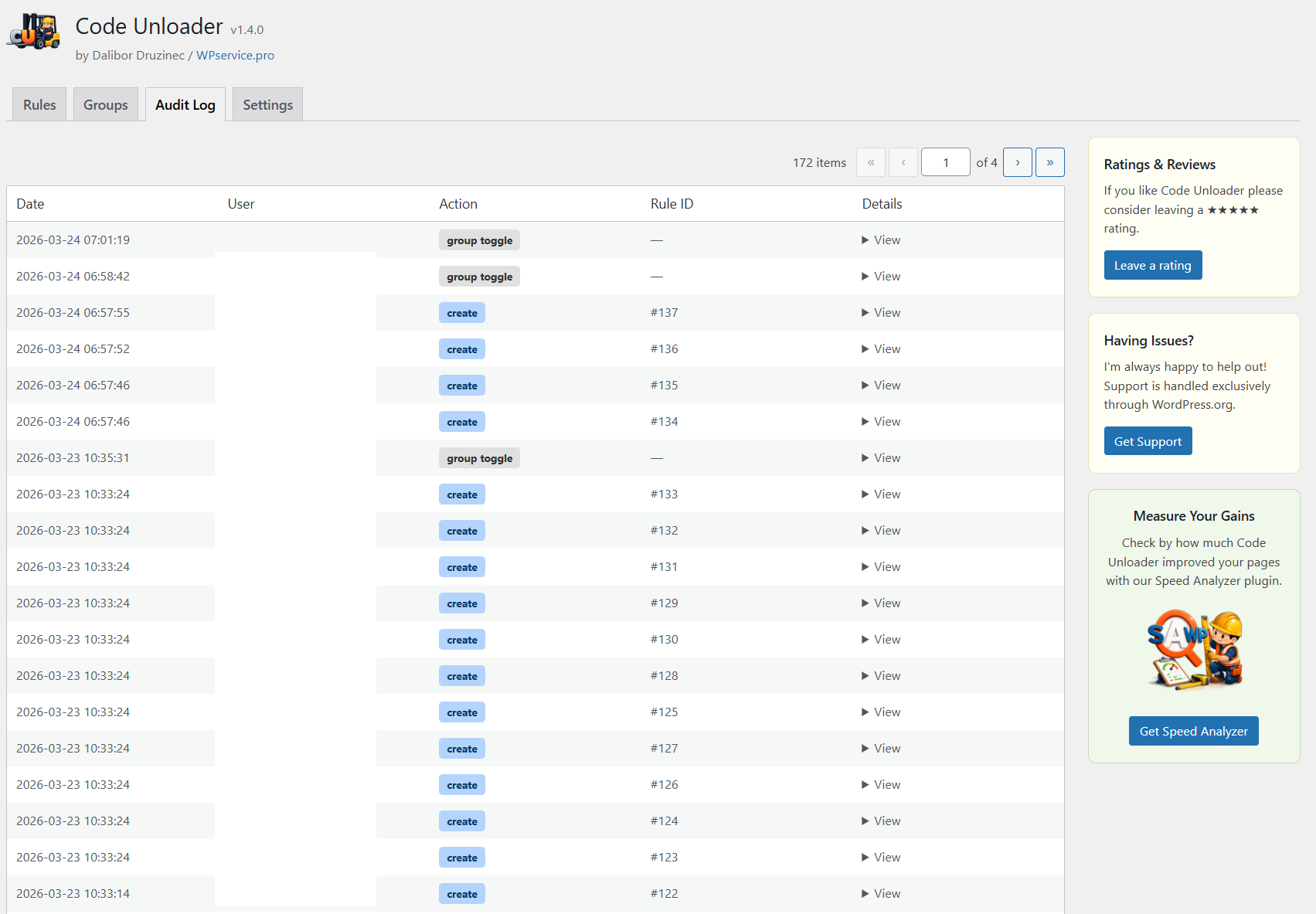
- Full audit log of all changes
- JSON import/export
- Zero performance overhead on pages with no matching rules
Compatible with: WP Rocket, W3 Total Cache, LiteSpeed Cache, WP Super Cache, WooCommerce, Elementor, Divi, WP Bakery, basically everything WP related.
Requirements: PHP 8.0 or higher is required. The plugin uses modern PHP features (union types, match expressions, named functions) that are not available in PHP 7.x.
Note: It’s recommended to test changes on a staging environment before applying them to a live site. Unloading the wrong assets can break your site’s appearance or functionality.
Details
Related plugins
Plugins that also contain the tag assets
Prevent Browser Caching

Custom Upload Folder

Perform – Performance Optimization for WordPress

Assets to footer

Filename based asset cache busting

Disable Version Caching – Khanakia


About
Plugin for that tries to help you find the WordPress plugin you are looking for.
| Please enjoy an image of Crush (this awesome turtle) and have a lovely day! |  |
We do not own any plugin listed on this site and do not work for or work with WordPress.com or it's associated companies. We simply provide a searchable list of the available WordPress plugins.