



CodeBold Redirects
Every site that has been around for a while has addresses that no longer go anywhere: a
page that was renamed, a post moved into a new category, a whole blog that moved from
/blog to /news. Each one is a visitor who arrives from Google, a newsletter or somebody
else’s article and finds nothing.
CodeBold Redirects fixes those — most of them before you notice they were broken.
It catches pages that move
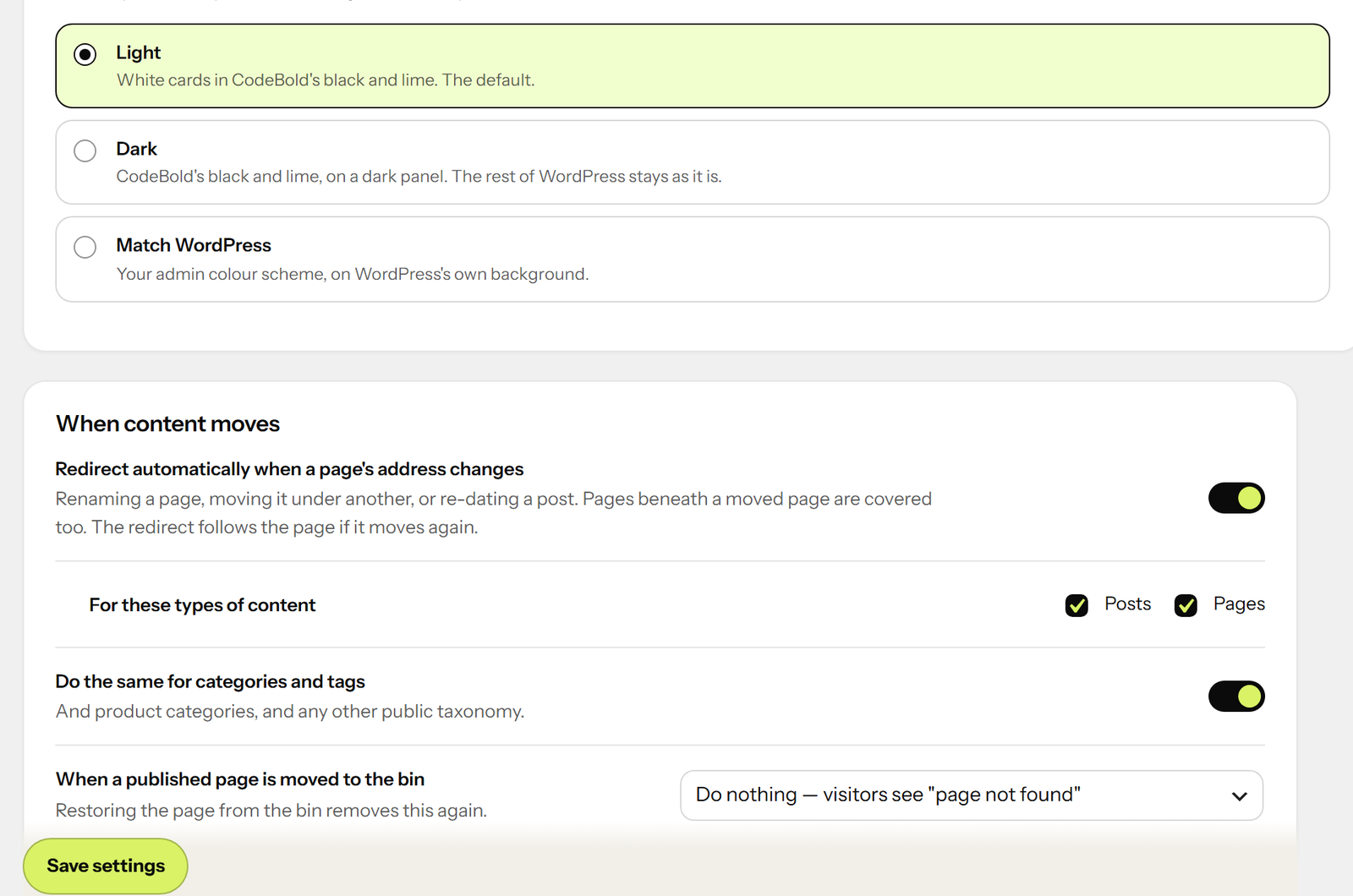
Rename a page, move it under a new parent, or change a post’s date, and a redirect from the
old address is made for you. Pages beneath a moved page are covered too, and so are
categories, tags and product categories.
The redirect points at the page itself, not at its new address. Rename it again and every
old address still leads straight to wherever it is now — no chains, ever.
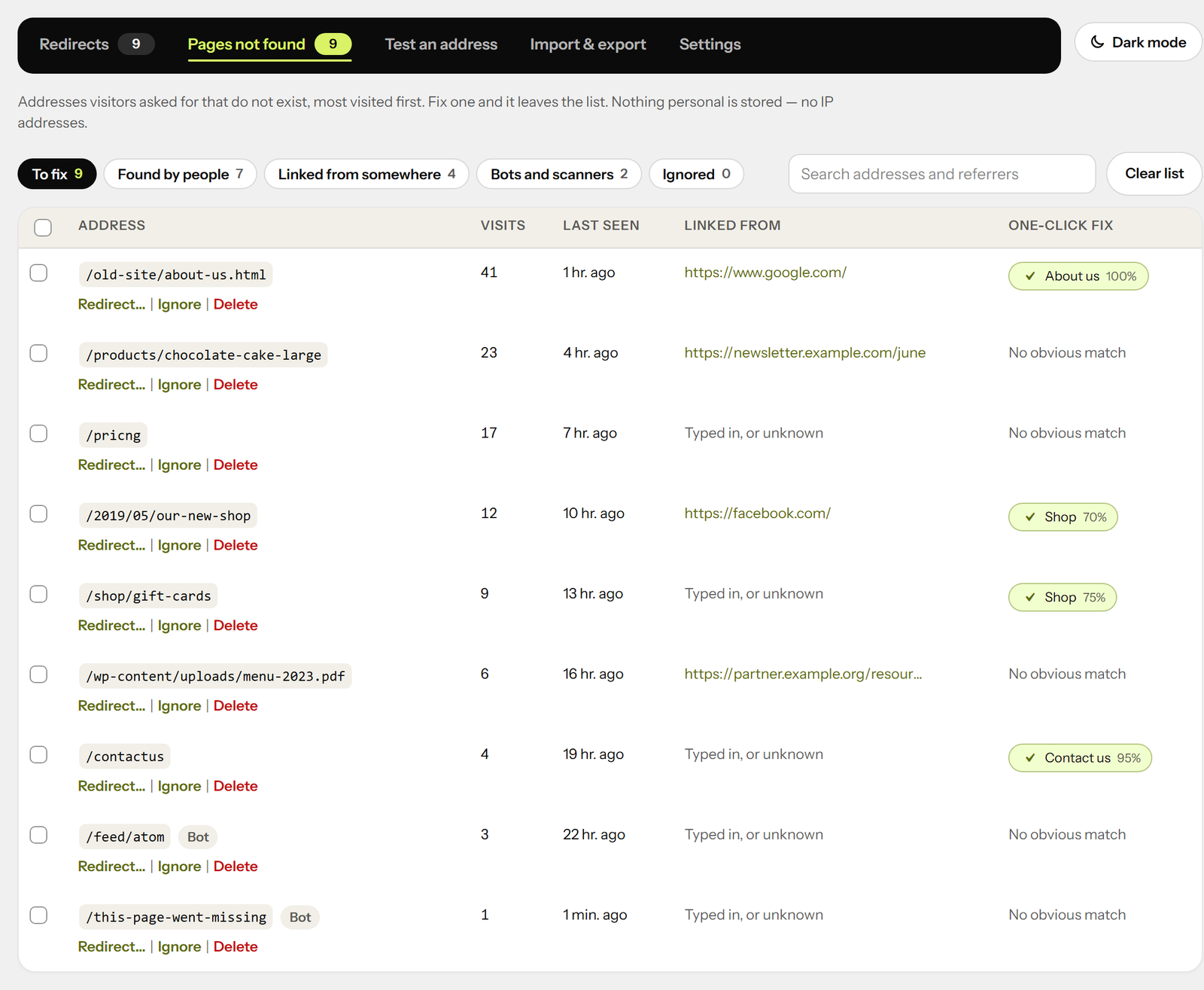
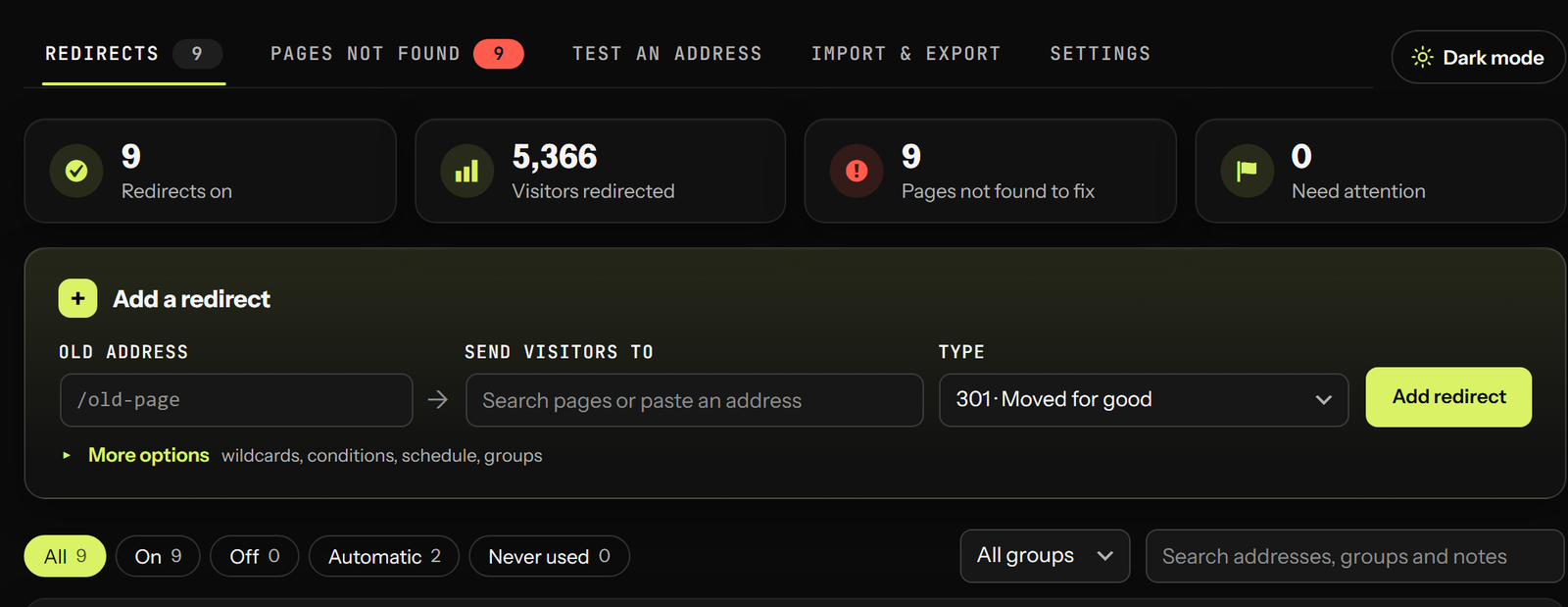
It shows you what is broken, with the fix beside it
Every address visitors asked for that did not exist is listed, most-visited first, with
where they came from. Beside each one is the page it most likely meant, found by its name.
One click and it is redirected — and it leaves the list.
No IP addresses are stored: one line per address, with a count. Scanners probing for
.env files and old phpMyAdmin installs are ignored, so the list is the links that matter.
On a page that was not found, administrators see “Redirect this address” in the admin
bar. The moment you notice a broken link is the moment you can fix it.
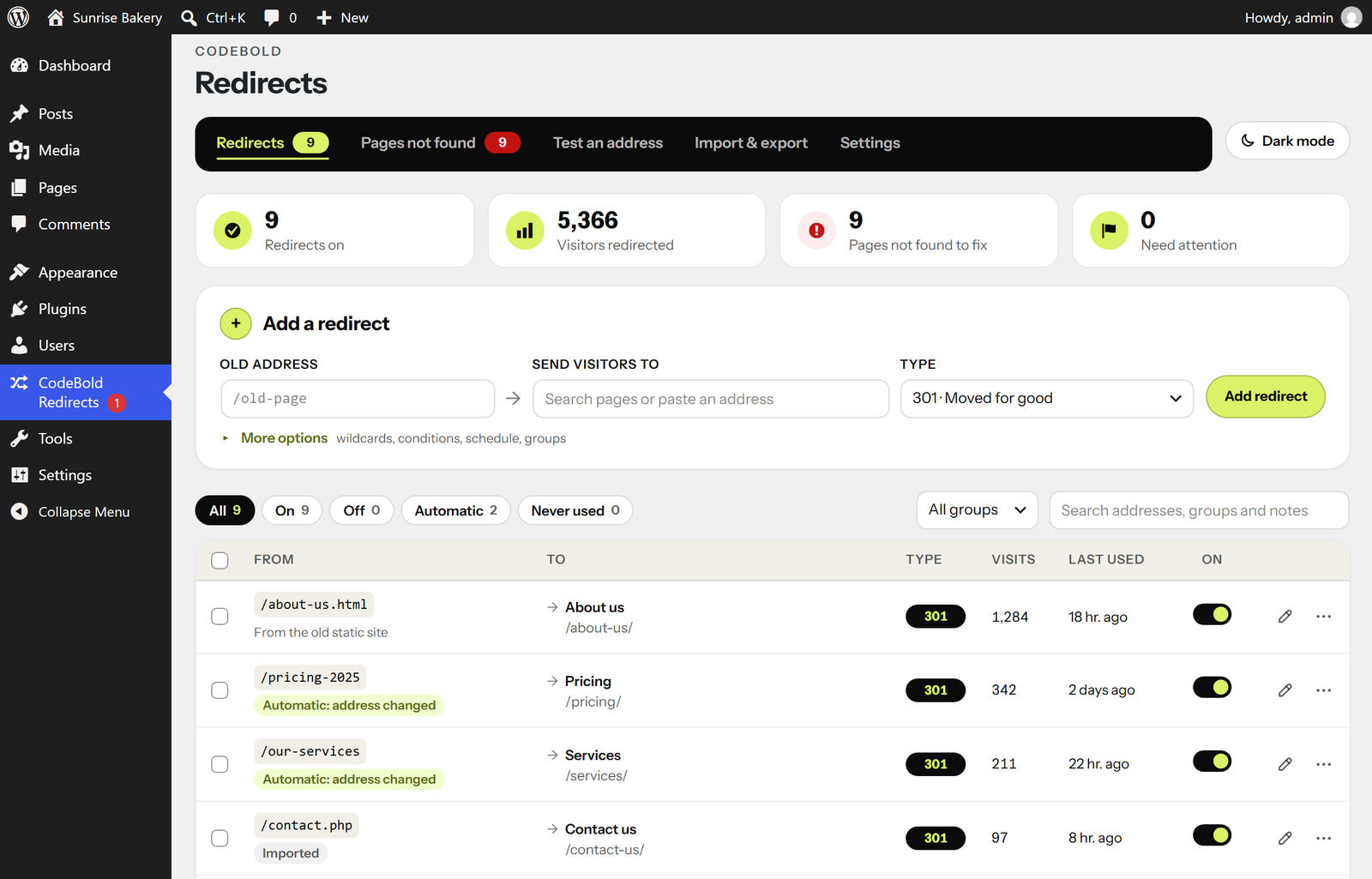
Adding a redirect is one line
Type the old address, start typing the new page’s name, pick it. That is the whole form.
Pasting full addresses works; trailing slashes, capital letters and campaign tags are
handled for you. As you type, it tells you if the address already redirects, if the new
page does not seem to exist, or if you are about to hide a live page.
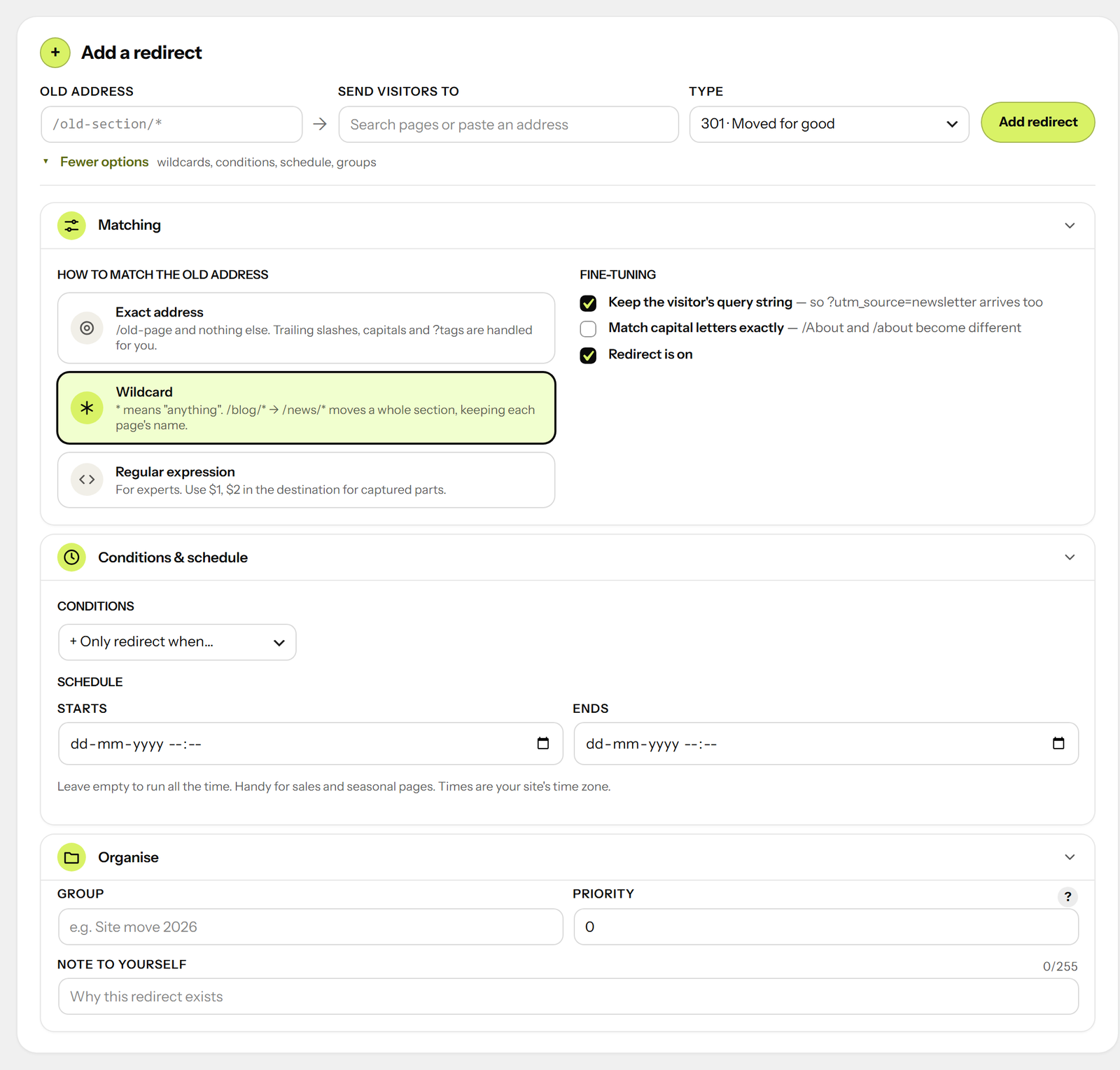
When you need more, it is there:
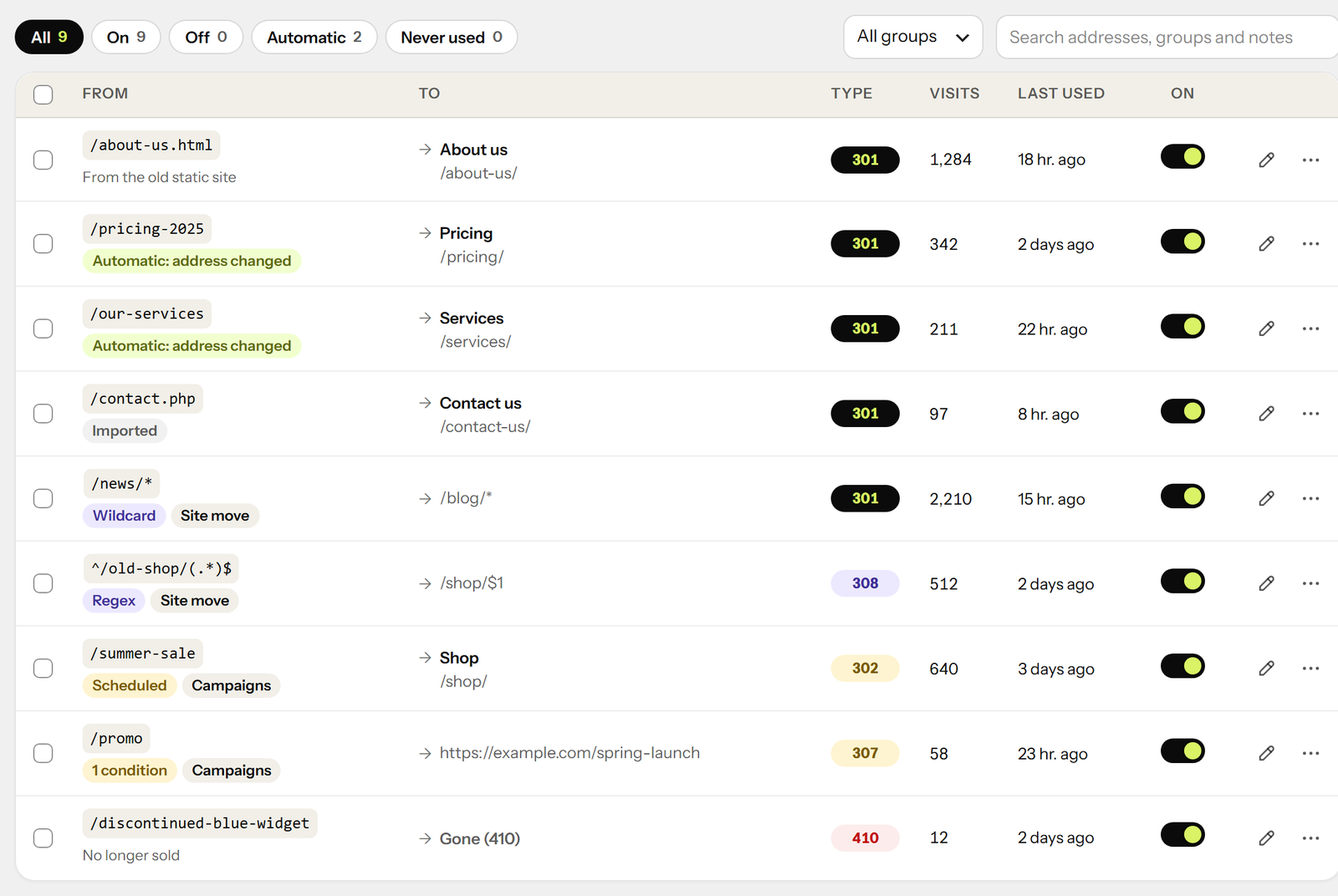
- Wildcards — /blog/* to /news/* moves a whole section, keeping each page’s name
- Regular expressions, with $1, $2 in the destination
- Conditions: logged in or out, role, phone or computer, where they came from, browser
language, country (with Cloudflare or a host that provides it), cookie, IP address - “Only if the page does not exist” — redirect the old shop’s products, except those you
have since recreated - Schedules — a redirect that starts and stops on its own, for sales and seasonal pages
- 301, 302, 307, 308, and 410 Gone and 451 for pages removed on purpose
- Groups and notes, so a site move or a campaign stays together
It will not break your site
- Refuses loops — including the classic “^/(.*)$ to /en/$1”, which looks right and sends
visitors to /en/en/en/… until the browser gives up - Refuses to redirect the admin, the login screen or the REST API, so you cannot lock
yourself out - A chain of redirects is followed for the visitor in one step
- The destination’s domain can never come from the visitor’s address, so the site cannot
be used to bounce people to somebody else’s website - Browsers are told to remember a 301 for an hour, not for ever — so a mistake does not
linger on visitors’ computers for months after you fix it - Deleting a redirect shows “Undo” instead of asking “are you sure?”
Test any address
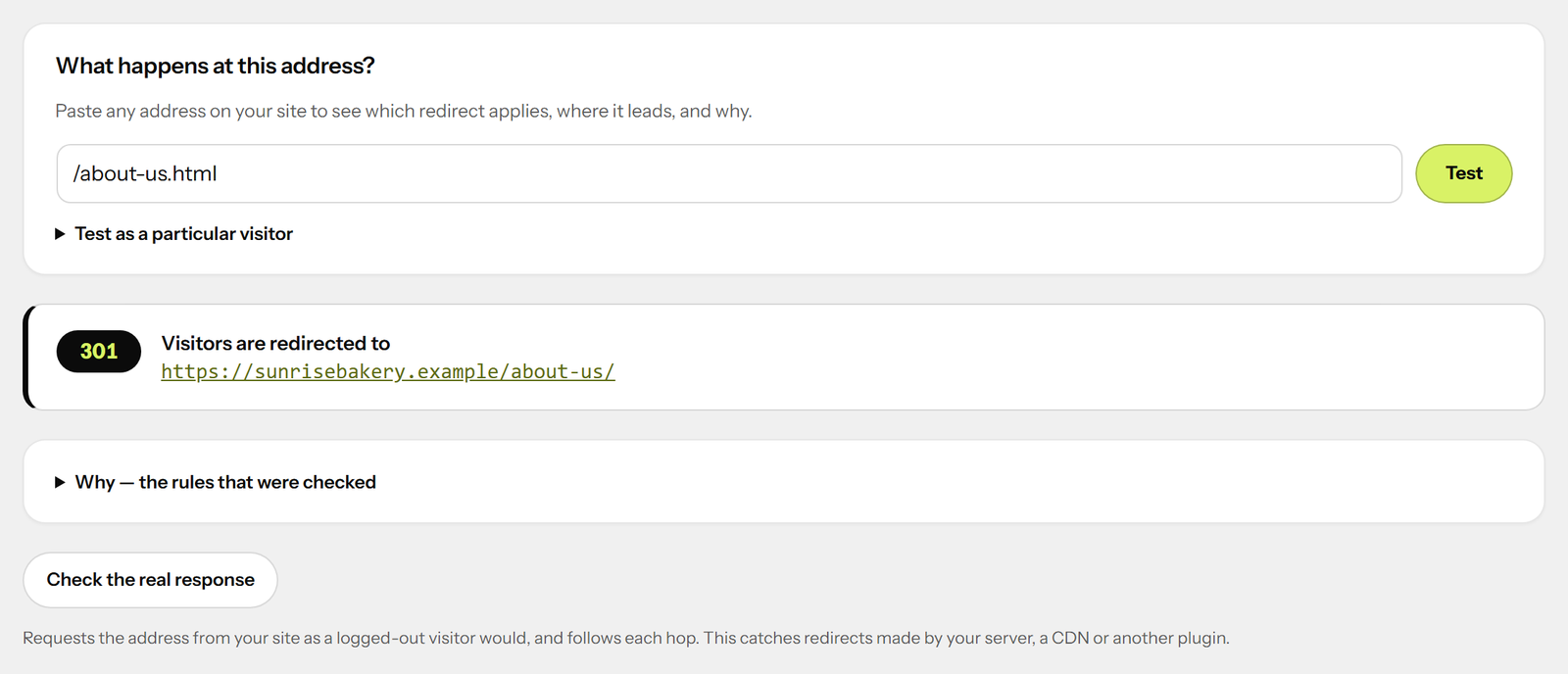
Paste an address and see what happens to a visitor there, which rule applies and why — as
a logged-out visitor, a phone, somebody from Facebook, or from France. Then ask your site
itself and follow each hop, which catches redirects your server, CDN or another plugin
makes.
Moving from another plugin
If Redirection, Rank Math, Yoast SEO Premium, Safe Redirect Manager or Simple 301
Redirects has left redirects in your database — active or not — they are found and
offered for import in one click. Their own data is left untouched.
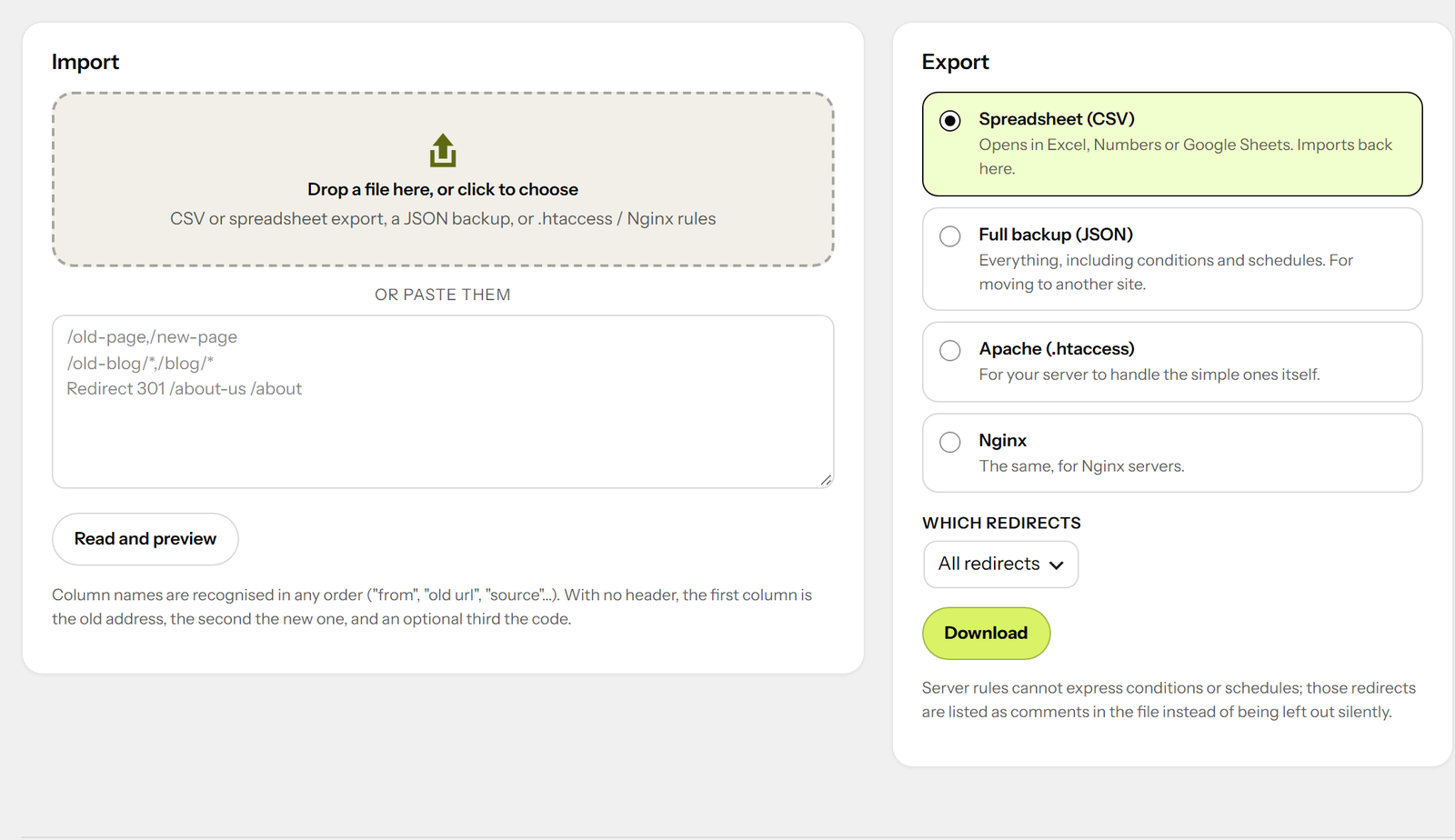
You can also import a CSV from any SEO tool or spreadsheet (column names in any order,
commas or semicolons), a JSON backup, or the redirect lines from an .htaccess or Nginx
config. You see a preview before anything is saved, and every row goes through the same
checks as one typed by hand.
Export as CSV, a full JSON backup, or Apache and Nginx rules for the server to handle the
simple ones itself.
Fast
An exact redirect is one indexed database lookup. Patterns are cached. Redirects happen
before WordPress loads the page that would have been thrown away. Visits are counted with
a single write.
For developers
- A REST API under codebold-redirect/v1 — the screen uses nothing else
- WP-CLI:
wp codebold-redirect list|add|delete|test|import|import-from|export|404s|cleanup - Filters and actions for every decision:
codebold_redirect_should_check,
codebold_redirect_url,codebold_redirect_before,codebold_redirect_site_hosts,
codebold_redirect_country,codebold_redirect_record_404,codebold_redirect_can_manage
and more - An
X-Redirect-By: CodeBold Redirectsheader on every redirect
Made by CodeBold IT Solutions
CodeBold Redirects is free, made by CodeBold IT Solutions. We design and build websites, web apps and WordPress plugins — if you need something made for your own site, get in touch at codeboldtech.com.
Credits
Includes the Instrument Sans typeface, licensed under the SIL Open Font License 1.1 (see assets/fonts).
Details
Related plugins
Plugins that also contain the tag 301
Redirection

Redirection

Quick Page/Post Redirect Plugin

WP 404 Auto Redirect to Similar Post

Attachment Pages Redirect

SEO Redirection Plugin – 301 Redirect Manager


About
Plugin for that tries to help you find the WordPress plugin you are looking for.
| Please enjoy an image of Crush (this awesome turtle) and have a lovely day! |  |
We do not own any plugin listed on this site and do not work for or work with WordPress.com or it's associated companies. We simply provide a searchable list of the available WordPress plugins.