


Codem Rewards Engine
Codem Rewards Engine provides a centralized WooCommerce admin module for:
- Customer tier automation from lifetime spend
- Tier and campaign discounts
- Product/category discount exclusions
- Tier-based purchase restrictions
- Birthday coupon automation
- Audit logging for configuration changes
Admin path:
WooCommerce -> Codem Rewards Engine
Feature Summary
Dashboard
- Overview cards for Total Tiers and Total Campaigns
- Tier Distribution bar chart (customer count per tier)
- Campaign Overview pie chart by status (Live / Scheduled / Ended)
- Click pie slices or use the status filter to filter the campaign table
- Empty state when no campaigns exist
Customer Tiers
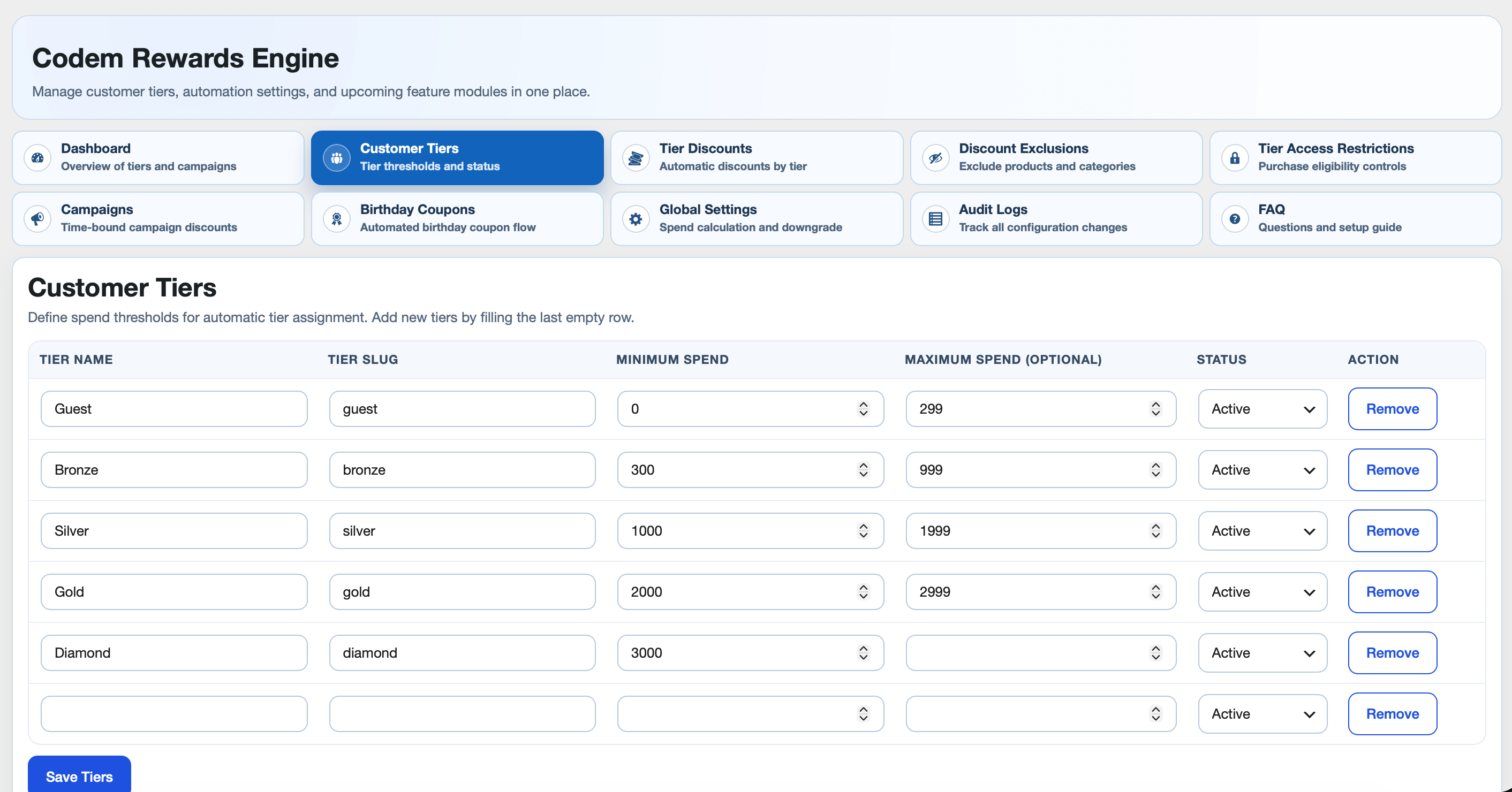
- Tier table with Name, Slug, Min Spend, Max Spend, Status
- Active/Inactive support
- Guest tier default support
- New-user tier initialization
- Manual single-customer and all-customer recalculation tools
- Tier status change guard (inactive warning/confirmation)
Lifetime Spend Logic
- Completed orders only
- Refunds deducted
- Include taxes (optional)
- Include shipping and shipping tax (optional)
- Allow downgrade toggle
Tier Discounts
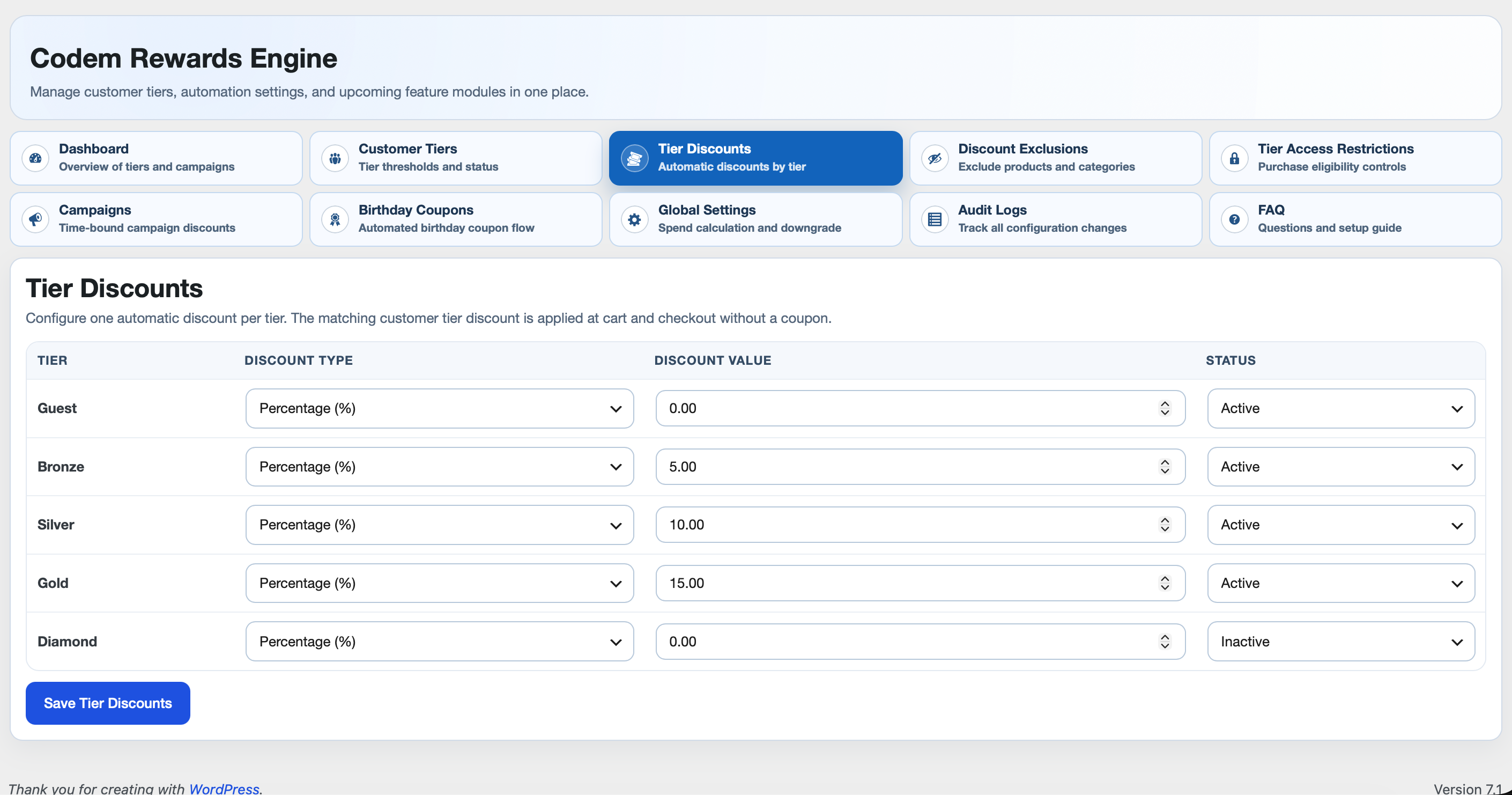
- One discount rule per tier
- Percentage or Fixed amount
- Rule status per tier (active/inactive)
- Auto-applied at cart/checkout with no coupon
- Expandable per-product discount breakdown on the Cart/Checkout blocks (caret next to the discount line)
Discount Exclusions
- Exclude specific products from tier discounts
- Exclude specific categories from tier discounts
- Exclude entire tiers from receiving tier discounts
- Exclusions affect discounting only, not product visibility/purchase
Tier Access Restrictions
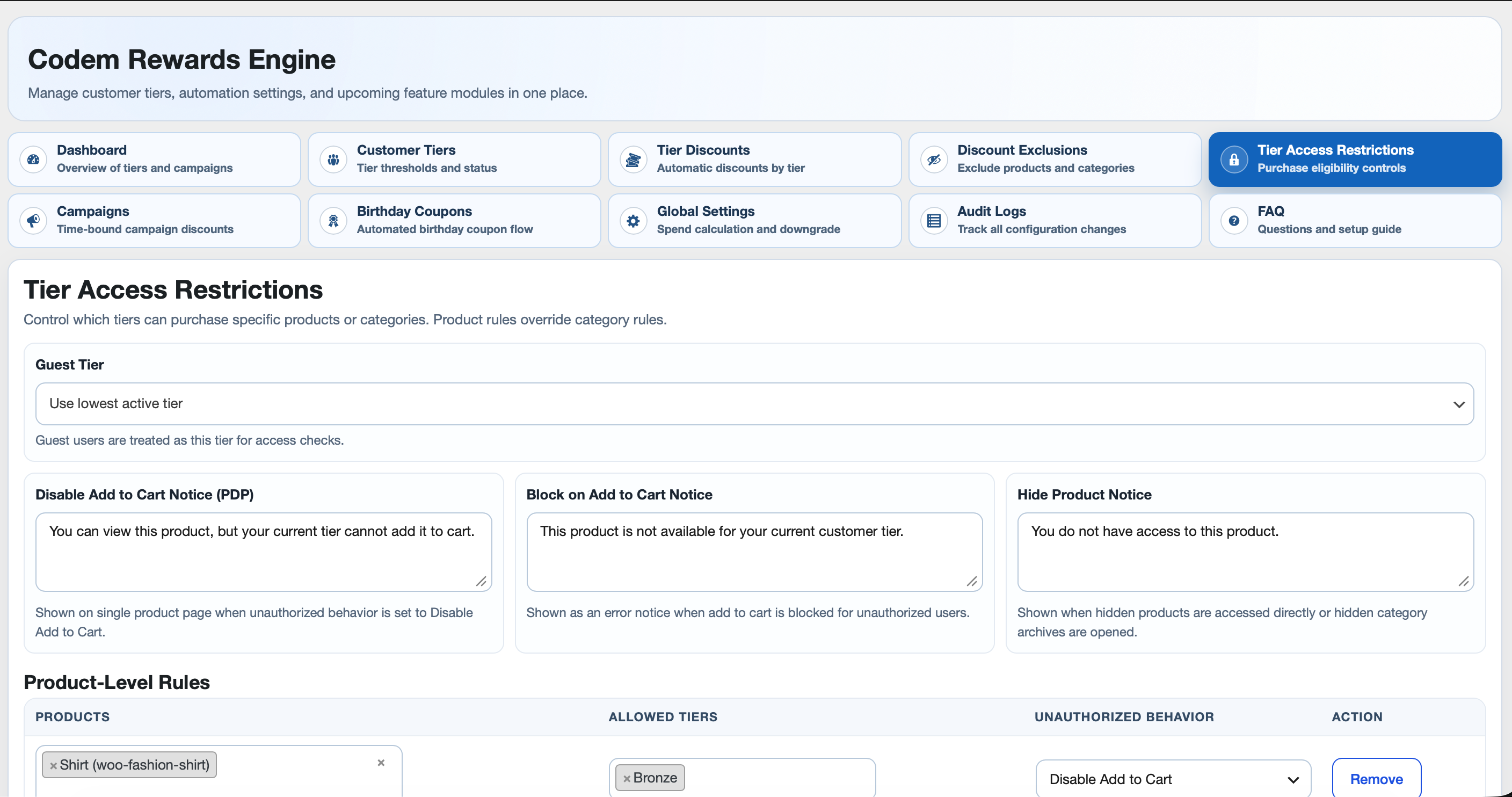
- Product-level rules and category-level rules
- Product-level overrides category-level
- Allowed tier selection per rule
- Unauthorized behavior modes:
- Hide Product
- Disable Add to Cart
- Block on Add to Cart
- Configurable notice text for each mode
- Guest tier mapping support
- Server-side validation and cart enforcement
- Category archive restriction notices
- Catalog query filtering so result counts match visible products
Campaigns
- Dedicated Campaigns tab with list + create/edit flow
- Start date/time + end date/time with timezone per campaign
- Tier targeting (optional; empty means all tiers)
- Campaign discount type/value
- Scope toggles:
- Enable product categories + category picker
- Enable products + product picker
- Discount priority mode:
- Auto Apply the one which is Higher Discount
- Multiple Discount
- Top bar style configuration per campaign:
- Background color
- Text color
- Font family (Google Fonts whitelist)
- Font size (px)
- Banner text (max 100 characters)
- Live banner preview in the campaign editor
- Rotating top bar across active campaigns (each message keeps its own style)
- Campaign status badges in table:
- Pending
- Scheduled
- Live
- Ended
- Temporary campaign category (created when campaign becomes live)
- Optional draft product handling:
- Show
(In-Draft)labels in campaign product picker - Auto-publish selected draft products at campaign start
- Optional “send to draft again after campaign is ended”
- Show
Birthday Coupons
- Birthday field in My Account and WP user profile
- Configurable discount type/value/validity/applicable tiers/status
- One-per-user-per-year guard
- Auto-generated customer coupon and email send
- WooCommerce email integration:
- WooCommerce -> Settings -> Emails -> Birthday Coupon
- Editable subject/heading/content/additional content
- Placeholder support in email body:
{customer_name}{coupon_code}{validity_days}{site_title}
Audit Logs
- Tracks settings/actions with field-level old/new values
- Filter by date range (default current month)
- Delete logs in selected filter range
- Export CSV in selected filter range
- Date/time formatting follows WordPress admin format settings
Admin Experience
- Modern compact tabbed UI
- Woo enhanced searchable selectors
- Dynamic add/remove rows for access rules
- FAQ tab grouped by module
Capabilities and Compatibility
- Access capability:
manage_woocommerce - WooCommerce dependency declared in plugin headers
- HPOS compatibility declaration (
custom_order_tables) - Cart/Checkout blocks compatibility declaration (
cart_checkout_blocks)
Admin Tabs
- Customer Tiers
- Tier Discounts
- Discount Exclusions
- Tier Access Restrictions
- Campaigns
- Birthday Coupons
- Global Settings
- Audit Logs
- FAQ
Cron Events
Hooks used by plugin:
wcutp_campaign_sync_five_minutes(campaign lifecycle sync)wcutp_birthday_coupon_daily(birthday coupon processing)
Manual trigger examples (WP-CLI):
wp cron event run wcutp_campaign_sync_five_minuteswp cron event run wcutp_birthday_coupon_daily
External services
Campaign announcement bars, and the font preview on the Campaigns screen, load typefaces from Google Fonts (https://fonts.googleapis.com). The browser requests a stylesheet from Google. That request includes the visitor or administrator IP address and browser User-Agent. Google’s privacy policy is at https://policies.google.com/privacy.
The Dashboard charts use Chart.js 4.6.1. The file shipped in this plugin, assets/chartjs/chart.umd.min.js, is the minified build and is licensed under the MIT license (assets/chartjs/LICENSE.txt). It is not loaded from an external server. Source and releases: https://github.com/chartjs/Chart.js/releases/tag/v4.6.1
Recommended Setup Order
- Customer Tiers
- Global Settings
- Recalculate Lifetime Spend
- Tier Discounts
- Discount Exclusions
- Tier Access Restrictions
- Campaigns
- Birthday Coupons
- Validate using guest + tiered customer test accounts
Deactivation and Cleanup
On plugin deactivation, an admin prompt asks whether to clean plugin data.
- Confirm cleanup: removes plugin-related data
- Cancel cleanup: keeps data for reactivation
Details



Related plugins
Plugins that also contain the tag campaigns
Mailercloud – Integrate webforms and synchronize website contacts

Diller Loyalty

Sendmachine for WordPress

Virfice – Self-hosted Email Marketing for WordPress, Newsletter, WooCommerce Emails, Automation, and More

Easy WordPress Mailchimp Integration

anti-IE6-army


About
Plugin for that tries to help you find the WordPress plugin you are looking for.
| Please enjoy an image of Crush (this awesome turtle) and have a lovely day! |  |
We do not own any plugin listed on this site and do not work for or work with WordPress.com or it's associated companies. We simply provide a searchable list of the available WordPress plugins.