


Color Scheme every Theme
This plugin lets you change the entire color scheme of the current theme via the
theme customizer.
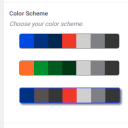
4 steps to your customized color scheme
- The plugin extracts all the color settings from the css of your current
theme. You trigger this process from the plugin settings page. All css files in
your theme folder will be scanned. - After scanning the css, a template file gets created which will overwrite all
the color settings of the current theme with your custom colors. - You create a custom color scheme by following the instructions on the plugin
settings page. - You go to the theme customizer and choose your custom color scheme in the
‘Color schemes’ section.
A more detailed description is available on my blog http://www.danielauener.com/color-scheme-every-theme/. You are wellcome to give feedback/ask questions directly on my blog as well.
Read about the new features in version 2.0 here: http://www.danielauener.com/plugin-update-color-scheme-every-theme/.
There is even a github-repository on: https://github.com/danielauener/color-scheme-every-theme/
Details


Related plugins
Plugins that also contain the tag color-scheme
Force Admin Color Scheme

Colorize Admin

Easy Backend-Style

Admin Bar Color

Quick admin color scheme picker

Color Scheme Field for Advanced Custom Fields PRO

About
Plugin for that tries to help you find the WordPress plugin you are looking for.
| Please enjoy an image of Crush (this awesome turtle) and have a lovely day! |  |
We do not own any plugin listed on this site and do not work for or work with WordPress.com or it's associated companies. We simply provide a searchable list of the available WordPress plugins.