



Command Palette
Command Platte brings the power of text editor command platte to the WordPress admin area. This plugin adds a modal live search box with a nice looking list of WordPress admin content, which saves your times and clicks.
FEATURES
- Use fuzzy search to get exact items you want with fewer keystrokes.
- Navigate through the list of items by using up and down keys.
- Search and go directly to any WordPress admin pages.
- Perform WordPress related actions like Update permalink, update WordPress core…
- Customizable. Custom pages and actions can be added via filters.
HOW TO USE
Once the plugin is activated, press shift two times or the key combination: Cmd+Shift+P / Ctrl+Shift+P to open the command palette modal.
You can start saving your time now by searching and navigating through the list of pages and actions.
ROAD MAP
- Add new actions and shortcuts.
- Add search for user-generated content feature.
- Add context shortcut.
- Add setting to change the keyboard shortcut to open command palette modal.
- Add a setting page to allow nontechnical users to add custom actions and links.
WHERE CAN I CONTRIBUTE MY CODE OR IDEA?
- You can report bugs or contribute code on this GitHub repo.
Details


Related plugins
Plugins that also contain the tag admin-menu
Admin Menu Search
My Wp Brand – Hide menu & Hide Plugin
Wider Admin Menu
Easy Hide Admin Menu Items
Reusable Blocks Admin Menu Option
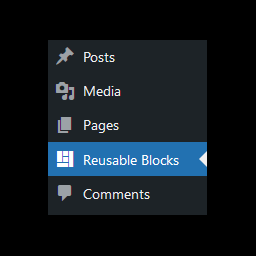
Hide Admin Menu Items


About
Plugin for that tries to help you find the WordPress plugin you are looking for.
| Please enjoy an image of Crush (this awesome turtle) and have a lovely day! |  |
We do not own any plugin listed on this site and do not work for or work with WordPress.com or it's associated companies. We simply provide a searchable list of the available WordPress plugins.