

Back

Coinbase Commerce – Crypto Gateway for WooCommerce
Details
View on WordPress
Back
Get Pro👑 | Pro Live Demo | Documentation
Coinbase is the best crypto gateway, 1,000+ sites are using it with confidence.
How to setup Coinbase Commerce on WooCommerce webstore:
- Download and Activate Coinbase Commerce For WooCommerce.
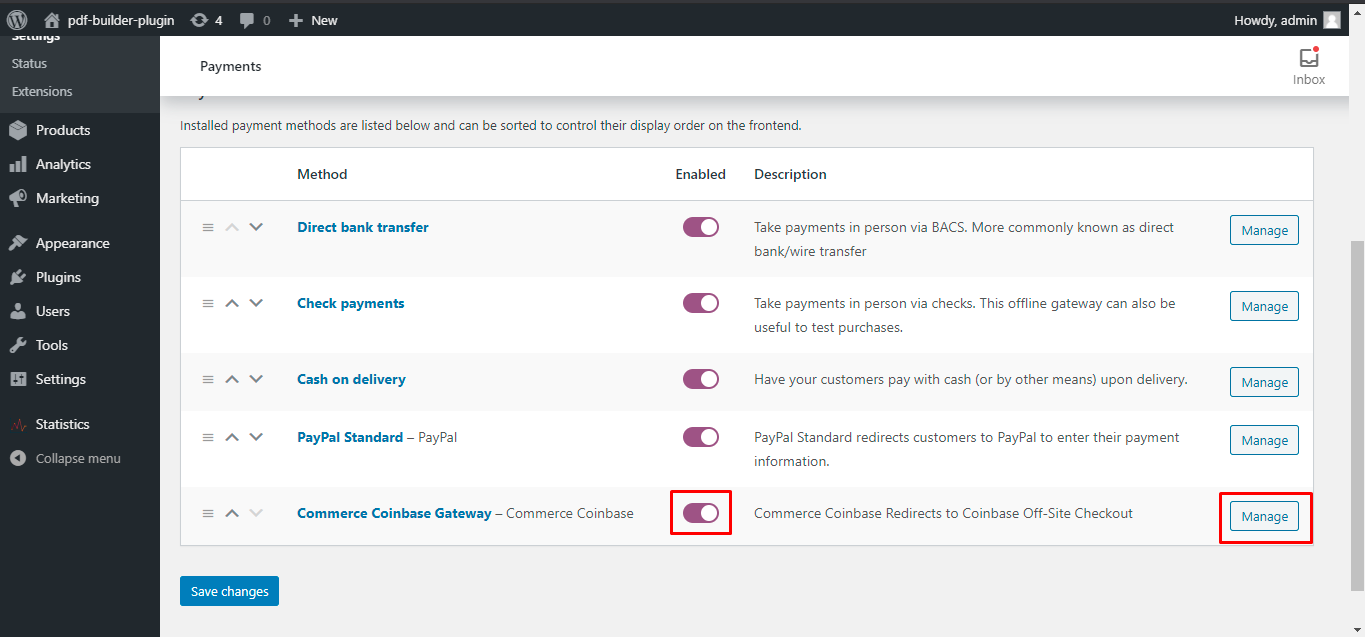
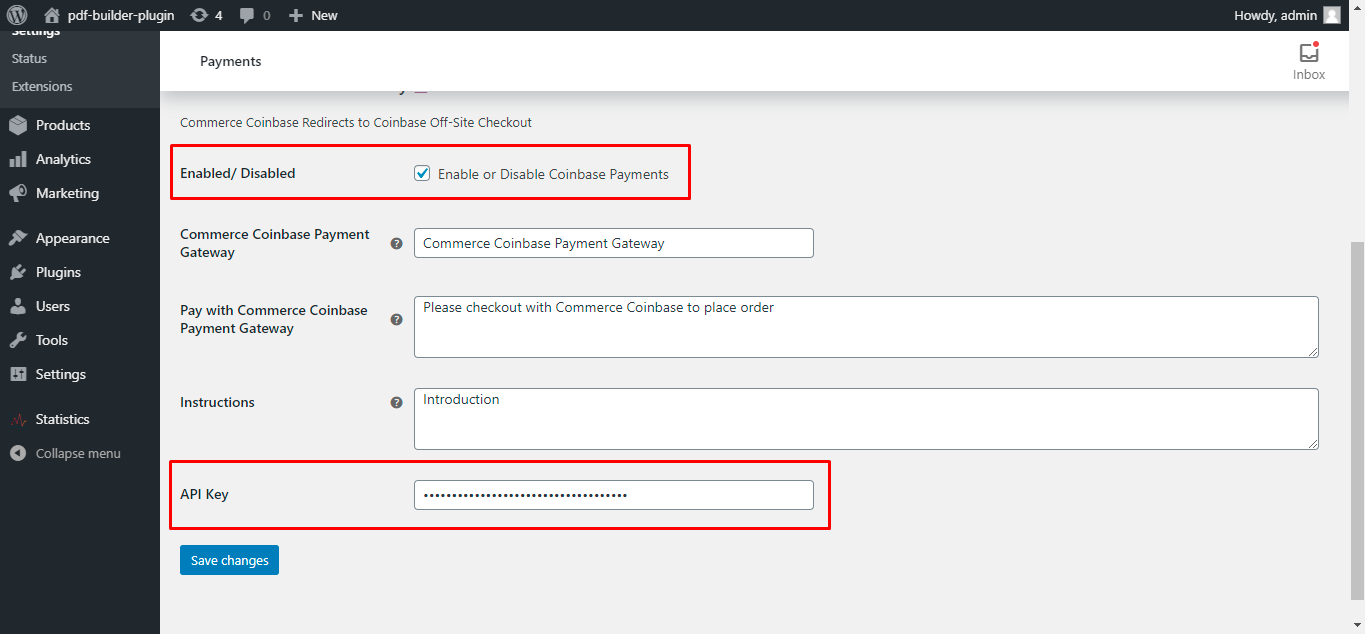
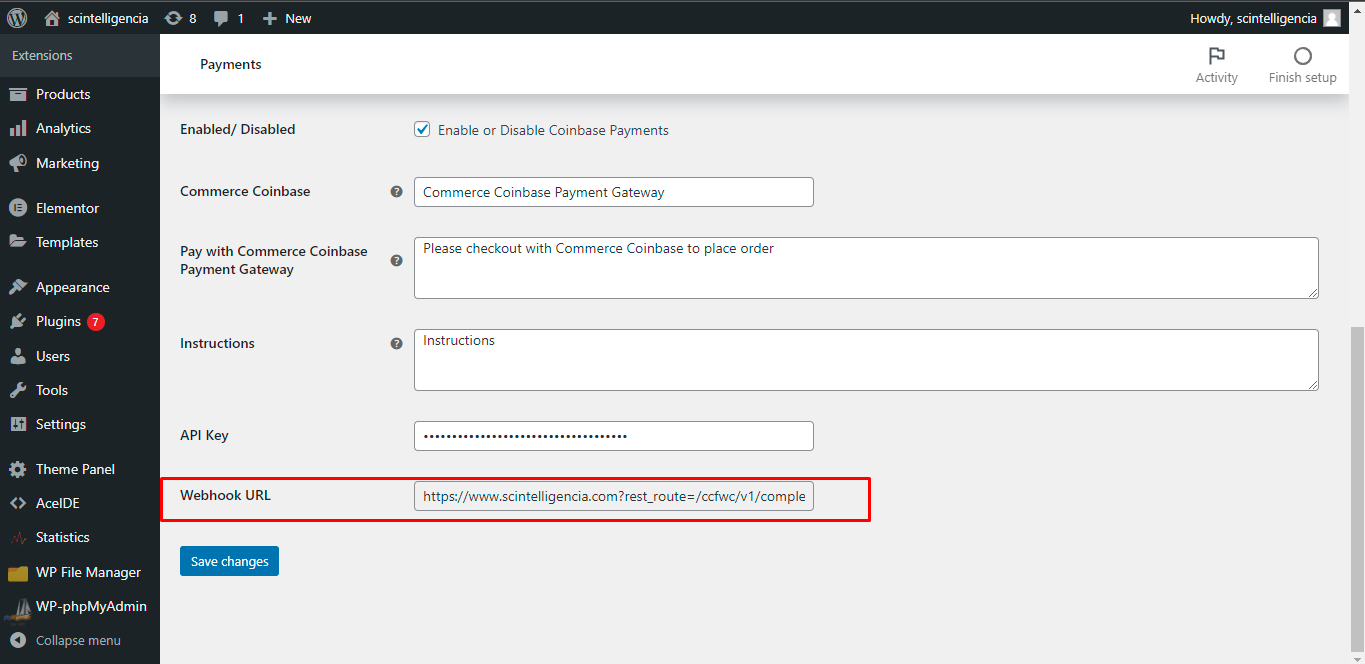
- Enable from WooCommerce > Settings > Payments > Coinbase Commerce Gateway.
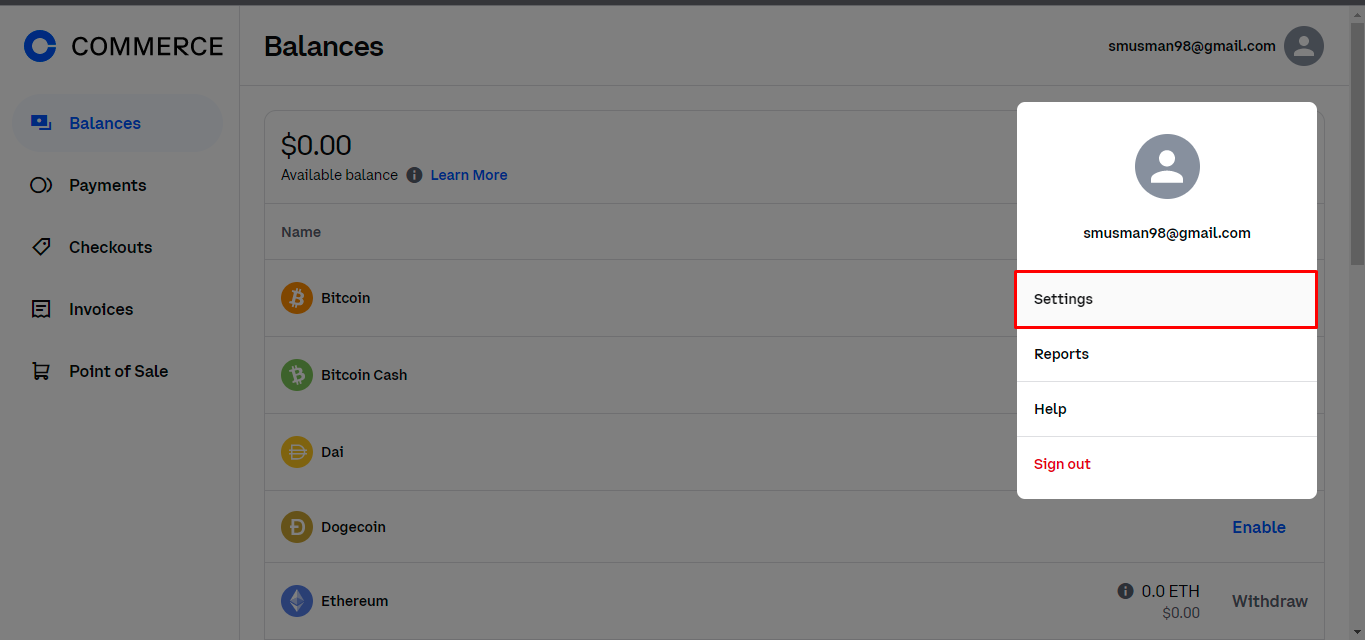
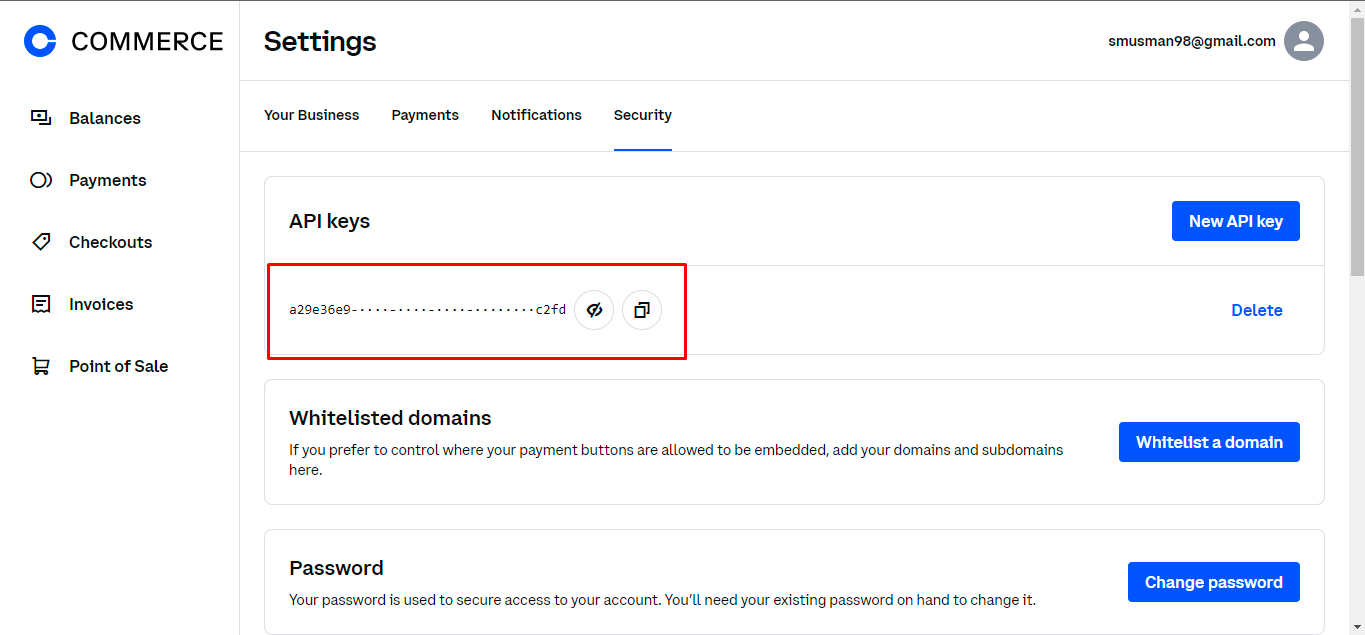
- Enter API Key from Manage.
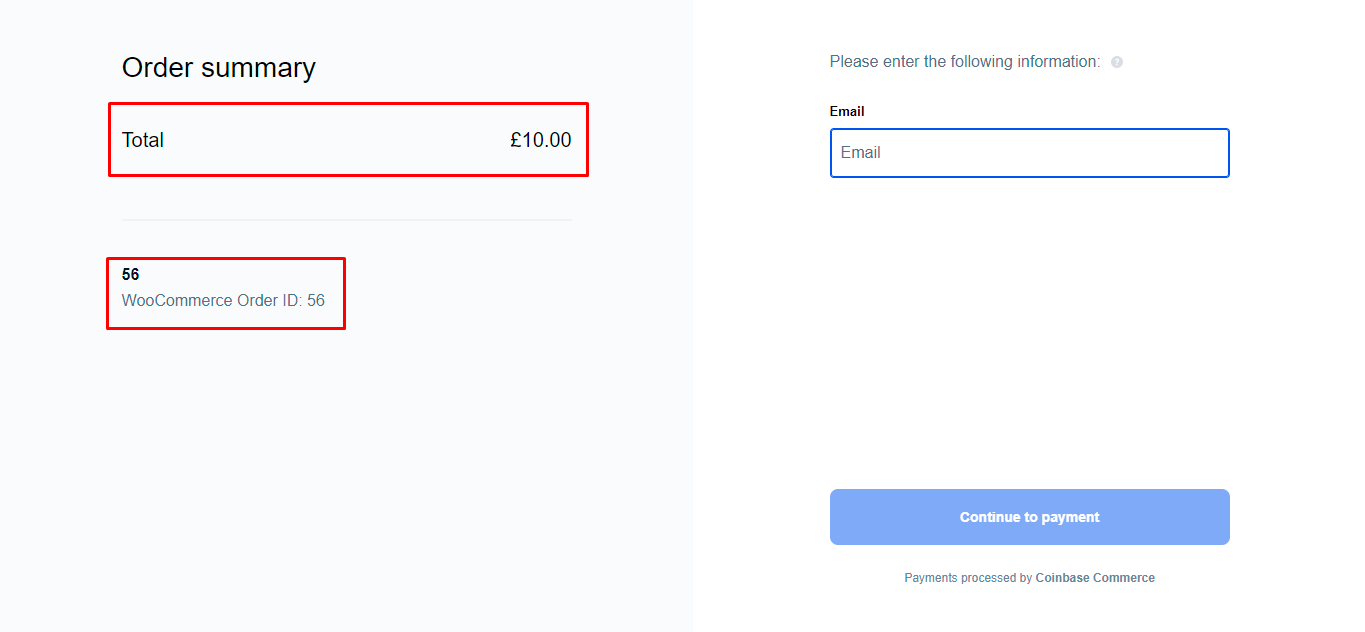
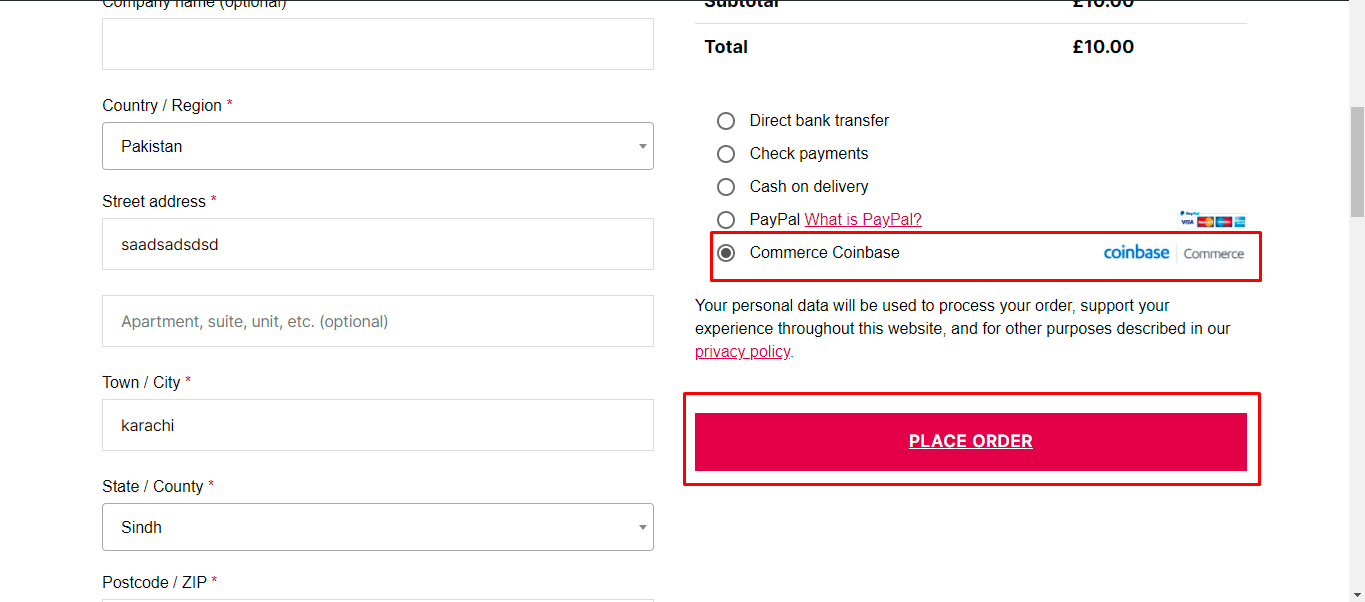
- It will automatically appear to customer on checkout.
Currencies Support
- Bitcoin
- Bitcoin Cash
- DAI
- Ethereum
- Dogecoin
- USD Coin
- Litecoin
- Tether USD
- ApeCoin
- Shiba Inu.
Coinbase Commerce for WooCommerce Pro – Premium Includes
- Show Crypto Icons and Individual Pricing on Product Page
- Show Crypto Icons and Individual Pricing on Shop Page
- Allow specific products to purchased with Coinbase Commerce
- Set minimum checkout amount to purchase with Coinbase
- Specify Order status to set when payment is done
- Better User Experience
- Priority Support
- Easy Setup
- Better Redirections
- Become Pro User👑
Details
Plugin code:
commerce-coinbase-for-woocommerce
Plugin version:
1.6.6
Author:
Outdated:
No
WP version:
4.9 or higher
PHP version:
5.2.4 or higher
Test up to WP version:
6.9
Total installations:
1,000
Last updated:
2025-12-23
Rating:
Times rated:
26
bitcoin
coinbase
crypto
ethereum
litecoin

Related plugins
Plugins that also contain the tag bitcoin
elegro Crypto Payment

MyCryptoCheckout – Bitcoin, Ethereum, and 100+ altcoins for WooCommerce

Bitcoin Payments – Blockonomics

BTCPay Server – Accept Bitcoin payments in WooCommerce

CoinPayments.net Payment Gateway for WooCommerce

Accept Cryptocurrencies with Plisio


About
Plugin for that tries to help you find the WordPress plugin you are looking for.
| Please enjoy an image of Crush (this awesome turtle) and have a lovely day! |  |
We do not own any plugin listed on this site and do not work for or work with WordPress.com or it's associated companies. We simply provide a searchable list of the available WordPress plugins.