


Conditional Logic for Beaver Builder and Woo Memberships
If you use WooCommerce Memberships and Beaver Builder’s Beaver Themer, you will want to use this plugin. It enables you to have blocks that use conditional logic to display different content depending on the visitor’s membership status.
To use:
- Edit a page in Beaver Builder.
- Click on a block.
- Go to the Advanced tab and choose Conditional Logic from the Display menu.
- Click Open Conditional Logic Settings
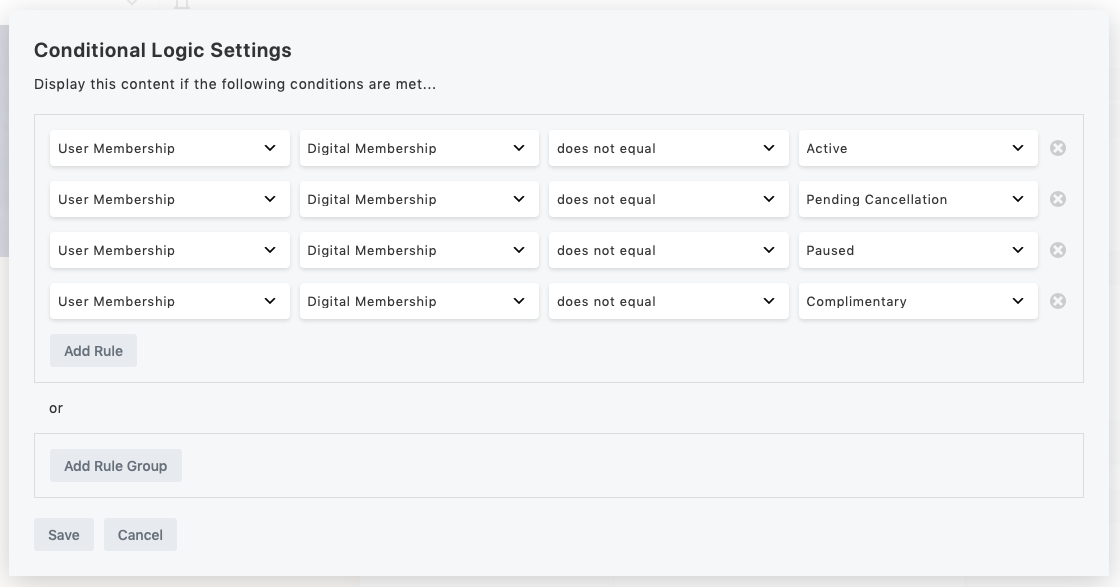
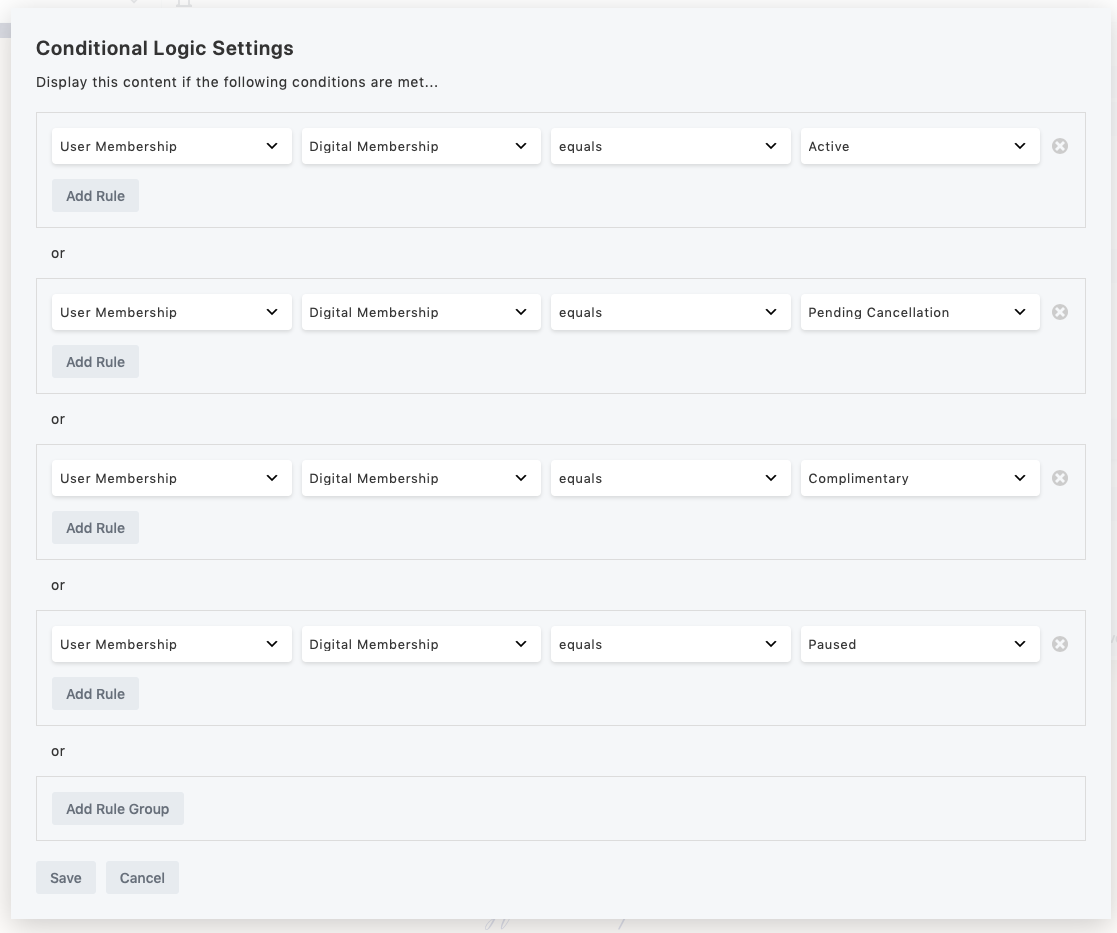
- Define your rule by selecting “User Membership” and then choose the plan that you are checking.
- If you just want to check if the user is active or inactive, “is set” will be true for any active status and “is not set” will be false for any active status. You can also create rules by comparing to specific Membership statuses by using “equal” or “not equal”.
Note: if you do not select a Membership Plan, then it will default to looking for the first of the user’s plans it finds, and if it can’t find any plan, the user will always be considered “inactive”. So if you have more than one plan available, it is not recommended to leave this unselected.
Details
Related plugins
Plugins that also contain the tag beaver-builder
Beaver Builder Page Builder – Drag and Drop Website Builder

Fullwidth Templates for Any Theme & Page Builder

Ultimate Addons for Beaver Builder – Lite

Material Design Icons for Page Builders

Header Footer for Beaver Builder

Pods Beaver Themer Add-On


About
Plugin for that tries to help you find the WordPress plugin you are looking for.
| Please enjoy an image of Crush (this awesome turtle) and have a lovely day! |  |
We do not own any plugin listed on this site and do not work for or work with WordPress.com or it's associated companies. We simply provide a searchable list of the available WordPress plugins.